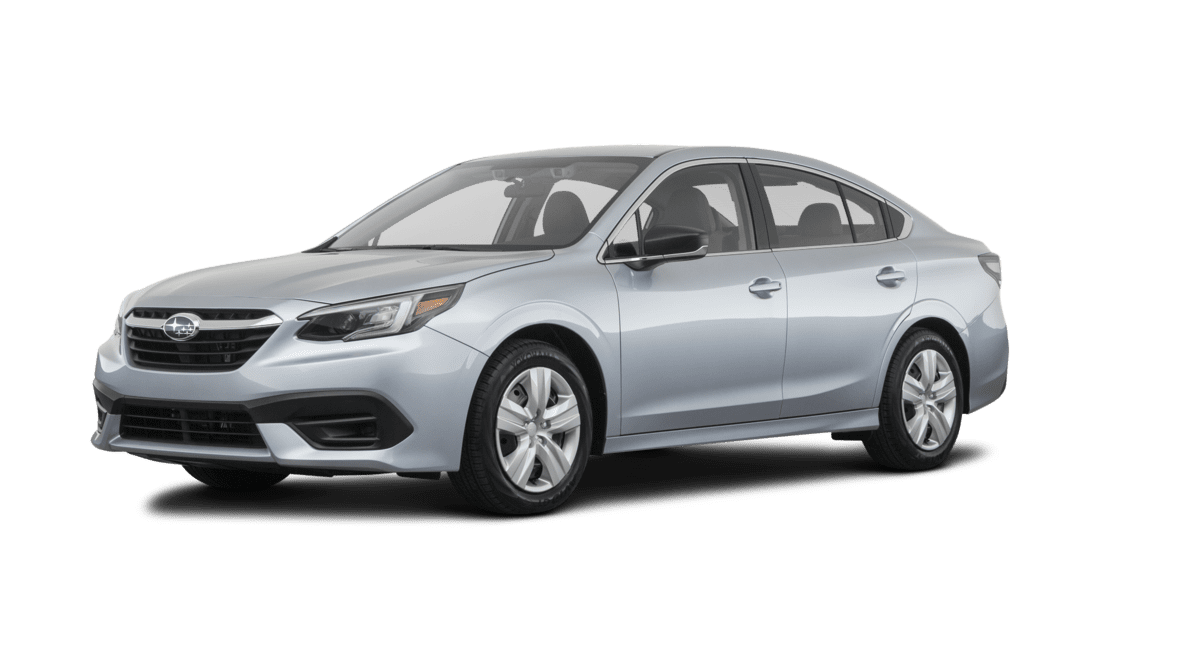
Accessory Installation Guide
| 2020MY Legacy/Outback CD Player | H621SAN000 |
SEOCONTENT-START
INSTALLATION INSTRUCTIONS
PART NUMBER: H621SAN000
DESCRIPTION: 2020 Legacy / Outback CD Player
DESCRIPTION
2020 Legacy / Outback CD Player
ISSUE
01
DATE
04/02/2019 SUBARU OF AMERICA
PAGE
1 / 20
KIT CONTENTS:
INSTALLATION INSTRUCTIONS
PART NUMBER: H621SAN000
DESCRIPTION: 2020 Legacy / Outback CD Player
DESCRIPTION
2020 Legacy / Outback CD Player
ISSUE
01
DATE
04/02/2019 SUBARU OF AMERICA
PAGE
2 / 20
TOOLS REQUIRED:
• 10mm & 12mm Socket and Ratchet
• Torque Wrench
• Philips head screw driver
• Trim Tool
INSTALLATION INSTRUCTIONS
PART NUMBER: H621SAN000
DESCRIPTION: 2020 Legacy / Outback CD Player
DESCRIPTION
2020 Legacy / Outback CD Player
ISSUE
01
DATE
04/02/2019 SUBARU OF AMERICA
PAGE
3 / 20
1 – Pre-Installation
INSTALLATION INSTRUCTIONS
PART NUMBER: H621SAN000
DESCRIPTION: 2020 Legacy / Outback CD Player
DESCRIPTION
2020 Legacy / Outback CD Player
ISSUE
01
DATE
04/02/2019 SUBARU OF AMERICA
PAGE
4 / 20
Disconnect Negative (
Disconnect Negative (–) battery cable from the ) battery cable from the battery battery sensor terminal. Hold the battery sensor terminal. Hold the battery sensor carefully when removing the 10mm nut.sensor carefully when removing the 10mm nut.
1
1–22
Place vehicle in ACC mode
Place vehicle in ACC mode
Engage Parking Brake
Engage Parking Brake
Move Driver/Passenger Seat to Rearmost
Move Driver/Passenger Seat to Rearmost PositionPosition
Turn vehicle OFF
Turn vehicle OFF
1
1–11
INSTALLATION INSTRUCTIONS
PART NUMBER: H621SAN000
DESCRIPTION: 2020 Legacy / Outback CD Player
DESCRIPTION
2020 Legacy / Outback CD Player
ISSUE
01
DATE
04/02/2019 SUBARU OF AMERICA
PAGE
5 / 20
2 – Dash and Radio Removal
INSTALLATION INSTRUCTIONS
PART NUMBER: H621SAN000
DESCRIPTION: 2020 Legacy / Outback CD Player
DESCRIPTION
2020 Legacy / Outback CD Player
ISSUE
01
DATE
04/02/2019 SUBARU OF AMERICA
PAGE
6 / 20
Remove
Remove LH side trim panel to access (1) LH side trim panel to access (1) Philips screw. Remove screw. Remove Philips screw. Remove screw. Remove additional screw from right side of lower dash additional screw from right side of lower dash trim paneltrim panel
2
2–33
Unclip the LH lower dash trim panel starting
Unclip the LH lower dash trim panel starting from the left side.from the left side.
2
2–44
Remove two (2) philips
Remove two (2) philips head screws from head screws from gauge cowl. Remove cowl by pulling toward gauge cowl. Remove cowl by pulling toward you.you.
2
2–22
Use plastic trim removal tool to pry and pull up
Use plastic trim removal tool to pry and pull up and remove upper dash trim.and remove upper dash trim.
2
2–11
INSTALLATION INSTRUCTIONS
PART NUMBER: H621SAN000
DESCRIPTION: 2020 Legacy / Outback CD Player
DESCRIPTION
2020 Legacy / Outback CD Player
ISSUE
01
DATE
04/02/2019 SUBARU OF AMERICA
PAGE
7 / 20
Using trim tool, release dash pad and remove.
Using trim tool, release dash pad and remove. Note, release one clip of driverNote, release one clip of driver side lower dash side lower dash to remove pad.to remove pad.
2
2–77
Remove four (4) 10mm bolts to remove radio
Remove four (4) 10mm bolts to remove radio from the dash. Release radio by pulling toward from the dash. Release radio by pulling toward you to disengage clips.you to disengage clips.
2
2–88
For push
For push–start models unplug the START start models unplug the START switch.switch.
2
2–66
For key
For key–start vehicles, unclip the small panel start vehicles, unclip the small panel near the ignition cylinder. near the ignition cylinder.
2
2–55
INSTALLATION INSTRUCTIONS
PART NUMBER: H621SAN000
DESCRIPTION: 2020 Legacy / Outback CD Player
DESCRIPTION
2020 Legacy / Outback CD Player
ISSUE
01
DATE
04/02/2019 SUBARU OF AMERICA
PAGE
8 / 20
Disconnect all remaining connectors from radio
Disconnect all remaining connectors from radio and carefully place unit aside.and carefully place unit aside.
2
2–1010
Disconnect two top connectors
Disconnect two top connectors
2
2–99
INSTALLATION INSTRUCTIONS
PART NUMBER: H621SAN000
DESCRIPTION: 2020 Legacy / Outback CD Player
DESCRIPTION
2020 Legacy / Outback CD Player
ISSUE
01
DATE
04/02/2019 SUBARU OF AMERICA
PAGE
9 / 20
3 – Center Console Removal
INSTALLATION INSTRUCTIONS
PART NUMBER: H621SAN000
DESCRIPTION: 2020 Legacy / Outback CD Player
DESCRIPTION
2020 Legacy / Outback CD Player
ISSUE
01
DATE
04/02/2019 SUBARU OF AMERICA
PAGE
10 / 20
Pull up to remove OE shift knob.
Pull up to remove OE shift knob.
3
3–33
3
3–44
Use fingers to push pin clip forward on both
Use fingers to push pin clip forward on both sides. sides.
3
3–22
Use plastic trim removal tool to pry and push
Use plastic trim removal tool to pry and push down on the factory cover grip.down on the factory cover grip.
3
3–11
Open
Open Console Lid and TrayConsole Lid and Tray
Use plastic trim removal tool, pull up on
Use plastic trim removal tool, pull up on console cover behind cup holdersconsole cover behind cup holders
INSTALLATION INSTRUCTIONS
PART NUMBER: H621SAN000
DESCRIPTION: 2020 Legacy / Outback CD Player
DESCRIPTION
2020 Legacy / Outback CD Player
ISSUE
01
DATE
04/02/2019 SUBARU OF AMERICA
PAGE
11 / 20
Lift towards rearward to remove console cover
Lift towards rearward to remove console cover and place upside down on protected bench topand place upside down on protected bench top
3
3–77
Remove five (5) Philips head screws
Remove five (5) Philips head screws
3
3–88
Disconnect console power connection
Disconnect console power connection
3
3–66
3
3–55
On the driver side of the console box, remove
On the driver side of the console box, remove round trim insert and remove 10mm bolt. round trim insert and remove 10mm bolt.
Repeat on passenger side.
Repeat on passenger side.
INSTALLATION INSTRUCTIONS
PART NUMBER: H621SAN000
DESCRIPTION: 2020 Legacy / Outback CD Player
DESCRIPTION
2020 Legacy / Outback CD Player
ISSUE
01
DATE
04/02/2019 SUBARU OF AMERICA
PAGE
12 / 20
3
3–1111
3
3–1010
3
3–99
Remove three (3) 1
Remove three (3) 122mm bolts and remove mm bolts and remove floor bracket. Retain bolts for reuse.floor bracket. Retain bolts for reuse.
From the rear, lift up and remove console box
From the rear, lift up and remove console box assembly. Place on bench.assembly. Place on bench.
Remove passenger side knee wall by pulling
Remove passenger side knee wall by pulling toward the side to disengage center clip then toward the side to disengage center clip then pulling back to remove.pulling back to remove.
INSTALLATION INSTRUCTIONS
PART NUMBER: H621SAN000
DESCRIPTION: 2020 Legacy / Outback CD Player
DESCRIPTION
2020 Legacy / Outback CD Player
ISSUE
01
DATE
04/02/2019 SUBARU OF AMERICA
PAGE
13 / 20
4 – Harness Routing
INSTALLATION INSTRUCTIONS
PART NUMBER: H621SAN000
DESCRIPTION: 2020 Legacy / Outback CD Player
DESCRIPTION
2020 Legacy / Outback CD Player
ISSUE
01
DATE
04/02/2019 SUBARU OF AMERICA
PAGE
14 / 20
4
4–22
Route power and usb audio harnesses as shown:
Route power and usb audio harnesses as shown:
Using the removed 1
Using the removed 122mm bolts, install the CD mm bolts, install the CD player floor bracket and torque to 60 ft lbs player floor bracket and torque to 60 ft lbs
Note: ensure forward stud aligns with hole in
Note: ensure forward stud aligns with hole in bracketbracket
4
4–11
INSTALLATION INSTRUCTIONS
PART NUMBER: H621SAN000
DESCRIPTION: 2020 Legacy / Outback CD Player
DESCRIPTION
2020 Legacy / Outback CD Player
ISSUE
01
DATE
04/02/2019 SUBARU OF AMERICA
PAGE
15 / 20
4
4–44
Secure the power and USB audio harness as shown. Note, tie location 3
Secure the power and USB audio harness as shown. Note, tie location 3 uses the preinstalled clip for the audio harness, then a zip tie for the uses the preinstalled clip for the audio harness, then a zip tie for the power harness.power harness.
Install first zip tie in radio cavity.
Install first zip tie in radio cavity. Ensure both Power and USB cables Ensure both Power and USB cables are secured to main are secured to main harness.harness.
Note: leave enough slack for radio
Note: leave enough slack for radio removal and installationremoval and installation
4
4–33
1
1
2
2
3
3
4
4
5
5
INSTALLATION INSTRUCTIONS
PART NUMBER: H621SAN000
DESCRIPTION: 2020 Legacy / Outback CD Player
DESCRIPTION
2020 Legacy / Outback CD Player
ISSUE
01
DATE
04/02/2019 SUBARU OF AMERICA
PAGE
16 / 20
4
4–77
Connect adapter harness, 6
Connect adapter harness, 6–pin and 10pin and 10–pin pin connectors to headunit. Reconnect all connectors to headunit. Reconnect all remaining connectors to radio and remaining connectors to radio and telematics telematics module. Reinstall the radio assembly and module. Reinstall the radio assembly and panels to the dash, A/C vents.panels to the dash, A/C vents.
4
4–66
Make connections at radio location. Connect
Make connections at radio location. Connect the 6the 6–pin and 10pin and 10–pin connector ends that are pin connector ends that are wrapped in foam to main two stock radio wrapped in foam to main two stock radio connectors. connectors.
4
4–55
If applicable, ensure the power and audio
If applicable, ensure the power and audio harness run below the carpet section harness run below the carpet section highlighted above highlighted above
INSTALLATION INSTRUCTIONS
PART NUMBER: H621SAN000
DESCRIPTION: 2020 Legacy / Outback CD Player
DESCRIPTION
2020 Legacy / Outback CD Player
ISSUE
01
DATE
04/02/2019 SUBARU OF AMERICA
PAGE
17 / 20
5. CD Player Center Console Assembly
INSTALLATION INSTRUCTIONS
PART NUMBER: H621SAN000
DESCRIPTION: 2020 Legacy / Outback CD Player
DESCRIPTION
2020 Legacy / Outback CD Player
ISSUE
01
DATE
04/02/2019 SUBARU OF AMERICA
PAGE
18 / 20
5
5–33
On the underside of the center console
On the underside of the center console assembly, slide 6 Spring Clips into placeassembly, slide 6 Spring Clips into place
5
5–44
Remove the 6
Remove the 6 Phillips head screws.Phillips head screws.
Remove arm rest cover assembly. Place all
Remove arm rest cover assembly. Place all items aside for reuse.items aside for reuse.
5
5–22
Remove rear panel of center console assembly
Remove rear panel of center console assembly and place aside for reuse.and place aside for reuse.
If applicable, disconnect rear USB power
If applicable, disconnect rear USB power connector.connector.
5
5–11
Install CD Player assembly and secure with 6
Install CD Player assembly and secure with 6 Phillips head screwsPhillips head screws
INSTALLATION INSTRUCTIONS
PART NUMBER: H621SAN000
DESCRIPTION: 2020 Legacy / Outback CD Player
DESCRIPTION
2020 Legacy / Outback CD Player
ISSUE
01
DATE
04/02/2019 SUBARU OF AMERICA
PAGE
19 / 20
5
5–77
5
5–88
Affix arm rest cover assembly using 4 Phillip’s
Affix arm rest cover assembly using 4 Phillip’s head screws. head screws.
Re
Re–attach rear panelattach rear panel
Insert Console Mat into console box
Insert Console Mat into console box
Transfer power port plug from old
Transfer power port plug from old console to console to newnew
5
5–66
5
5–55
Reinstall console box
Reinstall console box
Install driver/pass side rear lower bolts
Install driver/pass side rear lower bolts
Replace trim covers
Replace trim covers
Replace 5 screws
Replace 5 screws
Install 2 new CD player hold down bolts
Install 2 new CD player hold down bolts
Plug in power and audio harnesses
Plug in power and audio harnesses
Connect left and right side
Connect left and right side driver panels to driver panels to inner console pocket. inner console pocket.
Replace rear two screws.
Replace rear two screws.
INSTALLATION INSTRUCTIONS
PART NUMBER: H621SAN000
DESCRIPTION: 2020 Legacy / Outback CD Player
DESCRIPTION
2020 Legacy / Outback CD Player
ISSUE
01
DATE
04/02/2019 SUBARU OF AMERICA
PAGE
20 / 20
5
5–1111
5
5–1010
5
5–99
Reconnect battery and test audio system for sound at all speaker
Reconnect battery and test audio system for sound at all speaker locations. locations.
Connect console power connection to console
Connect console power connection to console lidlid
Reinstall
Reinstall Console Lid and reinstall shift knob.Console Lid and reinstall shift knob.

- 【Applicable Models】The car radio for Subaru Forester 2008 2009 2010 2011 2012 ②The car stereo for Impreza WRX 2007 2008 2009 2010 2011. ③Not fit your OEM car with Amplifier or Large Screen. ④Please check the image of incompatible vehicle models on the detail page before purchasing.
- 【Multi-functional Linux Radio for Subaru Forester】Leadfan car radio for 2008 subaru forester radio with 9-inch 2.5D touchscreen, no storage, feature with newest Powerful and Stable Linux system, boots up in 1 second and stable bluetooth connection, no lag, no system crashes. The apple carplay radio for 2009 subaru forester also support wireless CarPlay and Android Auto, wired mirrorlink, built in bluetooth, FM, SWC, 10 adjustment EQ, with backup camera.
- 【Wireless Apple CarPlay & Android Auto & Voice Control】For 2010 subaru forester radio support wireless/wired Apple CarPlay and Android Auto for IOS/Android. 2011 subaru forester car radio with built-in Bluetooth supports calling, music playing, message and other feature with voice control, without taking your hands off the wheel while ensuring safe driving.
- 【Touch Screen Radio with Mirror Link】2012 subaru forester radio supports phone screen mirroring for both iOS and Android devices. Connect through wired USB, allowing you to project Video, GPS navigation, music or Other App interfaces onto the larger display, turning your dashboard into a smart entertainment hub and enjoy vivid visuals and wide-angle views on the high-resolution 9-inch toyota rav4 screen radio.
- 【Steering Wheel Control & HD Backup Camera】Carplay radio for subaru forester 2010 with a HD reversing camera, helping you park with ease and stay in control at all times. The system automatically switches to the backup camera feed when reversing, featuring night vision and wide-angle views for safety. Retain functionality of your vehicle with Steering Wheel Control (SWC) compatibility, allowing you to adjust volume or answer calls without looking away from the road.

- 8 Core 64GB Android Radio:Our Android car radio is equipped with the latest version of Android and an 8-core CPU processor, delivering exceptional performance and a perfect user experience. With 4G RAM and 64G ROM, our radio ensures smooth operation and provides ample storage for downloading popular apps like YouTube. It is designed to be compatible with Subaru Forester Impreza WRX 2008-2012 models. If you’re unsure whether it’s a good fit for your vehicle, please ask us first
- Wireless and Wired Carplay Android Auto:The Subaru Forester Impreza WRX car stereo offers seamless connectivity with your smartphone’s apps and features like WhatsApp, Google Maps, and Telegram, whether through Bluetooth or a USB data cable. It also supports voice control through Siri or Google Assistant, allowing you to keep your hands free while operating the stereo
- GPS Navigation and WiFi and Split Screen:With WiFi or hotspot connectivity, you can browse the internet, watch videos, and download apps on the 9 inch Subaru Forester Impreza WRX car radio. It also supports online and offline maps, providing real-time road conditions to help you avoid traffic jams. The split-screen feature enables you to simultaneously enjoy GPS navigation and watch videos on the 9 -inch screen with a resolution of 1280x720
- 32EQ DSP/BLUETOOTH 5.0/ FM/RDS:The car stereo comes pre-installed with DSP tuning software, allowing you to adjust the frequency, audio effects, and 32 EQ equalization settings, resulting in crystal-clear sound. Bluetooth 5.0 ensures a faster transmission speed and enables hands-free calling, phonebook downloads, and music streaming. The FM/RDS radio with 30 preset stations allows you to stay updated with new broadcasts, real-time traffic information, weather forecasts, and more
- Multi Function:The Android car stereo supports mirror link functionality, allowing you to mirror your smartphone’s content onto the large screen. It also supports steering wheel controls, provides 59 UI themes to suit your preferences, and allows you to move frequently used software to the home screen for easy access. As a gift, the car stereo comes with an external microphone and an AHD rearview camera with night vision and a 170 degree viewing angle
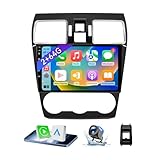
- 【Vehicle Compatibility】 The car stereo is compatible with Subaru Forester WRX Impreza 2016 2017 2018(With Silver Air Vent). Please check the car console and the year before buying. If you are not clear, please provide the following details: 1. Your car's model and year, 2. A picture of your car console
- 【 Android 13 Car Radio】The head unit runs on Android 13 as its main operating system, turning your car radio into a large tablet. Featuring 2GB + 64GB of storage, it ensures smooth performance for navigation, music, and more. The 9-inch touch screen with 1280x720 resolution provides a sharp and clear display. With the Play Store preinstalled, you can install many apps after connecting to Wi-Fi,
- 【Wireless CarPlay & Android Auto】 Wireless CarPlay and Android Auto work seamlessly, allowing for hands-free calls, navigation, music, and app use without cables. Simply connect to your smartphone via Bluetooth/Wi-Fi/USB to access the GPS navigation system, make phone calls, enjoy music while focusing on the road through the car's CarPlay screen, having a more convenient and safer driving experience
- 【GPS Navigation & WIFI &Bluetooth】Built-in GPS module supports both offline and online navigation. When connected to WiFi, you can get real - time traffic information. You can answer/make hands-free Bluetooth phone calls, listen to Bluetooth music without distractions
- 【Bluetooth & FM/RDS Radio】This car radio replacement features built-in Bluetooth, enabling hands-free calls, phone book syncing, and wireless music streaming for a convenient and safe driving experience. The FM/RDS radio offers stable reception and allows you to preset your favorite stations, keeping you informed with real-time news, sports updates, and weather forecasts while you're on the road

- 【Android 13 System Car Radio】Car Radio Compatible with Subaru Forester WRX Impreza 2013 2014 2015. With 2GB RAM and 64GB ROM, ensures smooth operation and multitasking capabilities. Built-in Bluetooth for answering, making phone calls, streaming music by hands-free. The 1280x720 high-resolution display video clear and vivid pictures and videos. You can enjoy your favourite music, movies and short videos from the car stereo.
- 【Car Stereo with Wireless Carplay & Android Auto】This car radio supports wireless Carplay/Android auto /Mirrorlink. Wirelessly connect your phone to the car's stereo infotainment system, providing a seamless experience. You can make phone calls, send messages, listen to music, and get directions using voice control, allowing you to focus on driving without worrying about using your phone, making your driving safely.
- 【Car Radio with GPS Navigation & WIFI】The built-in GPS module and external GPS antenna supports both online and offline map navigation. With Wi-Fi or hotspot connectivity, you can easily download and access to online navigation app and other video or music apps on Play Store. With the split-screen function, you can view two apps on the same screen simultaneously. For example, you can display navigation and music apps side by side, ensuring a more pleasant journey.
- 【FM/Steering Wheel Control】 With built-in FM radio that allows you to listen to radio programs and stay up-to-date with the latest news and weather information during driving. The car head unit also supports steering wheel controls, allowing you to effortlessly switch songs, change channels, and adjust the volume without taking your hands off the wheel, helping you stay focused on the road while enjoying a smooth and convenient driving experience
- 【SWC &AHD Rear Camera】The car head unit supports original car steering wheel control, such as switching songs, adjusting volume, answering calls, etc. The waterproof night vision camera offers 1080P resolution, reversing image is clearer no matter the weather conditions. Automatically switch the reversing image when reversing. Note: Professional installation is required. Incorrect wiring may cause a short circuit.

- 【Applicable Car Models】For Subaru Forester WRX Impreza 2013-2015
- 【EQ& FM/AM Radio】The built-in EQ lets you fine-tune sound for a more immersive listening experience. Enjoy FM/RDS radio with real-time traffic, news, and weather updates.
- 【GPS Navigation & WiFi Connect】Support Online maps, after connected to WiFi, you can use GPS Navigation at anywhere. This item allow install or delete android apps from Application Store, as the same as smart phone.
- 【Retained SWC Function】Support original steering wheel control, allowing you to use and control the car radio more conveniently.
- 【Wireless CarPlay & Android Auto】A smart way to use your phone in the car, simply connect your iPhone/Android phone to the Android car radio via bluetooth or USB Cable. Use smart voice assistant or touch the display, you can get directions, make calls, send and receive messages, and enjoy music etc. A smarter, safer and more fun way to use your phone in the car, and keep you stay focused, connected and entertained.
This product presentation was made with AAWP plugin.