
NUMBER: 02-132-12R
DATE: 08/21/12
REVISED: 06/10/15
| APPLICABILITY: | 2012 – 13MY Impreza and XV Crosstrek NA (FB Engine) |
| 2013MY BRZ (FA Engine) | |
| 2013MY Legacy and Outback (FB Engine) | |
| 2011– 13MY Forester NA (FB Engine) | |
| SUBJECT: | Diagnosis and Repair for AVCS-Related DTCs P000A, P000B, P000C, P000D, P0011, P0014, P0021 and P0024 |
INTRODUCTION
This Bulletin provides a procedure for diagnosis and determination of necessary part replacement in the event any of the “AVCS Slow Response” or “AVCS System Failure” DTCs listed above are found to be stored in the ECM memory. A possible cause of these conditions is contamination within the camshaft sprocket and / or oil control solenoid valve (OCV) mechanism.
COUNTERMEASURE IN PRODUCTION
Countermeasures were incorporated into production during July, 2012 starting with the following VINs:
| MODEL | VEHICLE TYPE | STARTING VIN FOR CAMSHAFT SPROCKET COUNTERMEASURE | STARTING VIN FOR OIL CONTROL SOLENOID VALVE COUNTERMEASURE |
| BRZ | – | D*603215 | D*603362 |
| Impreza and XV Crosstrek (Exc. WRX & STI) | 4-Door | D*004206 | D*004655 |
| 5-Door | D*204371 | D*205723 | |
| Legacy | – | D*006591 | D*006243 |
| Outback | – | D*213584 | D*212977 |
| Forester | – | D*417742 | D*419507 |
SERVICE PROCEDURE / INFORMATION
NOTES: Only the Intake-related DTCs are applicable to Legacy, Outback and Forester models.
- Using the SSMIII, determine which DTC is stored.
- Determine the location of the suspect component using the DTC List on page 3.
- Swap the Oil Control Solenoid Valves side-to-side (intake to intake or exhaust to exhaust, not between intake and exhaust on same side) following the procedure in the applicable Service Manual.
NOTE: The o-ring and nylon backer ring on the OCV must be replaced prior to reinstallation as they both are one-time use items.
- Clear the ECM memory.
- Perform the model-specific Drive Cycle or Inspection Mode procedure for the corresponding DTC as shown in the chart on the next page.
- Follow the applicable procedure below for locating either Inspection Mode or Drive Cycle instructions to coincide with the reference chart found on page 3.
- For BRZ: Using the Service Diagnostics tab on the STIS home page, enter your vehicle search parameters (example: 2013 > BRZ). Next, using the DTC tab, enter P0021 for INTAKE-related DTCs or P0024 for EXHAUST-related DTCs. Select the applicable link from your search result (example: P0021: Camshaft Position “A” – Timing Over-Advanced or System Performance (Bank 2)). Follow the diagnostic outline down to TEST DRIVE (for Drive Cycle) information.
- For All Other : Using the Service Diagnostics tab on the STIS home page, enter your vehicle search parameters (example: 2013 > Outback). Next, enter specific DTC into the search term box. Select the applicable link from your search result (examples: ENGINE (DIAGNOSTICS) (H4DO) > Drive Cycle > PROCEDURE or ENGINE (DIAGNOSTICS) (H4DO) > Inspection Mode > PROCEDURE).
| DTC | DESCRIPTION | RH / LH | INTAKE / EXHAUST | VEHICLE MODEL AND ENGINE TYPE (FA, FB) | |||
| BRZ (FA) | “2012 – 13MY Impreza, XV (FB)” | “2011-13MY Forester (FB)” | “2013MY LEG & Outback (FB)” | ||||
| P000A | A Camshaft Position Slow Response (Bank 1) | RH | Intake | BRZ Drive Cycle (Refer to Service Manual) | “Drive Cycle “”C”” (Refer to Service Manual)” | Not Applicable | “Drive Cycle “”C”” (Refer to Service Manual)” |
| P000B | B Camshaft Position Slow Response (Bank 1) | RH | Exhaust | BRZ Drive Cycle (Refer to Service Manual) | “Drive Cycle “”C”” (Refer to Service Manual)” | Not Applicable | Not Applicable |
| P000C | A Camshaft Position Slow Response (Bank 2) | LH | Intake | BRZ Drive Cycle (Refer to Service Manual) | “Drive Cycle “”C”” (Refer to Service Manual)” | Not Applicable | “Drive Cycle “”C”” (Refer to Service Manual)” |
| P000D | B Camshaft Position Slow Response (Bank 2) | LH | Exhaust | BRZ Drive Cycle (Refer to Service Manual) | “Drive Cycle “”C”” (Refer to Service Manual)” | Not Applicable | Not Applicable |
| P0011 | Intake Camshaft Position – Timing Over-Advanced or System Performance (Bank 1) | RH | Intake | BRZ Drive Cycle (Refer to Service Manual) | “Inspection Mode (Refer to Service Manual)” | “Inspection Mode (Refer to Service Manual)” | “Drive Cycle “”C”” (Refer to Service Manual)” |
| P0014 | Exhaust AVCS System 1 (Range / Performance) | RH | Exhaust | BRZ Drive Cycle (Refer to Service Manual) | “Inspection Mode (Refer to Service Manual)” | Not Applicable | Not Applicable |
| P0021 | Intake Camshaft Position – Timing Over-Advanced or System Performance (Bank 2) | LH | Intake | BRZ Drive Cycle (Refer to Service Manual) | “Inspection Mode (Refer to Service Manual)” | “Inspection Mode (Refer to Service Manual)” | “Drive Cycle “”C”” (Refer to Service Manual)” |
| P0024 | Exhaust AVCS System 2 (Range / Performance) | LH | Exhaust | BRZ Drive Cycle (Refer to Service Manual) | “Inspection Mode (Refer to Service Manual)” | Not Applicable | Not Applicable |
- Does the suspect component / problem location change to the opposite bank of the engine by resetting the applicable DTC?
- YES– Replace the suspect OCV with a new part (including a new o-ring and backer ring).
- NO– Replace the suspect camshaft sprocket with a new part. (It is not necessary to return OCVs to their original positions.)
IMPORTANT: After any component replacement, perform the applicable Drive Cycle or Inspection Mode procedure again to confirm the repair.
NHTSA ID Number: 10080600
Manufacturer Communication Number: 02-132-12R
Summary
THIS BULLETIN PROVIDES A PROCEDURE FOR DIAGNOSIS AND DETERMINATION OF NECESSARY PART REPLACEMENT IN THE EVENT ANY OF THE “AVCS SLOW RESPONSE” OR “AVCS SYSTEM FAILURE” DTCS LISTED ABOVE ARE FOUND TO BE STORED IN THE ECM MEMORY.
1 Associated Document
Service Bulletin Document
NUMBER: 02-132-12R
DATE: 08/21/12
REVISED: 01/19/15
https://www.nhtsa.gov/recalls?nhtsaId=10080600
NHTSA ID Number: 10232507
Manufacturer Communication Number: 0213212R
Summary
Diagnosis and Repair for AVCS-Related DTCs
1 Associated Document
Manufacturer Communications
NUMBER: 02-132-12R
DATE: 08/21/12
REVISED: 06/16/14
https://www.nhtsa.gov/recalls?nhtsaId=10232507
MC-10232507-9999.pdf 279.956KB
NHTSA ID Number: 10235837
Manufacturer Communication Number: 0213212R
Summary
Diagnosis and Repair for AVCS-Related DTCs
1 Associated Document
Manufacturer Communications
NUMBER: 02-132-12R
DATE: 08/21/12
REVISED: 01/21/13
https://www.nhtsa.gov/recalls?nhtsaId=10235837
MC-10235837-9999.pdf 437.706KB
NHTSA ID Number: 10089952
Manufacturer Communication Number: 02-132-12R
Summary
THIS BULLETIN PROVIDES A PROCEDURE FOR DIAGNOSIS AND DETERMINATION OF NECESSARY PART REPLACEMENT IN THE EVENT ANY OF THE “AVCS SLOW RESPONSE” OR “AVCS SYSTEM FAILURE” DTCS LISTED ABOVE ARE FOUND TO BE STORED IN THE ECM MEMORY. A POSSIBLE CAUSE OF THESE CONDITIONS IS CONTAMINATION WITHIN THE CAMSHAFT SPROCKET AND / OR OIL CONTROL SOLENOID VALVE (OCV) MECHANISM.
1 Associated Document
Service Bulletin Document
NUMBER: 02-132-12R
DATE: 08/21/12
REVISED: 01/21/13
https://www.nhtsa.gov/recalls?nhtsaId=10089952
SB-10089952-0699.pdf 723.308KB
NHTSA ID Number: 10065112
Manufacturer Communication Number: 02-132-12R
Summary
SUMMARY TO BE PROVIDED ON A FUTURE DATE.
1 Associated Document
Service Bulletin Document
NUMBER: 02-132-12R
DATE: 08/21/12
REVISED: 01/21/13
https://www.nhtsa.gov/recalls?nhtsaId=10065112
SB-10065112-3639.pdf 437.706KB
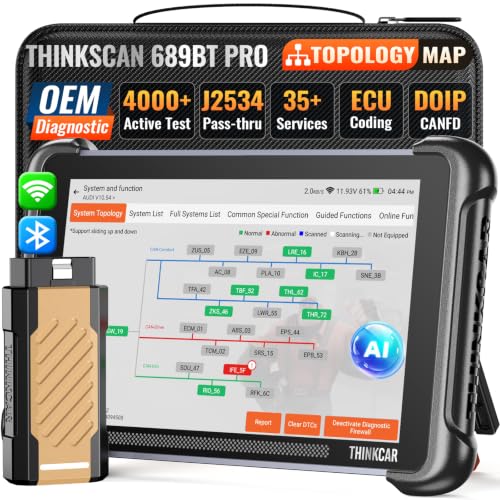
- 【You can always trust Thinkcar】Not happy with the product? If you experience any issues with the product after purchase(functions doesn't work or receive a used product), not sure about the compatibility with your car, please directly message to support @ mythinkcar. com, we also offer online technical support and consultation services to help you quickly get started, even if it's your first time. For select functions, we provide step-by-step guides, video tutorials, and direct support to ensure a smooth experience.
- 【Engineered for Excellence】Favored by A Tremendous Loves of Users, from DIYers and technicians to top automotive influencers. The new intelligent AI-powered THINKSCAN 689BT PRO diagnostic tool provides comprehensive workshop solutions and diagnostic capabilities, topology mapping, J2534 pass-thru solution, new developed Tyler AI Agent, full bidirectional control, 35+ services, PMI, CANFD, DoIP, FCA gateway. While excellent software innovation requires stable hardware support. The THINKSCAN 689BT PRO is driven by Android 10, 4-core high-speed CPU, 4GB RAM, 64GB ROM, ensure 5X faster performance and empowers technicians to repair cars more efficiently, and deliver results with confidence.
- 【J2534 Pass-Thru Support】Featuring an innovative factory-level VCI with the latest J2534 protocol standards, the THINKSCAN 689BT PRO scanner can function as a pass-thru device to achieve direct connectivity seamlessly with mainstream OEM softwares, including GDS2, Forscan, Witech2.0, ODIS, Techstream, ect. This means that with just one device, you can easily access factory level diagnostic, pr0gramming and maintenance functions on multiple brand models, greatly helping technicians get from scan to solution faster than ever.
- 【Pro-Level Topology Mapping for Full System Insight】The THINKSCAN 689BT PRO now features newly integrated topology mapping. It provides a complete and intuitive overview of complex system interconnections for the vehicle, displaying each accessible control module in different colors at a glance, as well as system counts, scanned systems, and diagnostic results. No need for endless scrolling menus, this smart zoom, pan, and highlight specific modules allows for pinpoint module selection. With the support of AI, you can also easily identify the cause of faults and obtain step-by-step repair assistance - empowering you with dealer-level intelligence and excellent efficiency at workshop speed.
- 【Revolutionary Tyler AI Intelligent Scan Tool】Stop wasting cycles on manual code lookups and repetitive cross-referencing. The THINKSCAN 689BT PRO's Tyler AI intelligent system works as a full-time AI expert— it automatically retrieve fault codes, generate reports, capture data for post-scan review, and analyze underlying vehicle issues in real time. But that's just the baseline. The built-in THINKAI chatbot takes it further: ask it any question you wanna know, it delivers instant, context-aware troubleshooting guidance and technical resources without forcing you to flip through service manuals, Tyler AI Agent gives you the confidence of a pro, right from your driver's seat.

- 2026 Advanced ECU Coding Scan Tool: Maximize the capabilities of your vehicles with the ArtiDiag Pro. This scan tool, seamlessly compatible with renowned models such as VW, A-U-D-I, SKODA, SEAT, BENZ, and more, empowers you to uncover hidden features, deactivate annoying functions, and code retrofitted components for peak performance. Ensure a backup before coding and steer clear of problems on low battery levels.
- Efficient Diagnostics with Bidirectional Control: Say goodbye to uncertainty, streamline diagnostics, and reclaim valuable time with ArtiDiag Pro scan tool. This bidirectional scan tool exceeds expectations, enabling targeted tests on individual actuators to swiftly identify and resolve issues. Covering lights, door locks, fuel and coolant systems, windows, wipers, EVAP, and more in vehicle components.
- 35+ Services Resolve 90% of Repair Challenges: Unleash maximum productivity with the ArtiDiag Pro, a scan tool that tackles 90% of maintenance issues through its 35 special functions. Effortlessly clear oil maintenance indicators with oil reset. Engage the EPB Reset for brake system management and establish precise alignment with the Steering Angle Reset to define the straight-line reference position for your vehicle.
- FCA Autoauth : This diagnostic tool supports Autoauth for FCA SGW/Renault, Chrysler, Jeep, Dodge, Fiat etc. 2017 and later. NOTE: Due to Product Upgrade, there is no Chrysler 12+8 adapter, the BMW-20 Adapter in the package any more. We are sincerely sorry for the inconvenience. NOTE: Please confirm compatibility before purchase.(Topdon Website>Support>Vehicle Coverage)
- Professional Customer Support: At TOPDON, your satisfaction is our unwavering commitment. Experience hassle-free support and a lifetime of expert assistance. Should you encounter any challenges, reach out to us at 833-629-4832. For returns, please damage the packaging to prevent Amazon from reselling it. Please be advised that after two years, a subscription fee of 249 Bucks will apply.

- OE-Level diagnostics on your smart device
- FREE Software updates - No subscriptions, no fees – EVER
- Full bi-directional control, live actuation test
- Supports 23 vehicle reset/relearn functions, including throttle matching, ABS bleeding, TPMS reset, etc.
- Live data mapping and freeze frame capturing

- CEL Doctor: The ANCEL AD310 is one of the best-selling OBD II scanners on the market and is recommended by Scotty Kilmer, a YouTuber and auto mechanic. It can easily determine the cause of the check engine light coming on. After repairing the vehicle's problems, it can quickly read and clear diagnostic trouble codes of emission system, read live data & hard memory data, view freeze frame, I/M monitor readiness and collect vehicle information
- Sturdy and Compact: Equipped with a 2.5 foot cable made of very thick, flexible insulation. It is important to have a sturdy scanner as it can easily fall to the ground when working in a car. The AD310 OBD2 scanner is a well-constructed mechanic tool with a sleek design. It weighs 12 ounces and measures 8.9 x 6.9 x 1.4 inches. Thanks to its compact design and light weight, transporting the device is not a problem. The buttons are clearly labelled and the screen is large and displays results clearly
- Accurate Fast and Easy to Use: The AD310 scanner can help you or your mechanic understand if your car is in good condition, provides exceptionally accurate and fast results, reads and clears engine trouble emission codes in seconds after you fixed the problem. This device will let you know immediately and fix the problem right away without any car knowledge. No need for batteries or a charger, get power directly from the OBDII Data Link Connector in your vehicle
- OBDII Protocols and Car Compatibility: Many cheap scan tools do not really support all OBD2 protocols. AD310 scanner as it can support all OBDII protocols such as KWP2000, J1850 VPW, ISO9141, J1850 PWM and CAN. This device also has extensive vehicle compatibility with 1996 US-based, 2000 EU-based and Asian cars, light trucks, SUVs, as well as newer OBD2 and CAN vehicles both domestic and foreign. Pls confirm with our customer service whether it is compatible with your vehicle before purchasing
- Home Necessity and Worthy to Own: This is an excellent code reader to travel or home with as it weighs less and it is compact in design. You can easily slide it in your backpack as you head to the garage, or put it on the dashboard, this will be a great fit for you. The AD310 is not only portable, but also accurate and fast in performance. Moreover, it covers various car brands and is suitable for people who just need a code reader to check their car
- [Diagnose Like a Pro] BlueDriver Pro Next-Gen is a professional OBD2 scanner and diagnostic tool that helps you scan, understand, and clear vehicle trouble codes with confidence. Turn your phone into a powerful car diagnostic scanner—no guesswork, no unnecessary repairs.
- [Read and Clear More Codes Than Ever] Read and clear more codes than basic car code readers. Access enhanced diagnostics for Check Engine, ABS, SRS, Airbag, TPMS, Transmission, and more on supported vehicles, including expanded coverage on newer model years.
- [Verified Fixes and Real-Time Data] Get unlimited, technician-verified repair reports matched to your VIN, with definitions, causes, and confirmed fixes. Monitor live vehicle data as you drive, view freeze frames, check smog readiness, and analyze Mode 6 test results.
- [Expanded Make & Model Coverage] Optimized for today’s vehicles with strong support for GM, Ford, Stellantis (RAM, Jeep, Chrysler), Toyota, Honda, Nissan, Mazda, Subaru, Hyundai, Mercedes-Benz, BMW, and VW. Enhanced communication on select 2024+ Nissan and Mazda models (see compatibility chart).
- [Gas Vehicles 1996+ & Select Light-Duty Trucks] Works with all gas-powered vehicles made in 1996 or newer, plus select light-duty trucks and diesels, including F-250, RAM 2500, Silverado, and Sierra. Built for daily drivers, family vehicles, and real-world truck use.
SEOCONTENT-START
Bulletin Number: 02-132-12R; Revised: 06/10/15 Page 1 INTRODUCTION This Bulletin provides a procedure for diagnosis and determination of necessary part replacement in the event any of the “AVCS Slow Response” or “AVCS System Failure” DTCs listed above are found to be stored in the ECM memory. A possible cause of these conditions is contamination within the camshaft sprocket and / or oil control solenoid valve (OCV) mechanism. COUNTERMEASURE IN PRODUCTION Countermeasures were incorporated into production during July, 2012 starting with the following VINs: MODEL VEHICLE TYPE STARTING VIN FOR CAMSHAFT SPROCKET COUNTERMEASURE STARTING VIN FOR OIL CONTROL SOLENOID VALVE COUNTERMEASURE BRZ – D*603215 D*603362 Impreza and XV Crosstrek (Exc. WRX & STI) 4-Door D*004206 D*004655 5-Door D*204371 D*205723 Legacy – D*006591 D*006243 Outback – D*213584 D*212977 Forester – D*417742 D*419507 NUMBER: 02-132-12R DATE: 08/21/12 REVISED: 06/10/15 APPLICABILITY: 2012 – 13MY Impreza and XV Crosstrek™ NA Models (FB Engine) 2013MY BRZ (FA Engine) 2013MY Legacy and Outback Models (FB Engine) 2011– 13MY Forester NA Models (FB Engine) SUBJECT: Diagnosis and Repair for AVCS-Related DTCs P000A, P000B, P000C, P000D, P0011, P0014, P0021 and P0024 SERVICE BULLETIN ATTENTION: GENERAL MANAGER q PARTS MANAGER q CLAIMS PERSONNEL q SERVICE MANAGER q IMPORTANT – All Service Personnel Should Read and Initial in the boxes provided, right. Continued… CAUTION: VEHICLE SERVICING PERFORMED BY UNTRAINED PERSONS COULD RESULT IN SERIOUS INJURY TO THOSE PERSONS OR TO OTHERS. Subaru Service Bulletins are intended for use by professional technicians ONLY. They are written to inform those technicians of conditions that may occur in some vehicles, or to provide information that could assist in the proper servicing of the vehicle. Properly trained technicians have the equipment, tools, safety instructions, and know-how to do the job correctly and safely. If a condition is described, DO NOT assume that this Service Bulletin applies to your vehicle, or that your vehicle will have that condition. SUBARU OF AMERICA, INC. IS “ISO 14001 COMPLIANT” The international standard for excellence in Environmental Management Systems. Please recycle or dispose of automotive products in a manner that is friendly to our environment and in accordance with all local, state and federal laws and regulations. Bulletin Number: 02-132-12R; Revised: 06/10/15 Page 2 Continued… SERVICE PROCEDURE / INFORMATION NOTES: Only the Intake-related DTCs are applicable to Legacy, Outback and Forester models. • Using the SSMIII, determine which DTC is stored. • Determine the location of the suspect component using the DTC List on page 3. • Swap the Oil Control Solenoid Valves side-to-side (intake to intake or exhaust to exhaust, not between intake and exhaust on same side) following the procedure in the applicable Service Manual. NOTE: The o-ring and nylon backer ring on the OCV must be replaced prior to reinstallation as they both are one-time use items. • Clear the ECM memory. • Perform the model-specific Drive Cycle or Inspection Mode procedure for the corresponding DTC as shown in the chart on the next page. • Follow the applicable procedure below for locating either Inspection Mode or Drive Cycle instructions to coincide with the reference chart found on page 3. 1. For BRZ: Using the Service Diagnostics tab on the STIS home page, enter your vehicle search parameters (example: 2013 > BRZ). Next, using the DTC tab, enter P0021 for INTAKE-related DTCs or P0024 for EXHAUST-related DTCs. Select the applicable link from your search result (example: P0021: Camshaft Position “A” – Timing Over-Advanced or System Performance (Bank 2)). Follow the diagnostic outline down to TEST DRIVE (for Drive Cycle) information. 2. For All Other Models: Using the Service Diagnostics tab on the STIS home page, enter your vehicle search parameters (example: 2013 > Outback). Next, enter specific DTC into the search term box. Select the applicable link from your search result (examples: ENGINE (DIAGNOSTICS) (H4DO) > Drive Cycle > PROCEDURE or ENGINE (DIAGNOSTICS) (H4DO) > Inspection Mode > PROCEDURE). Bulletin Number: 02-132-12R; Revised: 06/10/15 Page 3 DTC DESCRIPTION RH / LH INTAKE / EXHAUST VEHICLE MODEL AND ENGINE TYPE (FA, FB) BRZ (FA) “2012 – 13MY Impreza, XV (FB)” “2011-13MY Forester (FB)” “2013MY LEG & Outback (FB)” P000A A Camshaft Position Slow Response (Bank 1) RH Intake BRZ Drive Cycle (Refer to Service Manual) “Drive Cycle “”C”” (Refer to Service Manual)” Not Applicable “Drive Cycle “”C”” (Refer to Service Manual)” P000B B Camshaft Position Slow Response (Bank 1) RH Exhaust BRZ Drive Cycle (Refer to Service Manual) “Drive Cycle “”C”” (Refer to Service Manual)” Not Applicable Not Applicable P000C A Camshaft Position Slow Response (Bank 2) LH Intake BRZ Drive Cycle (Refer to Service Manual) “Drive Cycle “”C”” (Refer to Service Manual)” Not Applicable “Drive Cycle “”C”” (Refer to Service Manual)” P000D B Camshaft Position Slow Response (Bank 2) LH Exhaust BRZ Drive Cycle (Refer to Service Manual) “Drive Cycle “”C”” (Refer to Service Manual)” Not Applicable Not Applicable P0011 Intake Camshaft Position – Timing Over-Advanced or System Performance (Bank 1) RH Intake BRZ Drive Cycle (Refer to Service Manual) “Inspection Mode (Refer to Service Manual)” “Inspection Mode (Refer to Service Manual)” “Drive Cycle “”C”” (Refer to Service Manual)” P0014 Exhaust AVCS System 1 (Range / Performance) RH Exhaust BRZ Drive Cycle (Refer to Service Manual) “Inspection Mode (Refer to Service Manual)” Not Applicable Not Applicable P0021 Intake Camshaft Position – Timing Over-Advanced or System Performance (Bank 2) LH Intake BRZ Drive Cycle (Refer to Service Manual) “Inspection Mode (Refer to Service Manual)” “Inspection Mode (Refer to Service Manual)” “Drive Cycle “”C”” (Refer to Service Manual)” P0024 Exhaust AVCS System 2 (Range / Performance) LH Exhaust BRZ Drive Cycle (Refer to Service Manual) “Inspection Mode (Refer to Service Manual)” Not Applicable Not Applicable Continued… DTC LIST Bulletin Number: 02-132-12R; Revised: 06/10/15 Page 4 • Does the suspect component / problem location change to the opposite bank of the engine by resetting the applicable DTC? оо YES- Replace the suspect OCV with a new part (including a new o-ring and backer ring). оо NO- Replace the suspect camshaft sprocket with a new part. (It is not necessary to return OCVs to their original positions.) IMPORTANT: After any component replacement, perform the applicable Drive Cycle or Inspection Mode procedure again to confirm the repair. WARRANTY / CLAIM INFORMATION For vehicles within the Basic New Car Limited Warranty period, this repair may be claimed using the following information: LABOR DESCRIPTION LABOR OPERATION # FAIL CODE VEHICLE MODEL BRZ IMPREZA / XV FORESTER LEGACY / OUTBACK Swap OCVs, Drive Cycle or Inspection Mode and Replace OCV A244-501 BAD-42 1.1 1.1 0.9 1.1 Swap OCVs, Drive Cycle or Inspection Mode and Replace Cam Sprocket A244-511 4.6 5.0 4.8 5.0 NOTE: These labor times include all the Drive Cycle or Inspection Mode procedures as needed and all SSMIII use.
**************************************************************************************************************
**************************************************************************************************************
SEOCONTENT-END
This product presentation was made with AAWP plugin.