
NHTSA ID Number: 10199933
Manufacturer Communication Number: 15-208-17R
Summary
This bulletin announces availability of an enhancement to the Gracenote database included in the vehicles listed equipped with F10 7″ Navigation and 7″ Display Audio head units.
NUMBER: 15-208-17R
DATE: 01/30/17
REVISED: 07/30/21
INTRODUCTION:
This Service Information bulletin announces availability of an enhancement to the Gracenote database included in the vehicles listed above equipped with F10 7” Navigation and 7” Display Audio head units. When the user plays a pre-recorded CD, Gracenote recognizes the disc then shows the artist and
track name information along with the album cover art on the head unit display (when available). This enhancement brings the currently installed database up to date with the most recent information available. This update does not affect any album art displayed when using SXM.
PRODUCTION CHANGE INFORMATION:
Since the Gracenote database updates are ongoing, the latest version available is installed at vehicle production. A version Check procedure is supplied in the Service Procedure portion of this bulletin.
PART INFORMATION:
VERY IMPORTANT: The Gracenote software files are being supplied to Retailers through the existing Audio / Downloads link page on Subarunet at no charge.
**Any charges to install the Gracenote enhancement files are not a matter for warranty and are strictly between the Retailer and the customer.
MATERIALS REQUIRED:
One empty 2GB, USB 2.0 (do NOT use USB 3.0) storage device (flash drive) will be needed to perform the procedure. The device should be dedicated to storing and transferring these updating files only. It should also be no more than 4GB in size and MUST contain a FAT32 file format before downloading the update files onto it.
SERVICE PROCEDURE / INFORMATION:
STEP 1: Identify the model of the head unit.
STEP 2: Perform the Version Check procedure:
Press the HOME button and from the home screen, press SETTINGS.
From the SETTINGS screen, press GENERAL.
From the General Settings Screen, press Gracenote Database Update
The Gracenote Database Update screen will display the Library Version and the Database Revision information. Use the Database Revision number to determine whether or not the unit is suitable for installation of the new files. Compare the number to the Target Version number in the table below.
- If it is equal to or higher than the Target Version number in the table (13865), the unit has the most recent version installed and no further action is required.
- If it is lower than the Target Version number in the table (13865), the unit is suitable for the enhancement. Proceed with the update procedure outlined below.
| Model | Model Year | Type | H/U Model ID# | Target Version |
| Legacy / Outback | 2015 | Navi | FB644US | 13865 |
| FB664US | ||||
| DA | FB644UM | |||
| FB664UM | ||||
| 2016 | Navi | FB685US | ||
| FB695US | ||||
| DA | FB685UM | |||
| FB695UM | ||||
| 2017 | Navi | FB856US | ||
| FB876US | ||||
| DA | FB856UM | |||
| FB876UM | ||||
| Impreza / Crosstrek | 2015 | Navi | FM634US | |
| DA | FM664UM | |||
| 2016 | Navi | FM655UH | ||
| FM675UH | ||||
| DA | FM685UM | |||
| FM705UM | ||||
| 2017 | Navi | FM666US | ||
| FM686US | ||||
| DA | FM685UM |
| Model | Model Year | Type | H/U Model ID# | Target Version |
| Forester | 2016 | Navi | FF667US | 13865 |
| FF687US | ||||
| DA | FF667UM | |||
| FF687UM | ||||
| 2017 | Navi | FF868US | ||
| FF878US | ||||
| DA | FF678UM | |||
| FF698UM | ||||
| 2018 | Navi | FF629US | ||
| FF639US | ||||
| DA | FF679UM | |||
| FF689UM | ||||
| WRX / WRX STI | 2016 | Navi | FV631US | |
| DA | FV651UM | |||
| 2017 | Navi | FV624US | ||
| DA | FV662UM | |||
| FV672UM | ||||
| 2018 | Navi | FF673US | ||
| DA | FV833UM | |||
| FV843UM |
Navi = Audio units with Navigation DA = Display Audio units (without navigation)
STEP 3: After performing the Version Check procedure, if deter- mined the unit is suitable for updating and customer authorization has been obtained, the new files will need to be downloaded onto the flash drive. All the F10 update files are accessible for downloading from Subarunet under: Service Operations & Technical >> Forms/ Downloads >> Gen 2: Fujitsu 10/ Denso 10 (tab) – > F10 Gracenote Media Database Update 05_21_21 (TSB 15-208-17R)
Click Here to Access the Downloads for Audio/Navigation Information on Subarunet
STEP Prepare the USB Memory (Flash Drive)
VERY IMPORTANT: Before attempting to download any data files, confirm the PC and flash drives you are using are not infected with any virus. The flash drives will need to be formatted for FAT32 following the steps below.
USB Flash Drive Formatting Procedure:
- Install a flash drive into an available USB port on your PC.
- Click Start (this is located in the lower left corner of the desktop screen) then, in the Search programs and files box, type “explorer”.
NOTE: On SDS Notebook you may also press the My Documents button on the GUI Home Screen.
- As you type the word “explorer”, search results will start to In the results, click on the “Windows Explorer” option under the Programs section.
- In the next window, choose the Computer section on the Locate “Removable Disk”
NOTE: Always confirm the device you are formatting is the USB Flash Drive. This drive may have various names assigned to it by the manufacturer of the device and may not reflect the drive name given in this example.
- Right click the picture for “Removable Disk” then select “Format”.
- When the “Format” dialog box appears, make sure that the option labeled “File System” is set to FAT32 and the Quick Format box is checked as well. Then, click the “Start” button.
- Click “OK” when the following window appears.
- The drive will start formatting and display this window when it is finished. Click “OK” to complete the process.
- Repeat the procedure above for the second flash drive
STEP 5: File Download Procedure:
After formatting of the flash drive is complete, the new file must be downloaded onto it. Download the new file to your PC from the Subarunet link. NOTE: The new file may contain 1 to 3 individual files. The screenshots below will take you through the steps required to get the new files onto the flash drive and ready to use. Update File sizes are quite large and depending on the speed capabilities of the computer, may take some time to complete the download. PLEASE BE PATIENT!
Once the download is complete, you will need to locate the new file, unzip it and save the unzipped version to the USB flash drive. NOTE: If not already done, follow the procedure above for formatting (removing any existing files) from the flash drive.
- Plug the “clean” flash drive into the PC.
- Go to the Windows Start screen, select “Computer” (or click on My Documents if using the SDS Toughbook) and click on “Downloads”.
Once the list of downloaded files opens, click on Date Modified which will arrange them by date and bring the newest to the top. Double-click on the new file, click on “Run”, Click on “Browse” then select “Removable Disc” which will be the flash drive. Click “Unzip” to load the files onto the flash drive and when complete, insert the flash drive into the vehicle USB port.
IMPORTANT NOTES:
- Do not change the file names after downloading them
- Do not save any other files onto the flash drive.
STEP 6: Software Installation:
Subaru of America, Inc. (SOA) highly recommends connecting either the Subaru Midtronics DCA-8000 Dynamic Diagnostic Charging System or the Subaru Midtronics GR8-100 Diagnostic Battery Charger to the vehicle and utilizing the Power Supply Mode feature anytime a vehicle control module or head unit is being reprogrammed.
Once the Midtronics charger is connected to the vehicle, if the battery is fully charged, it takes less than three (3) minutes to boot-up the charger, select the Power Supply Mode, and have the battery voltage stabilized and ready for reprogramming.
NOTES:
For instructions on using the power supply mode, reference the applicable User Manual for the Midtronics DCA-8000 Dynamic Diagnostic Charging System and the Midtronics GR8-1100 Diagnostic Battery Charger on STIS.
- Confirm all electrical loads such as lights, audio, HVAC, seat heaters, and rear defroster are all switched OFF before setting up the charger for Power Supply Mode.
- Select the correct battery type (Flooded, EFB, Gel, AGM or AGM Spiral).
- Input the CCA which matches the vehicle’s battery. NOTE: OE and replacement batteries have different CCA ratings. Always confirm the battery’s CCA rating before proceeding.
- If using a DCA-8000 Dynamic Diagnostic Charging System, set the power supply voltage to 13.5 volts.
- DO NOT connect the DST-i or SDI until the Power Supply mode function has completed its battery test mode and the Charging Voltage has dropped to and shows a steady 13.5 Volts on the display.
- Once Power Supply Mode reaches a steady 13.5 volts, connect the DST-i or SDI to the OBD connector and proceed with initiating the normal FlashWrite reprogramming process.
- Amperage will fluctuate based upon the vehicle’s demand for power. NOTE: If the voltage rises beyond 14V while programming is in process, the procedure will abort. This can indicate a need to test or charge the vehicle battery before any further attempt at programming is made.
VERY IMPORTANT:
This information is applicable to the Subaru Midtronics DCA-8000 Dynamic Diagnostic Charging System and the Subaru Midtronics GR8-1100 Diagnostic Battery Charger ONLY. It does not apply to any other brand / type of “generic” battery charger whatsoever. ONLY the DCA-8000 and the GR8-1100 and their Power Supply Mode feature have been tested and approved by SOA.
REMINDER: If the DCA-8000 or GR8-1100 indicates the vehicle’s battery must be charged, charge the battery fully before proceeding to reprogram the vehicle while using the Power Supply Mode.
STEP 7: Install the Database Update files
Return to the Gracenote Database Update screen by:
- Press the HOME button and from the home screen, press SETTINGS.
- From the SETTINGS screen, press GENERAL.
- From the General Settings screen, press Gracenote Database Update
- From the Gracenote Database Update screen press Update.
- Press Yes.
NOTE: If there is a problem with the USB drive or the files, after pressing Update, the message screen below will be displayed before the update begins.
In the event this screen is displayed:
- Press “OK”, remove the flash drive and return to Step 4 above.
- Plug the flash drive back into the PC and re-format it.
- Download the files again from Subarunet and reload them onto the flash drive.
- Try to install the update again.
While the update is taking place, the screen below with a status bar will be displayed. NOTE: The update can take up to 30 minutes to complete.
When completed successfully, the screen shot below will be displayed.
21 Affected Products
Vehicles
| MAKE | MODEL | YEAR |
| SUBARU | CROSSTREK | 2015-2017 |
| SUBARU | FORESTER | 2015-2018 |
| SUBARU | IMPREZA | 2015-2016 |
| SUBARU | LEGACY | 2015-2017 |
| SUBARU | OUTBACK | 2015-2017 |
| SUBARU | WRX | 2016-2018 |
| SUBARU | WRX STI | 2016-2018 |
1 Associated Document
Manufacturer Communications
NUMBER: 15-208-17R
DATE: 01/30/17
REVISED: 07/30/21
MC-10199933-0001.pdf 2999.431KB
NHTSA ID Number: 10198742
Manufacturer Communication Number: 15-208-17R
Summary
This bulletin announces availability of an enhancement to the Gracenote database included in the vehicles listed above equipped with F10 7″ Navigation and 7″ Display Audio head units.
1 Associated Document
Manufacturer Communications
NUMBER: 15-208-17R
DATE: 01/30/17
REVISED: 06/02/21
MC-10198742-0001.pdf 3027.724KB
NHTSA ID Number: 10194859
Manufacturer Communication Number: 15-208-17R
Summary
This bulletin announces availability of an enhancement to the Gracenote database included in the vehicles listed equipped with F10 7″ Navigation and 7″ Display Audio head units.
1 Associated Document
Manufacturer Communications
NUMBER: 15-208-17R
DATE: 01/30/17
REVISED: 05/21/21
MC-10194859-0001.pdf 3027.816KB
NHTSA ID Number: 10183713
Manufacturer Communication Number: 15-208-17R
Summary
This Service Information bulletin announces availability of an enhancement to the Gracenote database included in the vehicles listed above equipped with F10 7″ Navigation and 7″ Display Audio head units. When the user plays a pre-recorded CD, Gracenote recognizes the disc then shows the artist and track name information along with the album cover art on the head unit display (when available). This enhancement brings the currently installed database up to date with the most recent information available. This update does not affect any album art displayed when using SXM.
1 Associated Document
Manufacturer Communications
NUMBER: 15-208-17R
DATE: 01/30/17
REVISED: 11/09/20
MC-10183713-0001.pdf 3025.121KB
NHTSA ID Number: 10175969
Manufacturer Communication Number: 15-208-17R
Summary
This service information bulletin announces availability of an enhancenment to the Gracenote database included in the vehicles listed equipped with F10 7″ Navigation and 7″ display audio head units.
1 Associated Document
Manufacturer Communications
NUMBER: 15-208-17R
DATE: 01/30/17
REVISED: 05/04/20
MC-10175969-0001.pdf 3073.098KB
NHTSA ID Number: 10169864
Manufacturer Communication Number: 15-208-17R
Summary
“This Service Information bulletin announces availability of an enhancement to the Gracenote database included in the vehicles listed above equipped with F10 7″ Navigation and 7” Display Audio head units. When the user plays a
pre-recorded CD, Gracenote recognizes the disc then shows the artist and track name information along with the album cover art on the head unit display (when available). This enhancement brings the currently installed database up to date with the most recent information available. This update does not affect any album art displayed when using SXM.”
1 Associated Document
Manufacturer Communications
NUMBER: 15-208-17R
DATE: 01/30/17
REVISED: 12/09/19
MC-10169864-0001.pdf 2993.865KB
NHTSA ID Number: 10160202
Manufacturer Communication Number: 15-208-17R
Summary
This Service Information bulletin announces availability of an enhancement to the Gracenote database included in the vehicles listed above equipped with F10 7″ Navigation and 7″ Display Audio head units.
1 Associated Document
Manufacturer Communications
NUMBER: 15-208-17R
DATE: 01/30/17
REVISED: 04/25/19
MC-10160202-9999.pdf 3215.514KB
NHTSA ID Number: 10150885
Manufacturer Communication Number: 15-208-17R
Summary
This Service Information bulletin announces availability of an enhancement to the Gracenote database included in the vehicles listed above equipped with F10 7″ Navigation and 7″ Display Audio head units. When the user plays a pre-recorded CD, Gracenote recognizes the disc then shows the artist and track name information along with the album cover art on the head unit display (when available). This enhancement brings the currently installed database up to date with the most recent information available.
1 Associated Document
Manufacturer Communications
NUMBER: 15-208-17R
DATE: 01/30/17
REVISED: 10/02/18
MC-10150885-9999.pdf 3215.479KB
NHTSA ID Number: 10150930
Manufacturer Communication Number: 15-208-17R
Summary
This Service Information bulletin announces availability of an enhancement to the Gracenote database included in the vehicles listed above equipped with F10 7″ Navigation and 7″ Display Audio head units. When the user plays a pre-recorded CD, Gracenote recognizes the disc then shows the artist and track name information along with the album cover art on the head unit display (when available). This enhancement brings the currently installed database up to date with the most recent information available.
1 Associated Document
Manufacturer Communications
NUMBER: 15-208-17R
DATE: 01/30/17
REVISED: 10/02/18
MC-10150930-9999.pdf 3215.479KB

- USB-C 2-in-1 storage OTG: The Lexar JumpDrive Dual Drive D40E features USB Type-A and Type-C connectors in a slim, portable form factor for easy device compatibility
- Transfer speeds up to 100MB/s: Based on internal testing, performance may vary depending upon the host device, interface, and usage conditions. 1MB=1,000,000 bytes
- Plug and Play: Widely compatible with USB Type-C smartphones, tablets, laptops, Macs, and traditional Type-A devices, no software installation required. The 360° swivel design allows for easy switching between connectors without the hassle of losing a cap
- Durable & Compact: The Lexar D40E USB memory stick features a metal enclosure, withstands temperatures from 0° to 50° C (32°F to 122°F), and is lightweight at 26g with dimensions of 70.4 x 16.9 x 11.7mm
- Security & Warranty: Securely protects files using an advanced security software solution with 256-bit AES encryption. Backed by a Lexar 3-year limited warranty
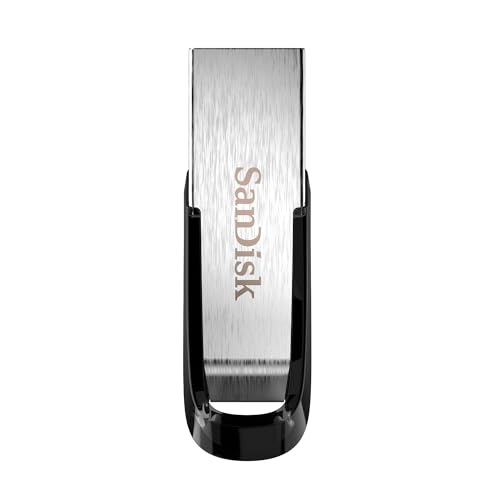
- High-speed USB 3.0 performance of up to 150MB/s(1) [(1) Write to drive up to 15x faster than standard USB 2.0 drives (4MB/s); varies by drive capacity. Up to 150MB/s read speed. USB 3.0 port required. Based on internal testing; performance may be lower depending on host device, usage conditions, and other factors; 1MB=1,000,000 bytes]
- Transfer a full-length movie in less than 30 seconds(2) [(2) Based on 1.2GB MPEG-4 video transfer with USB 3.0 host device. Results may vary based on host device, file attributes and other factors]
- Transfer to drive up to 15 times faster than standard USB 2.0 drives(1)
- Sleek, durable metal casing
- Easy-to-use password protection for your private files(3) [(3)Password protection uses 128-bit AES encryption and is supported by Windows 7, Windows 8, Windows 10, and Mac OS X v10.9 plus; Software download required for Mac, visit the SanDisk SecureAccess support page]

- GOOD VALUE PACKAGE - 1 Pack 32GB Memory Stick USB 2.0 Flash Drives with great cost performance and high quality.
- BIG CAPACITY - The available capacity: 29.10GB-29.8GB, You can save the data of movies, music, photos, designs, programs, manuals, handouts in a high speed.Good performance in digital data storing, transferring and sharing with families, friends, workmates, clients and machines.
- EASY TO USE & PLUG AND WORK - Support windows 7 / 8 / 10 / Vista / XP / 2000 / ME / NT Linux and Mac OS, Compatible with USB2.0 and below.
- TWISTTURN DESIGN & EASY CARRY - The metal clip rotates 360° round the ABS plastic body which with rubber oil skin feeling finish. The capless design can avoid lossing of cap, and providing efficient protection to the USB port.
- WARRANTY & SUPPORT - SIMMAX logo is laser printed on the USB connector surface, our products are of good quality and we promise that any problem about the product within one year since you buy.

- The durable, light-weight design of the Turbo Attaché 3 USB 3.0 Flash Drive is the essential mobile storage solution
- Perfect for transferring large files such as movies, videos, photos, music & documents
- Transfer speeds up to 10 times faster than standard USB 2.0 flash drives
- Convenient sliding collar, and cap-less design protects your content when not in use
- Compatible with most PC and Mac laptop and desktop computers with USB 3.0 ports

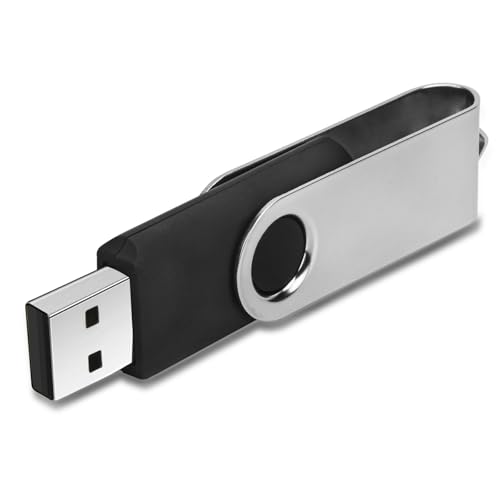
- 【16GB Flash Drive】USB flash drives with 16GB capacity, meet your needs of daily use on work, school, home and travelling for photos, music, videos, files storage and transfer. IMEASON thumb drives can be used to store different files, easy to data backup.
- 【Metal Swivel Cap Design】USB thumb drive is metal swivel cover provides extra protection for the usb thumbdrive connector, no usb drive cap to lose; keychain design makes it easier to carry without worrying lose it.
- 【Wide Compatibility】USB drive supports Windows 7/8/10/11 / Vista / XP / Unix / 2000 / ME / NT Linux and Mac OS, also Supports USB 2.0 and 1.1 ports. USB Stick support TV, desktop, notebook computer, car, audio and other device. The USB Memory Stick is your great data storage and transfer companion with traveling and working.
- 【Easy to use】usb memory stick is plug and play without any software installation. Just simply plug the Flashdrive into the port of your USB-compatible devices such as computer, laptop to start data storage or transmission.
- 【What You Get】16 GB USB Flash Drive Thumb Drive, The default format of the usb storage flash drive is FAT32.
SEOCONTENT-START
Bulletin Number: 15-208-17R; Revised 07/30/21 Page 1 NUMBER: 15-208-17R DATE: 01/30/17 REVISED: 07/30/21 APPLICABILITY: 2015-2017MY Legacy, Outback 2015-2016MY Impreza 2015-2017MY Crosstrek 2015-18MY Forester 2016-2018MY WRX and WRX STI Models with Gen 2 and Gen 2.1 Fujitsu-Ten (F10) 7” Display Navigation and 7” Display Audio Units SUBJECT: Availability of “Gracenote® Media Database” Software Enhancement CAUTION: VEHICLE SERVICING PERFORMED BY UNTRAINED PERSONS COULD RESULT IN SERIOUS INJURY TO THOSE PERSONS OR TO OTHERS. Subaru Service Bulletins are intended for use by professional technicians ONLY. They are written to inform those technicians of conditions that may occur in some vehicles, or to provide information that could assist in the proper servicing of the vehicle. Properly trained technicians have the equipment, tools, safety instructions, and know-how to do the job correctly and safely. If a condition is described, DO NOT assume that this Service Bulletin applies to your vehicle, or that your vehicle will have that condition. SUBARU OF AMERICA, INC. IS ISO 14001 COMPLIANT ISO 14001 is the international standard for excellence in Environmental Management Systems. Please recycle or dispose of automotive products in a manner that is friendly to our environment and in accordance with all local, state and federal laws and regulations. Continued… INTRODUCTION: This Service Information bulletin announces availability of an enhancement to the Gracenote database included in the vehicles listed above equipped with F10 7” Navigation and 7” Display Audio head units. When the user plays a pre-recorded CD, Gracenote recognizes the disc then shows the artist and track name information along with the album cover art on the head unit display (when available). This enhancement brings the currently installed database up to date with the most recent information available. This update does not affect any album art displayed when using SXM. PRODUCTION CHANGE INFORMATION: Since the Gracenote database updates are ongoing, the latest version available is installed at vehicle production. A version Check procedure is supplied in the Service Procedure portion of this bulletin. PART INFORMATION: VERY IMPORTANT: The Gracenote software files are being supplied to Retailers through the existing Audio / Downloads link page on Subarunet at no charge. **Any charges to install the Gracenote enhancement files are not a matter for warranty and are strictly between the Retailer and the customer. SERVICE BULLETIN ATTENTION: GENERAL MANAGER q PARTS MANAGER q CLAIMS PERSONNEL q SERVICE MANAGER q IMPORTANT – All Service Personnel Should Read and Initial in the boxes provided, right. © 2017 Subaru of America, Inc. All rights reserved. Bulletin Number: 15-208-17R; Revised 07/30/21 Page 2 MATERIALS REQUIRED: One empty 2GB, USB 2.0 (do NOT use USB 3.0) storage device (flash drive) will be needed to perform the procedure. The device should be dedicated to storing and transferring these updating files only. It should also be no more than 4GB in size and MUST contain a FAT32 file format before downloading the update files onto it. SERVICE PROCEDURE / INFORMATION: STEP 1: Identify the model of the head unit. STEP 2: Perform the Version Check procedure: Press the HOME button and from the home screen, press SETTINGS. From the SETTINGS screen, press GENERAL. Continued… Bulletin Number: 15-208-17R; Revised 07/30/21 Page 3 From the General Settings Screen, press Gracenote Database Update The Gracenote Database Update screen will display the Library Version and the Database Revision information. Use the Database Revision number to determine whether or not the unit is suitable for installation of the new files. Compare the number to the Target Version number in the table below. • If it is equal to or higher than the Target Version number in the table (13865), the unit has the most recent version installed and no further action is required. • If it is lower than the Target Version number in the table (13865), the unit is suitable for the enhancement. Proceed with the update procedure outlined below. Model Model Year Type H/U Model ID# Target Version Legacy / Outback 2015 Navi FB644US 13865 FB664US DA FB644UM FB664UM 2016 Navi FB685US FB695US DA FB685UM FB695UM 2017 Navi FB856US FB876US DA FB856UM FB876UM Impreza / Crosstrek 2015 Navi FM634US DA FM664UM 2016 Navi FM655UH FM675UH DA FM685UM FM705UM 2017 Navi FM666US FM686US DA FM685UM Navi = Audio units with Navigation DA = Display Audio units (without navigation) Continued… This screen shot is for reference only Bulletin Number: 15-208-17R; Revised 07/30/21 Page 4 Model Model Year Type H/U Model ID# Target Version Forester 2016 Navi FF667US 13865 FF687US DA FF667UM FF687UM 2017 Navi FF868US FF878US DA FF678UM FF698UM 2018 Navi FF629US FF639US DA FF679UM FF689UM WRX / WRX STI 2016 Navi FV631US DA FV651UM 2017 Navi FV624US DA FV662UM FV672UM 2018 Navi FF673US DA FV833UM FV843UM STEP 3: After performing the Version Check procedure, if determined the unit is suitable for updating and customer authorization has been obtained, the new files will need to be downloaded onto the flash drive. All the F10 update files are accessible for downloading from Subarunet under: Service Operations & Technical >> Forms/ Downloads >> Gen 2: Fujitsu 10/ Denso 10 (tab) – > F10 Gracenote Media Database Update 05_21_21 (TSB 15-208-17R) STEP Prepare the USB Memory (Flash Drive) VERY IMPORTANT: Before attempting to download any data files, confirm the PC and flash drives you are using are not infected with any virus. The flash drives will need to be formatted for FAT32 following the steps below. 05_21_21 Continued… Bulletin Number: 15-208-17R; Revised 07/30/21 Page 5 USB Flash Drive Formatting Procedure: • Install a flash drive into an available USB port on your PC. • Click Start (this is located in the lower left corner of the desktop screen) then, in the Search programs and files box, type “explorer”. NOTE: On SDS Notebook you may also press the My Documents button on the GUI Home Screen. • As you type the word “explorer”, search results will start to appear. In the results, click on the “Windows Explorer” option under the Programs section. • In the next window, choose the Computer section on the left. Locate “Removable Disk” Start Button Continued… Bulletin Number: 15-208-17R; Revised 07/30/21 Page 6 NOTE: Always confirm the device you are formatting is the USB Flash Drive. This drive may have various names assigned to it by the manufacturer of the device and may not reflect the drive name given in this example. • Right click the picture for “Removable Disk” then select “Format”. • When the “Format” dialog box appears, make sure that the option labeled “File System” is set to FAT32 and the Quick Format box is checked as well. Then, click the “Start” button. • Click “OK” when the following window appears. • The drive will start formatting and display this window when it is finished. Click Continued… Bulletin Number: 15-208-17R; Revised 07/30/21 Page 7 “OK” to complete the process. • Repeat the procedure above for the second flash drive STEP 5: File Download Procedure: After formatting of the flash drive is complete, the new file must be downloaded onto it. Download the new file to your PC from the Subarunet link. NOTE: The new file may contain 1 to 3 individual files. The screenshots below will take you through the steps required to get the new files onto the flash drive and ready to use. Update File sizes are quite large and depending on the speed capabilities of the computer, may take some time to complete the download. PLEASE BE PATIENT! Downloading Double-click on the file you want to download and it will begin the transfer to your computer automatically. 05_21_21 Continued… Bulletin Number: 15-208-17R; Revised 07/30/21 Page 8 You may receive the warning below during the file download. Click on the drop down next to Discard and Keep the file. Once the download is complete, you will need to locate the new file, unzip it and save the unzipped version to the USB flash drive. NOTE: If not already done, follow the procedure above for formatting (removing any existing files) from the flash drive. • Plug the “clean” flash drive into the PC. • Go to the Windows Start screen, select “Computer” (or click on My Documents if using the SDS Toughbook) and click on “Downloads”. Continued… Bulletin Number: 15-208-17R; Revised 07/30/21 Page 9 Once the list of downloaded files opens, click on Date Modified which will arrange them by date and bring the newest to the top. Double-click on the new file, click on “Run”, Click on “Browse” then select “Removable Disc” which will be the flash drive. Click “Unzip” to load the files onto the flash drive and when complete, insert the flash drive into the vehicle USB port. IMPORTANT NOTES: • Do not change the file names after downloading them • Do not save any other files onto the flash drive. STEP 6: Software Installation: Subaru of America, Inc. (SOA) highly recommends connecting either the Subaru Midtronics DCA-8000 Dynamic Diagnostic Charging System or the Subaru Midtronics GR8-100 Diagnostic Battery Charger to the vehicle and utilizing the Power Supply Mode feature anytime a vehicle control module or head unit is being reprogrammed. Once the Midtronics charger is connected to the vehicle, if the battery is fully charged, it takes less than three (3) minutes to boot-up the charger, select the Power Supply Mode, and have the battery voltage stabilized and ready for reprogramming. NOTES: For instructions on using the power supply mode, reference the applicable User Manual for the Midtronics DCA-8000 Dynamic Diagnostic Charging System and the Midtronics GR8-1100 Diagnostic Battery Charger on STIS. • Confirm all electrical loads such as lights, audio, HVAC, seat heaters, and rear defroster are all switched OFF before setting up the charger for Power Supply Mode. • Select the correct battery type (Flooded, EFB, Gel, AGM or AGM Spiral). • Input the CCA which matches the vehicle’s battery. NOTE: OE and replacement batteries have different CCA ratings. Always confirm the battery’s CCA rating before proceeding. • If using a DCA-8000 Dynamic Diagnostic Charging System, set the power supply voltage to 13.5 volts. • DO NOT connect the DST-i or SDI until the Power Supply mode function has completed its battery test mode and the Charging Voltage has dropped to and shows a steady 13.5 Volts on the display. • Once Power Supply Mode reaches a steady 13.5 volts, connect the DST-i or SDI to the OBD connector and proceed with initiating the normal FlashWrite reprogramming process. • Amperage will fluctuate based upon the vehicle’s demand for power. NOTE: If the voltage rises beyond 14V while programming is in process, the procedure will abort. This can indicate a need to test or charge the vehicle battery before any further attempt at programming is made. VERY IMPORTANT: This information is applicable to the Subaru Midtronics DCA-8000 Dynamic Diagnostic Charging System and the Subaru Midtronics GR8-1100 Diagnostic Battery Charger ONLY. It does not apply to any other brand / type of “generic” battery charger whatsoever. ONLY the DCA-8000 and the GR8-1100 and their Power Supply Mode feature have been tested and approved by SOA. Continued… Bulletin Number: 15-208-17R; Revised 07/30/21 Page 10 REMINDER: If the DCA-8000 or GR8-1100 indicates the vehicle’s battery must be charged, charge the battery fully before proceeding to reprogram the vehicle while using the Power Supply Mode. STEP 7: Install the Database Update files Return to the Gracenote Database Update screen by: • Press the HOME button and from the home screen, press SETTINGS. • From the SETTINGS screen, press GENERAL. • From the General Settings screen, press Gracenote Database Update • From the Gracenote Database Update screen press Update. • Press Yes. NOTE: If there is a problem with the USB drive or the files, after pressing Update, the message screen below will be displayed before the update begins. In the event this screen is displayed: • Press “OK”, remove the flash drive and return to Step 4 above.. • Plug the flash drive back into the PC and re-format it. • Download the files again from Subarunet and reload them onto the flash drive. • Try to install the update again. Continued… Bulletin Number: 15-208-17R; Revised 07/30/21 Page 11 While the update is taking place, the screen below with a status bar will be displayed. NOTE: The update can take up to 30 minutes to complete. When completed successfully, the screen shot below will be displayed. 13207 13865 IMPORTANT REMINDERS: • SOA strongly discourages the printing and/or local storage of service information as previously released information and electronic publications may be updated at any time. • Always check for any open recalls or campaigns anytime a vehicle is in for servicing. • Always refer to STIS for the latest service information before performing any repairs.
**************************************************************************************************************
SEOCONTENT-END
This product presentation was made with AAWP plugin.