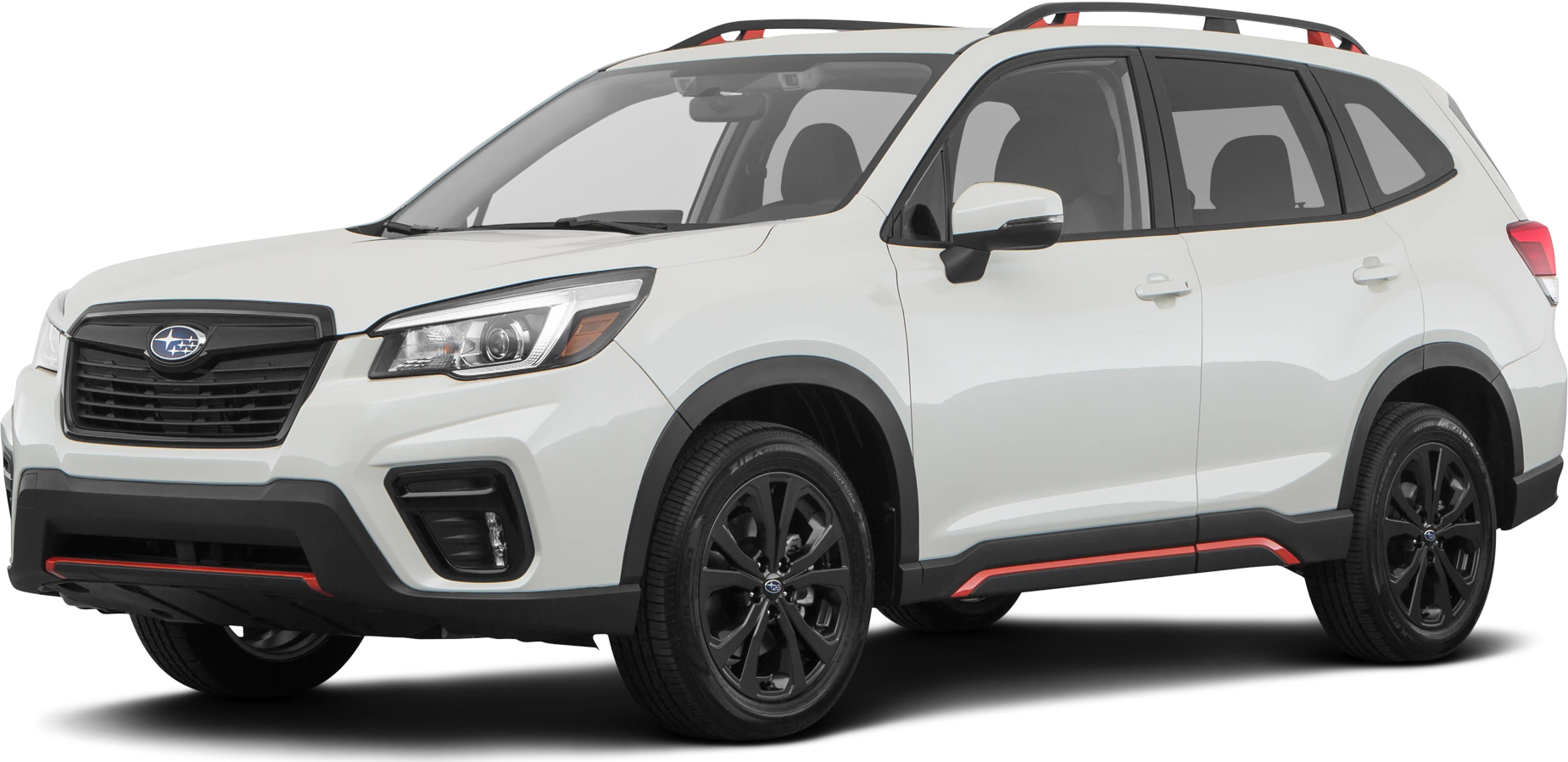
Accessory Installation Guide
| Forester USB Charging Ports | H671SSJ003 |
Kit Part No: H671SSJ003
Forester USB Charging Ports
General Notes
- Read through the fitting instructions before installation of the accessory. Install the accessory following the fitting instructions. Failure to do so may cause damage to the vehicle or the accessory.
- Ensure all recyclable discarded vehicle accessory components and packaging are recycled following local recycle regulations.
- It is always recommended that this accessory is fitted by a qualified automotive technician.
- Safely store and protect any removed vehicle components.
1. Disconnect the Negative (-) battery cable from the battery sensor terminal. Hold the battery sensor carefully removing the 10mm nut.
NOTE:
Vehicles equipped with rear seat A/C vents please skip to Step 12. If vehicle does not have rear A/C vents proceed to the next step.
2. Remove center console rear trim panel using a trim tool. Remove the center plug cap in the panel and discard.
3. Insert the included USB mounting adapter into the center opening. Press firmly to snap it into place.
4. Slide the USB Charging Port Assembly into the mounting adapter. and attach using enclosed screws.
5. Reach under the center console to disconnect the OE 2-pin black connector from the 12V power outlet.
6. Connect the black connector to the white foam-wrapped connector on the USB power harness. Press firmly to confirm the terminal lock. Plug the black connector of the USB power harness into the OE 12V power outlet.
7. Secure the USB power harness to the bottom edge of the center console using a wire tie at the white tape location as shown.
8. Plug the USB Power Harness into the bottom of the USB Charging Port Assembly. Use a wire tie to secure the USB power harness at the white tape mark to the rear trim panel at the loop in the location shown.
9. Use a piece of foam tape to secure the USB Power Harness flat against the inside of the rear trim panel as shown.
10. Re-install all panels and reverse order of removal. Reconnect negative battery terminal. Note: Make sure all clips are fully engaged.
11. Test both the USB Charging Ports and 12V power outlet and reassemble the rear trim panel.
Models with Rear HVAC
Some Forester models may have rear HVAC vents in the center console. Steps 12-25 should be used for vehicles with rear HVAC only.
Back of Rear center console trim panel with HVAC vents and ducts shown on left, without shown on right.
12. Follow the service manual to remove the shift knob.
13. Pull up on the upper console at the cupholder area to release it from the lower console. Disconnect the 20-pin connector below the cupholders and remove the console from the vehicle.
14. Remove (2) Philips screws securing the rear section of the floor console to the front section. Disconnect the black 2-pin 12V power outlet connector.
15. Remove (2) 10mm bolts (under plastic trim covers) securing the console box assembly to the vehicle.
16. Remove the console box from the vehicle.
17. Remove the rear cover of the console box by disengaging the (8) clips and lifting upward to unseat the air duct.
18. Remove the knockout plug beneath the air vents on the rear console trim panel. Insert the included USB mounting adapter into the center of panel. Press firmly to snap it into place.
19. Route the USB power harness under the air ducts on the back of the rear console trim panel to the opening for the USB port. Connect the 2-pin connector to the USB Charging Port assembly. Insert the assembly into the mounting adapter and secure with included (2) Philips screws.
20. Use the supplied foam tape to secure the harness to the rear console trim panel as shown.
21. Use (1) wire tie to secure the USB harness at the first white tape mark to the hole on the left (when viewed from behind) of the rear console trim panel.
22. Use (1) wire tie to secure the USB harness at the second white tape mark (on foam wrap) to the tab below the lower air duct on the console box. The harness should be secured to the right (passenger side) of the console box as shown.
23. Reinstall the rear console trim panel to the console box by aligning the (8) clips and air ducts. Tip: It may be easier to align the air ducts by loosening or removing the (2) Philips screws on the lower duct.
24. a. Verify that the USB Charging Port is secure and properly aligned in the panel. b. Verify that the harness is properly routed on the right side of the console box assembly.
25. Connect the USB Power Harness to the 12V Power Outlet in the console box. Replace the console box into the vehicle. Connect the white foam-wrapped connector to the vehicle’s black 2-pin 12V Power Outlet connector.
![Car Charger [2Pack/3.4a] Fast Charge Dual Port USB Cargador Lighter Adapter](https://m.media-amazon.com/images/I/41eUvwJrNAL._SL160_.jpg "USB Charging Ports - 2019-2020 Subaru Forester 2")
- Smart Double-USB Port Design: Intelligently identifies your device for safe charging of Dual devices at full speed simultaneously, (Output: DC5V-3.4A(Max), Output 1: 5.0V /1A, Output 2: 5.0V/ 2.4A)it's perfect fits in the auto vehicle cigarette lighter USB charger spot socket. The best cool tech USB multiport car gadgets for just you or sharing the charge time with a friend. 【Please note: this is a dual USB-A Port car charger, but not PD USB-C Lighter Charger 】
- Safe & Reliable: Certified RoHS, CE & FCC, Protect devices from overheated and over-currents, overcharging, and short circuits, Charging will automatically stop when the battery is full.
- Unique Shape: ABS + PC fireproof material, with the confirmed connection by LED Indicator Blue Light, you can make sure your digital devices are always charged.
- Wide Compatibility: USB A car charger works for the latest smartphones or tablets, iPhone Duo/18 Pro Max/18 Pro/Air/17e/17 16e/16/16 Pro/16 Pro Max/16 Plus/15/15 Pro/15 Pro Max/15 Plus/14 Pro Max/14 Pro/14 Plus/13/13 Pro/12/12 Mini/12 Pro Max/SE, iPad Pro/Air/Mini; Samsung Galaxy; Google Pixel; OnePlus, Motorola, Kindle, Smartwatches, etc.
- What We Offer: 2Pcs AILKIN Dual port car charger. our worry-free 1-year warranty, and 24hrs/7d friendly customer service

- 90W Fast Charging: USB C car charger adapter with all-new upgrade PD/QC super fast charging technology of 90W can charge for iPhone 18 Pro/ Pro Max/iPhone Duo/17/17e/16/15/14/13/12 series up to 80% and iPad series up to 60% in 30 minutes. And also support PPS/PD super fast charge for Samsung Galaxy S26/S25/S24/S23 series up to 80% and most Android devices up to 70% in 35 minutes
- [4 in 1] 4-Port Car Charger: Car phone charger supporting PD 45W(Max) and QC 45W(Max) high output, can fast charge all prevailing cell phones and E-devices. This cigarette lighter adapter features 4-ports (2 USB-C and 2 USB-A ports) allows charging 4 devices simultaneously
- Widely Compatibility: 90W 4-Port Car charger accessories fits for all USB-C & USB-A devices, compatible with iPhone 18 Pro / Pro Max / iPhone Duo/ 17/17e/Air/16e/16/15/14/13/12/11/Pro Max/XS/XR/X/SE, iPad Pro/Air/Mini, Samsung Galaxy S26 Ultra /S26+ /S26 /S25/S24/S23/S22/S21/S20/Ultra, Google Pixel 11/10/9/8/7/6/5/4 XL, Moto, LG, Android, Tablets, Laptop, Power Banks, Camera, Driving Recorder, GPS Navigation, and more
- Safe & Reliable: The type c car charger uses an intelligent on-board power management chip to provide multiple high-performance security protections, including over-current, over-voltage, overload, overheat and short circuit protection, ensuring fast and lasting charging without overheating. High-density all-metal housing helps dissipate heat during charging
- What You Get: 1 x 90W 4-Port USB C Car Charger Fast Charging(2.71inch*1.56inch), Compatible with 12-24V Cars, Trucks, SUVs, Pickup Truck, etc. Road Trip Essentials Cigarette Lighter Charger Car Accessories for Men Women.Please verify your vehicle’s specifications before purchasing

- 2024 UPGRADED VERSION: Our 12V USB outlet is upgraded to four USB ports, 2 PD30W + 2 QC18W, which can charge four devices at the same time and up to 78W output. Compatible with PD2.0, QC2.0/1.0 and all other protocols, providing the fastest charging speed for all devices.
- ALUMINUM ALLOY MATERIAL: Advanced all aluminum alloy body with anti-scratch technology is sturdy and durable, making the 12v USB power outlet always look new. The upgraded metal USB socket dissipates heat well and won't overheat at high temperatures, safer than plastic sockets.
- LED VOLTMETER DISPLAY: The 12v USB socket comes with a blue LED voltmeter that automatically monitors your car's battery and electrical system and displays your car's voltage on the screen. Hapytrip USB Charger lets you know the health of your battery while driving.
- WIDE COMPATIBILITY: Suitable for installation in DC 12/24V cars, boats, ships, motorcycles, ATVs, RVs and more. This car USB charger is suitable for charging all cell phones, tablets, mobile power, video game controllers, sports watches and more.
- DIY INSTALLATION: Our 12V USB charger comes with a 60cm fused cord, 2 spare fuses and blue terminals. Simply connect the red wire to the positive terminal and the black wire to the negative terminalRed wire to Silver plug(+), Black wire to Golden plug(-) ). It can be mounted anywhere according to your needs. Detailed installation steps are shown in the installation diagram.

- 67W 3-Port Car Charger USB C Fast Charge: KENHAO 67 Watt Cigarette lighter USB charger support PD 37W Max (USB C) and QC 30W Max (USB-A) output, can fast charge for most USB-A and USB-C devices simultaneously. One Multiport car charger accessories para carro for all your USB A & USB C devices, your ideal travel essentials companion
- Super Fast & Powerful Charging: with upgrade PD and QC3.0 Car Charger Fast Charging Technology, 12V-24V USB outlet can rapid charging for phones, even can fast charge for Macbook air or for iPad in high speed. USB C car charger adapter can charge for iPhone 18/17/16/15/14/13/12 series and most android devices from 0% to 60% in 35 minutes
- Safe & Reliable: Equip with the intelligent chip, the Car phone charger provides multi protections against over-current, over-voltage, over-heating and short-circuit. USB C car charger will automatically stop charging when power is full. The all-metal housing delivers superior heat dissipation and a sturdy shock-resistant design, ensuring safety and durability
- Broad Compatibility: Cell phone automobile chargers with Two USB-C and One USB-A Port output, can charge almost all USB Devices, compatible with iPhone 18 Pro/18 Pro Max/iPhone Duo, 17/Air/16/16e/15/14/13/12 Pro Max/Plus, XS/XR/X/8/7/6, iPad, Samsung Galaxy S26/S25/S24/S23/S22, Note 20/10/9, Google Pixel 10/9/8/7/6/5/4XL, Smart watches, driving recorder, GPS navigation, car vacuum cleaner, and more. Also fits all 12V-24V vehicles, cars, sedans, trucks, SUVs
- What You Get: 1-Pack 67W 3-Ports USB-C & USB-A Car Charger Accessories for women and men, One-Year Replacement. This is a practical truck accessories or car essential item designed for your daily commutes, road trips, and family travels

- [With Voltage Display] UYUXIO USB C car charger comes with voltage display, inspecting the status of car's battery, when it is pluged into the pluged into cigarette lighter socket, the volt meter area will monitor the battery status of the car all the time
- [Super Fast Charging for All Phones] 100W Max super fast for Huawei, super vooc for OPPO, warp charge super fast for Oneplus, and also 27W max super fast charge for iPhone 18 17 16 15 Pro Max 14 13 12 11, iPad, Ultra Fast Charge Samsung, Vivo, Google and More.
- [6 in 1 Charging] This powerful 6 in 1 multi ports usb c car charger adapter allows charging 6 phones at the same time, this design of multi port helps you save time when you want to charge some more phones, and also save then number of 12V cigarette lighter socket because you needn't additional cigarette lighter ports if you want to extend some more charging ports
- [Won‘t Heat:] Which is better than plastic car charger, it can charge quickly for a long time without overheating, be fast and safe.
- [Worry-free customer service] UYUXIO Multiports usb c car charger provides durable products, the product has already been tested good before shipping out, and also experienced aging test to insure it can be used for very long time
SEOCONTENT-START
Page 1 of 15 Date: 12/28/2018
Kit Part No: H671SSJ003
Forester USB Charging Ports
• Read through the fitting instructions before installation of the accessory. Install the accessory following the fitting
instructions. Failure to do so maycausedamage to the vehicle or the accessory.
• Ensure all recyclable discarded vehicle accessory components and packaging are recycled following local
recycle regulations.
• It is always recommended that this accessory is fitted by a qualified automotive technician.
• Safely store and protect any removed vehicle components.
• Check that all work practices comply with safety standards.
• Please wear appropriate clothing and use safety equipment.
General Notes
Safety Notes
Parts Supplied
1
USB PORTS
2
T-Harness
3
2 Wire Ties
4
Foam Tape
5
Mounting Sleeve
Tools Required
Phillips Screwdriver Plastic Trim Tool
Screws x 2
10 mm Socket Ratchet Wire Cu ers
Page 2 of 15 Date: 12/28/2018
Kit Part No: H671SSJ003
Forester USB Charging Ports
WIRING GUIDE
1. Disconnect the Negative (-) battery cable from
the battery sensor terminal. Hold the battery
sensor carefully removing the 10mm nut.
NOTE:
Vehicles equipped with rear seat A/C vents please
skip to Step 12. If vehicle does not have rear
A/C vents proceed to the next step.
Page 3 of 15 12/28/2018
Kit Part No: H671SSJ003
Forester USB Charging Ports
2. Remove center console rear trim panel using a trim tool. Remove the center plug cap in the panel and discard.
3. Insert the included USB mounting adapter into the center
opening. Press firmly to snap it into place.
Kit Part No: H671SSJ003
Forester USB Charging Ports
Page 4 of 15 12/28/2018
4. Slide the USB Charging Port Assembly into the mounting adapter. and attach using enclosed screws.
5. Reach under the center console to disconnect the OE 2-pin black connector from the 12V power outlet.
Kit Part No: H671SSJ003
Forester USB Charging Ports
Page 5 of 15 12/28/2018
6. Connect the black connector to the white foam-wrapped connector on the USB power harness. Press
firmly to confirm the terminal lock. Plug the black connector of the USB power harness into the OE 12V
power outlet.
7. Secure the USB power harness to the bottom edge of the center console using a wire tie at the white tape
location as shown.
Kit Part No: H671SSJ003
Forester USB Charging Ports
Page 6 of 15 12/28/2018
8. Plug the USB Power Harness into the bottom of the USB Charging Port Assembly. Use a wire tie to secure
the USB power harness at the white tape mark to the rear trim panel at the loop in the location shown.
9. Use a piece of foam tape to secure the USB Power Harness flat against the inside of the
rear trim panel as shown.
Kit Part No: H671SSJ003
Forester USB Charging Ports
Page 7 of 15 12/28/2018
11. Test both the USB Charging Ports and 12V power outlet and reassemble the rear trim panel.
10. Re-install all panels and reverse order of removal. Reconnect negative battery terminal.
Note: Make sure all clips are fully engaged.
Kit Part No: H671SSJ003
Forester USB Charging Ports
Page 8 of 15 12/28/2018
12. Follow the service manual to remove the shift knob.
Some Forester models may have rear HVAC vents in the center console.
Steps 12-25 should be used for vehicles with rear HVAC only.
Back of Rear center console
trim panel with HVAC vents
and ducts shown on left,
without shown on right.
Models with Rear HVAC
With HVAC Duct Without HVAC Duct
Kit Part No: H671SSJ003
Forester USB Charging Ports
Page 9 of 15 12/28/2018
14. Remove (2) Philips screws securing the rear section of the floor console to the front section.
Disconnect the black 2-pin 12V power outlet connector.
13. Pull up on the upper console at the cupholder area to release it from the lower console.
Disconnect the 20-pin connector below the cupholders and remove the console from the vehicle.
White connector
(previously disconnected)
12V outlet
connector
(2) Philips
screws
Pull Up
Kit Part No: H671SSJ003
Forester USB Charging Ports
Page 10 of 15 12/28/2018
16. Remove the console box from the vehicle.
15. Remove (2) 10mm bolts (under plastic trim covers) securing the console box assembly to the vehicle.
10mm bolt here
(both sides)
Kit Part No: H671SSJ003
Forester USB Charging Ports
Page 11 of 15 12/28/2018
18. Remove the knockout plug beneath the air vents on the rear console trim panel. Insert the included USB
mounting adapter into the center of panel. Press firmly to snap it into place.
17. Remove the rear cover of the console box by disengaging the (8) clips and lifting upward to unseat
the air duct.
Kit Part No: H671SSJ003
Forester USB Charging Ports
Page 12 of 15 12/28/2018
20. Use the supplied foam tape to secure the harness to the rear console trim panel as shown.
19. Route the USB power harness under the air ducts on the back of the rear console trim panel to the opening
for the USB port. Connect the 2-pin connector to the USB Charging Port assembly. Insert the assembly into
the mounting adapter and secure with included (2) Philips screws.
Foam
Tape
Kit Part No: H671SSJ003
Forester USB Charging Ports
Page 13 of 15 12/28/2018
22. Use (1) wire tie to secure the USB harness at the second white tape mark (on foam wrap) to the tab
below the lower air duct on the console box. The harness should be secured to the right (passenger
side) of the console box as shown.
21. Use (1) wire tie to secure the USB harness at the first white tape mark to the hole on the left
(when viewed from behind) of the rear console trim panel.
Wire
Tie
Foam
Tape
Kit Part No: H671SSJ003
Forester USB Charging Ports
Page 14 of 15 12/28/2018
24. a. Verify that the USB Charging Port is secure and properly aligned in the panel.
b. Verify that the harness is properly routed on the right side of the console box assembly.
23. Reinstall the rear console trim panel to the console box by aligning the (8) clips and air ducts.
Tip: It may be easier to align the air ducts by loosening or removing the (2) Philips screws on the lower duct.
Screws
Removed
a.
b.
Kit Part No: H671SSJ003
Forester USB Charging Ports
Page 15 of 15 12/28/2018
25. Connect the USB Power Harness to the 12V Power Outlet in the console box. Replace the console
box into the vehicle. Connect the white foam-wrapped connector to the vehicle’s black 2-pin 12V
Power Outlet connector.
END OF ADDITIONAL STEPS FOR VEHICLES WITH REAR HVAC VENTS.
MOVE ON TO STEP 10 OF EXISTING INSTRUCTIONS.
No de pièce de la trousse : H671SSJ003
Ports de recharge USB du Forester
Page 1 de 15 Date : 2018-12-28
Remarques générales
Veuillez lire toutes les directives d’installation avant de poser l’accessoire. Posez l’accessoire conformément auxinstructions d’installation. Faute de quoi, des dommages pourraient survenir au véhicule ou à l’accessoire.
Assurez-vous que les composants recyclables et l’emballage de l’accessoire sont recyclés conformément aux règles envigueur.
Il est fortement recommandé de confier l’installation de l’accessoire à un technicien qualifié.
Les composants déposés doivent être entreposés de façon sécuritaire.Remarques de sécurité
Vérifiez que les méthodes de travail sont conformes aux normes de sécurité.
Portez des vêtements appropriés et utilisez de l’équipement de sécurité.Pièces fournies Outils requis
PORTS USB
Faisceau en T
(2) Attaches autobloquantes
Ruban mousse
Manchon de montage
Vis (2)
Tournevis Phillips
Outil pour garniture en plastique
Douille de 10 mm
Clé à rochet
Coupe-fils
No de pièce de la trousse : H671SSJ003
Ports de recharge USB du Forester
Page 2 de 15 Date : 2018-12-28
GUIDE DE CÂBLAGE
1.Débrancher le câble de batterie négatif (-) de laborne du capteur de la batterie. Tenir le capteurde la batterie en retirant soigneusement l’écroude 10 mm.
REMARQUE :
Pour les véhicules équipés de bouches d’air aux sièges arrière, prière de passer à l’étape 12. Si le véhicule n’est pas doté de bouches d’air aux sièges arrière, passer à l’étape suivante.
No de pièce de la trousse : H671SSJ003
Ports de recharge USB du Forester
Page 3 de 15 2018-12-28
2.Déposer le panneau de garniture arrière de la console centrale à l’aide d’un outil pour garniture. Retirer lecapuchon central du panneau et le jeter.
3.Insérer l’adaptateur de montage USB inclus dans l’ouverturecentrale. Appuyer fermement pour l’enclencher.
No de pièce de la trousse : H671SSJ003
Ports de recharge USB du Forester
Page 4 de 15 2018-12-28
4.Faire glisser l’ensemble de ports de recharge USB dans l’adaptateur de montage et le fixer à l’aide desvis fournies.
5.Depuis le dessous de la console centrale, débrancher le connecteur noir à 2 broches d’origine de la prise decourant de 12 V.
No de pièce de la trousse : H671SSJ003
Ports de recharge USB du Forester
Page 5 de 15 2018-12-28
6.Brancher le connecteur noir au connecteur enveloppé de mousse blanche du faisceau d’alimentation USB.Appuyer fermement pour confirmer le verrouillage de la borne. Brancher le connecteur noir du faisceaud’alimentation USB dans la prise de courant 12 V d’origine.
7.Assujettir le faisceau d’alimentation USB au bord inférieur de la console centrale à l’aide d’une attacheautobloquante au niveau du ruban blanc comme illustré.
No de pièce de la trousse : H671SSJ003
Ports de recharge USB du Forester
Page 6 de 15 2018-12-28
8.Brancher le faisceau d’alimentation USB dans le bas de l’ensemble de ports de recharge USB. Au moyend’une attache autobloquante, assujettir le faisceau d’alimentation USB au repère de ruban blanc à la boucledu panneau de garniture arrière à l’emplacement illustré.
9.Utiliser un morceau de ruban mousse pour fixer le faisceau d’alimentation USB à platcontre l’intérieur du panneau de garniture arrière comme illustré.
No de pièce de la trousse : H671SSJ003
Ports de recharge USB du Forester
Page 7 de 15 2018-12-28
10.Réinstaller tous les panneaux dans l’ordre inverse de la dépose. Rebrancher la bornenégative (-) de la batterie.
Remarque : S’assurer que toutes les agrafes sont entièrement engagées.
11.Tester les ports de recharge USB et la prise de courant de 12 V puis remonter le panneau de garniture arrière.
No de pièce de la trousse : H671SSJ003
Ports de recharge USB du Forester
Page 8 de 15 2018-12-28
Modèles avec bouches d’air aux sièges arrière
Certains modèles Forester peuvent être dotés de bouches d’air arrière montées dans la console centrale.
Suivre les étapes 12 à 25 uniquement pour les véhicules dotés de bouches d’air arrière.
12.Se reporter au manuel d’entretien pour la dépose du pommeau de levier de vitesses.
Avec conduite d’air
Sans conduite d’air
Arrière du panneau de garniture arrière de la console centrale avec des bouches et conduits d’air (à gauche), sans (à droite).
No de pièce de la trousse : H671SSJ003
Ports de recharge USB du Forester
Page 9 de 15 2018-12-28
13.Tirer la console supérieure vers le haut au niveau des porte-gobelets pour la dégager de la consoleinférieure. Débrancher le connecteur à 20 broches en dessous des porte-gobelets puis retirer laconsole du véhicule.
14.Retirer les (2) vis Philips qui assujettissent la partie arrière de la console au plancher à la partieavant. Débrancher le connecteur noir à 2 broches de la prise de courant de 12 V.
Connecteur blanc (déconnecté précédemment)
(2) Vis Philips
Connecteur de la prise de courant de 12 V
Tirer vers le haut
No de pièce de la trousse : H671SSJ003
Ports de recharge USB du Forester
Page 10 de 15 2018-12-28
15.Retirer les (2) boulons de 10 mm (sous les capuchons de garniture en plastique) assujettissant le boîtier de laconsole au véhicule.
16.Retirer le boîtier de la console du véhicule.
Boulon de 10 mm ici (des deux côtés)
No de pièce de la trousse : H671SSJ003
Ports de recharge USB du Forester
Page 11 de 15 2018-12-28
17.Retirer le capot arrière du boîtier de la console en désengageant les (8) agrafes et en soulevant versle haut pour dégager la conduite d’air.
18.Retirer le capuchon défonçable sous les bouches d’air du panneau de garniture arrière de la console. Insérerl’adaptateur de montage USB inclus dans le centre du panneau. Appuyer fermement pour l’enclencher.
No de pièce de la trousse : H671SSJ003
Ports de recharge USB du Forester
Page 12 de 15 2018-12-28
19.Acheminer le faisceau d’alimentation USB sous les conduites d’air à l’arrière du panneau de garniture arrièrede la console jusqu’à l’ouverture pour les ports USB. Connecter le connecteur à 2 broches à l’ensemble deports de recharge USB. Insérer l’ensemble dans l’adaptateur de montage et l’assujettir au moyen des (2) visPhilips incluses.
20.Utiliser le ruban mousse fourni pour fixer le faisceau au panneau de garniture arrière de la consolecomme illustré.
Ruban mousse
No de pièce de la trousse : H671SSJ003
Ports de recharge USB du Forester
Page 13 de 15 2018-12-28
21.Au moyen d’une (1) attache autobloquante, assujettir le faisceau d’alimentation USB au premier repère deruban blanc à l’orifice situé sur la gauche (vue de derrière) du panneau de garniture arrière de la console.
22.Au moyen d’une (1) attache autobloquante, assujettir le faisceau d’alimentation USB au deuxième repère deruban blanc (enveloppe en mousse) à la patte sous la conduite d’air inférieure du boîtier de la console. Lefaisceau doit être assujetti du côté droit (côté passager) du boîtier de la console, comme illustré.
Ruban mousse
Attache autobloquante
No de pièce de la trousse : H671SSJ003
Ports de recharge USB du Forester
Page 14 de 15 2018-12-28
23.Remettre en place le panneau de garniture arrière de la console sur le boîtier de cette dernière en alignant les(8) agrafes et les conduites d’air.
Conseil : L’alignement des conduites d’air peut être facilité en desserrant ou en retirant les (2) vis Philips de laconduite inférieure.
24. a. Vérifier que l’ensemble de ports de recharge USB est solidement en place et correctement aligné dans le panneau.
b.Vérifier que le faisceau est correctement acheminé sur le côté droit du boîtier de la console.
Vis retirées
No de pièce de la trousse : H671SSJ003
Ports de recharge USB du Forester
Page 15 de 15 2018-12-28
25.Connecter le faisceau d’alimentation USB à la prise de courant de 12 V dans le boîtier de la console.Remettre en place le boîtier de la console dans le véhicule. Brancher le connecteur enveloppé demousse blanche au connecteur noir à 2 broches de la prise de courant de 12 V du véhicule.
FIN DES ÉTAPES SUPPLÉMENTAIRES POUR LES VÉHICULES DOTÉS DE BOUCHES D’AIR ARRIÈRE.
PASSER À L’ÉTAPE 10 DES INSTRUCTIONS EXISTANTES.
SEOCONTENT-END
This product presentation was made with AAWP plugin.