NUMBER: 15-179-15R
DATE: 02-19-15
REVISED: 02-27-15
| APPLICABILITY: | 2014-15MY Vehicles with Clarion Bluetooth Audio Unit |
| SUBJECT: | Pairing Android Smartphones |
INTRODUCTION
This Service Information bulletin contains a series of screen shots with instructions which provide a procedure for pairing Android smartphones to Bluetooth-equipped Clarion audio units. The procedure involves changing the audio unit’s default “PASSKEY” which must be entered into the smartphone during the pairing process. Once the PASSKEY is changed from “1234” to “0000”, testing results have shown the remainder of the pairing process completes normally.
SERVICE PROCEDURE / INFORMATION:
Follow the step-by-step instructions included with the following screen shots to change the PASSKEY.
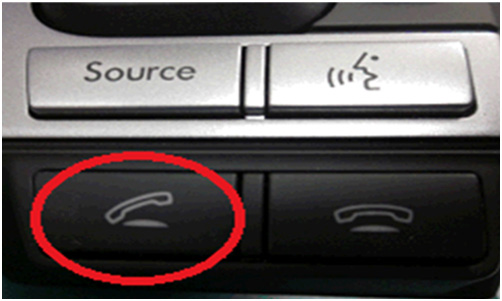
STEP 1: Press the “Off Hook” button on the steering wheel.
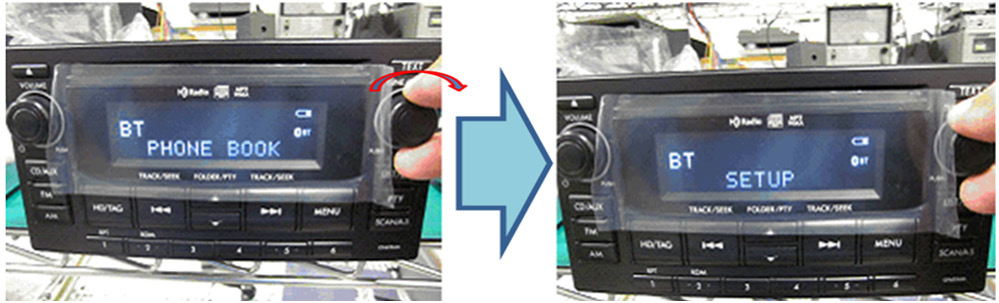
STEP 2: Turn the TUNE knob on the audio unit clockwise to scroll until “SETUP” is displayed. Press the TUNE knob to select SETUP.
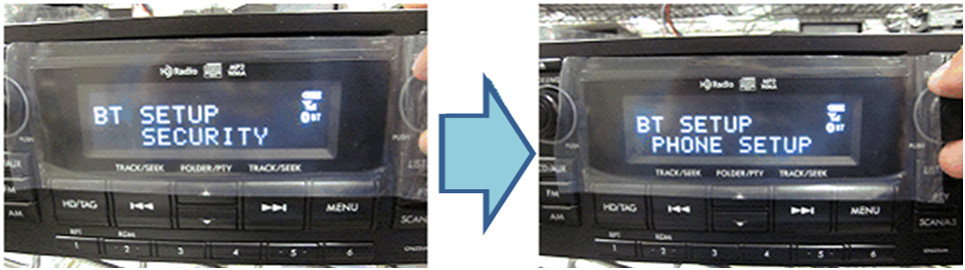
STEP 3: After “SECURITY” is displayed, turn the TUNE knob until “PHONE SETUP” is displayed. Press the TUNE knob again to select PHONE SETUP.
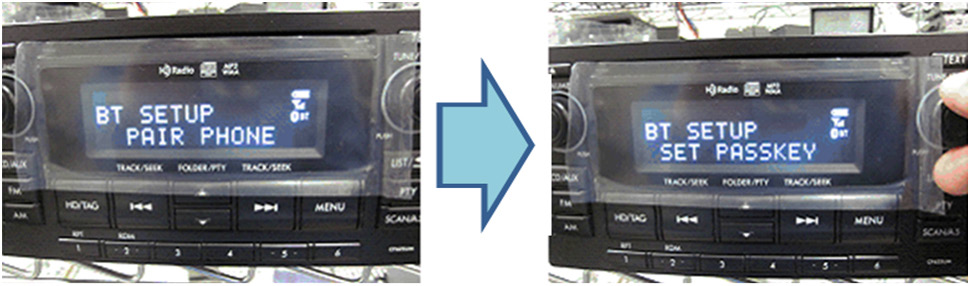
STEP 4: After “PAIR PHONE” is displayed, turn the TUNE knob until “SET PASSKEY” is displayed. Press the TUNE knob again to select SET PASSKEY.
STEP 5: Input the PASSKEY “0000” by alternately turning the TUNE knob to scroll through the digits 0-9 then pressing the TUNE knob to select each (“0”).
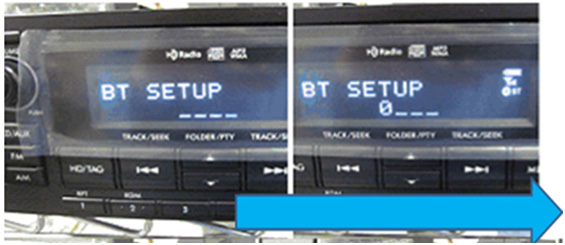
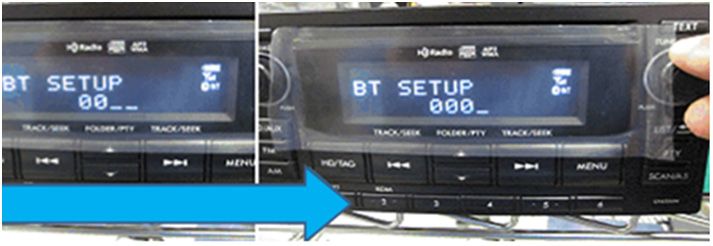
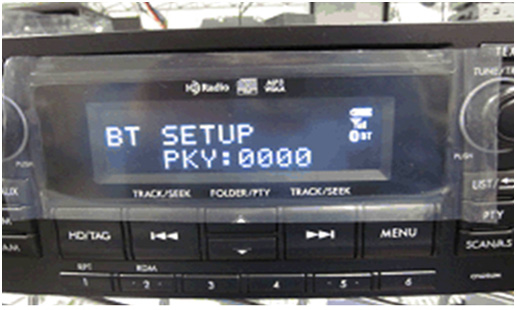
STEP 6: Confirm “BT SETUP PKY: 0000” is displayed then finish pairing using the remainder of the Smartphone’s normal procedure.
REMINDER: SOA strongly discourages the printing and/or local storage of service information as previously released information and electronic publications may be updated at any time.
Always refer to STIS for the latest service information before performing any repairs.
No products found.
No products found.
No products found.
This product presentation was made with AAWP plugin.