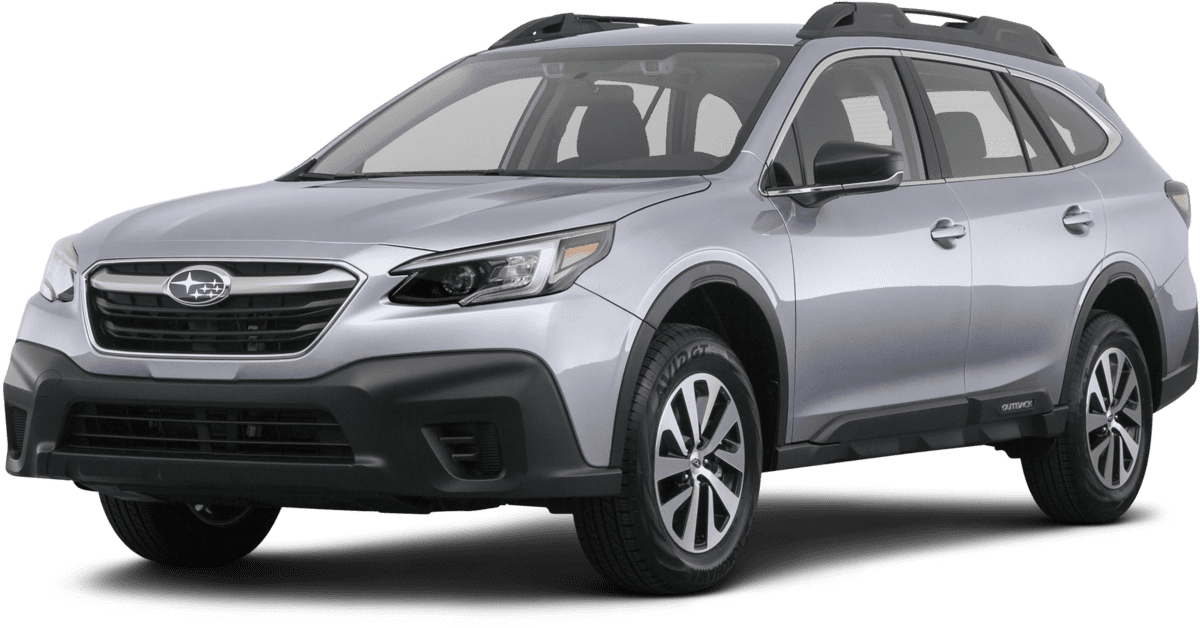
NHTSA ID Number: 10180736
Manufacturer Communication Number: Subaru Starlink
Summary
Update your STARLINK Multimedia Software for vehicles with 11.6-inch display.
Owner Manual
SS_OTA_Navi_4.0
Applicability:
2020-21 Outback
2020-21 Legacy
Update Your STARLINK ® Multimedia Software
2020/2021 Outback and Legacy with 11.6-inch display
Your Subaru is equipped with over the air “OTA” software update capability. Follow these steps to update your software to improve performance and functionality and add all new features.
CAUTIONS:
- Move the vehicle to an outside location where the engine can be safely started and kept idling during the update process.
- Never idle the vehicle in a closed space such as a garage, even if the garage door is open.
- Once the vehicle is in a safe location, be sure the vehicle is in Park if CVT or Neutral if MT and the parking brake is fully engaged.
- Unplug any devices, cables or other USB drives from the vehicles USB ports.
- We suggest adjusting the climate controls to your desired settings in case they become unavailable during the update process.
Need Help Along the Way?
Contact Subaru’s Customer Advocacy Department
Contact your Subaru Retailer to schedule an appointment for the update to be completed
Step 1- Connect your Subaru to an active Wi-Fi connection:
- Connecting your Subaru to your Wi-Fi connection is a one-time process that will allow you to quickly get updates for your vehicle in the future.
- You can use one of two Wi-Fi sources.
- Your home Wi-Fi (if it reaches your driveway or parking location)
- NOTE: This update uses at least 100MB of data so, choose a WI-FI connection with no data restrictions. Wi-Fi connections that require acceptance or login to a web page (such as a coffee shop or hotel) cannot be used
- To connect to whichever Wi-Fi source you prefer, follow these steps:
- Go to Settings on your vehicle multimedia screen.
- Select General
- Then Select Wi-Fi
- Ensure Wi-Fi is turned on and then select “Available Wi-Fi Networks”
- Select your Wi-Fi network of choice and enter a password if required.
-
- Take note of the Wi-Fi signal strength in the top right corner of the screen. If you only have 1-2 bars with your selected network, download speeds will likely be slow. Choose a stronger network if possible or move the vehicle closer to the Wi-Fi device.
Step 2– Download and Install Updates
- Now, lets update your STARLINK system.
- Go back to the General screen under Settings,
- Scroll down and select “Software Update”
- If you’d like, enable “Automatically Check for Updates” and “Automatically Download Updates” so that in the future, your vehicle will tell you when an update is ready to be installed.
- For today’s update, select “Update”
- If an update is available, select Download Now
- If you receive a “No Server Response” error, try moving the vehicle closer to your Wi-Fi source for a stronger signal. Or try using a phone hotspot instead.
- If the system says “Software Up to Date”
- 1. Go to Settings, General, System Information. If your version ends in “4” such as F11GXXXXX-XX4, you are already up to date.
- If you are not at this version, ensure the clock time is correct.
- If the issue persists:
- Once the download is complete, select “Install Now”
- The install process might take up to 30 min. Feel free to leave the vehicle if needed.
- Once complete, you will see the below pop up.
- Press OK. Then, turn your vehicle completely off. Ensure all screens are black and let the vehicle sit for at least 5 min to complete the update process. We’d recommend exiting the vehicle during this time since HVAC will be unavailable.
- After 5 min, restart the vehicle. You should see a “software update complete” message. The update will now be complete. If you don’t see this message, try turning the car off and waiting another 5 min before restarting.
Troubleshooting
- What if I get the below server response error message when downloading the update?
Tips:
- Check your internet connection to ensure its active and shows full bars of connectivity.
- Try moving the vehicle closer to the Wi-Fi source.
- If that’s not possible try a different Wi-Fi connection such as a phone hotspot.
- If issue persists:
- What if the system says I’m up to date when checking for updates?
Tips:
- Go to Settings, General, System Information. If your version ends in “4” such as F11GXXXXX-XX4, you are already up to date.
- If you are not at this version, ensure the clock time is correct.
- If the issue persists:
4 Affected Products
Vehicles
1 Associated Document
Manufacturer Communications
MC-10180736-0001.pdf 938.714KB
SS_OTA_Navi_4.0

- 【Android 13 System Car Radio】Car Radio Compatible with Subaru Forester WRX Impreza 2013 2014 2015. With 2GB RAM and 64GB ROM, ensures smooth operation and multitasking capabilities. Built-in Bluetooth for answering, making phone calls, streaming music by hands-free. The 1280x720 high-resolution display video clear and vivid pictures and videos. You can enjoy your favourite music, movies and short videos from the car stereo.
- 【Car Stereo with Wireless Carplay & Android Auto】This car radio supports wireless Carplay/Android auto /Mirrorlink. Wirelessly connect your phone to the car's stereo infotainment system, providing a seamless experience. You can make phone calls, send messages, listen to music, and get directions using voice control, allowing you to focus on driving without worrying about using your phone, making your driving safely.
- 【Car Radio with GPS Navigation & WIFI】The built-in GPS module and external GPS antenna supports both online and offline map navigation. With Wi-Fi or hotspot connectivity, you can easily download and access to online navigation app and other video or music apps on Play Store. With the split-screen function, you can view two apps on the same screen simultaneously. For example, you can display navigation and music apps side by side, ensuring a more pleasant journey.
- 【FM/Steering Wheel Control】 With built-in FM radio that allows you to listen to radio programs and stay up-to-date with the latest news and weather information during driving. The car head unit also supports steering wheel controls, allowing you to effortlessly switch songs, change channels, and adjust the volume without taking your hands off the wheel, helping you stay focused on the road while enjoying a smooth and convenient driving experience
- 【SWC &AHD Rear Camera】The car head unit supports original car steering wheel control, such as switching songs, adjusting volume, answering calls, etc. The waterproof night vision camera offers 1080P resolution, reversing image is clearer no matter the weather conditions. Automatically switch the reversing image when reversing. Note: Professional installation is required. Incorrect wiring may cause a short circuit.

- Replaces the original part number: Compatible with Subaru Legacy Outback 8-inch touchscreen radio screen. The TsuperU uses upgraded materials, offering superior sensitivity, high definition, high temperature resistance, and is non-bubbling and non-whitening. With this part, you won't need to go to the dealer for a replacement, as they often recommend replacing the entire radio, which could cost thousands of dollars, but is completely unnecessary. Please watch the replacement video on YT's
- EASY PROBLEM SOLVED: If your display touch screen is cracked, delaminating, bubbles, White, fogging, air holes, unresponsive, has garbled, phantom, ghosted, ghosting, dead pixels, unresponsive, or looks bad, simply replace the TsuperU 8-inch screen navigation touchscreen and it will return to its original functionality without the need for a trip to the dealership for costly repairs. One replacement is all it takes to fix the problem
- COMPATIBLE WITH SUBARU MODELS: Navigation screen fits Subaru Outback 2.5i Limited Premium Sport Touring Premier 3.6R Limited Premier Touring radio digitizer screen 2019 2018. please check the OEM number and size carefully before purchasing, There are two versions of MAP & PHONE, compare with your original parts to make sure that this touch screen fits your car. The digitizer screen for the 8-inch touchscreen radio works with both GPS-equipped radios and non-GPS radios
- EASY TO INSTALL: The product comes with adhesive, you only need to tear off the protective film to use it, easy to install. for Subaru radio screen is an exact fit for the original vehicle. For display only 86471-AL65A 86471-AL65B 86471-AL66A 86471-AL68A 86431-AL66A 86431-AL62A 86431-AL65A 86471 AL65A 86471 AL65B 86471 AL66A 86471 AL68A 86431 AL66A 86431 AL62A 86431 AL65A 86471AL65A 86471AL65B 86471AL66A 86471AL68A 86431AL66A 86431AL62A 86431AL65A, 864734-AL66A, 86471AL76A, 86471-AL76A
- TOUCH RESPONSIVE: Touch screen meets OEM navigation system, high light transmission, high visibility, responsive, high touch accuracy. touch screen monitor is made of new upgraded material with high resolution, high clarity, more stable performance, faster response time, and has been rigorously tested to ensure a long service life, touch screen replacement
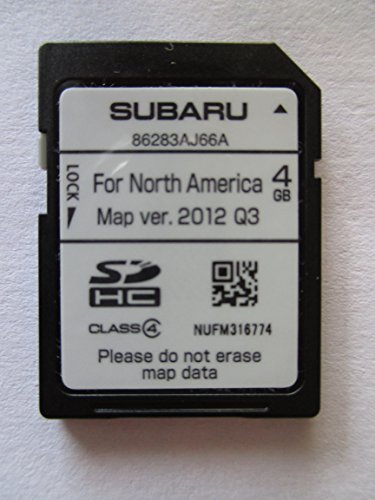

- 8 Core 64GB Android Radio:Our Android car radio is equipped with the latest version of Android and an 8-core CPU processor, delivering exceptional performance and a perfect user experience. With 4G RAM and 64G ROM, our radio ensures smooth operation and provides ample storage for downloading popular apps like YouTube. It is designed to be compatible with Subaru Forester Impreza WRX 2008-2012 models. If you’re unsure whether it’s a good fit for your vehicle, please ask us first
- Wireless and Wired Carplay Android Auto:The Subaru Forester Impreza WRX car stereo offers seamless connectivity with your smartphone’s apps and features like WhatsApp, Google Maps, and Telegram, whether through Bluetooth or a USB data cable. It also supports voice control through Siri or Google Assistant, allowing you to keep your hands free while operating the stereo
- GPS Navigation and WiFi and Split Screen:With WiFi or hotspot connectivity, you can browse the internet, watch videos, and download apps on the 9 inch Subaru Forester Impreza WRX car radio. It also supports online and offline maps, providing real-time road conditions to help you avoid traffic jams. The split-screen feature enables you to simultaneously enjoy GPS navigation and watch videos on the 9 -inch screen with a resolution of 1280x720
- 32EQ DSP/BLUETOOTH 5.0/ FM/RDS:The car stereo comes pre-installed with DSP tuning software, allowing you to adjust the frequency, audio effects, and 32 EQ equalization settings, resulting in crystal-clear sound. Bluetooth 5.0 ensures a faster transmission speed and enables hands-free calling, phonebook downloads, and music streaming. The FM/RDS radio with 30 preset stations allows you to stay updated with new broadcasts, real-time traffic information, weather forecasts, and more
- Multi Function:The Android car stereo supports mirror link functionality, allowing you to mirror your smartphone’s content onto the large screen. It also supports steering wheel controls, provides 59 UI themes to suit your preferences, and allows you to move frequently used software to the home screen for easy access. As a gift, the car stereo comes with an external microphone and an AHD rearview camera with night vision and a 170 degree viewing angle
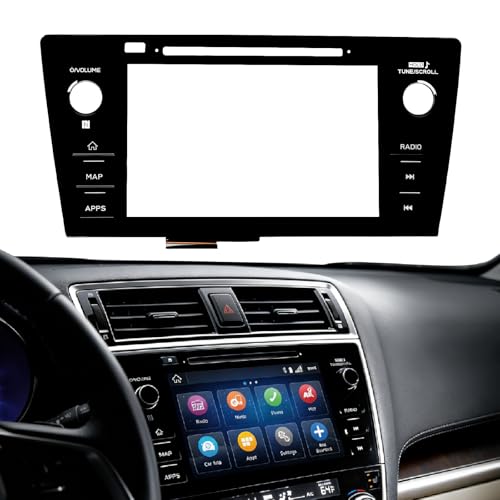
- Fitment:Our Touch Screen Digitizer(MAP) Compatible with 2018 2019 Subaru Outback,2018 2019 Subaru Legacy
- Replace Part Number:86471-AL62A,86471-AL65A,86471-AL65B,86471-AL66A,86471-AL67A,86471-AL68A,86431-AL62A,86431-AL65A,86431-AL66A
- Direct-Fit Replacement:Our 8-inch touchscreen is designed to address common display issues, such as physical cracks, unresponsiveness, or dead pixels, to help return your system to working condition.
- Function:This universal-style LCD touchscreen features integrated MAP functions.
- Support: For any questions or concerns regarding the product, please inform us so we can resolve the issue
This product presentation was made with AAWP plugin.