NHTSA ID Number: 10182250
Manufacturer Communication Number: 15-274-20
Summary
All Models with Gen1 and / or Gen2 Telematics SUBJECT: Android Device Compatibility with MySubaru APP
NUMBER: 15-274-20
DATE: 10/30/2020
| APPLICABILITY: | All Models with Gen1 and / or Gen2 Telematics |
| SUBJECT: | Android Device Compatibility with MySubaru APP |
INTRODUCTION:
Telematics and Infotainment systems often provide unique challenges for Technicians trying to verify customer concerns. The number of different smartphone manufacturers and models available can complicate diagnosis and operation of these systems. Adding even more variability are multiple operating systems, network provider customizations, and customer-installed applications (APPs) available and in use.
For this document, we will focus on Android devices and Telematics system operation. The customer’s primary interface for interacting with the Telematics System is their smartphone. Smartphone manufacturers, operating systems, network providers and customer-installed APPs can occasionally be the main cause of a Telematics concern. It is recommended to always confirm the customer’s concern with the customer’s equipment and another device to accurately observe, compare and diagnose operation of the Telematics system.
The Android Operating System is continually updated to provide optimal functionality with the latest hardware and network services available. As Google releases the newest version of the Android operating system, the oldest version of Android and supported hardware usually moves forward. Recently, with the release of Android 11 (API 30) in Sept 2020, Google announced their discontinuation of support for Android 6 (Marshmallow), and Android 7 (Nougat). As these operating systems are sunset (drop off), this equally impacts the MySubaru App on Android. As SOA’s IT Team adjusts to the changing operating system environment, some of our customers may find themselves with unsupported personal equipment due to an inability to update their smartphone to a supported operating system. Some customers may have delayed updates on their equipment and potentially no longer be able to update to a supported Android Operating System and restore full functionality of the MySubaru App to their device. Starting in October 2020, the minimum supported Android Operating System will be Android 8 (Oreo). As future versions of Android emerge, expect this pattern to continue where the minimum (oldest) version level drops off and the oldest supported version becomes a more recent release of Android.
IT has spent significant time identifying those customers whose mobile device or current version of the Android operating system is unsupported thereby hindering their MySubaru App experience. These customers will receive an email notifying them of their device’s incompatibility and offering suggestions on how to resolve any concerns they have. Additionally, the Customer Advocacy Department and STARLINK call center support members are receiving training on how to best serve customers who find themselves in this situation.
For those customers who are unwilling or cannot update their device to a supported version of the
Android Operating System, a workaround solution is to create a shortcut to the MySubaru Customer Web Portal on their equipment’s home screen. The MySubaru app provides a transparent extension of the same features and services available on the MySubaru Customer Web Portal. The customer will then be able to access their subscription while using unsupported hardware or Android operating systems by creating a shortcut to take them to the MySubaru Login Page.
Often overlooked for optimal smartphone operation is the need for the device to meet minimum system requirements. The minimum available RAM specification for Android Operating Systems starting with Android version 7.1 ranged from 2 GB for best hardware acceleration (performance) to an absolute minimum of 512 MB for essential operation. Very seldom is anything other than the storage requirement and Android Operating System requirement specified for APPs downloaded from the Google Play Store.
SERVICE PROCEDURE:
Always make sure when troubleshooting customer concerns to:
- access the Google Play Store MySubaru App description and ensure the customer’s smartphone meets minimum Android Operating System and Storage requirements
- ensure the available RAM is greater than 512 MB
- verify the installed version of MySubaru App is the latest distribution or simply uninstall and install the latest version directly from the Google Play Store.
Below are detailed procedures to be shared with customers for how to create the shortcut workaround.
NOTE: Due to the number of smartphone manufacturers and internet browsers available, the example images below only describe how to create the shortcut on a Samsung Galaxy using the manufacturer default browser and Google Chrome. If the customer’s equipment is of different manufacture or, there are other internet browsers installed on their system, it may be necessary to search the internet for additional information on how to create the MySubaru shortcut using the information below.
Samsung Galaxy – OS 7.x Nougat (Internet browser – manufacturer’s default browser)
Launch “browser” app. Enter https://www.mysubaru.com in the address field, tap “Go” then, tap the menu icon (3 dashes in lower right-hand corner).
Click on “Add page to” option.
Tap the “Home screen” option.
Enter the name for the shortcut and tap “Add” then tap on “Add automatically”. The browser will add the shortcut to the phone’s desktop. The MySubaru Customer Web Portal (CWP) application now opens in the phone’s default internet browser when tapping the “MySubaru” icon on the desktop.
Samsung Galaxy S6 – OS 7.x Nougat (Chrome browser)
Launch the “Chrome” app. Enter https://www.mysubaru.com in the address field, tap “Go” then tap the menu icon (3 dots in upper right-hand corner).
Tap the “Add to Home screen” option.
Enter the name for the shortcut and tap “Add”. Chrome will add the shortcut to phone’s desktop. The MySubaru CWP application opens in chrome browser when taping the “MySubaru” icon on the desktop.
Google Nexus – OS 6.x Marshmallow (Chrome browser)
Launch the “Chrome” app. Enter https://www.mysubaru.com in the address field, tap “Go” then tap the menu icon (3 dots in upper right-hand corner).
Tap the “Add to Home screen” option.
Enter the name for the shortcut and tap “Add”. Chrome will add the shortcut to the home screen. MySubaru CWP application opens in chrome browser when tapping the “MySubaru” icon on the desktop.
Samsung Note 4 – OS 6.x Marshmallow (Chrome browser)
Launch the “Chrome” app. Enter https://www.mysubaru.com in the address field, tap “Go” then tap the menu icon (3 dots in upper right-hand corner).
Tap the “Add to Home screen” option.
Enter the name for the shortcut and tap “Add”. Chrome will add the shortcut to the phone’s home screen. MySubaru CWP application opens in chrome browser when tapping the “MySubaru” icon on the desktop.
1 Affected Product
Vehicle
1 Associated Document
Manufacturer Communications
NUMBER: 15-274-20
DATE: 10/30/2020
MC-10182250-0001.pdf 1884.649KB

- Blazing-fast Qualcomm performance. Get the speed you need for great entertainment with a Snapdragon 680 processor and 4GB**** of RAM.
- Fluid display + immersive stereo sound. Bring your entertainment to life with an ultrawide 6.5" 90Hz* HD+ display plus stereo speakers, Dolby Atmos, and Hi-Res Audio**.
- 50MP*** Quad Pixel camera. Capture sharper, more vibrant photos day or night with 4x the light sensitivity.
- 64GB**** built-in storage. Get plenty of room for photos, movies, songs, and apps—and add up to 1TB more with a microSD card*****.
- Unbelievable battery life. Work and play nonstop with a long-lasting 5000mAh battery.*****


- Please note, this device does not support E-SIM; This 4G model is compatible with all GSM networks worldwide outside of the U.S. In the US, ONLY compatible with T-Mobile and their MVNO's (Metro and Standup). It will NOT work with other CDMA carriers, and it is also not compatible with their MVNO (Visible, Xfinity Mobile, US Mobile, Cricket Wireless, etc).
- Compatibility with certain third-party devices and accessibility accessories, including some hearing aids, may vary depending on manufacturer support, Bluetooth protocols, software compatibility, and regional firmware limitations. For additional hearing aid compatibility information, please refer to Samsung’s official support documentation.
- Camera: 50 MP, f/1.8, (wide), 1/2.76", 0.64µm, AF | 50 MP, f/1.8, (wide), 1/2.76", 0.64µm, AF | 2 MP, f/2.4, (macro). Battery: 5000 mAh, non-removable | A power adapter is NOT included.
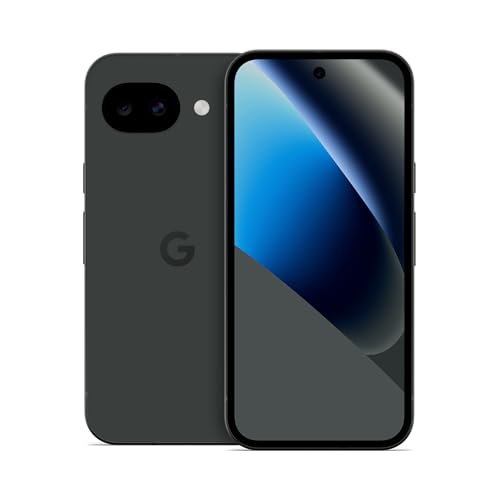
- Google Pixel 10a is a durable, everyday phone with more[1]; snap brilliant photography on a simple, powerful camera, get 30+ hours out of a full charge[2], and do more with helpful AI like Gemini[3]
- Unlocked Android phone gives you the flexibility to change carriers and choose your own data plan; it works with Google Fi, Verizon, T-Mobile, AT&T, and other major carriers
- Pixel 10a is sleek and durable, with a super smooth finish, scratch-resistant Corning Gorilla Glass 7i display, and IP68 water and dust protection[4]
- The Actua display with 3,000-nit peak brightness shows up clear as day, even in direct sunlight[5]
- Plan, create, and get more done with help from Gemini, your built-in AI assistant[3]; have it screen spam calls while you focus[6]; chat with Gemini to brainstorm your meal plan[7], or bring your ideas to life with Nano Banana[8]

- NEW built-in stylus. Jot notes, edit photos, sketch artwork, and navigate effortlessly with an improved stylus and updated software.
- 6.7" pOLED display and Dolby Atmos. Experience cinema-quality entertainment with over a billion shades of color and multidimensional sound*.
- 50MP Ultra Pixel camera + OIS. Capture sharper low-light photos and smoother videos with an unshakable camera system featuring Optical Image Stabilization.
- 30W TurboPower charging + over a day battery. Get hours of power in just minutes of charging, then work and play with unbelievable battery life**.
- Standout design. Make a statement with its stunning look, modern color, and soft, vegan leather finish.
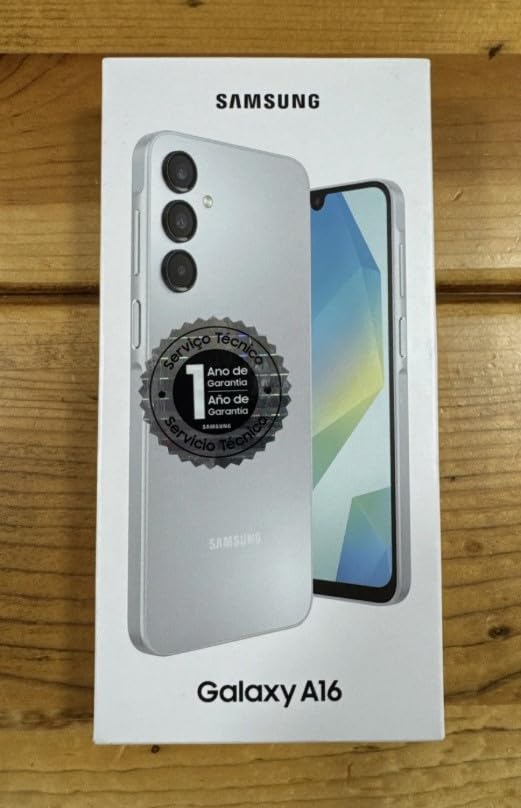
- Please note, this device does not support E-SIM; This 4G model is compatible with all GSM networks worldwide outside of the U.S. In the US, ONLY compatible with T-Mobile and their MVNO's (Metro and Standup). It will NOT work with Verizon, Spectrum, AT&T, Total Wireless, other CDMA carriers, it is also not compatible with their MVNO (Visible, Xfinity Mobile, US Mobile, Cricket Wireless, etc).
- Compatibility with certain third-party devices and accessibility accessories, including some hearing aids, may vary depending on manufacturer support, Bluetooth protocols, software compatibility, and regional firmware limitations. For additional hearing aid compatibility information, please refer to Samsung’s official support documentation.
- 4G LTE Bands: B1/B3/B5/B7/B8/B20/B28/B38/B40/B41
- Display: Super AMOLED, 90Hz, 800 nits (HBM) | 6.7 inches, 110.2 cm2 (~86.0% screen-to-body ratio) | 1080 x 2340 pixels, 19.5:9 ratio (~385 ppi density)
- Camera: 50 MP, f/1.8, (wide), 1/2.76", 0.64µm, AF | 50 MP, f/1.8, (wide), 1/2.76", 0.64µm, AF | 2 MP, f/2.4, (macro)
SEOCONTENT-START
Bulletin Number: 15-274-20; Date: 10/30/20 Page 1 of 9 Continued… CAUTION: VEHICLE SERVICING PERFORMED BY UNTRAINED PERSONS COULD RESULT IN SERIOUS INJURY TO THOSE PERSONS OR TO OTHERS. Subaru Service Bulletins are intended for use by professional technicians ONLY. They are written to inform those technicians of conditions that may occur in some vehicles, or to provide information that could assist in the proper servicing of the vehicle. Properly trained technicians have the equipment, tools, safety instructions, and know-how to do the job correctly and safely. If a condition is described, DO NOT assume that this Service Bulletin applies to your vehicle, or that your vehicle will have that condition. Subaru of America, Inc. is ISO 14001 Compliant ISO 14001 is the international standard for excellence in Environmental Management Systems. Please recycle or dispose of automotive products in a manner that is friendly to our environment and in accordance with all local, state and federal laws and regulations. NUMBER: 15-274-20 DATE: 10/30/2020 APPLICABILITY: All Models with Gen1 and / or Gen2 Telematics SUBJECT: Android Device Compatibility with MySubaru APP INTRODUCTION: Telematics and Infotainment systems often provide unique challenges for Technicians trying to verify customer concerns. The number of different smartphone manufacturers and models available can complicate diagnosis and operation of these systems. Adding even more variability are multiple operating systems, network provider customizations, and customer-installed applications (APPs) available and in use. For this document, we will focus on Android devices and Telematics system operation. The customer’s primary interface for interacting with the Telematics System is their smartphone. Smartphone manufacturers, operating systems, network providers and customer-installed APPs can occasionally be the main cause of a Telematics concern. It is recommended to always confirm the customer’s concern with the customer’s equipment and another device to accurately observe, compare and diagnose operation of the Telematics system. The Android Operating System is continually updated to provide optimal functionality with the latest hardware and network services available. As Google releases the newest version of the Android operating system, the oldest version of Android and supported hardware usually moves forward. Recently, with the release of Android 11 (API 30) in Sept 2020, Google announced their discontinuation of support for Android 6 (Marshmallow), and Android 7 (Nougat). As these operating systems are sunset (drop off), this equally impacts the MySubaru App on Android. As SOA’s IT Team adjusts to the changing operating system environment, some of our customers may find themselves with unsupported personal equipment due to an inability to update their smartphone to a supported operating system. Some customers may have delayed updates on their equipment and potentially no longer be able to update to a supported Android Operating System and restore full functionality of the MySubaru App to their device. Starting in October 2020, the minimum supported Android Operating System will be Android 8 (Oreo). As future versions of Android emerge, expect this pattern to continue where the minimum (oldest) version level drops off and the oldest supported version becomes a more recent release of Android. SERVICE BULLETIN ATTENTION: GENERAL MANAGER q PARTS MANAGER q CLAIMS PERSONNEL q SERVICE MANAGER q IMPORTANT – All Service Personnel Should Read and Initial in the boxes provided, right. ©2020 Subaru of America, Inc. All rights reserved. Bulletin Number: 15-274-20; Date: 10/30/20 Page 2 of 9 Continued… IT has spent significant time identifying those customers whose mobile device or current version of the Android operating system is unsupported thereby hindering their MySubaru App experience. These customers will receive an email notifying them of their device’s incompatibility and offering suggestions on how to resolve any concerns they have. Additionally, the Customer Advocacy Department and STARLINK call center support members are receiving training on how to best serve customers who find themselves in this situation. For those customers who are unwilling or cannot update their device to a supported version of the Android Operating System, a workaround solution is to create a shortcut to the MySubaru Customer Web Portal on their equipment’s home screen. The MySubaru app provides a transparent extension of the same features and services available on the MySubaru Customer Web Portal. The customer will then be able to access their subscription while using unsupported hardware or Android operating systems by creating a shortcut to take them to the MySubaru Login Page. Often overlooked for optimal smartphone operation is the need for the device to meet minimum system requirements. The minimum available RAM specification for Android Operating Systems starting with Android version 7.1 ranged from 2 GB for best hardware acceleration (performance) to an absolute minimum of 512 MB for essential operation. Very seldom is anything other than the storage requirement and Android Operating System requirement specified for APPs downloaded from the Google Play Store. SERVICE PROCEDURE: Always make sure when troubleshooting customer concerns to: 1. access the Google Play Store MySubaru App description and ensure the customer’s smartphone meets minimum Android Operating System and Storage requirements 2. ensure the available RAM is greater than 512 MB 3. verify the installed version of MySubaru App is the latest distribution or simply uninstall and install the latest version directly from the Google Play Store. Below are detailed procedures to be shared with customers for how to create the shortcut workaround. NOTE: Due to the number of smartphone manufacturers and internet browsers available, the example images below only describe how to create the shortcut on a Samsung Galaxy using the manufacturer default browser and Google Chrome. If the customer’s equipment is of different manufacture or, there are other internet browsers installed on their system, it may be necessary to search the internet for additional information on how to create the MySubaru shortcut using the information below. Bulletin Number: 15-274-20; Date: 10/30/20 Page 3 of 9 Continued… Samsung Galaxy – OS 7.x Nougat (Internet browser – manufacturer’s default browser) Launch “browser” app. Enter https://www.mysubaru.com in the address field, tap “Go” then, tap the menu icon (3 dashes in lower right-hand corner). Click on “Add page to” option. Bulletin Number: 15-274-20; Date: 10/30/20 Page 4 of 9 Continued… Tap the “Home screen” option. Enter the name for the shortcut and tap “Add” then tap on “Add automatically”. The browser will add the shortcut to the phone’s desktop. The MySubaru Customer Web Portal (CWP) application now opens in the phone’s default internet browser when tapping the “MySubaru” icon on the desktop. Bulletin Number: 15-274-20; Date: 10/30/20 Page 5 of 9 Continued… Samsung Galaxy S6 – OS 7.x Nougat (Chrome browser) Launch the “Chrome” app. Enter https://www.mysubaru.com in the address field, tap “Go” then tap the menu icon (3 dots in upper right-hand corner). Tap the “Add to Home screen” option. Bulletin Number: 15-274-20; Date: 10/30/20 Page 6 of 9 Continued… Enter the name for the shortcut and tap “Add”. Chrome will add the shortcut to phone’s desktop. The MySubaru CWP application opens in chrome browser when taping the “MySubaru” icon on the desktop. Google Nexus – OS 6.x Marshmallow (Chrome browser) Launch the “Chrome” app. Enter https://www.mysubaru.com in the address field, tap “Go” then tap the menu icon (3 dots in upper right-hand corner). Bulletin Number: 15-274-20; Date: 10/30/20 Page 7 of 9 Continued… Tap the “Add to Home screen” option. Enter the name for the shortcut and tap “Add”. Chrome will add the shortcut to the home screen. MySubaru CWP application opens in chrome browser when tapping the “MySubaru” icon on the desktop. Bulletin Number: 15-274-20; Date: 10/30/20 Page 8 of 9 Continued… Samsung Note 4 – OS 6.x Marshmallow (Chrome browser) Launch the “Chrome” app. Enter https://www.mysubaru.com in the address field, tap “Go” then tap the menu icon (3 dots in upper right-hand corner). Tap the “Add to Home screen” option. Bulletin Number: 15-274-20; Date: 10/30/20 Page 9 of 9 Enter the name for the shortcut and tap “Add”. Chrome will add the shortcut to the phone’s home screen. MySubaru CWP application opens in chrome browser when tapping the “MySubaru” icon on the desktop. IMPORTANT REMINDERS: • SOA strongly discourages the printing and/or local storage of service information as previously released information and electronic publications may be updated at any time. • Always check for any open recalls or campaigns anytime a vehicle is in for servicing. • Always refer to STIS for the latest service information before performing any repairs.
**************************************************************************************************************
SEOCONTENT-END
This product presentation was made with AAWP plugin.