NHTSA ID Number: 10185095
Manufacturer Communication Number: Tech Tips
Summary
Subaru Service and Technical Support Line Newsletter. (QMR of the month)
Articles Contained in this Issue
Click on a title below to jump to the article.
Click the date located in the footer to return to page 1.
CODE ARTICLE………………………………………………………….PAGE
(00) STIS New Releases………………………………… 7
(01) QMR of the Month………………………………..1-2
(01) QMR of the Month Award
Presentations………………………………………… 2
Tech Tips Greatest Tips
(11) DTC P0171 Diagnostics………………………….. 3
(11) EVAP System Smoke testing…………………… 4
(15) STARLINK Update- Retirement of the 3G
Cellular Network……………………………………. 4
(15) Wireless Phone Charging Accessory……..4-8
1 Affected Product
Vehicle
1 Associated Document
Manufacturer Communications
TIPS1220 – 2020 December TechTIPS NewsLetter
MC-10185095-0001.pdf 478.157KB

- [Easy to Use—Work Out of the Box] + [FOXWELL 2026 New Version] FOXWELL NT604 Elite scan tool is the 2026 new version from FOXWELL, designed for car owners who want to figure out the cause of issues before fixing car problems by scanning common systems like ABS, SRS, engine, and transmission. The NT604 Elite obd2 scanner diagnostic tool comes with the latest software—no need to waste time downloading software first. Plug the scanner into the OBDII port with OBDII cable to start the diagnosis.
- [Affordable] + [Reliable Car Health Monitor] Will you be confused what happens when the warning light of ABS/SRS/transmission/check engine flashes? Instead of taking your cars to dealership, this FOXWELL scanner will help you do a thorough scanning and detection for your cars and pinpoint the root cause. Note:The device is a diagnostic tool, not a repair tool. To turn off a warning light, you must first physically repair the issue causing it. Only then can the scanner be used to clear the corresponding fault code.
- [5 in 1 Car Diagnostic Scanner] Compared with obd scanners (50-100), NT604 Elite code scanner not only includes their OBDII diagnosis but also serves as ABS/SRS scanner, transmission and check engine code reader. When it’s an odb2 scanner, you can use it to check if your car is ready for annual test through I/M readiness menu. In addition, live data stream, built-in DTC library, data play back and print, all these features are a big plus for it. Note: doesn't support maintenance functions like reset or relearn. For the SRS system, NT604 Elite can read and clear common fault codes not caused by a crash, but crash/collision data cannot be cleared.
- [Fantastic AUTOVIN] + [No extra software fee] Through the AUTOVIN menu, this NT604 Elite car scanner allows you to get your V-IN and vehicle info rapidly, no need to take time to find your V-IN and input one by one. What's more, the NT604 Elite ABS SRS scanner supports 60+ car brands from worldwide (America/Asia/Europe). You don’t need to pay extra software fee. AUTOVIN may not work on some older vehicles or certain vehicle brands. If AUTOVIN fails, please input the vin code manually or go to the Diagnostic Menu to select your vehicle model.
- [Solid protective case KO plastic carrying bag] + [Lifetime update] Almost all same price-level car scanner diagnostic tool only offers plastic bag to hold the scanner.However, NT604 Elite automotive scanner is equipped with solid protective case, preventing your obd2 scanner from damage. Then you don’t need to pay extra money to buy a solid toolbox.
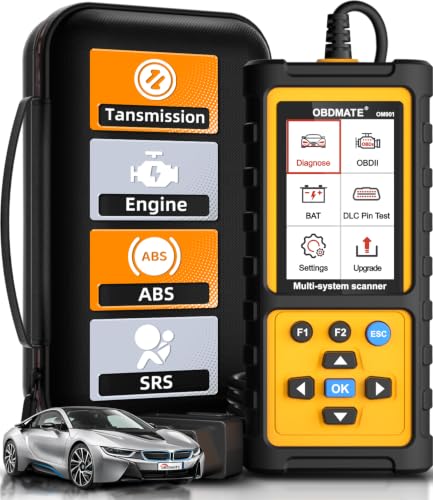
- 【Reset ABS/SRS/Transmission/Engine Lights】 More than an check engine code reader, OBDMATE OM901 obd2 scanner performs comprehensive diagnostics for the 4 most-used systems (ABS/SRS/Engine/Transmission). It quickly clears fault codes, turns off warning lights, read data stream and auto VIN.
- 【3.5" Handheld Scanner with 4 System Diagnose】 3.5" Super large TFT screen equipped displays an intuitive menu and clear readings of various sensors from ABS, SRS, ECM and TCM systems. It arrived with a silicone protective case and hard-shell carrying case, ensuring long-lived durability and drop resistance. The car diagnostic tool is plug-to-play designed, plug it and get diagnosis started without any batteries or updates required.
- 【One-Click I/M Readines&Full OBD2 Functions】 Press F1 to get an intuitive corloured form about whether various emissions-related systems on the vehicle are operating properly. Help you get smog-check ready quickly. OM901 car scanner supports all essential OBD2 functions you need: read & clear codes, view freeze frame, read I/M readiness, retrieve VIN, live data stream (with graphing display), O2 sensor test, onboard monitoring mode, and EVAP leak test.
- 【Battery Voltage Check&DLC Pin Test】 It allows you to monitor battery health by testing current battery voltage. Plus, this obd2 diagnostic tool features DLC 16-PIN test to check current voltage of every pin.
- 【Automotive Scanner Diagnostic Kit】 The package comes with 1 car scanner, 1 USB-type c cable, 1 hard storage bag and 1 user manual(en). Free to update without any hidden fees. 5 languanges available in setting including English, French, Italian, German and Espanish. Valuable and Portable, making it a great tool kit for car owners, DIY enthusiasts, and professional mechanics.

- [All System Diagnostics, Professional-Level Scanner] - BLCKTEC 460T is the ultimate OBD2 diagnostic tool for home mechanics and professionals. It supports all 10 OBD2 modes, reads and clears Engine/Transmission/ABS/SRS codes, performs All-System Diagnostics, offers workshop reset tools, and provides real-time live data. It helps you pinpoint issues, assess your car's condition, and prepare for SMOG checks with ease. NOTE: Function availability depends on your vehicle. Before you buy, be sure to use the Compatibility Checker on BLCKTEC website or contact our customer support to verify that the features you need are supported for your vehicle’s specific year, make, and model.
- [12+ Most Popular Reset Functions] - BLCKTEC 460T OBD2 scanner offers 12+ dealer-level service functions, including Oil Maintenance Reset, ABS Bleeding, EPB Reset, SAS(Steering Angle Sensor) Recalibration, DPF(Diesel Particulate Filter) Reset, Throttle Body Relearn, Battery Reset/Initialization, TPMS Relearn, Transmission Reset, Fluid Change Reset, Maintenance Reset and more, enabling you to perform workshop services like a pro. NOTE: Function availability depends on your vehicle. Be sure to use the Compatibility Checker on BLCKTEC website to verify that the features you need are supported for your vehicle.
- [Real-Time OBD2 and OEM Live Data, Freeze Frame Data] - BLCKTEC 460T helps diagnose vehicle issues when warning lights like Check Engine Light or ABS/SRS Light appear. It offers detailed DTC info, ECU Freeze Frame Data, and real-time OBD2 and advanced OEM live data, including Engine, Transmission, ABS, SRS, and more, making it easy to diagnose and resolve vehicle problems. You can view, graph, record, replay, and overlay up to four live data streams in a single graph for better analysis.
- [AutoVIN, AutoReLink, AutoScan, 3X Faster] - Equipped with AutoVIN technology, 460T automatically retrieves the VIN to save you time. Its AutoScan and AutoReLink features scan all of the vehicle's ECUs and detect any fault codes immediately after you plug the scanner into the vehicle's OBD2 port - no button presses required. Additionally, it regathers DTC and I/M readiness information every 30 seconds, simplifying monitor tests. 460T's advanced technology makes it 3X faster than other products.
- [Get RepairSolutions2, the #1 Auto Repair App for Free] - When paired with RepairSolutions2(RS2) App, 460T becomes even more powerful. RS2's Verified Fix Database built by master technicians, provides the parts needed for the repair. Additionally, RS2 gives you access to OEM warranty info, maintenance schedules, TSB, and dealership recall info, making car care easier than ever. RS2 is free with no subscription fees and it stores your car scan reports in the cloud, allowing you to access, share, or print them anytime and anywhere.
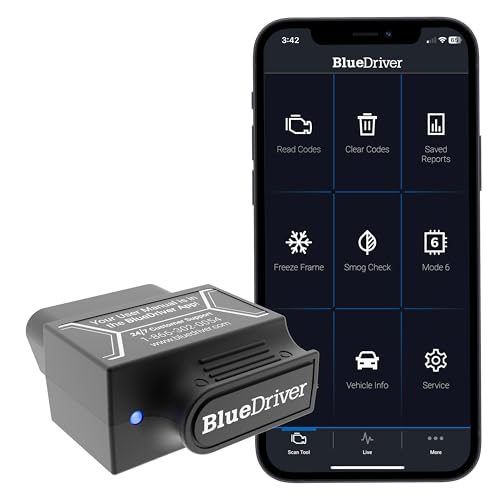
- [Diagnose Like a Pro] BlueDriver Pro is a professional OBD2 scanner and diagnostic tool that helps you scan, understand, and clear vehicle trouble codes with confidence. Turn your phone into a powerful car diagnostic scanner—no guesswork, no unnecessary repairs.
- [Read and Clear More Codes Than Ever] Read and clear more codes than basic car code readers. Access enhanced diagnostics for Check Engine, ABS, SRS, Airbag, TPMS, Transmission.
- [Verified Fixes and Real-Time Data] Get unlimited, technician-verified repair reports matched to your VIN, with definitions, causes, and confirmed fixes. Monitor live vehicle data as you drive, view freeze frames, check smog readiness, and analyze Mode 6 test results.
- [Wireless & Bluetooth Enabled] - Say goodbye to wires. BlueDriver connects with Bluetooth via your phone/tablet to a sensor that plugs into your car's OBDII port. Get all of the capabilities of an expensive code reader & scan tool without any annoying wires.
- [Broad Make & Model Coverage] Strong support for GM, Ford, Stellantis (RAM, Jeep, Chrysler), Toyota, Honda, Nissan, Mazda, Subaru, Hyundai, Mercedes-Benz, BMW, and VW.

- OBD2 SCANNER FOR ALL SYSTEMS – The INNOVA SD35 is a tablet-based OBD2 scanner designed for advanced diagnostics. Read and clear check engine light, ABS, SRS, and TPMS codes, plus test your car battery and alternator to prevent unexpected failures. Vehicle coverage may vary. Please use Innova’s Coverage Checker to verify compatibility.
- ALL-SYSTEM DIAGNOSTICS & LIVE DATA – Unlike basic code readers, this OBD2 scanner for all vehicles scans engine, transmission, ABS, SRS, and more. Get real-time live data, including RPM, fuel trims, temperature readings, and oxygen sensor performance.
- OBD2 TABLET WITH USER-FRIENDLY INTERFACE – This automotive scan tool features a high-resolution display, making vehicle diagnostics faster and easier.
- ADVANCED TPMS, OIL RESET & SERVICE FUNCTIONS – Perform TPMS sensor checks, oil light reset, and other service resets with ease This professional diagnostic tool provides comprehensive vehicle maintenance capabilities in one device.
- WIDE VEHICLE COVERAGE (1996 & NEWER CARS & TRUCKS) – This OBD2 scanner Bluetooth tablet is compatible with Toyota, Ford, Honda, Chevrolet, Nissan, Dodge, and more. However, feature coverage may vary. Please use Innova's Coverage Checker to verify coverage.
SEOCONTENT-START
December 2020 TechTIPS Page 1 of 8 Subaru Service and Technical Support Line Newsletter ©2020 Subaru of America, Inc. All rights reserved. 01 QMR of the Month We are pleased to announce this month’s QMR of the Month Winner: David Jodat from from Subaru City of Milwaukee in Milwaukee, WI The winning Quality Monitoring Report selected from October’s submissions involves diagnosis and repair on a 2020 Legacy with an unusual concern of the trunk opening when either pressing any of the door lock / unlock buttons or shifting the CVT into reverse. The customer also reported receiving STARLINK notifications of the trunk being open after a Remote Engine Start request was made. After confirming the conditions as reported, David started his diagnosis by reviewing the wiring diagram and determining lock / unlock signals are sent by the BIU through a common wiring harness connector (i4). Wiring checks and scoping the related signal outputs identified an abnormally high amount of voltage on the trunk release circuit when operating the door locks or shifting into reverse. This led David to suspect an issue with the wiring for the unlock output and the trunk unlock circuits. After closely inspecting the related wiring, pins and harness connectors, all were found to be fine with no visible problems. He then removed the trunk unlock signal wire from connector i4 and rechecked voltages. The high voltage identified earlier was gone and the door locks operated normally. This test confirmed the vehicle-side wiring was fine which led David to be suspect of the BIU being internally shorted. His suspicion was confirmed as after replacing the BIU, normal door lock (and trunk release) operation was restored. David’s winning QMR included highly detailed descriptions of his testing and results along with excellent photos and multiple short videos to document this unusual condition and related repair. In appreciation for going the extra mile and sharing his experience with us, David will be receiving the following from his Field Service Engineer: $500.00 Snap-On gift card SUBARU TECHLINE HOLIDAYS & HOURS OF OPERATION Holiday Break: (Closed) Thursday, December 24, 2020 Friday, December 25, 2020 Saturday, December 26, 2020 Thursday, December 31, 2020 8:30am-4:00pm New Year’s Holiday Break (Closed) Friday, January 1, 2021 Saturday, January 2, 2021 Mon. – Thurs. 8:30AM – 7:30PM EST Friday 10:30AM – 5:00PM EST Saturday 9:00AM – 3:00PM EST Articles Contained in this Issue Click on a title below to jump to the article. Click the date located in the footer to return to page 1. CODE ARTICLE………………………………………………………….PAGE (00) STIS New Releases………………………………… 7 (01) QMR of the Month………………………………..1-2 (01) QMR of the Month Award Presentations………………………………………… 2 Tech Tips Greatest Tips (11) DTC P0171 Diagnostics………………………….. 3 (11) EVAP System Smoke testing…………………… 4 (15) STARLINK Update- Retirement of the 3G Cellular Network……………………………………. 4 (15) Wireless Phone Charging Accessory……..4-8 The Subaru TechTIPS newsletter is intended for use by professional Technicians ONLY. Articles are written to inform those Technicians of conditions that may occur in some vehicles, or to provide information that could assist in the proper servicing of the vehicle. Properly trained Technicians have the equipment, tools, safety instructions, and know-how to do the job correctly and safely. If a condition is described, DO NOT assume that your vehicle has or will have that condition. Impreza, Legacy, Justy, Loyale, Outback, Forester, Subaru SVX, WRX, WRX STI, Baja, Tribeca, BRZ, XV Crosstrek, Ascent, Crosstrek Hybrid and “Quality Driven” are Registered Trademarks. ISO 14001 is the international standard for excellence in Environmental Management Systems. Please recycle or dispose of automotive products in a manner that is friendly to our environment and in accordance with all local, state and federal laws and regulations. CAUTION: VEHICLE SERVICING PERFORMED BY UNTRAINED PERSONS COULD RESULT IN SERIOUS INJURY TO THOSE PERSONS OR TO OTHERS. SUBARU OF AMERICA, INC. IS ISO 14001 COMPLIANT Continued on the next page December 2020 home December 2020 TechTIPS Page 2 of 8 01 QMR of the Month (CONTINUED) The other Regional winners selected from QMRs submitted during October 2020 were: • John Bryan from Parkway Subaru in in Wilmington, NC • Marco Yanes-Pena from Bill Kolb Jr. Subaru in Orangeburg, NY • Kevin Montiel from Ocean Subaru of Fullerton in Fullerton, CA • Craig DeMeo from Granite Subaru in Hudson, NH Any Subaru Technician can participate in the QMR of the Month program. See the February 2013 and January 2016 issues of Tech TIPS for full details. You just might see your name and photo in a future issue of Tech TIPS! 01 QMR of the Month Award Presentations As part of our “enhanced” QMR of the Month recognition program, we include a photo (whenever available) of the recipient’s award presentation in TIPS. The winner selected from QMR of the Month submissions received during October 2020 was David Jodat, a Technician from Subaru City of Milwaukee in Milwaukee, Wisconsin. David is shown being presented with his $500.00 Snap-On Gift Card (left to right) are: Keith Cook (FSE), Mike Schlossmann (Retailer Principal), David Jodat (Winning Technician) and Jason O’Donnell (Service Manager). Congratulations and THANK YOU to our October 2020 QMR of the Month Award recipient! December 2020 TechTIPS Page 3 of 8 This series features TechTIPS articles frequently referred to by Techline. This month’s feature is from December 2016. 11 DTC P0171 Diagnostics Unmetered Air • Air entering the engine after the MAF will cause lean air/fuel mixtures. o Inspect all air intake connections for damage or looseness after the MAF. o In order to locate air leaks which cannot be visually inspected, use a method of fuel enrichment while monitoring your fuel trims. If the fuel trims drop toward 0% or A/F sensor returns to ≤1.0 during enrichment of a certain location, suspect an air leak. o Test the CPC solenoid and brake booster by blocking the hose connected to the component while monitoring the fuel trims to determine if there is a fault. Exhaust • Air entering the exhaust system between the cylinder head and A/F sensor will also cause a false lean condition. Metering devices • Metering devices for the air/fuel mixture can send incorrect information to the ECM causing incorrect fuel corrections. o Inspect the connections at all air/fuel metering devices for poor connection and contamination. o Swap the MAF and A/F sensor into a like vehicle to see if the condition follows the sensor. Combustion chamber • Poor combustion in a cylinder can result in unburned oxygen. The A/F sensor will read the unburned oxygen as a lean condition. o Verify valve clearances and compression readings are within specifications according to the applicable Service Manual. o Information regarding cylinder leak-down testing can be found on STIS in Technician’s Reference Booklet: Engine Theory and Diagnosis MSA5P2106C. December 2020 TechTIPS Page 4 of 8 11 EVAP System Smoke testing In the past several months there has been an increase in reports relating to Technicians finding, a “leaking” Evaporative Leak Check Module (ELCM). In these reports, technicians are completing EVAP system smoke testing with the ELCM electrical connector disconnected discovering that some leakage occurs. This condition is normal and does not indicate a failure of the ELCM. The drain side of the ELCM is normally only exposed to atmospheric pressures. Any pressure greater than atmospheric pressure can induce leakage from this connector. For more on EVAP system diagnosis, pressure and smoke testing refer to the Intermediate Fuel Injection Systems TRB document MSA5P24211C. 15 STARLINK Update- Retirement of the 3G Cellular Network Providers of wireless data networks will be phasing out their 3G cellular networks beginning in February of 2022 to make room for newer technologies. As a result, devices requiring 3G networks such as the hardware in 2016-18MY Subaru models with an active STARLINK Safety & Security package will no longer operate unless they are updated. This means features like Automatic Collision Notification (ACN), SOS Emergency Assistance, Stolen Vehicle Recovery and remote features will be cancelled after the transition date. A specific day / date has yet to be determined. Owners of affected vehicles with active subscriptions will be notified via e-mail on March 10, 2021 encouraging them to schedule a service appointment to have the applicable upgrade performed if they wish to continue utilizing their STARLINK services. Additional information regarding this change is forthcoming. In the meantime, FAQs about the 3G Network Retirement can be accessed on Subarunet: Parts/Service-Prgms/ Accessories > STARLINK/MySubaru-Fixed Ops. 15 Wireless Phone Charging Accessory Techline has received requests for more information and operation characteristics of the new Wireless Charger Accessory. Many of the inquires are regarding operation temperatures and customer concerns of their device being warm to the touch. The wireless charger and the mobile device will become warm during charging, this is normal and is not the sign of a malfunction. For more on the Wireless charger Accessory and Operation Manual search STIS > Accessory Installation Guides > Document code: H671SAN200. STANDARD OPERATION: 1) Place the vehicle in ACC or ON mode. The LED indicator will illuminate white indicating the wireless charger is in standby mode and ready to charge. 2) Place the Qi (pronounced “chee”) enabled mobile device into the charging pocket with the screen facing up. The LED indicator will illuminate blue and mobile device charging will begin. Continued on the next page December 2020 TechTIPS Page 5 of 8 15 Wireless Phone Charging Accessory (CONTINUED) Proper Placement Wireless Charger Details: • 5W charging capability (Samsung Fast Charge enabled, boosting certain Samsung phones to 7.5W charging) • Operating Temperature Range: -40°C – 60°C, -40°F – 140°F (Over temperature shutdown at 45°C, 113°F.) • Maximum Phone/Case Combination Size: 180mm x 80mm x 13mm (7.1” x 3.1” x 0.47”) • The Subaru wireless charger is integrated into the internal Keyless Access antenna system. In situations where the key fob is unable to be detected by the vehicle (Key Not Found on MFI screen), the wireless charger will shut down. After the key fob is found by the vehicle, the wireless charger may take up to 3 minutes to reinitialize. LED Indicator Operation: Operation LED indicator Off Not illuminated Standby (charging is possible) White Charging Blue Charging complete* Green Foreign object detected or phone overheating Orange Charger not active – Internal error Red *For some mobile devices, the indicator may remain blue even when charging is complete. Continued on the next page December 2020 TechTIPS Page 6 of 8 15 Wireless Phone Charging Accessory (CONTINUED) Wireless Charging Best Practices: • Do not subject the unit to strong forces or impacts • Do not disassemble, remove, or modify the unit • Do not use the unit to charge anything other than the specified mobile devices • Do not bring objects affected by magnetic fields close to the unit • Keep the charging area free of dirt and dust while charging • Do not allow any liquids (such as drinking water or chemicals) to get onto the unit • Do not attach metallic stickers containing aluminum or any other metallic objects to the unit • If you are using electronic medical devices such as implantable cardiac pacemaker, an implantable biventricular pacing pulse generator or an implantable defibrillator, seek medical advice before using this wireless charger. Operation of the wireless charger may influence the operation of such electronic medical devices. • Do not place the vehicle’s key on or near the wireless charging unit. Otherwise the key may no longer be recognized. • The wireless charger and the mobile device will become warm during charging, this is normal and is not the sign of a malfunction. Wireless Charging Troubleshooting: Issue Resolution Startup Issues LED indicator is RED at startup Internal fault in wireless charging module LED indicator is ORANGE at startup Vehicle internal temperature is too hot. Remove phone from wireless charger and try again after car cools off LED indicator is shuts off just after startup Ensure the key fob is visible to the vehicle During Charging Issues Mobile device does not charge when placed in the charging area 1. Check that the vehicle’s ignition is at ACC or that the engine is running. 2. Check that mobile device is placed face up. 3. Check that the mobile device complies with the Qi wireless charging standard. 4. Place the mobile device near the middle of the charging area. 5. Check that the mobile device is not too hot. 6. Check that key is visible to vehicle. 7. Is the wireless charging area clear of any metallic debris? 8. Does the phone have a case? If so, remove 9. Does the phone have any metallic attachments (keyring holder, metal plate, etc.) on the back? LED indicator changes to ORANGE during charging 1. Check that there are no foreign objects in between the mobile device and the wireless charger. 2. Check that there are no foreign objects under removable rubber insert. 3. If the mobile device has become hot during charging, wait until the mobile device cools down sufficiently, and then start charging it again. 4. Phone internal temperature has exceeded 45°C/113°F. Remove phone from charger and reinsert once cooled. December 2020 TechTIPS Page 7 of 8 00 STIS New Releases ITEM CODE ITEM TYPE TITLE CREATED DATE 15-205-16R Technical Service Bulletin Reprogramming File Availabilit… 21-Dec-20 MSA5M2110A Owner Manual 2021 WRX/STI SUBARU STARLINK® … 21-Dec-20 15-236-18R Technical Service Bulletin Reprogramming File Availabilit… 21-Dec-20 MSA5M2115A Owner Manual 2021MY WRX/STI Eyesight Owner’… 21-Dec-20 MSA5M2105A Owner Manual 2021MY WRX/STI Owner’s Manual 21-Dec-20 16-132-20 Technical Service Bulletin Diagnostic Information for All… 18-Dec-20 WRH-20R Subaru Product/Campaign Bulletin Rear Visibility FMVSS 111 Non-… 18-Dec-20 WRI-20R Subaru Product/Campaign Bulletin Reprogramming of Denso CP1 Inf… 18-Dec-20 15-211-17R Technical Service Bulletin Reprogramming File Availabilit… 18-Dec-20 MSA5B2105A Owner Manual 2021MY WRX/STI Getting Started… 18-Dec-20 15-261-20R Technical Service Bulletin Reprogramming File Availabilit… 18-Dec-20 J121SCA000 Accessory Installation Guide 20MY BRZ Exterior Graphics (Si… 16-Dec-20 12-203-16R Technical Service Bulletin Squeaking Sound from Front Sea… 16-Dec-20 05-79-20 Technical Service Bulletin Wheel Lug Nuts- Design Change 15-Dec-20 15-246-19R Technical Service Bulletin New Immobilizer Registration P… 15-Dec-20 15-219-18R Technical Service Bulletin Error Code 202 and / or 204 Ge… 14-Dec-20 J201SFL600 Accessory Installation Guide 2017-21MY Impreza / 2018-21MY … 10-Dec-20 J201SAN600 Accessory Installation Guide 2020-21MY Legacy/ Outback – Co… 10-Dec-20 J201SXC000 Accessory Installation Guide 2019-21MY Ascent – Console Lid… 10-Dec-20 J201SSJ000 Accessory Installation Guide 2019-21MY Forester – Console L… 10-Dec-20 J501SXC170 Accessory Installation Guide 2019-21MY Ascent – Pet-friendl… 10-Dec-20 J501SSJ350 Accessory Installation Guide 2019-21MY Forester – Pet-frie… 10-Dec-20 J501SAN270 Accessory Installation Guide 2020-21MY Outback – Pet-friend… 10-Dec-20 10-99-20 Technical Service Bulletin HVAC Control Panel- Design Cha… 9-Dec-20 07-186-20 Technical Service Bulletin Battery Leaks- Visual Guidelin… 8-Dec-20 12-305-20 Technical Service Bulletin Front Hood Intake Duct- Design… 7-Dec-20 12-306-20 Technical Service Bulletin Front Seat Squeaking Sound 7-Dec-20 4-26-2020 Technical Service Bulletin Steering Rack Assembly- Design… 3-Dec-20 05-70-19R Technical Service Bulletin Rear Wheel Backing Plate- Desi… 2-Dec-20 15-259-20R Technical Service Bulletin Denso Gen 4 Cockpit One (CP1) … 1-Dec-20 16-103-16R Technical Service Bulletin Transmission Fluid Seepage 1-Dec-20 15-276-20 Technical Service Bulletin Apple® / IOS Device Compatibil… 30-Nov-20 15-273-20R Technical Service Bulletin Denso CP1 BASE (Dual 7” Displa… 24-Nov-20 15-255-19R Technical Service Bulletin Map Data Update Procedure for … 23-Nov-20 15-254-19R Technical Service Bulletin Map Data Update Procedure for … 23-Nov-20 TIPS1120 TechTIPS NewsLetter 2020 NovemberTechTIPS Newslett… 23-Nov-20 All revised publications are highlighted in yellow. December 2020 TechTIPS Page 8 of 8 *** Now you can e-mail your TechTIPS input and suggestions to: tech@subaru.com *** SUBARU TECHLINE Monday – Thursday 8:30 am to 7:30 pm Hours of Operation Friday 10:30 am to 5 pm and Saturday 9 am to 3 pm This is your chance to offer suggestions for use in future issues of TechTIPS! Make sure that if you e-mail us, you place in the subject line of your e-mail “For TechTIPS Newsletter”. Thank you! Model: Year: VIN: Description of situation encountered: Your suggestion for repair procedure, product improvements, etc.: Please attach separate sheets, if necessary. You may also want to include Service Manual diagrams or references, or your own drawings to assist in describing your suggestion. All information submitted becomes the property of Subaru of America, Inc. Permission is granted to Subaru of America, Inc. to print your name and suggestions in TechTIPS and other Subaru of America, Inc. publications. Mail items to: PO Box 9103; Camden, NJ 08101-9877. Your Name: Signature: Dealer’s Name: City: Date: Dealer Code:
**************************************************************************************************************
SEOCONTENT-END
This product presentation was made with AAWP plugin.