
NHTSA ID Number: 10177822
Manufacturer Communication Number: 15-264-20R
Summary
The intent of this Service Information Bulletin is to provide Technicians and staff members who interact with the Telematics system insight to help address questions regarding operation of the WiFi Hotspot feature.
NUMBER: 15-264-20R
DATE: 06/22/20
REVISED: 07/14/20
| APPLICABILITY: | All Models 2019MY to Current with Gen 2 Telematics |
| SUBJECT: | WiFi Hotspot: Diagnostic TIPS and Helpful Hints |
INTRODUCTION:
The intent of this Service Information Bulletin is to provide Technicians and staff members who interact with the Telematics system insight to help address questions regarding operation of the WiFi Hotspot feature.
SERVICE PROCEDURE / INFORMATION:
VERY IMPORTANT: Any Technician or other retailer personnel who, despite service documentation and training to the contrary, performs a DCM swap on a subscribed vehicle should NEVER release that vehicle back to the customer until after confirming the proper operation of the Telematics system. If the issue is first discovered only after the vehicle has been released to the customer, then the retailer MUST contact the customer immediately to inform the customer the ACN/AACN feature may not be functioning properly, and that the vehicle must be returned for inspection as soon as possible.
REMINDER: Customer satisfaction and retention starts with performing quality repairs.
The WiFi Hotspot is an available feature on all vehicles equipped with Gen2 Telematics. However, when a customer decides to activate the service, they enter into a direct contract with AT&T, and not SOA. As a result, questions or concerns regarding WiFi Hotspot functionality, performance, or account management (including billing) may require the customer to contact AT&T directly. That said, as outlined in this bulletin, there is still an important role for both SOA and its retailers to play in helping customers diagnose the source of WiFi Hotspot performance concerns.
All Hardware and function of the Wifi Hotspot is located within the Data Control Module.
Smartphones or other WiFi connected devices connect directly to an internal WiFi antenna within the DCM. The Infotainment head unit plays no part other than acting as the access terminal to configure the network profile of the WiFi portion of the DCM.
When determined necessary, DCM replacement on a WiFi Hotspot activated vehicle completes exactly like any other DCM replacement as outlined in STIS. Once the vehicle has successfully completed the COMM CHECK, the Telematics subscription, as well as the WiFi hotspot subscription should automatically provision to the new DCM.
There have been rare reported cases of the COMM CHECK or Provisioning step failing initially. Due to multiple subscriptions having to be verified and provisioned, a time out condition may be experienced which may require additional steps to take place in order to complete the DCM replacement procedure.
Best Practices:
The following information provides Technicians some “best practices” to use when addressing WIFI Hotspot related concerns along with helpful diagnostic tips. This information is not meant to replace the STIS diagnostic trouble trees for diagnosing vehicle concerns with WiFi Hotspot, but to be used in addition to STIS, TSBs, TechTIPS, FSE and Techline contact support.
Confirmation of the customer’s concern while using different devices of different manufacture as well as different network providers are essential parts of a thorough diagnosis. For example: if the customer’s smartphone is Android-based and used on network provider “ABC”, it does not mean the same concern will occur with a different brand of Android smartphone on network provider “ABC”, nor does it mean the results will be identical using the same brand of Android smartphone on a different network provider “XYZ”. Each device manufacturer customizes the operating system of their devices as well as each network provider. For this reason, differences in observed behaviors between different device brands and different network providers are possible. What the customer feels is a condition with their device may be a valid concern, a problem with their device or in some cases, a normal operating characteristic.
It is also important to duplicate the condition on both WiFi Hotspot broadcast frequencies, 2.4GHz and 5Ghz (when equipped). Customers are often unaware the broadcast frequency is configurable on certain Subaru vehicles because during set-up, the user must scroll down to see where the choice can be made.
TIP: An easy test is, after verifying the concern, change the selected broadcast frequency and recheck to see if the concern persists. When the condition can only be confirmed on one frequency, it is an indicator of a compatibility and / or configuration issue with the device. The WiFi Hotspot network in a vehicle is similar to a home network as both are susceptible to performance issues caused by network interference. Because the WiFi Hotspot network is mobile, the surrounding environment constantly changes. Ensuring the customer concern is present on both broadcast frequencies will help eliminate environmental and surrounding network interference as a contributing factor.
Before proceeding with any diagnosis, verify the status of the LED located between the SOS and iButtons. TIP: A vehicle can have a WiFi Hotspot subscription without being subscribed to STARLINK Telematics. In this case, it would be normal to not see any illuminated Telematics LED(s). If the vehicle is subscribed to STARLINK, confirm the Green LED is illuminated. Any other LED illumination would indicate a vehicle fault which must be addressed prior to WiFi Hotspot diagnosis. Because the LEDs do not illuminate unless the vehicle is subscribed to STARLINK, Technicians should inspect for any stored Telematics -related DTCs using the SSSM4. If any DTCs are found, they MUST be addressed prior to proceeding further with any WiFi Hotspot diagnosis.
While the SSM4 is connected, verify the PID “Signal Strength” is reading above 26%. Any value less than 26% is an indicator of poor signal strength which will impact WiFi Hotspot performance. TIP: To further verify the DCM can connect to the AT&T WiFi network, attempt to use the Service Appointment Scheduler feature. As detailed in the March 2019 issue of TechTIPS, the WiFi Hotspot and Service Appointment Scheduler use the same AT&T network anchor point (APN). Success using the Service Appointment Scheduler could indicate something other than the DCM may be the root source of the concern such as an issue with the customer’s device or their WiFi Hotspot account’s validity.
Once LED operation and Signal Strength PID has been confirmed and the customer concern persists:
- Use the Service Appointment Scheduler in accordance with March 2019 TechTIPS to help determine root cause.
- Perform a capacitive discharge for at least 15 minutes. This ensures both the DCM and infotainment head unit reboot and complete a fresh communication synchronization of the two devices.
- Confirm the customer concern persists after Step 2 above.
- If equipped with multiple broadcast frequencies, set up the WiFi Hotspot to use the frequency which has not already been tested (2.4GHz or 5GHz) to duplicate the concern.
- Confirm the customer concern still exists using the other broadcast frequency.
- Try connecting to and using the WiFi Hotspot with the Technician’s known good device.
Should the customer concern still be present, the Technician should contact Techline for additional support. A Techline team member will verify if there are any back-end operational concerns preventing proper operation prior to DCM replacement:
- If the DCM was replaced as root cause of inoperative WiFi Hotspot:
- Make sure the back-up battery (BUB) has been transferred to the new DCM
- Make sure a successful COMM Check has been performed
- Make sure there are no Telematics DTCs present
- Verify the signal Strength PID is 26% or greater
- Verify the Subscription Status PID is appropriately indicating Subscribed or Unsubscribed.
- Customer Concern has been confirmed on multiple devices. Make notes to inform Techline of results.
- Customer concern has been confirmed on both broadcast frequencies (if equipped). Make notes to inform Techline of results.
- WiFi Name (SSID) has been changed to a simple test name to confirm customer concern is still present connecting to different network name. Make notes to inform Techline of results.
- WiFi Password has been changed to a simple test password to confirm the customer concern is still present when using a different password. Make notes to inform Techline of results.
- Provide Techline with a 10 seconds data stream of all Telematics data PIDs.
- Provide Techline with a clear picture of the DCM label.
IMPORTANT NOTE:
Despite not having a business relationship with AT&T where SOA can directly advocate for customers regarding the WiFi Hotspot, SOA is committed to constantly improving the customer experience. To address any customer concerns with the WIFI Hotspot, customers should be encouraged to contact the Customer Advocacy Department to have their concern documented. Retailer Technicians having direct knowledge and/or experience with the customer concern should document and report the condition and related information via the QMR process. This information is reviewed during regularly scheduled meetings held with SOA suppliers to help enhance the Subaru customer experience.
9 Affected Products
Vehicles
| MAKE | MODEL | YEAR |
| SUBARU | ASCENT | 2019 |
| SUBARU | BRZ | 2019 |
| SUBARU | CROSSTREK | 2019 |
| SUBARU | FORESTER | 2019 |
| SUBARU | IMPREZA | 2019 |
| SUBARU | LEGACY | 2019 |
| SUBARU | OUTBACK | 2019 |
| SUBARU | WRX | 2019 |
| SUBARU | WRX STI | 2019 |
1 Associated Document
Manufacturer Communications
NUMBER: 15-264-20R
DATE: 06/22/20
REVISED: 07/14/20
MC-10177822-0001.pdf 1086.342KB

- 【Global Seamless Roaming with a Variety of Data Plans】RoamWiFi offers seamless, high-speed connectivity in 170+ countries. Enjoy stable networks worldwide without SIM changes or international roaming fees. We provide diverse data plans for short-term travel to long-term stays. RoamWiFi lets you browse social media, make video calls, and work online worry-free.
- 【Multi-Device Sharing and Intelligent Network Optimization】RoamWiFi supports simultaneous connections for up to 10 devices, including smartphones, tablets, laptops, gaming consoles, etc., providing convenient internet access for your family and friends during travels. Furthermore, equipped with advanced intelligent network selection technology, RoamWiFi automatically detects and connects to the optimal network signal from various carriers to ensure the best online experience wherever you go.
- 【Ultimate Portability and Long Battery Life】 Designed to be compact and lightweight, RoamWiFi is easy to carry, fitting comfortably in your pocket or backpack. Its powerful battery life also means you don't need to charge it frequently, ensuring a prolonged online experience. Whether you're traveling, at home, or gaming, RoamWiFi is your ideal companion.
- 【Built-in Data Plan with 30 Days Validity】 RoamWiFi offers an exclusive built-in data plan that includes 1GB of local data valid across the United States (US), Canada (CA), and Mexico (MEX)
- 【No Contract or SIM Card Required, Easy to Use】RoamWiFi needs no contract or SIM card; just power on for automatic internet connection with no complex settings. Our 24/7 customer support ensures a hassle-free experience. Perfect for travel or daily use, RoamWiFi brings digital convenience to your life. For any issues, please contact our customer service first; we're dedicated to resolving them promptly.

- 𝐑𝐨𝐚𝐦 𝟔 𝐀𝐗𝟏𝟓𝟎𝟎 𝐝𝐮𝐚𝐥-𝐛𝐚𝐧𝐝 𝐬𝐩𝐞𝐞𝐝𝐬 - Wi-Fi 6 Speeds up to 1,201 Mbps (5 GHz) and 300 Mbps (2.4 GHz) for up to 60 devices simultaneously. Actual Wi-Fi speeds vary based on source bandwidth, environment, distance to devices, and obstacles. ◇§
- 𝐏𝐨𝐫𝐭𝐚𝐛𝐥𝐞 𝐚𝐧𝐝 𝐝𝐮𝐫𝐚𝐛𝐥𝐞 𝐝𝐞𝐬𝐢𝐠𝐧 - Roam 6 AX1500 is a pocket-sized travel router compactly designed for trips and adventures, featuring a 1 Gbps WAN/LAN port and a 1 Gbps LAN port for reliable wired connectivity.
- 𝗦𝗲𝗰𝘂𝗿𝗲 𝗪𝗶-𝗙𝗶 𝗼𝗻-𝘁𝗵𝗲-𝗴𝗼 - Connects to public Wi-Fi and creates a private, secure network for all your devices. Supports multiple devices at once, ideal for hotels, Airbnbs, airports, and even home use. VPN connectivity enables secure remote work.
- 𝐌𝐮𝐥𝐭𝐢𝐩𝐥𝐞 𝐰𝐚𝐲𝐬 𝐭𝐨 𝐜𝐨𝐧𝐧𝐞𝐜𝐭 - (1) Router Mode: Connects to public Wi-Fi, ISP, or phone (USB tethering). (2) AP/RE/Client Mode: Adds WiFi to wired setups, extends WiFi, or connects wired devices wirelessly.
- 𝐎𝐮𝐫 𝐜𝐲𝐛𝐞𝐫𝐬𝐞𝐜𝐮𝐫𝐢𝐭𝐲 𝐜𝐨𝐦𝐦𝐢𝐭𝐦𝐞𝐧𝐭 - TP-Link is a signatory of the U.S. Cybersecurity and Infrastructure Security Agency’s (CISA) Secure-by-Design pledge. Advanced security is integrated into the device’s design, development, and ongoing maintenance.


- 2-in-1 Solution: The SIMO Pro features a next gen 5G hotspot device (Wi-Fi 6E) along with a 8000mAH power bank built-in
- Optimized to Share WiFi: Confidently connect up to 20 devices simultaneously.
- SignalScan AI: Easily find the strongest signal across multiple mobile carriers – No SIM and No Locked-In Contracts Needed.
- Global Coverage: SIMO delivers WiFi in 140 countries with 300+ carriers worldwide, offering a reliable signal with high-speed data wherever you go.
- Two Data Packs Included: Each SIMO device comes bundled with 1GB of Free Data every month, forever (12GB Yearly) along with a one-time 30GB pack of Global Data

- 2-in-1 Solution: The SIMO Hero features a powerful hotspot device along with an 5250mAH powerbank built-in. Note: For best results please use the charging cable included.
- Optimized to Share WiFi: Confidently connect up to 10 devices simultaneously.
- SignalScan AI: Easily find the strongest signal across multiple mobile carriers – No SIM and No Locked-In Contracts Needed.
- Global Coverage: SIMO delivers WiFi in 140 countries with 300+ carriers worldwide.
- Two Data Packs Included: Each SIMO device comes bundled with 1GB of Free Data every month, forever (12GB Yearly) along with a one-time 30GB pack of Global Data (30GBs expires in 30 days)
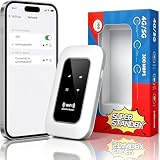
- 【For Travel】: Designed for mobility this portable wifi hotspot is your travel companion. whether you're on a road trip in a motorhome camping in the wilderness or commuting to work stay connected with ease. the rugged build and reliable performance ensure uninterrupted internet access in various environments meeting all your connectivity needs.
- 【Easy to Use】: Get online in seconds with the user-friendly type-c interface and straightforward setup process. no complicated installations required—just insert your sim card power on the device and enjoy 4g 5g connectivity. the intuitive design makes it accessible for everyone from tech novices to seasoned professionals.
- 【Long-lasting Battery Life】: Stay connected for over 10 hours with the built-in 2100mah battery providing stable and fast connectivity throughout your day. the device can be conveniently charged via computer usb port mobile power supply or car usb charger ensuring unlimited working time. whether you're at home in a campervan or exploring remote locations this hotspot keeps you online without interruption.
- 【Ultrafast Connectivity】: Instantly connect up to 20 devices simultaneously with this portable wifi hotspot device. enjoy blazing-fast network speeds up to 300mbps with LTE CAT4 technology, ensuring seamless browsing streaming and downloading. simply insert a sim card and experience plug-and-play convenience wherever your adventures take you. for travelers campers and digital who demand reliable high-speed internet on the go.
- 【Versatile Compatibility】: Supports lte b1 b3 b5 b40 bands and works seamlessly with smartphones tablets laptops and other wifi-enabled devices. its universal sim card slot accommodates most carriers making it ideal for international travel. the compact lightweight design fits effortlessly into your pocket or bag ensuring you always have a reliable internet connection wherever you are.
SEOCONTENT-START
Bulletin Number: 15-264-20R; Revised: 07/14/20 Page 1 of 4 INTRODUCTION: The intent of this Service Information Bulletin is to provide Technicians and staff members who interact with the Telematics system insight to help address questions regarding operation of the WiFi Hotspot feature. SERVICE PROCEDURE / INFORMATION: VERY IMPORTANT: Any Technician or other retailer personnel who, despite service documentation and training to the contrary, performs a DCM swap on a subscribed vehicle should NEVER release that vehicle back to the customer until after confirming the proper operation of the Telematics system. If the issue is first discovered only after the vehicle has been released to the customer, then the retailer MUST contact the customer immediately to inform the customer the ACN/AACN feature may not be functioning properly, and that the vehicle must be returned for inspection as soon as possible. REMINDER: Customer satisfaction and retention starts with performing quality repairs. The WiFi Hotspot is an available feature on all vehicles equipped with Gen2 Telematics. However, when a customer decides to activate the service, they enter into a direct contract with AT&T, and not SOA. As a result, questions or concerns regarding WiFi Hotspot functionality, performance, or account management (including billing) may require the customer to contact AT&T directly. That said, as outlined in this bulletin, there is still an important role for both SOA and its retailers to play in helping customers diagnose the source of WiFi Hotspot performance concerns. All Hardware and function of the Wifi Hotspot is located within the Data Control Module. Smartphones or other WiFi connected devices connect directly to an internal WiFi antenna within the DCM. The Infotainment head unit plays no part other than acting as the access terminal to configure the network profile of the WiFi portion of the DCM. Continued… NUMBER: 15-264-20R DATE: 06/22/20 REVISED: 07/14/20 APPLICABILITY: All Models 2019MY to Current with Gen 2 Telematics SUBJECT: WiFi Hotspot: Diagnostic TIPS and Helpful Hints CAUTION: VEHICLE SERVICING PERFORMED BY UNTRAINED PERSONS COULD RESULT IN SERIOUS INJURY TO THOSE PERSONS OR TO OTHERS. Subaru Service Bulletins are intended for use by professional technicians ONLY. They are written to inform those technicians of conditions that may occur in some vehicles, or to provide information that could assist in the proper servicing of the vehicle. Properly trained technicians have the equipment, tools, safety instructions, and know-how to do the job correctly and safely. If a condition is described, DO NOT assume that this Service Bulletin applies to your vehicle, or that your vehicle will have that condition. Subaru of America, Inc. is ISO 14001 Compliant ISO 14001 is the international standard for excellence in Environmental Management Systems. Please recycle or dispose of automotive products in a manner that is friendly to our environment and in accordance with all local, state and federal laws and regulations. SERVICE INFORMATION BULLETIN ATTENTION: GENERAL MANAGER q PARTS MANAGER q CLAIMS PERSONNEL q SERVICE MANAGER q IMPORTANT – All Service Personnel Should Read and Initial in the boxes provided, right. ©2020 Subaru of America, Inc. All rights reserved. Bulletin Number: 15-264-20R; Revised: 07/14/20 Page 2 of 4 When determined necessary, DCM replacement on a WiFi Hotspot activated vehicle completes exactly like any other DCM replacement as outlined in STIS. Once the vehicle has successfully completed the COMM CHECK, the Telematics subscription, as well as the WiFi hotspot subscription should automatically provision to the new DCM. There have been rare reported cases of the COMM CHECK or Provisioning step failing initially. Due to multiple subscriptions having to be verified and provisioned, a time out condition may be experienced which may require additional steps to take place in order to complete the DCM replacement procedure. Best Practices: The following information provides Technicians some “best practices” to use when addressing WIFI Hotspot related concerns along with helpful diagnostic tips. This information is not meant to replace the STIS diagnostic trouble trees for diagnosing vehicle concerns with WiFi Hotspot, but to be used in addition to STIS, TSBs, TechTIPS, FSE and Techline contact support. Confirmation of the customer’s concern while using different devices of different manufacture as well as different network providers are essential parts of a thorough diagnosis. For example: if the customer’s smartphone is Android-based and used on network provider “ABC”, it does not mean the same concern will occur with a different brand of Android smartphone on network provider “ABC”, nor does it mean the results will be identical using the same brand of Android smartphone on a different network provider “XYZ”. Each device manufacturer customizes the operating system of their devices as well as each network provider. For this reason, differences in observed behaviors between different device brands and different network providers are possible. What the customer feels is a condition with their device may be a valid concern, a problem with their device or in some cases, a normal operating characteristic. It is also important to duplicate the condition on both WiFi Hotspot broadcast frequencies, 2.4GHz and 5Ghz (when equipped). Customers are often unaware the broadcast frequency is configurable on certain Subaru vehicles because during set-up, the user must scroll down to see where the choice can be made. TIP: An easy test is, after verifying the concern, change the selected broadcast frequency and recheck to see if the concern persists. When the condition can only be confirmed on one frequency, it is an indicator of a compatibility and / or configuration issue with the device. The WiFi Hotspot network in a vehicle is similar to a home network as both are susceptible to performance issues caused by network interference. Because the WiFi Hotspot network is mobile, the surrounding environment constantly changes. Ensuring the customer concern is present on both broadcast frequencies will help eliminate environmental and surrounding network interference as a contributing factor. Continued… Bulletin Number: 15-264-20R; Revised: 07/14/20 Page 3 of 4 Before proceeding with any diagnosis, verify the status of the LED located between the SOS and iButtons. TIP: A vehicle can have a WiFi Hotspot subscription without being subscribed to STARLINK Telematics. In this case, it would be normal to not see any illuminated Telematics LED(s). If the vehicle is subscribed to STARLINK, confirm the Green LED is illuminated. Any other LED illumination would indicate a vehicle fault which must be addressed prior to WiFi Hotspot diagnosis. Because the LEDs do not illuminate unless the vehicle is subscribed to STARLINK, Technicians should inspect for any stored Telematics -related DTCs using the SSSM4. If any DTCs are found, they MUST be addressed prior to proceeding further with any WiFi Hotspot diagnosis. While the SSM4 is connected, verify the PID “Signal Strength” is reading above 26%. Any value less than 26% is an indicator of poor signal strength which will impact WiFi Hotspot performance. TIP: To further verify the DCM can connect to the AT&T WiFi network, attempt to use the Service Appointment Scheduler feature. As detailed in the March 2019 issue of TechTIPS, the WiFi Hotspot and Service Appointment Scheduler use the same AT&T network anchor point (APN). Success using the Service Appointment Scheduler could indicate something other than the DCM may be the root source of the concern such as an issue with the customer’s device or their WiFi Hotspot account’s validity. Once LED operation and Signal Strength PID has been confirmed and the customer concern persists: 1. Use the Service Appointment Scheduler in accordance with March 2019 TechTIPS to help determine root cause. 2. Perform a capacitive discharge for at least 15 minutes. This ensures both the DCM and infotainment head unit reboot and complete a fresh communication synchronization of the two devices. 3. Confirm the customer concern persists after Step 2 above. 4. If equipped with multiple broadcast frequencies, set up the WiFi Hotspot to use the frequency which has not already been tested (2.4GHz or 5GHz) to duplicate the concern. 5. Confirm the customer concern still exists using the other broadcast frequency. 6. Try connecting to and using the WiFi Hotspot with the Technician’s known good device. Should the customer concern still be present, the Technician should contact Techline for additional support. A Techline team member will verify if there are any back-end operational concerns preventing proper operation prior to DCM replacement: 1. If the DCM was replaced as root cause of inoperative WiFi Hotspot: a. Make sure the back-up battery (BUB) has been transferred to the new DCM b. Make sure a successful COMM Check has been performed c. Make sure there are no Telematics DTCs present d. Verify the signal Strength PID is 26% or greater e. Verify the Subscription Status PID is appropriately indicating Subscribed or Unsubscribed. 2. Customer Concern has been confirmed on multiple devices. Make notes to inform Techline of results. 3. Customer concern has been confirmed on both broadcast frequencies (if equipped). Make notes to inform Techline of results. Continued… Bulletin Number: 15-264-20R; Revised: 07/14/20 Page 4 of 4 4. WiFi Name (SSID) has been changed to a simple test name to confirm customer concern is still present connecting to different network name. Make notes to inform Techline of results. 5. WiFi Password has been changed to a simple test password to confirm the customer concern is still present when using a different password. Make notes to inform Techline of results. 6. Provide Techline with a 10 seconds data stream of all Telematics data PIDs. 7. Provide Techline with a clear picture of the DCM label. IMPORTANT NOTE: Despite not having a business relationship with AT&T where SOA can directly advocate for customers regarding the WiFi Hotspot, SOA is committed to constantly improving the customer experience. To address any customer concerns with the WIFI Hotspot, customers should be encouraged to contact the Customer Advocacy Department to have their concern documented. Retailer Technicians having direct knowledge and/or experience with the customer concern should document and report the condition and related information via the QMR process. This information is reviewed during regularly scheduled meetings held with SOA suppliers to help enhance the Subaru customer experience. IMPORTANT REMINDERS: • SOA strongly discourages the printing and/or local storage of service information as previously released information and electronic publications may be updated at any time. • Always check for any open recalls or campaigns anytime a vehicle is in for servicing. • Always refer to STIS for the latest service information before performing any repairs.
**************************************************************************************************************
SEOCONTENT-END
This product presentation was made with AAWP plugin.