
NHTSA ID Number: 10209927
Manufacturer Communication Number: 18-217-22R
Summary
This bulletin announces Service Manual corrections for the diagnostic trouble tree for DTC B1788.
INTRODUCTION:
This Service Information Bulletin announces Service Manual corrections for the diagnostic trouble tree for DTC B1788. These corrections will be made to the Service Manual at a later date. If DTC B1788 is detected in the applicable models listed above, follow the new diagnostic information outlined below.
SERVICE PROCEDURE / INFORMATION:
IMPORTANT NOTES:
- Customer satisfaction and retention starts with performing quality repairs.
- Refer to the applicable Service Manual and review: General Description > Repair Contents > Action required before & after Battery Disconnect. Additionally, record any stored seat position(s) before proceeding. Relearn any seat position memory after work is complete. If the power rear gate (PRG) height has been customized, that position must also be noted and relearned.
- Required diagnostic tool information/description is listed on page #2.
Required Diagnostic Tools:
NOTE: BF Test Harness (98299AN000), BB Test Harness (98299FL020) and BC Test Harness (98299FL030) are all essential tools.
Section 1: DTC CHECK
1. Perform a visual inspection of the associated wiring harness and seat area to verify there is no obvious physical damage, foreign objects / obstructions, or aftermarket modifications. If any such conditions are found, submit a completed QMR with detailed photos of the findings.
2. Switch the ignition to ON.
3. Read the DTCs of the airbag control module using the Subaru Select Monitor.
Are any of the following DTCs displayed as a current malfunction? (DTC B178D, B178E, B178F, B1790, B1791, B1792, B1793, or B1794)
YES
Perform the diagnosis for the displayed DTCs.
NO
Proceed to Section 2.
Section 2: CHECKING HARNESS & ODS (SHORT TO GROUND)
IMPORTANT REMINDER: Whenever reconnecting the ground cable terminal to the battery sensor, torque to 7.5Nm (5.5ft.-lbs. or 66inch-lbs.) while supporting the sensor with the other hand as outlined in the applicable Service Manual under: STARTING/CHARGING SYSTSEMS > Battery Sensor.
NOTE: Steps 1 through 7 are to be performed to prevent any unintentional airbag module inflation caused by residual electrical current.
Legacy & Outback Only
1. Turn the ignition switch to the “OFF” position. After 60 seconds or more, CAREFULLY disconnect the ground terminal from the battery sensor.
2. Disconnect the connector (AB93) from the RH front seat belt pretensioner.
3. Disconnect the connector (AB97) from the RH adaptive force limiter.
4. Disconnect the connector (AB99) from the RH rear seat belt
5. Disconnect the connector (AB89) from the RH seat cushion airbag module.
6. Disconnect the connector (AB87) from the side airbag module RH.
7. Disconnect the connector (AB91) from the RH curtain airbag module.
8. Disconnect the connectors (AB41, AB42, & AB43)from the airbag control module.
9. Connect the connector (1BF) of the test harness BF to connectors (AB41, AB42, &AB43).
BRZ Only
1. Turn the ignition switch to the “OFF” position. After 60 seconds or more, CAREFULLY disconnect the ground terminal from the battery sensor.
2. Disconnect the connector (AB93) from the Front RH seatbelt pretensioner.
3. Disconnect the connector (AB97) from the Front RH adaptive force limiter.
4. Disconnect the connector (AB87) from the Front side airbag module RH.
5. Disconnect the connector (AB91) from the Front RH curtain airbag module
Perform the following measurements with an ohmmeter at connector (4BF) of the BF test harness.
Connector and Terminal Information:
- (Connector 4BF of Test Harness) Terminal No. 10 – Chassis Ground
- (Connector 4BF of Test Harness) Terminal No. 10 – (Connector 4BF of Test Harness) Terminal No. 15.
CAUTION:
- Connect the positive terminal of the ohmmeter to IGN side (No.10).
- Connect negative terminal of the ohmmeter to GND side (Chassis ground or No.15).
- IMPORTANT: If these test connections are reversed, an incorrect value will be displayed.
Is the resistance 1MΩ or more?
YES
Proceed to Section 4.
NO
Proceed to Section 3.
Section 3: CHECK THE SEAT HARNESS & ODS FOR SHORT TO GROUND
1. Disconnect the connector (AB7) from the rear airbag harness.
2. Connect the connector (1BB) of the BB test harness to connector (AB7).
Perform the following measurements with an ohmmeter at connector (2BB) of the BB test harness.
Connector and Terminal Information:
- (Connector 2BB of Test Harness) Terminal No. 5 – Chassis Ground.
- (Connector 2BB of Test Harness) Terminal No. 5 – (Connector 2 of the BB Test Harness) Terminal No. 4.
CAUTION:
- Connect positive terminal of the ohmmeter to IGN side ( No.5 ).
- Connect negative terminal of the ohmmeter to GND side ( Chassis ground or No.4 ).
- IMPORTANT: If these test connections are reversed, an incorrect value will be displayed.
Is the resistance 1MΩ or more?
YES
Replace the rear airbag harness along with the body harness.
NO
Proceed to Section 8.
Section 4: CHECK THE HARNESS FOR OPEN CIRCUIT
1. Disconnect connectors (AB67, AB68, AB69, & AB70) from the load sensors.
Using an ohmmeter, measure the resistance between connector (4BF) of the BF test harness and the load sensor connectors (AB67, AB68, AB69, and AB70).
IMPORTANT CAUTION: DO NOT connect the ohmmeter directly to the load sensors. In order to prevent any terminal damage, the BC test harness must be connected directly to load sensor connectors (AB67, AB68, AB69, and AB70).
Connector and Terminal Information:
- (Connector 4BF of Test Harness) Terminal No. 10 – (AB67) Terminal No. 1
- (Connector 4BF of Test Harness) Terminal No. 10 – (AB68) Terminal No. 1
- (Connector 4BF of Test Harness) Terminal No. 10 – (AB69) Terminal No. 1
- (Connector 4BF of Test Harness) Terminal No. 10 – (AB70) Terminal No. 1.
Is the resistance less than 10Ω?
YES
Proceed to Section 6.
NO
Proceed to Section 5.
Section 5: CHECK THE SEAT HARNESS FOR OPEN CIRCUIT
1. Disconnect the connector (AB7) from the rear airbag harness.
2. Connect the connector (1BB) of the BB test harness to connector (AB7).
Using an ohmmeter, measure the resistance between the connector (2BB) of the BB test harness and the load sensor connectors.
IMPORTANT CAUTION: DO NOT connect the ohmmeter directly to the load sensors. In order to prevent any terminal damage, the BC test harness must be connected directly to load sensor connectors (AB67, AB68, AB69, and AB70).
Connector and Terminal Information:
- (Connector 2BB of Test Harness) Terminal No. 5 – (AB67) Terminal No. 1
- (Connector 2BB of Test Harness) Terminal No. 5 – (AB68) Terminal No. 1
- (Connector 2BB of Test Harness) Terminal No. 5 – (AB69) Terminal No. 1
- (Connector 2BB of Test Harness) Terminal No. 5 – (AB70) Terminal No. 1.
Is the resistance less than 10Ω?
YES
Replace the rear airbag harness along with the body harness.
NO
Proceed to Section 8.
Section 6: CHECK THE REAR HARNESS FOR SHORT TO POSITIVE
1. CAREFULLY re-connect the ground terminal to the battery sensor and turn the ignition switch to the “ON” position.
Using a voltmeter, measure the voltage between the connector (4BF) of the BF test harness and chassis ground.
Connector and Terminal Information:
- (Connector 4BF of Test Harness) Terminal No. 10 – Chassis Ground.
Is the voltage less than 1V?
YES
Replace the airbag control module.
NO
Proceed to Section 7.
Section 7: CHECK THE SEAT HARNESS FOR SHORT TO POSITIVE
1. Turn the ignition switch to the “OFF” position. After 60 seconds or more, CAREFULLY disconnect the ground terminal from the battery sensor.
2. Disconnect the connector (AB7) from the rear airbag harness.
3. Connect the connector (1BB) of the BB test harness to the (AB7) connector.
4. Connect the ground terminal the battery sensor, turn the ignition to the “ON” position.
Using a voltmeter, measure the voltage between the connector (2BB) of the BB test harness and chassis ground.
Connector and Terminal Information:
- (Connector 2BB of Test Harness) Terminal No. 5 – Chassis Ground.
Is the voltage less than 1V?
YES
Replace the rear airbag harness along with the body harness.
NO
Proceed to Section 5.
Section 8: CHECK THE CONNECTOR
1. Turn the ignition switch to the “OFF” position. After 60 seconds or more, disconnect the ground terminal from the battery sensor.
2. Inspect the airbag control module connectors and load sensor connectors for loose pin drag and/or poor terminal contact of any kind. Replace any section that has been found to be a fault source.
3. Disconnect all the test harness connections and revert vehicle harness connections to the original status.
4. CAREFULLY re-install the ground terminal to the battery sensor and turn the ignition switch to the “ON” position.
5. Read the DTCs of the airbag control module using the Subaru Select Monitor.
Is the DTC B1788 currently stored?
YES
Replace the seat cushion frame assembly.
NO
Finish the diagnosis.
7 Affected Products
Vehicles
1 Associated Document
Manufacturer Communications
NUMBER: 18-217-22R
DATE: 01/14/22
REVISED: 03/09/22
MC-10209927-0001.pdf 1206.322KB
NHTSA ID Number: 10207189
Manufacturer Communication Number: 18-217-22
Summary
This bulletin announces Service Manual corrections for the diagnostic trouble tree for DTC B1788.
1 Associated Document
Manufacturer Communications
NUMBER: 18-217-22
DATE: 01/14/22
MC-10207189-0001.pdf 1204.554KB
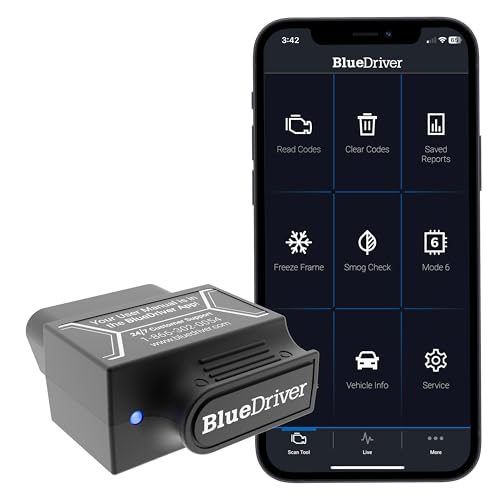
- [Diagnose Like a Pro] BlueDriver Pro is a professional OBD2 scanner and diagnostic tool that helps you scan, understand, and clear vehicle trouble codes with confidence. Turn your phone into a powerful car diagnostic scanner—no guesswork, no unnecessary repairs.
- [Read and Clear More Codes Than Ever] Read and clear more codes than basic car code readers. Access enhanced diagnostics for Check Engine, ABS, SRS, Airbag, TPMS, Transmission.
- [Verified Fixes and Real-Time Data] Get unlimited, technician-verified repair reports matched to your VIN, with definitions, causes, and confirmed fixes. Monitor live vehicle data as you drive, view freeze frames, check smog readiness, and analyze Mode 6 test results.
- [Wireless & Bluetooth Enabled] - Say goodbye to wires. BlueDriver connects with Bluetooth via your phone/tablet to a sensor that plugs into your car's OBDII port. Get all of the capabilities of an expensive code reader & scan tool without any annoying wires.
- [Broad Make & Model Coverage] Strong support for GM, Ford, Stellantis (RAM, Jeep, Chrysler), Toyota, Honda, Nissan, Mazda, Subaru
 , Hyundai, Mercedes-Benz, BMW, and VW.

- 2026 Advanced ECU Coding Scan Tool: Maximize the capabilities of your vehicles with the ArtiDiag Pro. This scan tool, seamlessly compatible with renowned models such as VW, A-U-D-I, SKODA, SEAT, BENZ, and more, empowers you to uncover hidden features, deactivate annoying functions, and code retrofitted components for peak performance. Ensure a backup before coding and steer clear of problems on low battery levels.
- Efficient Diagnostics with Bidirectional Control: Say goodbye to uncertainty, streamline diagnostics, and reclaim valuable time with ArtiDiag Pro scan tool. This bidirectional scan tool exceeds expectations, enabling targeted tests on individual actuators to swiftly identify and resolve issues. Covering lights, door locks, fuel and coolant systems, windows, wipers, EVAP, and more in vehicle components.
- 35+ Services Resolve 90% of Repair Challenges: Unleash maximum productivity with the ArtiDiag Pro, a scan tool that tackles 90% of maintenance issues through its 35 special functions. Effortlessly clear oil maintenance indicators with oil reset. Engage the EPB Reset for brake system management and establish precise alignment with the Steering Angle Reset to define the straight-line reference position for your vehicle.
- FCA Autoauth : This diagnostic tool supports Autoauth for FCA SGW/Renault, Chrysler, Jeep, Dodge, Fiat etc. 2017 and later. NOTE: Due to Product Upgrade, there is no Chrysler 12+8 adapter, the BMW-20 Adapter in the package any more. We are sincerely sorry for the inconvenience. NOTE: Please confirm compatibility before purchase.(Topdon Website>Support>Vehicle Coverage)
- Professional Customer Support: At TOPDON, your satisfaction is our unwavering commitment. Experience hassle-free support and a lifetime of expert assistance. Should you encounter any challenges, reach out to us at 833-629-4832. For returns, please damage the packaging to prevent Amazon from reselling it. Please be advised that after two years, a subscription fee of 249 Bucks will apply.
- [Diagnose Like a Pro] BlueDriver Pro is a professional OBD2 scanner and diagnostic tool that helps you scan, understand, and clear vehicle trouble codes with confidence. Turn your phone into a powerful car diagnostic scanner—no guesswork, no unnecessary repairs.
- [Read and Clear More Codes Than Ever] Read and clear more codes than basic car code readers. Access enhanced diagnostics for Check Engine, ABS, SRS, Airbag, TPMS, Transmission.
- [Verified Fixes and Real-Time Data] Get unlimited, technician-verified repair reports matched to your VIN, with definitions, causes, and confirmed fixes. Monitor live vehicle data as you drive, view freeze frames, check smog readiness, and analyze Mode 6 test results.
- [Wireless & Bluetooth Enabled] - Say goodbye to wires. BlueDriver connects with Bluetooth via your phone/tablet to a sensor that plugs into your car's OBDII port. Get all of the capabilities of an expensive code reader & scan tool without any annoying wires.
- [Broad Make & Model Coverage] Strong support for GM, Ford, Stellantis (RAM, Jeep, Chrysler), Toyota, Honda, Nissan, Mazda, Subaru, Hyundai, Mercedes-Benz, BMW, and VW.

- OE-Level diagnostics on your smart device
- FREE Software updates - No subscriptions, no fees – EVER
- Full bi-directional control, live actuation test
- Supports 23 vehicle reset/relearn functions, including throttle matching, ABS bleeding, TPMS reset, etc.
- Live data mapping and freeze frame capturing

- MAINTAIN PEAK PERFORMANCE AND SAFETY ON THE ROAD - Easily find and fix the problem with your vehicle using the INNOVA 5610 bidirectional scan tool. This OBD2 scanner diagnostic tool provides real-time solutions to troubleshoot issues. Access OBD2 and OEM live data with ease, making it an essential car scanner diagnostic tool. Perfect for those seeking reliable car diagnostic scanner and code readers & scan tools for vehicles.
- PRO-LEVEL FUNCTIONALITIES - Use the INNOVA 5610’s Enhanced Data Stream to view live data for advanced systems like ABS, SRS, transmission, and engine. The Special Reset Function lets you use dealership-level re-learn procedures. This car diagnostic scanner is ideal for those needing a bidirectional scan tool or mechanic tools automotive for professional repairs. Compatible with select vehicle makes and models; not universal.
- COMMAND WITH BIDIRECTIONAL CONTROLS - The INNOVA 5610 bidirectional scan tool sends commands to test functions such as fuel pump on/off or retracting the electronic parking brake. With this car scanner diagnostic for all cars, you can operate like a pro. Ideal for those seeking a car code reader and reset tool or advanced fixd car diagnostic tool capabilities. Compatible with select vehicle makes and models; not universal.
- EASY TO USE - The INNOVA 5610 OBD2 scanner diagnostic tool supports English, Spanish, and French. Easily use this scanner for car on most 1996 - 2023 (2024 coming soon) OBD2 vehicles to verify repairs. Designed for ease of operation, it’s a dependable code reader for cars and trucks and check engine code reader. To confirm vehicle coverage, please utilize Innova's Coverage Checker.
- BUY AND DRIVE WITH CONFIDENCE - Backed by ASE-Certified support, this car scanner pairs with the RepairSolutions2 app, trusted by 4M users, for wireless OBD scanner functionality. With free updates and no subscription fees, this durable car computer diagnostic reader ensures you’re prepared for any repair. A must-have diagnostic scanner for vehicles.
SEOCONTENT-START
Bulletin Number: 18-217-22R; Revised: 03/09/22 Page 1 of 7 SERVICE BULLETIN Continued… CAUTION: VEHICLE SERVICING PERFORMED BY UNTRAINED PERSONS COULD RESULT IN SERIOUS INJURY TO THOSE PERSONS OR TO OTHERS. Subaru Service Bulletins are intended for use by professional technicians ONLY. They are written to inform those technicians of conditions that may occur in some vehicles, or to provide information that could assist in the proper servicing of the vehicle. Properly trained technicians have the equipment, tools, safety instructions, and know-how to do the job correctly and safely. If a condition is described, DO NOT assume that this Service Bulletin applies to your vehicle, or that your vehicle will have that condition. Subaru of America, Inc. is ISO 14001 Compliant ISO 14001 is the international standard for excellence in Environmental Management Systems. Please recycle or dispose of automotive products in a manner that is friendly to our environment and in accordance with all local, state and federal laws and regulations. NUMBER: 18-217-22R DATE: 01/14/22 REVISED: 03/09/22 APPLICABILITY: 2020-22MY Outback & Legacy 2022MY BRZ SUBJECT: Service Manual Correction / DTC B1788 Occupant Detection Sensor Power Supply INTRODUCTION: This Service Information Bulletin announces Service Manual corrections for the diagnostic trouble tree for DTC B1788. These corrections will be made to the Service Manual at a later date. If DTC B1788 is detected in the applicable models listed above, follow the new diagnostic information outlined below. SERVICE PROCEDURE / INFORMATION: IMPORTANT NOTES: • Customer satisfaction and retention starts with performing quality repairs. • Refer to the applicable Service Manual and review: General Description > Repair Contents > Action required before & after Battery Disconnect. Additionally, record any stored seat position(s) before proceeding. Relearn any seat position memory after work is complete. If the power rear gate (PRG) height has been customized, that position must also be noted and relearned. • Required diagnostic tool information/description is listed on page #2. ATTENTION: GENERAL MANAGER q PARTS MANAGER q CLAIMS PERSONNEL q SERVICE MANAGER q IMPORTANT – All Service Personnel Should Read and Initial in the boxes provided, right. ©2022 Subaru of America, Inc. All rights reserved. Bulletin Number: 18-217-22R; Revised: 03/09/22 Page 2 of 7 Continued… Required Diagnostic Tools: NOTE: BF Test Harness (98299AN000), BB Test Harness (98299FL020) and BC Test Harness (98299FL030) are all essential tools. Section 1: DTC CHECK 1. Perform a visual inspection of the associated wiring harness and seat area to verify there is no obvious physical damage, foreign objects / obstructions, or aftermarket modifications. If any such conditions are found, submit a completed QMR with detailed photos of the findings. 2. Switch the ignition to ON. 3. Read the DTCs of the airbag control module using the Subaru Select Monitor. Are any of the following DTCs displayed as a current malfunction? (DTC B178D, B178E, B178F, B1790, B1791, B1792, B1793, or B1794) Perform the diagnosis for the displayed DTCs. Proceed to Section 2. Section 2: CHECKING HARNESS & ODS (SHORT TO GROUND) IMPORTANT REMINDER: Whenever reconnecting the ground cable terminal to the battery sensor, torque to 7.5Nm (5.5ft.-lbs. or 66inch-lbs.) while supporting the sensor with the other hand as outlined in the applicable Service Manual under: STARTING/CHARGING SYSTSEMS > Battery Sensor. NOTE: Steps 1 through 7 are to be performed to prevent any unintentional airbag module inflation caused by residual electrical current. YES NO Bulletin Number: 18-217-22R; Revised: 03/09/22 Page 3 of 7 Continued… Legacy & Outback Only 1. Turn the ignition switch to the “OFF” position. After 60 seconds or more, CAREFULLY disconnect the ground terminal from the battery sensor. 2. Disconnect the connector (AB93) from the RH front seat belt pretensioner. 3. Disconnect the connector (AB97) from the RH adaptive force limiter. 4. Disconnect the connector (AB99) from the RH rear seat belt pretensioner. 5. Disconnect the connector (AB89) from the RH seat cushion airbag module. 6. Disconnect the connector (AB87) from the side airbag module RH. 7. Disconnect the connector (AB91) from the RH curtain airbag module. 8. Disconnect the connectors (AB41, AB42, & AB43)from the airbag control module. 9. Connect the connector (1BF) of the test harness BF to connectors (AB41, AB42, &AB43). BRZ Only 1. Turn the ignition switch to the “OFF” position. After 60 seconds or more, CAREFULLY disconnect the ground terminal from the battery sensor. 2. Disconnect the connector (AB93) from the Front RH seatbelt pretensioner. 3. Disconnect the connector (AB97) from the Front RH adaptive force limiter. 4. Disconnect the connector (AB87) from the Front side airbag module RH. 5. Disconnect the connector (AB91) from the Front RH curtain airbag module Perform the following measurements with an ohmmeter at connector (4BF) of the BF test harness. Connector and Terminal Information: • (Connector 4BF of Test Harness) Terminal No. 10 – Chassis Ground • (Connector 4BF of Test Harness) Terminal No. 10 – (Connector 4BF of Test Harness) Terminal No. 15. CAUTION: • Connect the positive terminal of the ohmmeter to IGN side (No.10). • Connect negative terminal of the ohmmeter to GND side (Chassis ground or No.15). • IMPORTANT: If these test connections are reversed, an incorrect value will be displayed. Bulletin Number: 18-217-22R; Revised: 03/09/22 Page 4 of 7 Continued… Is the resistance 1MΩ or more? Proceed to Section 4. Proceed to Section 3. Section 3: CHECK THE SEAT HARNESS & ODS FOR SHORT TO GROUND 1. Disconnect the connector (AB7) from the rear airbag harness. 2. Connect the connector (1BB) of the BB test harness to connector (AB7). Perform the following measurements with an ohmmeter at connector (2BB) of the BB test harness. Connector and Terminal Information: • (Connector 2BB of Test Harness) Terminal No. 5 – Chassis Ground. • (Connector 2BB of Test Harness) Terminal No. 5 – (Connector 2 of the BB Test Harness) Terminal No. 4. CAUTION: • Connect positive terminal of the ohmmeter to IGN side ( No.5 ). • Connect negative terminal of the ohmmeter to GND side ( Chassis ground or No.4 ). • IMPORTANT: If these test connections are reversed, an incorrect value will be displayed. Is the resistance 1MΩ or more? Replace the rear airbag harness along with the body harness. Proceed to Section 8. Section 4: CHECK THE HARNESS FOR OPEN CIRCUIT 1. Disconnect connectors (AB67, AB68, AB69, & AB70) from the load sensors. Using an ohmmeter, measure the resistance between connector (4BF) of the BF test harness and the load sensor connectors (AB67, AB68, AB69, and AB70). YES NO YES NO Bulletin Number: 18-217-22R; Revised: 03/09/22 Page 5 of 7 Continued… IMPORTANT CAUTION: DO NOT connect the ohmmeter directly to the load sensors. In order to prevent any terminal damage, the BC test harness must be connected directly to load sensor connectors (AB67, AB68, AB69, and AB70). Connector and Terminal Information: • (Connector 4BF of Test Harness) Terminal No. 10 – (AB67) Terminal No. 1 • (Connector 4BF of Test Harness) Terminal No. 10 – (AB68) Terminal No. 1 • (Connector 4BF of Test Harness) Terminal No. 10 – (AB69) Terminal No. 1 • (Connector 4BF of Test Harness) Terminal No. 10 – (AB70) Terminal No. 1. Is the resistance less than 10Ω? Proceed to Section 6. Proceed to Section 5. Section 5: CHECK THE SEAT HARNESS FOR OPEN CIRCUIT 1. Disconnect the connector (AB7) from the rear airbag harness. 2. Connect the connector (1BB) of the BB test harness to connector (AB7). Using an ohmmeter, measure the resistance between the connector (2BB) of the BB test harness and the load sensor connectors. IMPORTANT CAUTION: DO NOT connect the ohmmeter directly to the load sensors. In order to prevent any terminal damage, the BC test harness must be connected directly to load sensor connectors (AB67, AB68, AB69, and AB70). Connector and Terminal Information: • (Connector 2BB of Test Harness) Terminal No. 5 – (AB67) Terminal No. 1 • (Connector 2BB of Test Harness) Terminal No. 5 – (AB68) Terminal No. 1 • (Connector 2BB of Test Harness) Terminal No. 5 – (AB69) Terminal No. 1 • (Connector 2BB of Test Harness) Terminal No. 5 – (AB70) Terminal No. 1. Is the resistance less than 10Ω? Replace the rear airbag harness along with the body harness. Proceed to Section 8. YES NO YES NO Bulletin Number: 18-217-22R; Revised: 03/09/22 Page 6 of 7 Continued… Section 6: CHECK THE REAR HARNESS FOR SHORT TO POSITIVE 1. CAREFULLY re-connect the ground terminal to the battery sensor and turn the ignition switch to the “ON” position. Using a voltmeter, measure the voltage between the connector (4BF) of the BF test harness and chassis ground. Connector and Terminal Information: • (Connector 4BF of Test Harness) Terminal No. 10 – Chassis Ground. Is the voltage less than 1V? Replace the airbag control module. Proceed to Section 7. Section 7: CHECK THE SEAT HARNESS FOR SHORT TO POSITIVE 1. Turn the ignition switch to the “OFF” position. After 60 seconds or more, CAREFULLY disconnect the ground terminal from the battery sensor. 2. Disconnect the connector (AB7) from the rear airbag harness. 3. Connect the connector (1BB) of the BB test harness to the (AB7) connector. 4. Connect the ground terminal the battery sensor, turn the ignition to the “ON” position. Using a voltmeter, measure the voltage between the connector (2BB) of the BB test harness and chassis ground. Connector and Terminal Information: • (Connector 2BB of Test Harness) Terminal No. 5 – Chassis Ground. Is the voltage less than 1V? Replace the rear airbag harness along with the body harness. Proceed to Section 5. YES NO YES NO Bulletin Number: 18-217-22R; Revised: 03/09/22 Page 7 of 7 Section 8: CHECK THE CONNECTOR 1. Turn the ignition switch to the “OFF” position. After 60 seconds or more, disconnect the ground terminal from the battery sensor. 2. Inspect the airbag control module connectors and load sensor connectors for loose pin drag and/or poor terminal contact of any kind. Replace any section that has been found to be a fault source. 3. Disconnect all the test harness connections and revert vehicle harness connections to the original status. 4. CAREFULLY re-install the ground terminal to the battery sensor and turn the ignition switch to the “ON” position. 5. Read the DTCs of the airbag control module using the Subaru Select Monitor. Is the DTC B1788 currently stored? Replace the seat cushion frame assembly. Finish the diagnosis. IMPORTANT REMINDERS: • SOA strongly discourages the printing and/or local storage of service information as previously released information and electronic publications may be updated at any time. • Always check for any open recalls or campaigns anytime a vehicle is in for servicing. • Always refer to STIS for the latest service information before performing any repairs. YES NO
**************************************************************************************************************
SEOCONTENT-END
This product presentation was made with AAWP plugin.