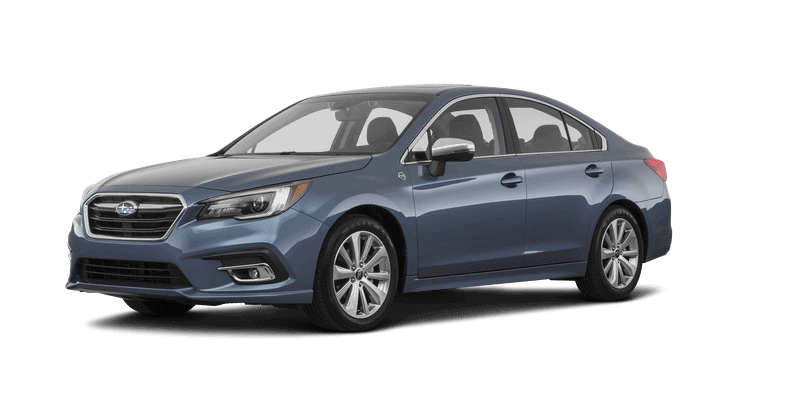
Accessory Installation Guide
| 2019MY Legacy/ Outback – REMOTE ENGINE START ECU & HOOD SWITCH/BRACKET REPLACEMENT KITS | SPN0004850 |
INSTALLATION
INSTRUCTIONS
DOCUMENT NUMBER: SPN0004850
PART NUMBER: H001SAL021 & H001SAL040
DESCRIPTION: REMOTE ENGINE START ECU & HOOD SWITCH/BRACKET REPLACEMENT KITS
VEHICLE PREPARATION
1. Using a 12mm socket/ratchet, disconnect the negative battery cable. (FIGURE A)
NOTE: Do not disconnect the battery terminal from the battery post.
2. Starting at the bottom, use a panel removal tool to carefully remove the left side dashboard panel (FIGURE B).
Remove one (1) Phillips screw securing the lower dashboard panel on the left side of the dashboard. (FIGURE C)
3. Remove the driver’s side under dashboard finisher panel by depressing the three (3) pressure clips and pulling downwards. Disconnect any connectors that may be attached to it. (FIGURE D)
4. Using a panel removal tool, carefully remove the driver’s left side lower dashboard panel by pulling straight out. Unplug all connectors attached to the dashboard panel. (FIGURE E)
5. Using a 10mm socket/ratchet, remove the two (2) 10mm bolts securing the metal knee bolster. (FIGURE F)
REMOTE STARTER ECU REPLACEMENT
1. Unplug the 12-pin pre-arranged harness from the 12-pin white port on the remote engine starter ECU. (FIGURE G)
2. Unplug the 5-pin antenna harness from the 5-pin black port on the remote engine starter ECU. (FIGURE G)
3. Unplug the 8-pin remote engine starter ignition harness from the bottom (large) connector on the remote engine starter ECU. (FIGURE G)
4. Remove the two (2) 10mm mounting nuts. (FIGURE H)
5. Lift the auxiliary relay block bracket off of the mounting studs.
6. Remove the remote engine starter ECU bracket from the mounting studs. (FIGURE I)
7. Remove the four (4) Phillips screws securing the remote engine starter module to the ECU bracket. (FIGURE J)
8. Secure the remote engine starter module replacement part to the ECU bracket using the four (4) supplied Phillips screws. Torque the four (4) Phillips screws to 1.35 Nm +/- 0.5 Nm (0.14 Kgf-m +/- 0.2 Kgf-m, 1 ft-lbs +/- 0.5 ft-lbs). (FIGURE K)
9. Position the remote engine starter ECU bracket onto the mounting studs. (FIGURE L)
10. Install the relay block bracket back onto the mounting studs (on top of the remote engine starter ECU bracket). (FIGURE L)
NOTE: Confirm the remote engine starter ECU bracket is positioned under the relay block bracket and on top of the dashwall insulation material.
11. Verify the remote engine starter ECU bracket and relay block bracket are properly seated, then torque the lower 10mm mounting nut, followed by the upper 10mm mounting nut to 10.8 Nm +/- 2 Nm (1.10 Kgf-m +/- 0.2 Kgf-m, 8 ft-lbs +/- 1.5 ft-lbs).
12. Plug the 12-pin pre-arranged harness into the 12-pin white port on the remote engine starter ECU. (FIGURE M)
13. Plug the 5-pin antenna harness into the 5-pin black port on the remote engine starter ECU. (FIGURE M)
14. Plug the 8-pin remote engine starter ignition harness into the bottom (large) connector on the remote engine starter ECU. (FIGURE M)
PANEL RE-ASSEMBLY
1. Re-install the metal knee bolster and torque the two (2) 10mm bolts to 7.5 Nm +/- 1.8 Nm (0.75 Kgf-m +/- 0.2 Kgf-m, 5.5 ft-lbs +/- 1.0 ft-lbs).
2. Plug in any previously removed connectors and re-install the lower dashboard panel.
3. Re-install the under dashboard finisher panel
4. Re-install the one (1) Phillips screw on the left side of the dashboard that secures the lower dashboard panel in place.
5. Re-install the left side dashboard panel.
HOOD SAFETY SWITCH MOUNTING
1. In the engine compartment, locate and release the 2-pin pre-fi t hood safety switch connector secured to the vehicle wire harness near the ABS Unit with breakaway tape. It is behind the air filter box on the passenger’s side of the vehicle. (FIGURE N)
2. Locate the foam gasket along the bottom of the passenger side felt fender liner. Temporarily remove the plastic clip to prevent damage to the felt fender liner. Using a ruler and wire cutters, carefully measure, cut and remove 40mm of the foam gasket starting at the front of the felt fender liner. (FIGURE O)
3. 2.5L (4 Cylinder) vehicles – Mount the hood safety switch bracket to the passenger side inner/lower fender support frame using the supplied 10mm bolt and pre-arranged weld nut in the inner fender support. Ensure that the supporting tongue on the bracket is seated flat against the top of the frame rail under the felt fender liner while tightening the 10mm bolt. (FIGURE P)
4. 3.6L (6 Cylinder) vehicles – Locate the A/T control module mounted on the passenger’s side fender support and remove the bracket mounting bolt closest to the front of the vehicle. Mount the hood safety switch bracket to the A/T control module bracket using the previously removed 10mm bolt. Ensure that the supporting tongue on the bracket is seated flat against the top of the frame rail under the felt fender liner while tightening the 10mm bolt. (FIGURE Q)
5. Torque the mounting bolt to 10.8 Nm +/- 2 Nm (1.10 Kgf-m +/- 0.2 Kgf-m, 8 ft-lbs +/- 1.5 ft-lbs).
6. Securely mount (snap-in) the supplied hood safety switch into the bracket and plug the vehicle’s pre-fit 2-pin female hood switch connector to the base of the hood safety switch. (FIGURE R)
7. Install the supplied adhesive backed cable clip to the angled vehicle frame rail approximately 6cm to the left of the hood safety switch mounting bolt. Coil any excess hood safety switch wiring and secure with the cable clip. (FIGURE R)
8. 3.6L (6 Cylinder) vehicles – Using one (1) of the supplied 20cm tie wraps, secure the hood switch harness to the factory wiring harness. (FIGURE S)
SYSTEM POWER-UP
1. After all the connections are complete, re-connect the vehicle’s negative battery cable. Using a 12mm socket/torque wrench, tighten the 12mm nut to 7.5 Nm +/- 2 Nm (0.76 Kgf-m +/- 0.2 Kgf-m, 5.5 ft-lbs +/- 1.5 ft-lbs).
2. Start the vehicle at least one (1) time using the ignition key prior to activating the remote engine start system. This is required to allow the vehicle’s electronic systems to re-synchronize.
3. With the vehicle running via the ignition key, verify that the instrument cluster airbag light turns off . If the airbag light remains on, refer to the vehicle service information for troubleshooting.
4. Refer to the vehicle Owner’s manual for the Power Window Reset Procedure to restore the power window functions.
SYSTEM REGISTRATION – DST-i
NOTE: Once the Ignition is turned ON, the system will exit System Registration after 2 minutes.
DST-i SETUP
Plug the DST-i diagnostic plug diagnostic connector into the vehicle’s diagnostic connector
Insert an ignition key into the ignition cylinder and turn to the ON position
Press and hold the DST-i “B” and “A” buttons simultaneously for approximately 5 seconds to enter stand alone mode
Using the arrows on the DST-i, select Diagnostic and Press “A” to proceed to Registration
REGISTRATION
Using the arrows on the DST-i, select “Name”
PRESS A
Using the arrows on the DST-i, select “Ascent”
PRESS A
Using the arrows on the DST-i, select “Model year”
PRESS A
Using the arrows on the DST-i, select the vehicle model year “XXMY”
PRESS A
Using the arrows on the DST-i, select “Immobilizer”
PRESS A
DST-i screen will display “Press YES if it is a smart system, otherwise press NO.
PRESS A
Using the arrows on the DST-i, select “NO”
PRESS A
DST-i screen will display “Check if Ignition SW is turned ON.”
Using the arrows on the DST-i, select “YES”
PRESS A
Using the arrows on the DST-i, select “Remote Engine Start CM Registration”
PRESS A
DST-i screen will display “Execute Remote Engine Start CM Registration? Press YES or NO
Using the arrows on the DST-i, select “YES”
PRESS A
DST-i screen will display “Successful [Remote Engine Start CM Registration] Press OK”
Using the arrows on the DST-i, select “OK”
PRESS A
Registration Complete
SYSTEM REGISTRATION – DST-i WITH NETWORK ENABLED LAPTOP ENSURE THE SOFTWARE VERSION HAS BEEN UPDATED TO THE LATEST REVISION BEFORE ATTEMPTING SYSTEM REGISTRATION.
NOTE: Once the Ignition is turned ON, the system will exit System Registration after 2 minutes.
DST-i SETUP
Plug the DST-i diagnostic plug diagnostic connector into the vehicle’s diagnostic connector
Plug the DST-i USB plug into a laptop Network-Enabled
Select/Open the SSM4 software on the laptop Network-Enabled
REGISTRATION
1. PRESS IMMOBILIZER ETC. REGISTRATION, PRESS IMMOBILIZER REGISTRATION AND PRESS SELECT
2. PRESS LEGACY AND PRESS SELECT
Insert an ignition key into the ignition cylinder and turn to the ON position
3. PRESS B TYPE FOR KEY START MODELS AND PRESS CONFIRMED
4. ENSURE THE IGNITION IS TURNED ON AND PRESS OK
WAIT FOR LAPTOP TO ESTABLISH CONNECTION
5. PRESS REMOTE ENGINE START CM REGISTRATION AND PRESS CONFIRMED
6. PRESS YES TO EXECUTE REGISTRATION
7. CONFIRM IGNITION IS ON AND PRESS OK
WAIT FOR BIU TO COMMUNICATE WITH RES CONTROL MODULE
8. REGISTRATION SUCCESSFUL, PRESS OK
9. TURN OFF IGNITION AND PRESS OK
TRANSMITTER PROGRAMMING
1. Open the driver’s door and enter the vehicle. The driver’s door must remain open throughout the entire programming process. Ensure all other vehicle doors, the engine hood and trunk are closed.
2. Verify that the transmission shifter is in the “park” position.
3. Depress and hold the vehicle’s brake pedal.
4. Turn the ignition “ON” then “OFF”, “ON” then “OFF”, “ON” then “OFF”, then back “ON” and leave on throughout the entire programming process. (ON/OFF ignition cycles must be completed within eight (8) seconds.)
5. The system will flash the side marker lights, tail lights and parking lights and honk the horn three (3) times indicating that the system has entered transmitter learn mode.
6. Press and release the button on the transmitter to be learned one (1) time.
7. The system will flash the side marker lights, tail lights and parking lights and honk the horn one (1) time indicating that the system has learned the transmitter. Upon successful programming, the remote start transmitter button may flash/beep one (1) time.
8. Repeat step five (5) for any additional transmitters. The system will accept up to eight (8) transmitters.
9. Turn the ignition OFF to exit transmitter learn mode.
NOTE: The system will exit the transmitter learn mode if the ignition is turned OFF, the driver’s door is closed or thirty (30) seconds of inactivity.
POST INSTALLATION CHECKLIST
1. REMOTE ENGINE START- Make sure the key is removed from the ignition switch, the engine hood, all doors and trunk are closed. Press the START button on the remote start transmitter two (2) times within 3 seconds. The vehicle’s parking lights should fl ash and the vehicle’s horn should honk one (1) time and then the vehicle should crank and start. Once started, the transmitter LED will flash two (2) times and the parking lights will turn on and stay on signifying the vehicle is running. The transmitter LED will flash one (1) time every three (3) seconds signifying the vehicle is still running.
2. SHUT DOWN WITH DOOR OPENING – While the vehicle is running by the remote engine start, wait at least five (5) seconds and then confirm that all functions (lock, unlock & trunk, but not panic) operate properly on the FACTORY transmitter. Once the FACTORY transmitter functionality is confirmed, press the UNLOCK button on the FACTORY transmitter and open any vehicle door. The remote engine start should shut down and the transmitter LED should fl ash three (3) times indicating the system has shut down.
3. ACTIVATION WITH DOOR OPEN – Ensure the key is removed from the ignition switch and the engine hood and trunk are closed. Open the driver’s door, press the START button on the remote start transmitter two (2) times within three (3) seconds. The vehicle’s parking lights should flash and the vehicle’s horn should honk six (6) times. The vehicle should not start with any door or trunk opened.
4. BRAKE PEDAL SAFETY – While sitting in the vehicle with the engine hood, all doors and trunk closed, activate the remote engine start and press the brake pedal. The vehicle should shut off .
5. KEY-IN-SENSE – While sitting in the vehicle with the engine hood, all doors and trunk closed, insert the ignition key into the ignition switch, but keep it in the OFF position. Activate the remote engine start. The vehicle’s parking lights should flash and the vehicle’s horn should honk (2) times. The vehicle should not start since the key is in the ignition switch.
6. HOOD SAFETY SWITCH – Open the engine hood and activate the remote engine start. The vehicle’s parking lights should flash and the vehicle’s horn should honk two (2) times. The vehicle should not start since the hood safety switch is activated.
7. HEATER / A/C FUNCTION – Using the ignition key, turn the ignition to the ON position. Preset the vehicle’s heater or air conditioning to the ON position. Turn the ignition OFF and remove the ignition key. Activate the remote engine start and verify that the heater or air conditioning turns on to the preset setting for manual climate controlled vehicles or turns to the “Full Auto” setting for electronic climate control vehicles.
8. 15 MINUTE RUN TIME – Activate the remote engine start and allow the system to run for the 15 minute preset run time. The remote engine start should shut down after 15 minutes (+/- 10 seconds).
9. TRANSMITTER FUNCTIONALITY VERIFICATION – Activate the remote engine start using both of the supplied single button remote start transmitters.
FUNCTIONAL TESTING IS NOW COMPLETE.
SPN0004850
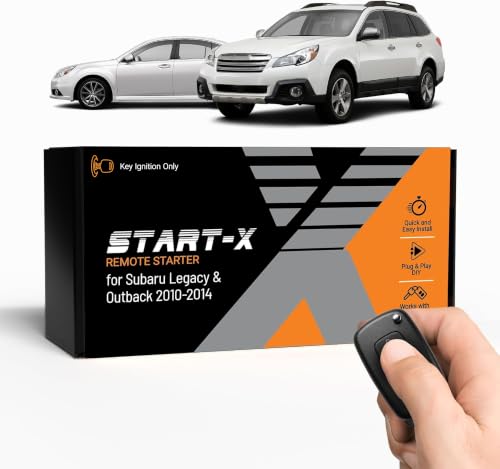
- 𝗩𝗲𝗵𝗶𝗰𝗹𝗲 𝗰𝗼𝗺𝗽𝗮𝘁𝗶𝗯𝗶𝗹𝗶𝘁𝘆: Subaru Legacy and Outback (2010, 2011, 2012, 2013, 2014) models with key ignition.
- 𝗩𝗲𝗵𝗶𝗰𝗹𝗲 𝗿𝗲𝗾𝘂𝗶𝗿𝗲𝗺𝗲𝗻𝘁𝘀: This kit is designed for key blade ignition vehicles only. Not compatible with push-to-start vehicles. Gas and automatic transmission only. Factory remote required. Some vehicle disassembly may be required; see installation guide for details.
- 𝗗𝗜𝗬 𝗿𝗲𝗺𝗼𝘁𝗲 𝘀𝘁𝗮𝗿𝘁 𝗸𝗶𝘁: Add remote start functionality to your vehicle for a fraction of the cost. Enjoy a comfortable driving experience from the start by pre-heating and defrosting your windshield in the winter or cooling down your vehicle before entering in the summer.
- 𝗨𝘀𝗲 𝘆𝗼𝘂𝗿 𝗳𝗮𝗰𝘁𝗼𝗿𝘆 𝗿𝗲𝗺𝗼𝘁𝗲: Start your vehicle by pressing lock 3X on your existing OEM key fob. Press lock 3X again to turn off vehicle. Factory remote required – no remote is included in this kit. The distance you can remote start from is the same distance you can lock/unlock your vehicle. Increase your remote start distance with a Start-X range extender kit (sold separately).
- 𝗢𝗽𝘁𝗶𝗼𝗻𝗮𝗹 𝗿𝗲𝗺𝗼𝘁𝗲 𝗿𝗮𝗻𝗴𝗲 𝗲𝘅𝘁𝗲𝗻𝗱𝗲𝗿 𝗸𝗶𝘁: Increase your remote start distance up to half a mile. Includes two separate remotes used to start your vehicle in place of your OEM key fob. Available in 1-way (up to 2000-feet) and 2-way (up to 3000-feet) systems.
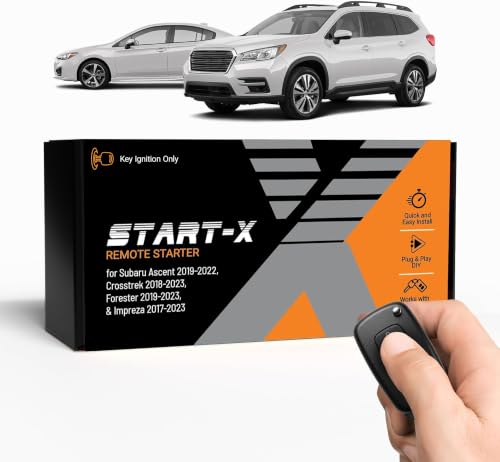
- 𝗩𝗲𝗵𝗶𝗰𝗹𝗲 𝗰𝗼𝗺𝗽𝗮𝘁𝗶𝗯𝗶𝗹𝗶𝘁𝘆: Subaru Ascent (2019, 2020, 2021, 2022), Crosstrek (2018, 2019, 2020, 2021, 2022, 2023), Forester (2019, 2020, 2021, 2022, 2023), and Impreza (2017, 2018,2019, 2020, 2021, 2022, 2023) models with key ignition.
- 𝗩𝗲𝗵𝗶𝗰𝗹𝗲 𝗿𝗲𝗾𝘂𝗶𝗿𝗲𝗺𝗲𝗻𝘁𝘀: This kit is designed for key blade ignition vehicles only. Not compatible with push-to-start vehicles. Gas and automatic transmission only. Factory remote required. Some vehicle disassembly may be required; see installation guide for details. Windows PC is required to complete installation.
- 𝗗𝗜𝗬 𝗿𝗲𝗺𝗼𝘁𝗲 𝘀𝘁𝗮𝗿𝘁 𝗸𝗶𝘁: Add remote start functionality to your vehicle for a fraction of the cost. Enjoy a comfortable driving experience from the start by pre-heating and defrosting your windshield in the winter or cooling down your vehicle before entering in the summer.
- 𝗨𝘀𝗲 𝘆𝗼𝘂𝗿 𝗳𝗮𝗰𝘁𝗼𝗿𝘆 𝗿𝗲𝗺𝗼𝘁𝗲: Start your vehicle by pressing lock 3X on your existing OEM key fob. Press lock 3X again to turn off vehicle. Factory remote required – no remote is included in this kit. The distance you can remote start from is the same distance you can lock/unlock your vehicle. Increase your remote start distance with a Start-X range extender kit (sold separately).
- 𝗢𝗽𝘁𝗶𝗼𝗻𝗮𝗹 𝗿𝗲𝗺𝗼𝘁𝗲 𝗿𝗮𝗻𝗴𝗲 𝗲𝘅𝘁𝗲𝗻𝗱𝗲𝗿 𝗸𝗶𝘁: Increase your remote start distance up to half a mile. Includes two separate remotes used to start your vehicle in place of your OEM key fob. Available in 1-way (up to 2000-feet) and 2-way (up to 3000-feet) systems.

- 𝗩𝗲𝗵𝗶𝗰𝗹𝗲 𝗰𝗼𝗺𝗽𝗮𝘁𝗶𝗯𝗶𝗹𝗶𝘁𝘆: Subaru Forester (2019, 2020, 2021), Legacy (2018, 2019), and Outback (2018, 2019) models with push-to-start ignition. Not compatible with Canadian vehicles.
- 𝗩𝗲𝗵𝗶𝗰𝗹𝗲 𝗿𝗲𝗾𝘂𝗶𝗿𝗲𝗺𝗲𝗻𝘁𝘀: This kit is designed for push-to-start ignition vehicles only. Not compatible if you start the vehicle by turning a key blade. Gas and automatic transmission only. Factory remote required. Some vehicle disassembly may be required; see installation guide for details. Windows PC is required to complete installation.
- 𝗪𝗔𝗥𝗡𝗜𝗡𝗚: 2022-2023 Forester models will lose the ability to unlock vehicle by pressing the unlock button when vehicle is remote started. You will need to physically insert the key to unlock. For all other vehicles, the OEM remote button will work to unlock.
- 𝗗𝗜𝗬 𝗿𝗲𝗺𝗼𝘁𝗲 𝘀𝘁𝗮𝗿𝘁 𝗸𝗶𝘁: Add remote start functionality to your vehicle for a fraction of the cost. Enjoy a comfortable driving experience from the start by pre-heating and defrosting your windshield in the winter or cooling down your vehicle before entering in the summer.
- 𝗨𝘀𝗲 𝘆𝗼𝘂𝗿 𝗳𝗮𝗰𝘁𝗼𝗿𝘆 𝗿𝗲𝗺𝗼𝘁𝗲: Start your vehicle by pressing lock 3X on your existing OEM key fob. Press lock 3X again to turn off vehicle. Factory remote required – no remote is included in this kit. The distance you can remote start from is the same distance you can lock/unlock your vehicle. Increase your remote start distance with a Start-X range extender kit (sold separately).

- Remote Start Kit
- Genuine Subaru Part Number: H001SFL001
- Crosstrek 2018
- Impreza 2017 2018
- For push start cars

- Compatibility : This remote key fits for Subaru Ascent 2019-2024,for Crosstrek 2019-2023,for Forester 2019-2023,for Impreza 2017-2023,for Legacy 2018-2021,for Outback 2018-2023,for BRZ 2022 2023 2024,for WRX STI 2019-2021
- Confirm It Fits for Your Car: Please check the appearance of the key fob(including key buttons and shape); then check if your key has the same part number,Frequency: 433MHz,Chip: 8A,Board ID: 231451-7000,FCC ID: HYQ14AHK,OEM P/N: 88835-FL03A, 88835-FL03B, 88835-FL03C
- How to check part number: Open your original key, then you can see the part information on the key shell or the circuit board, just compare it to my key fob. If you lost your key, you need check with your dealership
- Key Programming and Cutting: You need program and cut the remote fob to your vehicle before it can work on your car by a locksmith or the dealership
- Complete Remote Key Fob: The package includes battery, uncut blade, 8A chip and circuit board, it will function is same as your original one, just ready to program
SEOCONTENT-START
PART NUMBER 1 OF 14 H001SAL021/040 ISSUE – DATE 2 Jun 2022 SUBARU OF AMERICA PART NUMBER: H001SAL021 & H001SAL040 DESCRIPTION: REMOTE ENGINE START ECU & HOOD SWITCH/BRACKET REPLACEMENT KITS INSTALLATION INSTRUCTIONS 1 2 3 KIT CONTENTS TOOLS REQUIRED MEANING OF CHARACTERS CAUTION: DO NOT SECURE ANY REMOTE START HARNESSES / MODULES TO ANY YELLOW HARNESSES / CONNECTORS (AIRBAG SYSTEM) IN THE VEHICLE. Phillips Screwdriver Short and Standard Panel Removal Tool : Remove : Tighten Torque : Install : Disconnect : Connect : Location of Clip or Screw : Loosen : Discard : Re-use Ratchet, 10mm and 12mm Sockets, Extension and U-Joint Torque Wrench T Remote Engine Start Control Module Quantity=1 Phillips Screw Quantity=4 Hood Safety Switch, Mounting Bracket & Mounting Bolt Quantity=1 Hood Switch Harness Clip Quantity=1 Tie Wraps 20cm Quantity=1 SSM III Diagnostic Interface or Wire Cutters B A SSM IV (DST-i) Diagnostic Interface Ruler DOCUMENT NUMBER: SPN0004850 2 OF 14 PART NUMBER H001SAL021/040 ISSUE – DATE 2 Jun 2022 SUBARU OF AMERICA 1. Using a 12mm socket/ratchet, disconnect the negative battery cable. (FIGURE A) NOTE: Do not disconnect the battery terminal from the battery post. 2. Starting at the bottom, use a panel removal tool to carefully remove the left side dashboard panel (FIGURE B). Remove one (1) Phillips screw securing the lower dashboard panel on the left side of the dashboard. (FIGURE C) 3. Remove the driver’s side under dashboard finisher panel by depressing the three (3) pressure clips and pulling downwards. Disconnect any connectors that may be attached to it. (FIGURE D) 4 VEHICLE PREPARATION FIGURE A FIGURE B FIGURE C FIGURE D PART NUMBER 3 OF 14 H001SAL021/040 ISSUE – DATE 2 Jun 2022 SUBARU OF AMERICA 4. Using a panel removal tool, carefully remove the driver’s left side lower dashboard panel by pulling straight out. Unplug all connectors attached to the dashboard panel. (FIGURE E) 4 VEHICLE PREPARATION, continued FIGURE E FIGURE F 5. Using a 10mm socket/ratchet, remove the two (2) 10mm bolts securing the metal knee bolster. (FIGURE F) 4 OF 14 PART NUMBER H001SAL021/040 ISSUE – DATE 2 Jun 2022 SUBARU OF AMERICA 5 REMOTE STARTER ECU REPLACEMENT FIGURE H 1. Unplug the 12-pin pre-arranged harness from the 12-pin white port on the remote engine starter ECU. (FIGURE G) 2. Unplug the 5-pin antenna harness from the 5-pin black port on the remote engine starter ECU. (FIGURE G) 3. Unplug the 8-pin remote engine starter ignition harness from the bottom (large) connector on the remote engine starter ECU. (FIGURE G) 4. Remove the two (2) 10mm mounting nuts. (FIGURE H) FIGURE G PART NUMBER 5 OF 14 H001SAL021/040 ISSUE – DATE 2 Jun 2022 SUBARU OF AMERICA Mounting Studs FIGURE I 5 5. Lift the auxiliary relay block bracket off of the mounting studs. 6. Remove the remote engine starter ECU bracket from the mounting studs. (FIGURE I) FIGURE J 7. Remove the four (4) Phillips screws securing the remote engine starter module to the ECU bracket. (FIGURE J) REMOTE STARTER ECU REPLACEMENT, continued 6 OF 14 PART NUMBER H001SAL021/040 ISSUE – DATE 2 Jun 2022 SUBARU OF AMERICA 5 8. Secure the remote engine starter module replacement part to the ECU bracket using the four (4) supplied Phillips screws. Torque the four (4) Phillips screws to 1.35 Nm +/- 0.5 Nm (0.14 Kgf-m +/- 0.2 Kgf-m, 1 ft-lbs +/- 0.5 ft-lbs). (FIGURE K) FIGURE K 9. Position the remote engine starter ECU bracket onto the mounting studs. (FIGURE L) 10. Install the relay block bracket back onto the mounting studs (on top of the remote engine starter ECU bracket). (FIGURE L) NOTE: Confirm the remote engine starter ECU bracket is positioned under the relay block bracket and on top of the dashwall insulation material. 11. Verify the remote engine starter ECU bracket and relay block bracket are properly seated, then torque the lower 10mm mounting nut, followed by the upper 10mm mounting nut to 10.8 Nm +/- 2 Nm (1.10 Kgf-m +/- 0.2 Kgf-m, 8 ft-lbs +/- 1.5 ft-lbs). FIGURE L T T REMOTE STARTER ECU REPLACEMENT, continued T T T T PART NUMBER 7 OF 14 H001SAL021/040 ISSUE – DATE 2 Jun 2022 SUBARU OF AMERICA 5 FIGURE M 12. Plug the 12-pin pre-arranged harness into the 12-pin white port on the remote engine starter ECU. (FIGURE M) 13. Plug the 5-pin antenna harness into the 5-pin black port on the remote engine starter ECU. (FIGURE M) 14. Plug the 8-pin remote engine starter ignition harness into the bottom (large) connector on the remote engine starter ECU. (FIGURE M) 6 PANEL RE-ASSEMBLY 1. Re-install the metal knee bolster and torque the two (2) 10mm bolts to 7.5 Nm +/- 1.8 Nm (0.75 Kgf-m +/- 0.2 Kgf-m, 5.5 ft-lbs +/- 1.0 ft-lbs). 2. Plug in any previously removed connectors and re-install the lower dashboard panel. 3. Re-install the under dashboard finisher panel 4. Re-install the one (1) Phillips screw on the left side of the dashboard that secures the lower dashboard panel in place. 5. Re-install the left side dashboard panel. REMOTE STARTER ECU REPLACEMENT, continued 8 OF 14 PART NUMBER H001SAL021/040 ISSUE – DATE 2 Jun 2022 SUBARU OF AMERICA 7 HOOD SAFETY SWITCH MOUNTING 1. In the engine compartment, locate and release the 2-pin pre-fi t hood safety switch connector secured to the vehicle wire harness near the ABS Unit with breakaway tape. It is behind the air filter box on the passenger’s side of the vehicle. (FIGURE N) 2. Locate the foam gasket along the bottom of the passenger side felt fender liner. Temporarily remove the plastic clip to prevent damage to the felt fender liner. Using a ruler and wire cutters, carefully measure, cut and remove 40mm of the foam gasket starting at the front of the felt fender liner. (FIGURE O) 3. 2.5L (4 Cylinder) vehicles – Mount the hood safety switch bracket to the passenger side inner/lower fender support frame using the supplied 10mm bolt and pre-arranged weld nut in the inner fender support. Ensure that the supporting tongue on the bracket is seated fl at against the top of the frame rail under the felt fender liner while tightening the 10mm bolt. (FIGURE P) 4. 3.6L (6 Cylinder) vehicles – Locate the A/T control module mounted on the passenger’s side fender support and remove the bracket mounting bolt closest to the front of the vehicle. Mount the hood safety switch bracket to the A/T control module bracket using the previously removed 10mm bolt. Ensure that the supporting tongue on the bracket is seated fl at against the top of the frame rail under the felt fender liner while tightening the 10mm bolt. (FIGURE Q) 5. Torque the mounting bolt to 10.8 Nm +/- 2 Nm (1.10 Kgf-m +/- 0.2 Kgf-m, 8 ft-lbs +/- 1.5 ft-lbs). FIGURE N FIGURE P T FIGURE Q T Temporarily remove the plastic clip FIGURE O 40mm A/T Control Module PART NUMBER 9 OF 14 H001SAL021/040 ISSUE – DATE 2 Jun 2022 SUBARU OF AMERICA FIGURE R 7 HOOD SAFETY SWITCH MOUNTING, continued 6. Securely mount (snap-in) the supplied hood safety switch into the bracket and plug the vehicle’s pre-fit 2-pin female hood switch connector to the base of the hood safety switch. (FIGURE R) 7. Install the supplied adhesive backed cable clip to the angled vehicle frame rail approximately 6cm to the left of the hood safety switch mounting bolt. Coil any excess hood safety switch wiring and secure with the cable clip. (FIGURE R) 8. 3.6L (6 Cylinder) vehicles – Using one (1) of the supplied 20cm tie wraps, secure the hood switch harness to the factory wiring harness. (FIGURE S) FIGURE S 3.6L (6 Cylinder) Vehicles Only 10 OF 14 PART NUMBER H001SAL021/040 ISSUE – DATE 2 Jun 2022 SUBARU OF AMERICA SYSTEM REGISTRATION – DST-i 8 DST-i SETUP REGISTRATION Insert an ignition key into the ignition cylinder and turn to Press and hold the DST-i “B” and “A” buttons simultaneously for approximately 5 seconds to enter stand alone mode DST-i screen will display “Press YES if it is a smart system, otherwise press NO. Using the arrows on the DST-i, select “Name” DST-i screen will display “Execute Remote Engine Start CM Registration? Press YES or NO Registration Complete PRESS A PRESS A PRESS A PRESS A PRESS A PRESS A PRESS A PRESS A Plug the DST-i Using the arrows on the DST-i, select Diagnostic and Press “A” to proceed to Registration diagnostic plug diagnostic connector into the vehicle’s Using the arrows on the DST-i, select “Ascent” Using the arrows on the DST-i, select “Model year” Using the arrows on the DST-i, select the vehicle model year “XXMY” Using the arrows on the DST-i, select “Immobilizer” Using the arrows on the DST-i, select “NO” DST-i screen will display “Check if Ignition SW is turned ON.” Using the arrows on the DST-i, select “YES” Using the arrows on the DST-i, select “Remote Engine Start CM Registration” DST-i screen will display “Successful [Remote Engine Start CM Registration] Press OK” Using the arrows on the DST-i, select “YES” PRESS A PRESS A Using the arrows on the DST-i, select “OK” the ON position SYSTEM POWER-UP 9 1. After all the connections are complete, re-connect the vehicle’s negative battery cable. Using a 12mm socket/ torque wrench, tighten the 12mm nut to 7.5 Nm +/- 2 Nm (0.76 Kgf-m +/- 0.2 Kgf-m, 5.5 ft-lbs +/- 1.5 ft-lbs). 2. Start the vehicle at least one (1) time using the ignition key prior to activating the remote engine start system. This is required to allow the vehicle’s electronic systems to re-synchronize. 3. With the vehicle running via the ignition key, verify that the instrument cluster airbag light turns off . If the airbag light remains on, refer to the vehicle service information for troubleshooting. 4. Refer to the vehicle Owner’s manual for the Power Window Reset Procedure to restore the power window functions. NOTE: Once the Ignition is turned ON, the system will exit System Registration after 2 minutes. PART NUMBER 11 OF 14 H001SAL021/040 ISSUE – DATE 2 Jun 2022 SUBARU OF AMERICA 9 DST-i SETUP REGISTRATION Plug the DST-i diagnostic plug diagnostic connector into the vehicle’s Plug the DST-i USB plug into a laptop Network-Enabled Select/Open the SSM4 software on the laptop Network-Enabled 1. PRESS IMMOBILIZER ETC. REGISTRATION, PRESS IMMOBILIZER REGISTRATION AND PRESS SELECT PRESS PRESS 2. PRESS LEGACY AND PRESS SELECT PRESS 3. PRESS B TYPE FOR KEY START MODELS AND PRESS CONFIRMED 4. ENSURE THE IGNITION IS TURNED ON AND PRESS OK Insert an ignition key into the ignition cylinder and turn to the ON position WAIT FOR LAPTOP TO ESTABLISH CONNECTION PRESS PRESS PRESS PRESS PRESS NOTE: Once the Ignition is turned ON, the system will exit System Registration after 2 minutes. SYSTEM REGISTRATION – DST-i WITH NETWORK ENABLED LAPTOP ENSURE THE SOFTWARE VERSION HAS BEEN UPDATED TO THE LATEST REVISION BEFORE ATTEMPTING SYSTEM REGISTRATION. 12 OF 14 PART NUMBER H001SAL021/040 ISSUE – DATE 2 Jun 2022 SUBARU OF AMERICA 9 SYSTEM REGISTRATION – DST-i WITH NETWORK ENABLED LAPTOP, continued REGISTRATION, continued PRESS 6. PRESS YES TO EXECUTE REGISTRATION 7. CONFIRM IGNITION IS ON AND PRESS OK 8. REGISTRATION SUCCESSFUL, PRESS OK PRESS PRESS 9. TURN OFF IGNITION AND PRESS OK PRESS PRESS 5. PRESS REMOTE ENGINE START CM REGISTRATION AND PRESS CONFIRMED PRESS WAIT FOR BIU TO COMMUNICATE WITH RES CONTROL MODULE NOTE: Once the Ignition is turned ON, the system will exit System Registration after 2 minutes. PART NUMBER 13 OF 14 H001SAL021/040 ISSUE – DATE 2 Jun 2022 SUBARU OF AMERICA TRANSMITTER PROGRAMMING 1. Open the driver’s door and enter the vehicle. The driver’s door must remain open throughout the entire programming process. Ensure all other vehicle doors, the engine hood and trunk are closed. 2. Verify that the transmission shifter is in the “park” position. 3. Depress and hold the vehicle’s brake pedal. 4. Turn the ignition “ON” then “OFF”, “ON” then “OFF”, “ON” then “OFF”, then back “ON” and leave on throughout the entire programming process. (ON/OFF ignition cycles must be completed within eight (8) seconds.) 5. The system will fl ash the side marker lights, tail lights and parking lights and honk the horn three (3) times indicating that the system has entered transmitter learn mode. 6. Press and release the button on the transmitter to be learned one (1) time. 7. The system will fl ash the side marker lights, tail lights and parking lights and honk the horn one (1) time indicating that the system has learned the transmitter. Upon successful programming, the remote start transmitter button may fl ash/beep one (1) time. 8. Repeat step five (5) for any additional transmitters. The system will accept up to eight (8) transmitters. 9. Turn the ignition OFF to exit transmitter learn mode. NOTE: The system will exit the transmitter learn mode if the ignition is turned OFF, the driver’s door is closed or thirty (30) seconds of inactivity. 10 14 OF 14 PART NUMBER H001SAL021/040 ISSUE – DATE 2 Jun 2022 SUBARU OF AMERICA 11 POST INSTALLATION CHECKLIST 4281063 Rev – 6/2/22 1. REMOTE ENGINE START- Make sure the key is removed from the ignition switch, the engine hood, all doors and trunk are closed. Press the START button on the remote start transmitter two (2) times within 3 seconds. The vehicle’s parking lights should fl ash and the vehicle’s horn should honk one (1) time and then the vehicle should crank and start. Once started, the transmitter LED will flash two (2) times and the parking lights will turn on and stay on signifying the vehicle is running. The transmitter LED will flash one (1) time every three (3) seconds signifying the vehicle is still running. 2. SHUT DOWN WITH DOOR OPENING – While the vehicle is running by the remote engine start, wait at least fi ve (5) seconds and then confirm that all functions (lock, unlock & trunk, but not panic) operate properly on the FACTORY transmitter. Once the FACTORY transmitter functionality is confirmed, press the UNLOCK button on the FACTORY transmitter and open any vehicle door. The remote engine start should shut down and the transmitter LED should fl ash three (3) times indicating the system has shut down. 3. ACTIVATION WITH DOOR OPEN – Ensure the key is removed from the ignition switch and the engine hood and trunk are closed. Open the driver’s door, press the START button on the remote start transmitter two (2) times within three (3) seconds. The vehicle’s parking lights should fl ash and the vehicle’s horn should honk six (6) times. The vehicle should not start with any door or trunk opened. 4. BRAKE PEDAL SAFETY – While sitting in the vehicle with the engine hood, all doors and trunk closed, activate the remote engine start and press the brake pedal. The vehicle should shut off . 5. KEY-IN-SENSE – While sitting in the vehicle with the engine hood, all doors and trunk closed, insert the ignition key into the ignition switch, but keep it in the OFF position. Activate the remote engine start. The vehicle’s parking lights should fl ash and the vehicle’s horn should honk (2) times. The vehicle should not start since the key is in the ignition switch. 6. HOOD SAFETY SWITCH – Open the engine hood and activate the remote engine start. The vehicle’s parking lights should fl ash and the vehicle’s horn should honk two (2) times. The vehicle should not start since the hood safety switch is activated. 7. HEATER / A/C FUNCTION – Using the ignition key, turn the ignition to the ON position. Preset the vehicle’s heater or air conditioning to the ON position. Turn the ignition OFF and remove the ignition key. Activate the remote engine start and verify that the heater or air conditioning turns on to the preset setting for manual climate controlled vehicles or turns to the “Full Auto” setting for electronic climate control vehicles. 8. 15 MINUTE RUN TIME – Activate the remote engine start and allow the system to run for the 15 minute preset run time. The remote engine start should shut down after 15 minutes (+/- 10 seconds). 9. TRANSMITTER FUNCTIONALITY VERIFICATION – Activate the remote engine start using both of the supplied single button remote start transmitters. FUNCTIONAL TESTING IS NOW COMPLETE.
SEOCONTENT-END
This product presentation was made with AAWP plugin.