
NHTSA ID Number: 10231317
Manufacturer Communication Number: 09-94-22
Summary
This bulletin announces the availability of new reprograming files for the Engine Control Module (ECM) developed to remedy the DTCs listed.
NUMBER: 09-94-22
DATE: 01/24/23
| APPLICABILITY: | 2022MY WRX |
| SUBJECT: | Engine in Fail-Safe Mode / DTCs P0088, P0087, P0021, P0014, P0011, P0024, P1604, P0016,P0017, P0018, P0019, P0128, & P050B |
INTRODUCTION:
This bulletin announces the availability of new reprograming files for the Engine Control Module (ECM) developed to remedy the following DTCs:
- P0088: Fuel Rail/System Pressure – Too High Bank 1
- P0087: Fuel Rail/System Pressure – Too Low Bank 1
- P0011: “A” Camshaft Position – Timing Over-Advanced Or System Performance Bank 1
- P0021: “A” Camshaft Position – Timing Over-Advanced Or System Performance Bank 2
- P0014: “B” Camshaft Position – Timing Over-Advanced Or System Performance Bank 1
- P0024: “B” Camshaft Position – Timing Over-Advanced Or System Performance Bank 2
- P0016: Crankshaft Position – Camshaft Position Correlation Bank 1 Sensor A
- P0017: Crankshaft Position – Camshaft Position Correlation Bank 1 Sensor B
- P0018: Crankshaft Position – Camshaft Position Correlation Bank 2 Sensor A
- P0019: Crankshaft Position – Camshaft Position Correlation Bank 2 Sensor B
- P0128: Coolant Thermostat – Engine Coolant Temperature Below Thermostat Regulating Temperature.
- P050B: Cold Start Ignition Timing Performance
These files contain enhanced logic to providing a more precise fuel pressure detection program to help prevent any unnecessary DTCs. If any of the DTCs listed above are found to be stored in the ECM, follow the procedures outlined below.
PRODUCTION CHANGE INFORMATION:
The new programing files have been incorporated into vehicle production as per the table below.
| MY | Model | Transmission | Starting VIN |
| 22 | WRX | MT | N9019307 |
| CVT | N8019298 |
PACK FILE APPLICABILITY:
| MY | Model | Trans | File Description | Decryption Keyword | New CID # |
| 22 | WRX | CVT | 22765AR884.pk2 | A1D47BEA | LHGHA10C00G |
| MT | 22765AR894.pk2 | 8C3B9B77 | LHGHA10B00G |
These new files are included in the July 2022 SSM software update.
SERVICE PROCEDURE / INFORMATION:
(*1) Instructions on how to perform and read the OBD MODE test results. This procedure will be required when performing the diagnostic Steps outlined below.
Read the following data monitor values:
- MID – $35 TID – $8B
- MID – $35 TID – $8C
- MID – $35 TID – $8D
- MID – $35 TID – $8E
- MID – $36 TID – $8B
- MID – $36 TID – $8C
- MID – $36 TID – $8D
- MID – $36 TID – $8E
STEP 1: Are DTCs P0016,17,18 or 19 found to be displayed within the fault memory?
NO – Perform the reprograming procedure outlined in STEP 2 ONLY. The service procedure is finished, no further action is required.
YES – Proceed to STEP 2 and continue to the proceeding steps.
STEP 2: Reprogram the ECM following the normal FlashWrite procedure.
Subaru of America, Inc. (SOA) highly recommends connecting either the Subaru Midtronics DCA8000 Dynamic Diagnostic Charging System or the Subaru Midtronics GR8-1100 Diagnostic Battery Charger to the vehicle and utilizing the Power Supply Mode feature anytime a vehicle control module is being reprogrammed. Once the Midtronics charger is connected to the vehicle, if the battery is fully charged, it takes less than three (3) minutes to boot-up the charger, select the Power Supply Mode, and have the battery voltage stabilized and ready for reprogramming.
NOTES:
- For instructions on using the Power Supply Mode, reference the applicable User Manual for the Midtronics DCA-8000 Dynamic Diagnostic Charging System and the Midtronics GR81100 Diagnostic Battery Charger on STIS.
- Confirm all electrical loads such as lights, audio, HVAC, seat heaters, and rear defroster are all switched OFF before setting up the charger for Power Supply Mode.
- Select the correct battery type (Enhanced Flooded, Flooded, Gel, AGM or AGM Spiral).
- Input the CCA which matches the vehicle’s battery. NOTE: OE and replacement batteries have different CCA ratings. Always confirm the battery’s CCA rating before proceeding.
- If using a DCA-8000 Dynamic Diagnostic Charging System, set the power supply voltage to 13.5 Volts.
- DO NOT connect the DST-i or DST-010 until the Power Supply mode function has completed its battery test mode and the Charging Voltage has dropped to and shows a steady 13.5 Volts on the display.
- Once Power Supply Mode reaches a steady 13.5 Volts, connect the DST-i or DST-010 to the OBD connector and proceed with initiating the normal FlashWrite reprogramming process.
- Amperage will fluctuate based upon the vehicle’s demand for power. NOTE: If the voltage rises beyond 14 Volts while programming is in process, the procedure will abort. This can indicate a need to test or charge the vehicle battery before any further attempt at programming is made.
- ALWAYS set the power supply voltage to 13.5 Volts when using Power Supply Mode. NEVER turn the ignition switch on when charging at voltages 15 Volts or higher.
REMINDER: If the DCA-8000 or GR8-1100 indicates the vehicle’s battery must be charged, charge the battery fully before proceeding to reprogram the vehicle while using the Power Supply Mode.
NOTE: Control module failures resulting from battery discharge during reprogramming are not a matter for warranty. Should any DTCs reset after the reprogramming update is performed, diagnose per the procedure outlined in the applicable Service Manual.
VERY IMPORTANT:
This information is applicable to the Subaru Midtronics DCA-8000 Dynamic Diagnostic Charging System and the Subaru Midtronics GR8-1100 Diagnostic Battery Charger ONLY. It does not apply to any other brand / type of “generic” battery charger whatsoever. ONLY the DCA-8000 and the GR81100 and their Power Supply Mode feature have been tested and approved by SOA.
End of procedure for vehicles WITHOUT DTCs P0016, P0017, P0018, or P0019 store in the ECM.
STEP 3: Using SSM, read the value the following four data monitor items (ALWAYS Save SSM Data):
1. VVT Initial Position Learning Value #1
2. VVT Initial Position Learning Value #2
3. VVT EX Initial Position Learning Value #1
4. VVT EX Initial Position Learning Value #2
Are all of the data monitor item values within the acceptable range listed in the table above?
YES – proceed to STEP 5.
NO – proceed to STEP 4.
STEP 4: Perform the procedures outlined in “#7 INSPECTION MODE N” and “#12 INSPECTION MODE T”. Then re-check the threshold values in STEP 3 along with the OBD MODE test results (*1)
“#7 INSPECTION MODE N” procedure.
Using the applicable Service Manual, refer to: DIAGNOSTICS > ENGINE> Inspection Mode > #7 INSPECTION MODE N
A. Confirm the battery voltage is 12 Volts or more and the fuel tank is at least half full.
B. Using SSM, clear the fault memory. Prepare the SSM to be kept in the vehicle during the following road test.
C. With gear selector in the park position (neutral for MT models), idle the engine at approximately 2500 rpm for 40 seconds or more.
D. Move the gear selector into the drive position (appropriate gear range for MT models. Accelerate the vehicle to 31 mph or more.
E. When the vehicle speed is 31 mph or more, release the accelerator pedal and brake pedal (and clutch for MT models) and allow the vehicle to decelerate with any gear shift changes. Maintain the engine speed between 2500 rpm to 1900 rpm for 5 seconds during this deceleration.
NOTE: Depending on road conditions, an appropriate gear might have to be selected to maintain the desired engine speed. The vehicle speed is not important as long as the engine speed is within range during the declaration.
F. In a suitable area, safely bring the vehicle full stop and allow it to idle for 5 minutes.
“#7 INSPECTION MODE N” procedure is complete. Proceed to “#12 INSPECTION MODE T” procedure.
“#12 INSPECTION MODE T” procedure.
Using the applicable Service Manual, refer to: DIAGNOSTICS > ENGINE> Inspection Mode > #12 INSPECTION MODE T
A. Confirm the battery voltage is 12 Volts or more the fuel is at least half full.
B. Start the engine.
C. Allow the engine to idle for at least 3 minutes.
D. Accelerate the vehicle speed to approximately 37 mph.
E. While maintaining approximately 37 mph, cycle the accelerator from a 0% to 20% opening angle. Try to keep these cycles within 5 second intervals. Maintain this driving pattern for 20 minutes or more.
NOTE: It is acceptable to stop the vehicle if needed depending on road/traffic conditions during this driving pattern.
F. Release the accelerator pedal and brake pedal (and clutch for MT models) and allow the vehicle to decelerate with any gear shift changes.
G. In a suitable area, safely bring the vehicle full stop and turn off the engine.
“#12 INSPECTION MODE T” procedure is complete.
Read the threshold values from STEP 3 (pictured below) and the OBD MODE test results (*1)
Are all of the data monitor item values within the acceptable range listed in the table below?
Are the threshold values between -1500 to + 1500?
YES – The procedure is FINISHED.
NO – Repeat STEP 4 ONE TIME ONLY and if the result answer is still “NO”, proceed to STEP 6.
STEP 5: Perform the “#7 INSPECTION MODE N” and “#12 INSPECTION MODE T” procedure.
“#7 INSPECTION MODE N” procedure.
Using the applicable Service Manual, refer to: DIAGNOSTICS > ENGINE> Inspection Mode > #7
INSPECTION MODE N
A. Confirm the battery voltage is 12 Volts or more the fuel is at least half full.
B. Using SSM, clear the fault memory. Prepare the SSM to be kept in the vehicle during the following road test.
C. With gear selector in the park position (neutral for MT models), idle the engine at approximately 2500 rpm for 40 seconds or more.
D. Move the gear selector into the drive position (appropriate gear range for MT models.
Accelerate the vehicle to 31 mph or more.
E. When the vehicle speed is 31 mph or more, release the accelerator pedal and brake pedal (and clutch for MT models) and allow the vehicle to decelerate without any gear shift changes. Maintain the engine speed between 2500 rpm to 1900 rpm for 5 seconds during this deceleration.
NOTE: Depending on road conditions, an appropriate gear might have to be selected to maintain the desired engine speed. The vehicle speed is not important as long as the engine speed is within range during the declaration.
F. In a suitable area, safely bring the vehicle full stop and allow it to idle for 5 minutes.
“#7 INSPECTION MODE N” procedure is complete. Proceed to “#12 INSPECTION MODE T” procedure.
“#12 INSPECTION MODE T” procedure.
Using the applicable Service Manual, refer to: DIAGNOSTICS > ENGINE> Inspection Mode > #12 INSPECTION MODE T
H. Confirm the battery voltage is 12 Volts or more the fuel is at least half full.
I. Start the engine.
J. Allow the engine to idle for at least 3 minutes.
K. Accelerate the vehicle speed to approximately 37 mph.
L. While maintaining approximately 37 mph, cycle the accelerator from a 0% to 20% opening angle. Try to keep these cycles within 5 second intervals. Maintain this driving pattern for 20 minutes or more.
NOTE: It is acceptable to stop the vehicle if needed depending on road/traffic conditions during this driving pattern.
M. Release the accelerator pedal and brake pedal (and clutch for MT models) and allow the vehicle to decelerate with any gear shift changes.
N. In a suitable area, safely bring the vehicle full stop and turn off the engine.
“#12 INSPECTION MODE T” procedure is complete.
O. Using SSM, select Diagnosis > Each System > Engine > DTC > Readiness Code
P. Read the readiness codes for P0016, P0017, P0018, P0019, P000A, P000B, P000C, and P000D. Confirm the self-diagnosis is complete and that the codes are not pending.
Q. Check the DTC and data monitor threshold values. Using SSM, select Diagnosis > Select Vehicle > OBD System – Each System > ECM-Engine Control > OBD MODE test results (*1)
Are there NO DTCs present and the threshold values between -1500 to + 1500?
YES – The procedure is FINISHED.
NO – Proceed to STEP 6
STEP 6: Inspect the engine oil level and condition.
IMPORTANT: If the engine oil and filter were replaced prior to diagnosis, there is no need for inspection. Proceed to STEP: 7.
Is there any abnormal condition or Inappropriate oil level??
YES – Perform the engine oil and filter change. Repeat STEP 4 and STEP 5, then continue diagnosis.
NO – Proceed to STEP 7
STEP 7: Performed the outlined timing chain inspection outlined below:
IMPORTANT: If the timing chain was replaced prior to diagnosis, there is no need to perform the inspection. Proceed to STEP 8.
A. Using SSM, clear the fault memory.
B. Switch the ignition to the “OFF” position.
C. Disconnect the oil control solenoid valve connector on the bank with associated DTC.
D. Switch the ignition switch to the “ON” position.
E. Using SSM and the engine not running, read the “VVT Advance Angle Value” data monitor value.
F. Start the engine and read the “VVT Advance Angle Value” data monitor value for a duration of 10 seconds.
G. Switch the ignition to the “OFF” position.
Is the “VVT Advance Angle Value” data monitor value out of -10 degrees to +10 degrees?
YES – Adjust and / repair the timing chain as needed. Repeat STEP 4 and STEP 5, then continue diagnosis.
NO – Proceed to STEP 8.
STEP 8: Perform a visual inspection of the engine harness and the connectors specified below for any physical damage.
IMPORTANT: If the engine harness was replaced prior to diagnosis, there is no need to perform the inspection. Proceed to STEP 9.
Connectors:
Was there any damage found?
YES – Repair the damaged harness and / or connector. Repeat STEP 4 and STEP 5, then continue diagnosis.
NO – Proceed to STEP 9.
STEP 9: Perform the following Ohm tests:
- Switch the ignition to the “OFF” position.
- Disconnect the ECM and the Crank Position Sensor. Disconnect the Oil Control Valve and Cam Position Sensor associated with the DTC.
- Measure the resistance between the following and record the results:
Connector E158 Pin 99 & Connector E38 Pin 2
Connector E158 Pin 78 & Connector E36 Pin 2
Connector E158 Pin 66 & Connector E10 Pin 1
Are there resistance values 1 Ohm or higher?
YES – Replace the damaged harness. Repeat STEP 4 and STEP 5, then continue diagnosis.
NO – Proceed to STEP 10.
STEP 10: Perform and engine oil pressure test as per the applicable Service Manual: Engine > Mechanical > Engine Oil Pressure > INSPECTION
Was the engine oil pressure found to be within specification?
NO – Inspect the engine oil strainer. Clean or replace any needed parts depending on the inspection results. Repeat STEP 4 and STEP 5, then continue diagnosis.
YES – Proceed to inspect the items listed below in the following order. Clean or replace the needed parts depending on the inspection results. Repeat STEP 4 or STEP 5, then continue diagnosis.
1 Affected Product
Vehicle
1 Associated Document
Manufacturer Communications
NUMBER: 09-94-22
DATE: 01/24/23
MC-10231317-0001.pdf 4317.956KB
Reprogramming
What J2534 reprogramming capabilities are available?
(4a) J2534 Reprogramming
Subaru reprogramming files using a generic (non-OEM) SAEJ2534 pass-thru vehicle programming device are available by contacting Service Technical Information Company toll free at 1-866-428-2278. The cost for the CD-ROM with all reprogramming files is $75.00 plus S/H and applicable state tax. Files will be updated four (4) times per year, in CD-ROM format, with all available reprogramming service information at the same above offered cost. Authorized Subaru Dealers are provided the same reprogramming information.
Before purchasing, the reprogramming details can be found in the following Reprogramming J-2534 Files chart. Click the link to view the PDF chart.
Subaru J2534 Reprogramming software meets the latest available J2534-1 specification. Our Reprogramming J2534 Files chart does not specify the Calibration Identification Number (CID); however, this information is included in our offered CD-Rom.
Note: The ECM or TCM being reprogrammed may already contain some or all of the reprogramming files listed in the Reprogramming J2534 Files chart shown by release date. It is possible to damage the vehicles ECM/TCMduring the reprogramming event. Once the reprogramming process has started, it is recommended not to interrupt the process until the event is completed. If you experience any problems, please contact your scan tool maker for further instructions.
(4b) Are all pre-2004MY Subaru vehicles compatible with J2534?
No. Subaru has no reprogramming capability for model years 1996-1998. Starting with our 1999 model year, please see our Reprogramming Pre-J2534 Files chart for affected model reprogramming information.
Both pre-J2534 reprogramming and J2534 pass thru reprogramming files are included in the offered HDS kit software for aftermarket service provider application.

- J2534 Pass-Thru Programmer: TOPDON RLink J2534 is an advanced diagnostic and reprogramming tool that support all J2534 protocols, as well as D-PDU, CAN-FD and DoIP, ensuring compatibility with a wide range of modern vehicles. It offers extensive versatility with support for over 18 major automotive brands, including Chrysler, Ford, GM, Nissan, Toyota, Honda, Subaru, Land Rover/Jaguar, Volvo, Wuling, Volkswagen/Audi, Mercedes-Benz, and BMW. NOTE: Not compatible with Ford IDS diagnostic software
- All-in-One OEM Diagnostics: This J2534 ECU programming tool elevates your automotive repair capabilities to new heights by delivering complete OEM diagnosis. Boasting comprehensive full-system diagnostics, intuitive repair guides, advanced ECU programming and coding, common reset services, a vast library of repair information and more, this all-in-one solution empowers technicians to effortlessly tackle complex vehicle issues with ease. *Not compatible with 24V vehicles
- Proven Performance You Can Trust: Backed by over 10000 real vehicle tests and benefit from a wealth of practical experience, this OEM reprogramming tool guarantees stable and exceptional performance. Supported by TOPDON's dedicated technical experts with in-depth knowledge of both auto repair and J2534 Pass-Thru programming, the RLink J2534 provides prompt and professional assistance, ensuring a smooth setup and reliable compatibility
- Integrated Excellence, Always Up-to-Date: Featuring the exclusive RLink Platform to provide a streamlined experience with one-click driver installation and management, ensuring flawless integration with your OE software, maintaining the original performance quality. The built-in operation guide makes mastering OE software quick and easy, so you can get started right away. Plus, with lifetime free updates, your diagnostics will stay current with the latest drivers and innovations
- Efficiency Meets Versatility: Engineered to support three CAN channels simultaneously - CAN FD and CAN-CC included, giving you the edge in fast troubleshooting. To perfectly synchronized with the OE software, please diagnose with active subscriptions and make sure your computer system is running a compatible 64-bit Windows version (7, 8, 10 or later) to fully leverage the power of RLink J2534. *We don't provide extra OE software

- Advanced VCI Box, Industry-leading J2534 Pass-Thru Technology: This J2534 Pass-Thru Programmer is designed espically for technicians, independent shop owners, and DIY enthusiasts, enables fast, reliable computer-based programming. It supports all J2534 protocols—including the latest DoIP and CAN FD—ensuring full compatibility with both legacy and next-generation vehicles.
- High-Speed OEM-Level Diagnostics & Programming: Unlock true OEM functionality with comprehensive system diagnostics, guided troubleshooting, coding, adaptations, resets, and programming—all designed to slash repair time. This all-in-one tool eliminates the need for multiple OEM devices, boosting efficiency and cutting costs. Equipped with High-Speed USB, it delivers 10x more data per second than competing solutions
- Coverage for 17 Car Brands & Ultra Reliability: Works seamlessly for Chrysler, for Ford(Forscan), for GM, for Nissan, for Toyota, for Honda, for Subaru(SSM4), for Land Rover/Jaguar, for Volvo, for Wuling, for Volkswagen, for Mercedes-Benz, and for BMW. Backed by over 10000 real vehicle tests and benefit from a wealth of practical experience, this OEM reprogramming tool guarantees stable and exceptional performance
- User-Friendly RLink Platform & Expert Support: TOPDON’s proprietary driver management platform offers a clean interface and lifetime free updates. Access a rich library of real-world case studies to stay ahead of the curve. Backed by a support team with 10+ years of J2534 and automotive repair experience, we provide one-on-one assistance to resolve any technical issue.
- 6.6 ft USB-C Cable & Portable Storage Case: The RLink J2534 diagnostic tool features a 6.6ft USB 2.0 Cable and a 1.2 ft OBDII Extension Cable, allows to connection your computer easily outside the vehicle. The included handled carry case offers easy portability, storage, and hanging options—keeping your gear clean and ready to go, anywhere.

- [J2534 Pass-Thru Programmer] - TOPDON RLink J2534 is engineered for professional technicians, delivering OEM diagnostic and reprogramming capabilities. It supports all J2534 protocols, CAN-FD, DoIP, D-PDU. Compatible with 17 vehicle brands—such as Chrysler, Ford, GM, KIA, Hyundai, Nissan, Toyota, Honda, Subaru, Mitsubishi, MAZDA, Land Rover/Jaguar, Volvo, Volkswagen/Audi, Mercedes-Benz, and BMW. RLink J2534 can help reduce the cost of purchasing equipment from different brands.
- [All-in-One OEM Reprogramming and Diagnostics] - When seamlessly integrated with OEM diagnostic software, this dongle enables you to perform a wide range of functions, including ECU programming and coding, DTC reading and clearing, active tests, component matching, adaptations, rewriting, guided troubleshooting, and more. This all-in-one tool eliminates the need for multiple OEM devices, significantly boosting work efficiency.
- [Tested, Trusted, and Proven for Accuracy] - TOPDON RLink J2534 is renowned for its reliability, having successfully completed over 10,000 real-vehicle tests. The wealth of data and hands-on experience behind it ensures consistent performance and accurate results. You can trust this tool to deliver optimal performance.
- [One-Click Installation, Continuous Updates] - The exclusive TOPDON RLink platform streamlines installation with a one-click driver setup, allowing you to quickly access OEM software for diagnostic and reprogramming tasks. With lifetime free updates, your RLink J2534 stays current without any additional cost, ensuring reliable performance for the long term. *We don't provide extra OE software.
- [Works with Windows Compatibility and OEM Software Subscription] - The RLink J2534 supports three CAN channels - including CAN FD and CAN-CC, providing advantages in the process of rapid troubleshooting. Compatible with Windows 7, 8 and 10 (64-bit) and higher versions of the system. For full functionality, an active OEM software subscription is required for each supported vehicle brand. Please note that the dongle does not include OEM software, which must be purchased separately to access brand-specific diagnostic and reprogramming features.

- Dual WiFi & 10.1" Touchscreen: Provides a stable, high-speed wireless link 3x faster than bluetooth, and a responsive, professional interface. Topdon ONE obd2 scanner diagnostic tool ensures smooth, non-lagging diagnostic scan, boosting mechanic efficiency
- J2534 Pass-Thru Support: The included ONE VCI supports the J2534 standard, allowing it to function as a pass-thru device when paired with OEM diagnostic software.Through TOPDON’s RLink platform, technicians can perform dealer-level coding, expanding in-house capabilities without investing in multiple factory automotive scan tools
- OE Topology Mapping: Visualize the vehicle’s ECU network exactly as it’s built.Zoom, pan, and highlight specific modules to pinpoint component issues with precision.Topology mapping displays real-time communication between modules
- 50+ Service Functions: Covers high-demand services like ADAS calibration, DPF regen, TPMS reset, ABS bleed, and throttle adaptation.Expands your service menu, allows you to charge premium rates, and turns away zero jobs due to lack of tooling. Vehicle-specific functionality may vary
- Advaned ECU Coding: 10 of the most serviced brands in North America, including full ECU coding and flash hidden support for BMW, VW, Au-di, Benz, Porsche, Toyota, Ni ssan and more. Enables module replacement, feature customization, and personal settings with automatic backup or restore.Lets your shop safely offer high-margin customization services, attracting more customers and boosting profit

- ALL OF THE J2534 PROTOCOLS - This single unit has all of the protocols you need for your OEM J2534 reprogramming and diagnostics including the latest in DoIP and CanFD
- J2534 TECHNICAL SUPPORT - FREE for the life of the tool. Staffed by technicians who understand vehicle repair and J2534 Pass‑thru
- TOOLBOX WITH OEM APPLICATION DESCRIPTIONS - educational video tutorials and real-time news – Giving you the confidence and up-to-date knowledge to get the job done
- J2534 v05.00 API - The newest version of J2534 to give you the latest in pass-thru technology
- FUTURE PROOF WITH 4 CAN CHANNELS - Going beyond the 3 required by select Chrysler/FCA models, CarDAQ-Plus 3 also provides a 4th to meet the needs of future OEM applications
- 💯【Conta.ct us for Support Directly】For any issues experienced after purchase, please reach out to: 📞autelsupply@ outlook. com🛣️. Our team will provide perfect solution for you. For tech support or [explore additional accessory], please cont.act our team: 📞autelsupply@ outlook. com🛣️.
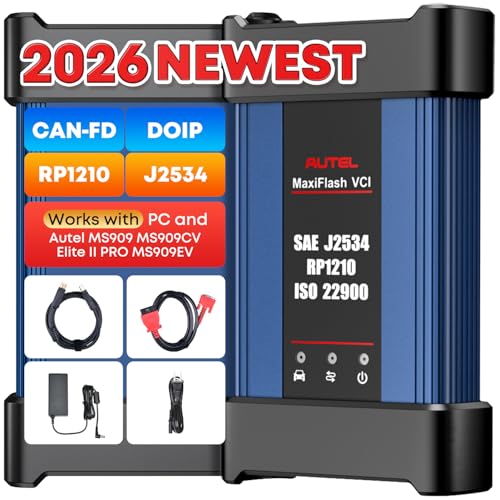
- 🌎【Autel J2534 Pass-Thru Progra.mmer】As an OEM Pass-Thru Progra.mmer Vehicle interface for multiple makes, Autel MaxiFlash J2534 support all J2534 protocols, D-PDU, CAN-FD and DoIP protocols. 2026 newer Autel MaxiFlash J2534 VCI can works with P-C and download OEM vehicle software, seamlessly conduct OE-level diagnostic-progra.mming-c0ding. Also, Work with Elite II Pro/ Ultra Lite/ MS909/ MS909CV/ MS909EV to directly pro.gram on Merce.des-Be.nz & BM.W. Autel J2534 Progr.ammer is a multi-functional device and supports 10+ major brands, including for Hond.a, G.M, LandRo.ver, BM.W, Chrysl.er, For.d, Hyun.dai, Ki.a, Merc.edes B.enz, Toyot.a, Volksw.agen etc.
- 🌎【Enhanced Protocol: J2534/D-PDU/RP1210/CAN FD/DoIP】Autel MaxiFlash JVCI is a blueto.oth communicate device, it supports latest CAN FD DoIP CAN protocols, compliant with automotive D-PDU/ J2534/ RP1210 standards. It can perform standard PassThru J2534 functions: compatible with Toyota Techstream, Volvo VIDA, Honda HDS, Jaguar Land Rover IDS and BM.W 3G for OEM diagnostics. CAN FD protocol is mainly for GM 2019+, DoIP protocol is mainly for Volvo 2018+, for L-and Rover/for Jaguar 2017+, for BM.W F chassis and G chassis.
- 🌎【Compatible with P-C/ WIND.OWS 】The Autel J2534 VCI can be connected to a compu.ter via a data cable; once the corresponding OEM software is installed, it enables do advanced progr.amming and c0ding on your vehicles. Easy Steps: 1) Connect to P-C via a USB cable 2) download OEM vehicle software 3) Start Diagnose. Take For.d for example, you can download OEM software on mot.orcraft.erservi.ce website, such as: For.d Diagnostic Software downloads, As B.uilt Data, Updated Cali.bration information, then use different software do relevant features.
- 🌎【Work with Autel Elite II Pro/ Ultra Lite/ MS909/ MS909CV/ MS909EV】This 2026 latest Autel J2534 Pass-Thru VCI is 100% compatible with Autel Elite II Pro Ultra Lite MS909 MS909CV MS909EV to perform advanced functions from diagnose to progra.mming.
SEOCONTENT-START
Bulletin Number: 09-94-22; Date: 01/24/23 Page 1 of 12 SERVICE BULLETIN Continued… CAUTION: VEHICLE SERVICING PERFORMED BY UNTRAINED PERSONS COULD RESULT IN SERIOUS INJURY TO THOSE PERSONS OR TO OTHERS. Subaru Service Bulletins are intended for use by professional technicians ONLY. They are written to inform those technicians of conditions that may occur in some vehicles, or to provide information that could assist in the proper servicing of the vehicle. Properly trained technicians have the equipment, tools, safety instructions, and know-how to do the job correctly and safely. If a condition is described, DO NOT assume that this Service Bulletin applies to your vehicle, or that your vehicle will have that condition. Subaru of America, Inc. is ISO 14001 Compliant ISO 14001 is the international standard for excellence in Environmental Management Systems. Please recycle or dispose of automotive products in a manner that is friendly to our environment and in accordance with all local, state and federal laws and regulations. NUMBER: 09-94-22 DATE: 01/24/23 APPLICABILITY: 2022MY WRX SUBJECT: Engine in Fail-Safe Mode / DTCs P0088, P0087, P0021, P0014, P0011, P0024, P1604, P0016,P0017, P0018, P0019, P0128, & P050B INTRODUCTION: This bulletin announces the availability of new reprograming files for the Engine Control Module (ECM) developed to remedy the following DTCs: • P0088: Fuel Rail/System Pressure – Too High Bank 1 • P0087: Fuel Rail/System Pressure – Too Low Bank 1 • P0011: “A” Camshaft Position – Timing Over-Advanced Or System Performance Bank 1 • P0021: “A” Camshaft Position – Timing Over-Advanced Or System Performance Bank 2 • P0014: “B” Camshaft Position – Timing Over-Advanced Or System Performance Bank 1 • P0024: “B” Camshaft Position – Timing Over-Advanced Or System Performance Bank 2 • P0016: Crankshaft Position – Camshaft Position Correlation Bank 1 Sensor A • P0017: Crankshaft Position – Camshaft Position Correlation Bank 1 Sensor B • P0018: Crankshaft Position – Camshaft Position Correlation Bank 2 Sensor A • P0019: Crankshaft Position – Camshaft Position Correlation Bank 2 Sensor B • P0128: Coolant Thermostat – Engine Coolant Temperature Below Thermostat Regulating Temperature. • P050B: Cold Start Ignition Timing Performance These files contain enhanced logic to providing a more precise fuel pressure detection program to help prevent any unnecessary DTCs. If any of the DTCs listed above are found to be stored in the ECM, follow the procedures outlined below. ATTENTION: GENERAL MANAGER q PARTS MANAGER q CLAIMS PERSONNEL q SERVICE MANAGER q IMPORTANT – All Service Personnel Should Read and Initial in the boxes provided, right. ©2022 Subaru of America, Inc. All rights reserved. Bulletin Number: 09-94-22; Date: 01/24/23 Page 2 of 12 PRODUCTION CHANGE INFORMATION: The new programing files have been incorporated into vehicle production as per the table below. MY Model Transmission Starting VIN 22 WRX MT N9019307 CVT N8019298 PACK FILE APPLICABILITY: MY Model Trans File Description Decryption Keyword New CID # 22 WRX CVT 22765AR884.pk2 A1D47BEA LHGHA10C00G MT 22765AR894.pk2 8C3B9B77 LHGHA10B00G These new files are included in the July 2022 SSM software update. SERVICE PROCEDURE / INFORMATION: Continued… Bulletin Number: 09-94-22; Date: 01/24/23 Page 3 of 12 Continued… (*1) Instructions on how to perform and read the OBD MODE test results. This procedure will be required when performing the diagnostic Steps outlined below. Read the following data monitor values: 1. MID – $35 TID – $8B 2. MID – $35 TID – $8C 3. MID – $35 TID – $8D 4. MID – $35 TID – $8E 5. MID – $36 TID – $8B 6. MID – $36 TID – $8C 7. MID – $36 TID – $8D 8. MID – $36 TID – $8E Bulletin Number: 09-94-22; Date: 01/24/23 Page 4 of 12 Continued… STEP 1: Are DTCs P0016,17,18 or 19 found to be displayed within the fault memory? NO – Perform the reprograming procedure outlined in STEP 2 ONLY. The service procedure is finished, no further action is required. YES – Proceed to STEP 2 and continue to the proceeding steps. STEP 2: Reprogram the ECM following the normal FlashWrite procedure. Subaru of America, Inc. (SOA) highly recommends connecting either the Subaru Midtronics DCA8000 Dynamic Diagnostic Charging System or the Subaru Midtronics GR8-1100 Diagnostic Battery Charger to the vehicle and utilizing the Power Supply Mode feature anytime a vehicle control module is being reprogrammed. Once the Midtronics charger is connected to the vehicle, if the battery is fully charged, it takes less than three (3) minutes to boot-up the charger, select the Power Supply Mode, and have the battery voltage stabilized and ready for reprogramming. NOTES: • For instructions on using the Power Supply Mode, reference the applicable User Manual for the Midtronics DCA-8000 Dynamic Diagnostic Charging System and the Midtronics GR8- 1100 Diagnostic Battery Charger on STIS. • Confirm all electrical loads such as lights, audio, HVAC, seat heaters, and rear defroster are all switched OFF before setting up the charger for Power Supply Mode. • Select the correct battery type (Enhanced Flooded, Flooded, Gel, AGM or AGM Spiral). • Input the CCA which matches the vehicle’s battery. NOTE: OE and replacement batteries have different CCA ratings. Always confirm the battery’s CCA rating before proceeding. • If using a DCA-8000 Dynamic Diagnostic Charging System, set the power supply voltage to 13.5 Volts. • DO NOT connect the DST-i or DST-010 until the Power Supply mode function has completed its battery test mode and the Charging Voltage has dropped to and shows a steady 13.5 Volts on the display. • Once Power Supply Mode reaches a steady 13.5 Volts, connect the DST-i or DST-010 to the OBD connector and proceed with initiating the normal FlashWrite reprogramming process. • Amperage will fluctuate based upon the vehicle’s demand for power. NOTE: If the voltage rises beyond 14 Volts while programming is in process, the procedure will abort. This can indicate a need to test or charge the vehicle battery before any further attempt at programming is made. • ALWAYS set the power supply voltage to 13.5 Volts when using Power Supply Mode. NEVER turn the ignition switch on when charging at voltages 15 Volts or higher. REMINDER: If the DCA-8000 or GR8-1100 indicates the vehicle’s battery must be charged, charge Bulletin Number: 09-94-22; Date: 01/24/23 Page 5 of 12 Continued… the battery fully before proceeding to reprogram the vehicle while using the Power Supply Mode. NOTE: Control module failures resulting from battery discharge during reprogramming are not a matter for warranty. Should any DTCs reset after the reprogramming update is performed, diagnose per the procedure outlined in the applicable Service Manual. VERY IMPORTANT: This information is applicable to the Subaru Midtronics DCA-8000 Dynamic Diagnostic Charging System and the Subaru Midtronics GR8-1100 Diagnostic Battery Charger ONLY. It does not apply to any other brand / type of “generic” battery charger whatsoever. ONLY the DCA-8000 and the GR8- 1100 and their Power Supply Mode feature have been tested and approved by SOA. End of procedure for vehicles WITHOUT DTCs P0016, P0017, P0018, or P0019 store in the ECM. STEP 3: Using SSM, read the value the following four data monitor items (ALWAYS Save SSM Data): 1. VVT Initial Position Learning Value #1 2. VVT Initial Position Learning Value #2 3. VVT EX Initial Position Learning Value #1 4. VVT EX Initial Position Learning Value #2 Are all of the data monitor item values within the acceptable range listed in the table above? YES – proceed to STEP 5. NO – proceed to STEP 4. STEP 4: Perform the procedures outlined in “#7 INSPECTION MODE N” and “#12 INSPECTION MODE T”. Then re-check the threshold values in STEP 3 along with the OBD MODE test results (*1) “#7 INSPECTION MODE N” procedure. Using the applicable Service Manual, refer to: DIAGNOSTICS > ENGINE> Inspection Mode > #7 INSPECTION MODE N A. Confirm the battery voltage is 12 Volts or more and the fuel tank is at least half full. B. Using SSM, clear the fault memory. Prepare the SSM to be kept in the vehicle during the following road test. Bulletin Number: 09-94-22; Date: 01/24/23 Page 6 of 12 Continued… C. With gear selector in the park position (neutral for MT models), idle the engine at approximately 2500 rpm for 40 seconds or more. D. Move the gear selector into the drive position (appropriate gear range for MT models. Accelerate the vehicle to 31 mph or more. E. When the vehicle speed is 31 mph or more, release the accelerator pedal and brake pedal (and clutch for MT models) and allow the vehicle to decelerate with any gear shift changes. Maintain the engine speed between 2500 rpm to 1900 rpm for 5 seconds during this deceleration. NOTE: Depending on road conditions, an appropriate gear might have to be selected to maintain the desired engine speed. The vehicle speed is not important as long as the engine speed is within range during the declaration. F. In a suitable area, safely bring the vehicle full stop and allow it to idle for 5 minutes. “#7 INSPECTION MODE N” procedure is complete. Proceed to “#12 INSPECTION MODE T” procedure. “#12 INSPECTION MODE T” procedure. Using the applicable Service Manual, refer to: DIAGNOSTICS > ENGINE> Inspection Mode > #12 INSPECTION MODE T A. Confirm the battery voltage is 12 Volts or more the fuel is at least half full. B. Start the engine. C. Allow the engine to idle for at least 3 minutes. D. Accelerate the vehicle speed to approximately 37 mph. E. While maintaining approximately 37 mph, cycle the accelerator from a 0% to 20% opening angle. Try to keep these cycles within 5 second intervals. Maintain this driving pattern for 20 minutes or more. NOTE: It is acceptable to stop the vehicle if needed depending on road/traffic conditions during this driving pattern. F. Release the accelerator pedal and brake pedal (and clutch for MT models) and allow the vehicle to decelerate with any gear shift changes. G. In a suitable area, safely bring the vehicle full stop and turn off the engine. Bulletin Number: 09-94-22; Date: 01/24/23 Page 7 of 12 Continued… “#12 INSPECTION MODE T” procedure is complete. Read the threshold values from STEP 3 (pictured below) and the OBD MODE test results (*1) Are all of the data monitor item values within the acceptable range listed in the table below? Are the threshold values between -1500 to + 1500? YES – The procedure is FINISHED. NO – Repeat STEP 4 ONE TIME ONLY and if the result answer is still “NO”, proceed to STEP 6. STEP 5: Perform the “#7 INSPECTION MODE N” and “#12 INSPECTION MODE T” procedure. “#7 INSPECTION MODE N” procedure. Using the applicable Service Manual, refer to: DIAGNOSTICS > ENGINE> Inspection Mode > #7 INSPECTION MODE N A. Confirm the battery voltage is 12 Volts or more the fuel is at least half full. B. Using SSM, clear the fault memory. Prepare the SSM to be kept in the vehicle during the following road test. C. With gear selector in the park position (neutral for MT models), idle the engine at approximately 2500 rpm for 40 seconds or more. D. Move the gear selector into the drive position (appropriate gear range for MT models. Accelerate the vehicle to 31 mph or more. Bulletin Number: 09-94-22; Date: 01/24/23 Page 8 of 12 Continued… E. When the vehicle speed is 31 mph or more, release the accelerator pedal and brake pedal (and clutch for MT models) and allow the vehicle to decelerate without any gear shift changes. Maintain the engine speed between 2500 rpm to 1900 rpm for 5 seconds during this deceleration. NOTE: Depending on road conditions, an appropriate gear might have to be selected to maintain the desired engine speed. The vehicle speed is not important as long as the engine speed is within range during the declaration. F. In a suitable area, safely bring the vehicle full stop and allow it to idle for 5 minutes. “#7 INSPECTION MODE N” procedure is complete. Proceed to “#12 INSPECTION MODE T” procedure. “#12 INSPECTION MODE T” procedure. Using the applicable Service Manual, refer to: DIAGNOSTICS > ENGINE> Inspection Mode > #12 INSPECTION MODE T H. Confirm the battery voltage is 12 Volts or more the fuel is at least half full. I. Start the engine. J. Allow the engine to idle for at least 3 minutes. K. Accelerate the vehicle speed to approximately 37 mph. L. While maintaining approximately 37 mph, cycle the accelerator from a 0% to 20% opening angle. Try to keep these cycles within 5 second intervals. Maintain this driving pattern for 20 minutes or more. NOTE: It is acceptable to stop the vehicle if needed depending on road/traffic conditions during this driving pattern. M. Release the accelerator pedal and brake pedal (and clutch for MT models) and allow the vehicle to decelerate with any gear shift changes. N. In a suitable area, safely bring the vehicle full stop and turn off the engine. “#12 INSPECTION MODE T” procedure is complete. Bulletin Number: 09-94-22; Date: 01/24/23 Page 9 of 12 Continued… O. Using SSM, select Diagnosis > Each System > Engine > DTC > Readiness Code P. Read the readiness codes for P0016, P0017, P0018, P0019, P000A, P000B, P000C, and P000D. Confirm the self-diagnosis is complete and that the codes are not pending. Q. Check the DTC and data monitor threshold values. Using SSM, select Diagnosis > Select Vehicle > OBD System – Each System > ECM-EngineControl > OBD MODE test results (*1) Are there NO DTCs present and the threshold values between -1500 to + 1500? YES – The procedure is FINISHED. NO – Proceed to STEP 6 STEP 6: Inspect the engine oil level and condition. IMPORTANT: If the engine oil and filter were replaced prior to diagnosis, there is no need for inspection. Proceed to STEP: 7. Is there any abnormal condition or Inappropriate oil level?? YES – Perform the engine oil and filter change. Repeat STEP 4 and STEP 5, then continue diagnosis. NO – Proceed to STEP 7 Bulletin Number: 09-94-22; Date: 01/24/23 Page 10 of 12 Continued… STEP 7: Performed the outlined timing chain inspection outlined below: IMPORTANT: If the timing chain was replaced prior to diagnosis, there is no need to perform the inspection. Proceed to STEP 8. A. Using SSM, clear the fault memory. B. Switch the ignition to the “OFF” position. C. Disconnect the oil control solenoid valve connector on the bank with associated DTC. D. Switch the ignition switch to the “ON” position. E. Using SSM and the engine not running, read the “VVT Advance Angle Value” data monitor value. F. Start the engine and read the “VVT Advance Angle Value” data monitor value for a duration of 10 seconds. G. Switch the ignition to the “OFF” position. Is the “VVT Advance Angle Value” data monitor value out of -10 degrees to +10 degrees? YES – Adjust and / repair the timing chain as needed. Repeat STEP 4 and STEP 5, then continue diagnosis. NO – Proceed to STEP 8. STEP 8: Perform a visual inspection of the engine harness and the connectors specified below for any physical damage. IMPORTANT: If the engine harness was replaced prior to diagnosis, there is no need to perform the inspection. Proceed to STEP 9. Connectors: • ECM • Oil Control Solenoid • CAM Position Sensor • Crank Position Sensor Was there any damage found? YES – Repair the damaged harness and / or connector. Repeat STEP 4 and STEP 5, then continue diagnosis. NO – Proceed to STEP 9. STEP 9: Perform the following Ohm tests: Bulletin Number: 09-94-22; Date: 01/24/23 Page 11 of 12 Continued… A. Switch the ignition to the “OFF” position. B. Disconnect the ECM and the Crank Position Sensor. Disconnect the Oil Control Valve and Cam Position Sensor associated with the DTC. C. Measure the resistance between the following and record the results: Connector E158 Pin 99 & Connector E38 Pin 2 Connector E158 Pin 78 & Connector E36 Pin 2 Connector E158 Pin 66 & Connector E10 Pin 1 Are there resistance values 1 Ohm or higher? YES – Replace the damaged harness. Repeat STEP 4 and STEP 5, then continue diagnosis. NO – Proceed to STEP 10. STEP 10: Perform and engine oil pressure test as per the applicable Service Manual: Engine > Mechanical > Engine Oil Pressure > INSPECTION Was the engine oil pressure found to be within specification? NO – Inspect the engine oil strainer. Clean or replace any needed parts depending on the inspection results. Repeat STEP 4 and STEP 5, then continue diagnosis. YES – Proceed to inspect the items listed below in the following order. Clean or replace the needed parts depending on the inspection results. Repeat STEP 4 or STEP 5, then continue diagnosis. • Oil Passages in the Chain Cover • Oil Passages in the Cam Sprocket • Cam Carriers (possible scoring) Bulletin Number: 09-94-22; Date: 01/24/23 Page 12 of 12 WARRANTY / CLAIM INFORMATION: For vehicles within the Basic New Car Limited Warranty period, Emissions Defect Warranty or covered by an active Subaru Added Security Classic or Gold plan, this repair may be submitted using the following claim information: For ECM reprograming ONLY Labor Description Labor Operation # Labor Time Fail Code REPROGRAMMING, ENGINE CONTROL MODULE* A455-288 .4 UPG-48 *New/Installed CID number will be required for claim submission For Situations Continuing after Step 4 or 5 of the Work Procedure. When further Diagnosis and repairs are needed an additional job line / repair claim can be submitted. Please refer to the Subaru Labor Time Guide for warranty time and coverage. Below is a possible EXAMPLE. For vehicles within the Basic New Car Limited Warranty period or covered by an active Subaru Added Security Classic or Gold plan, a repair may be submitted using the following claim information: Labor Description Labor Operation # Labor Time Fail Code OBDII OIL CHANGE TO FIX AVCS OPERATION A455-443 1.0 BAT-42 IMPORTANT REMINDERS: • SOA strongly discourages the printing and/or local storage of service information as previously released information and electronic publications may be updated at any time. • Always check for any open recalls or campaigns anytime a vehicle is in for servicing. • Always refer to STIS for the latest service information before performing any repairs.
SEOCONTENT-END
This product presentation was made with AAWP plugin.