
NHTSA ID Number: 10237299
Manufacturer Communication Number: 15-309-23R
Summary
This Service Information Bulletin has been developed to outline the steps for gathering basic but essential information during diagnosis of Infotainment concerns.
NUMBER: 15-309-23R
DATE: 04/24/23
REVISED: 05/26/23
| APPLICABILITY: | Models with Solterra Infotainment |
| SUBJECT: | Solterra Audio / Navigation Head Unit Data Collection and Sharing Procedure utilizing TechShare Infotainment Portal |
INTRODUCTION:
This Service Information Bulletin has been developed to outline the steps for gathering basic but essential information during diagnosis of Infotainment concerns. The information collected will be used to escalate potential software or phone side concerns. In some cases, these escalations will lead to future software releases improving the infotainment system performance.
Anytime a repair is made to the Infotainment system, it must start with a clear understanding of the concern reported by the customer and the steps to duplicate it. As with any repair, the second step after understanding the concern is to duplicate it and determine if it is an operating characteristic or unexpected operation. If the condition reported is an expected operating characteristic, this should always be demonstrated to the customer to confirm their understanding before releasing the vehicle.
Successful repair of a customer’s Infotainment concern can only be achieved by following a proven diagnostic strategy covered by this procedure.
Concern description, Date and Time of duplication, Data log are essential elements for understanding the customer concern and must be included with all submissions.
Various resources are available to help diagnose and repair the Infotainment system: TSBs, TechTIPS, Techline and DSQMs.
Subarunet->Service Operations & Technical -> Forms/Downloads or Subarunet->Service Operations & Technical -> STIS
SERVICE INFORMATION:
REMINDER: Customer satisfaction and retention starts with performing quality repairs.
- Always confirm the condition as reported by the customer.
- Always document the date and time of the last concern duplication and collect the data log.
- Always attempt to use customer’s setup and equipment for concern duplication. If you can’t use the customer’s phone make sure the phone you test with is as close a match as possible by using a phone with the same make, operating system, and carrier version.
- Always document the concern by capturing the steps leading to duplication and when possible, record a video of concern.
- Make sure the concern is not due to the setup or the customer’s accessory/phone. As an example does the condition occur with all phones, all phones of the same type or just the customer’s phone that are connected in a similar way.
- Always document Infotainment system software version and accessory details: make, model, software version.
- Always document the date and time of the last concern duplication and collect the data log.
It is IMPORTANT to understand some conditions cannot be resolved in the field solely by parts replacement. Some of these situations will require a Techline assistance or assistance from the DSQM. Those are the times, when getting essential data about the concern as well as the diagnostic performed are the most critical.
Subarunet->Service Operations & Technical -> Forms/Downloads or Subarunet->Service Operations & Technical -> STIS
If you’d like to request assistance from Techline regarding an infotainment case, please have all your files and documents and submit an infotainment case online through the TechShare website. If the vehicle has been in with previous infotainment concerns, please have the previous repair order information available. If you have any issues with the process or technical issues, please contact Techline.
Please keep in mind the basic essential information has to be captured to enable assistance as well as report a concern. Following the steps outlined below should be a good start.
STEPS TO GATHER BASIC INFORMATION
Refer to the Information In PDF below…
1 Affected Product
Vehicle
| MAKE | MODEL | YEAR |
| SUBARU | SOLTERRA | 2023 |
1 Associated Document
Manufacturer Communications
NUMBER: 15-309-23R
DATE: 04/24/23
REVISED: 05/26/23
MC-10237299-0001.pdf 1914.979KB
NHTSA ID Number: 10235301
Manufacturer Communication Number: 15-309-23
Summary
This Bulletin has been developed to outline the steps for gathering basic but essential information during diagnosis of Infotainment concerns.
1 Associated Document
Manufacturer Communications
NUMBER: 15-309-23
DATE: 04/24/23
MC-10235301-0001.pdf 972.915KB

- [Easy to Use—Work Out of the Box] + [FOXWELL 2026 New Version] FOXWELL NT604 Elite scan tool is the 2026 new version from FOXWELL, designed for car owners who want to figure out the cause of issues before fixing car problems by scanning common systems like ABS, SRS, engine, and transmission. The NT604 Elite obd2 scanner diagnostic tool comes with the latest software—no need to waste time downloading software first. Plug the scanner into the OBDII port with OBDII cable to start the diagnosis.
- [Affordable] + [Reliable Car Health Monitor] Will you be confused what happens when the warning light of ABS/SRS/transmission/check engine flashes? Instead of taking your cars to dealership, this FOXWELL scanner will help you do a thorough scanning and detection for your cars and pinpoint the root cause. Note:The device is a diagnostic tool, not a repair tool. To turn off a warning light, you must first physically repair the issue causing it. Only then can the scanner be used to clear the corresponding fault code.
- [5 in 1 Car Diagnostic Scanner] Compared with obd scanners (50-100), NT604 Elite code scanner not only includes their OBDII diagnosis but also serves as ABS/SRS scanner, transmission and check engine code reader. When it’s an odb2 scanner, you can use it to check if your car is ready for annual test through I/M readiness menu. In addition, live data stream, built-in DTC library, data play back and print, all these features are a big plus for it. Note: doesn't support maintenance functions like reset or relearn. For the SRS system, NT604 Elite can read and clear common fault codes not caused by a crash, but crash/collision data cannot be cleared.
- [Fantastic AUTOVIN] + [No extra software fee] Through the AUTOVIN menu, this NT604 Elite car scanner allows you to get your V-IN and vehicle info rapidly, no need to take time to find your V-IN and input one by one. What's more, the NT604 Elite ABS SRS scanner supports 60+ car brands from worldwide (America/Asia/Europe). You don’t need to pay extra software fee. AUTOVIN may not work on some older vehicles or certain vehicle brands. If AUTOVIN fails, please input the vin code manually or go to the Diagnostic Menu to select your vehicle model.
- [Solid protective case KO plastic carrying bag] + [Lifetime update] Almost all same price-level car scanner diagnostic tool only offers plastic bag to hold the scanner.However, NT604 Elite automotive scanner is equipped with solid protective case, preventing your obd2 scanner from damage. Then you don’t need to pay extra money to buy a solid toolbox.

- 【Reset ABS/SRS/Transmission/Engine Lights】 More than an check engine code reader, OBDMATE OM901 obd2 scanner performs comprehensive diagnostics for the 4 most-used systems (ABS/SRS/Engine/Transmission). It quickly clears fault codes, turns off warning lights, read data stream and auto VIN.
- 【3.5" Handheld Scanner with 4 System Diagnose】 3.5" Super large TFT screen equipped displays an intuitive menu and clear readings of various sensors from ABS, SRS, ECM and TCM
 systems. It arrived with a silicone protective case and hard-shell carrying case, ensuring long-lived durability and drop resistance. The car diagnostic tool is plug-to-play designed, plug it and get diagnosis started without any batteries or updates required.
 - 【One-Click I/M Readines&Full OBD2 Functions】 Press F1 to get an intuitive corloured form about whether various emissions-related systems on the vehicle are operating properly. Help you get smog-check ready quickly. OM901 car scanner supports all essential OBD2 functions you need: read & clear codes, view freeze frame, read I/M readiness, retrieve VIN, live data stream (with graphing display), O2 sensor test, onboard monitoring mode, and EVAP leak test.
- 【Battery Voltage Check&DLC Pin Test】 It allows you to monitor battery health by testing current battery voltage. Plus, this obd2 diagnostic tool features DLC 16-PIN test to check current voltage of every pin.
- 【Automotive Scanner Diagnostic Kit】 The package comes with 1 car scanner, 1 USB-type c cable, 1 hard storage bag and 1 user manual(en). Free to update without any hidden fees. 5 languanges available in setting including English, French, Italian, German and Espanish. Valuable and Portable, making it a great tool kit for car owners, DIY enthusiasts, and professional mechanics.
 systems. It arrived with a silicone protective case and hard-shell carrying case, ensuring long-lived durability and drop resistance. The car diagnostic tool is plug-to-play designed, plug it and get diagnosis started without any
- [Diagnose Like a Pro] BlueDriver Pro is a professional OBD2 scanner and diagnostic tool that helps you scan, understand, and clear vehicle trouble codes with confidence. Turn your phone into a powerful car diagnostic scanner—no guesswork, no unnecessary repairs.
- [Read and Clear More Codes Than Ever] Read and clear more codes than basic car code readers. Access enhanced diagnostics for Check Engine, ABS, SRS, Airbag, TPMS, Transmission.
- [Verified Fixes and Real-Time Data] Get unlimited, technician-verified repair reports matched to your VIN, with definitions, causes, and confirmed fixes. Monitor live vehicle data as you drive, view freeze frames, check smog readiness, and analyze Mode 6 test results.
- [Wireless & Bluetooth Enabled] - Say goodbye to wires. BlueDriver connects with Bluetooth via your phone/tablet to a sensor that plugs into your car's OBDII port. Get all of the capabilities of an expensive code reader & scan tool without any annoying wires.
- [Broad Make & Model Coverage] Strong support for GM, Ford, Stellantis (RAM, Jeep, Chrysler), Toyota, Honda, Nissan, Mazda, Subaru, Hyundai, Mercedes-Benz, BMW, and VW.
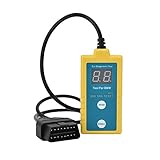
- ✔️【Professional SRS Reset for 1994-2003 BMW】 Designed specifically for classic BMW models (1994-2003). This B800 scanner reads & clears SRS airbag fault codes, turns off the warning light, and saves you a costly dealer visit. Confirmed compatible with: E36, E46 (EXCEPT 2001 330i), E34, E38, E39, Z3, and X5 (E53). NOT compatible with any BMW built before 1994 or after 2003.
- ✔️【Important: Two Different Connection Ports – Read Before Use】 To avoid “not working” issues, please note: For 1994–2000 BMWs (most E36, E34, Z3, early E39), the SRS diagnostic port is a round 20-pin connector under the hood. You MUST use the included 16-pin to 20-pin adapter cable. For 2000–2003 models (late E46, E39, X5), use the standard OBD-II port inside the cabin. Incorrect connection is the #1 reason for “incompatibility” reports.
- ✔️【Read & Clear Fault Codes in Minutes】 Quickly diagnose why your SRS light is on. The scanner accurately reads fault codes from airbag and seatbelt pretensioner systems. With one button press, clear the codes and reset the SRS warning light in seconds. No expensive dealer tools needed.
- ✔️【User-Friendly for DIYers – No Mechanic Required】 Easy operation with an intuitive button layout: ‘Enter’ to confirm, ‘Scroll’ to navigate. The clear LCD screen shows results instantly. Includes a step-by-step manual (revised for clarity) to guide you through the entire reset process.
- ✔️【Reliable Support with 1-Year Warranty】 We stand behind the quality of our B800 scanner. It comes with a 1-Year Hassle-Free Warranty. If you have any questions or need support, please contact us with your Order ID, and our dedicated team will assist you promptly.
- OBD2 SCANNER FOR ALL SYSTEMS – The INNOVA SD35 is a tablet-based OBD2 scanner designed for advanced diagnostics. Read and clear check engine light, ABS, SRS, and TPMS codes, plus test your car battery and alternator to prevent unexpected failures. Vehicle coverage may vary. Please use Innova’s Coverage Checker to verify compatibility.
- ALL-SYSTEM DIAGNOSTICS & LIVE DATA – Unlike basic code readers, this OBD2 scanner for all vehicles scans engine, transmission, ABS, SRS, and more. Get real-time live data, including RPM, fuel trims, temperature readings, and oxygen sensor performance.
- OBD2 TABLET WITH USER-FRIENDLY INTERFACE – This automotive scan tool features a high-resolution display, making vehicle diagnostics faster and easier.
- ADVANCED TPMS, OIL RESET & SERVICE FUNCTIONS – Perform TPMS sensor checks, oil light reset, and other service resets with ease This professional diagnostic tool provides comprehensive vehicle maintenance capabilities in one device.
- WIDE VEHICLE COVERAGE (1996 & NEWER CARS & TRUCKS) – This OBD2 scanner Bluetooth tablet is compatible with Toyota, Ford, Honda, Chevrolet, Nissan, Dodge, and more. However, feature coverage may vary. Please use Innova's Coverage Checker to verify coverage.
SEOCONTENT-START
Bulletin Number: 15-309-23R; Revised: 05/26/23 Page 1 of 14 SERVICE INFORMATION BULLETIN Continued… CAUTION: VEHICLE SERVICING PERFORMED BY UNTRAINED PERSONS COULD RESULT IN SERIOUS INJURY TO THOSE PERSONS OR TO OTHERS. Subaru Service Bulletins are intended for use by professional technicians ONLY. They are written to inform those technicians of conditions that may occur in some vehicles, or to provide information that could assist in the proper servicing of the vehicle. Properly trained technicians have the equipment, tools, safety instructions, and know-how to do the job correctly and safely. If a condition is described, DO NOT assume that this Service Bulletin applies to your vehicle, or that your vehicle will have that condition. Subaru of America, Inc. is ISO 14001 Compliant ISO 14001 is the international standard for excellence in Environmental Management Systems. Please recycle or dispose of automotive products in a manner that is friendly to our environment and in accordance with all local, state and federal laws and regulations. NUMBER: 15-309-23R DATE: 04/24/23 REVISED: 05/26/23 APPLICABILITY: Models with Solterra Infotainment SUBJECT: Solterra Audio / Navigation Head Unit Data Collection and Sharing Procedure utilizing TechShare Infotainment Portal INTRODUCTION: This Service Information Bulletin has been developed to outline the steps for gathering basic but essential information during diagnosis of Infotainment concerns. The information collected will be used to escalate potential software or phone side concerns. In some cases, these escalations will lead to future software releases improving the infotainment system performance. Anytime a repair is made to the Infotainment system, it must start with a clear understanding of the concern reported by the customer and the steps to duplicate it. As with any repair, the second step after understanding the concern is to duplicate it and determine if it is an operating characteristic or unexpected operation. If the condition reported is an expected operating characteristic, this should always be demonstrated to the customer to confirm their understanding before releasing the vehicle. Successful repair of a customer’s Infotainment concern can only be achieved by following a proven diagnostic strategy covered by this procedure. Concern description, Date and Time of duplication, Data log are essential elements for understanding the customer concern and must be included with all submissions. Various resources are available to help diagnose and repair the Infotainment system: TSBs, TechTIPS, Techline and DSQMs. ATTENTION: GENERAL MANAGER q PARTS MANAGER q CLAIMS PERSONNEL q SERVICE MANAGER q IMPORTANT – All Service Personnel Should Read and Initial in the boxes provided, right. ©2023 Subaru of America, Inc. All rights reserved. Bulletin Number: 15-309-23R; Revised: 05/26/23 Page 2 of 14 Continued… Subarunet->Service Operations & Technical -> Forms/Downloads or Subarunet->Service Operations & Technical -> STIS SERVICE INFORMATION: REMINDER: Customer satisfaction and retention starts with performing quality repairs. • Always confirm the condition as reported by the customer. • Always document the date and time of the last concern duplication and collect the data log. • Always attempt to use customer’s setup and equipment for concern duplication. If you can’t use the customer’s phone make sure the phone you test with is as close a match as possible by using a phone with the same make, operating system, and carrier version. • Always document the concern by capturing the steps leading to duplication and when possible, record a video of concern. • Make sure the concern is not due to the setup or the customer’s accessory/phone. As an example does the condition occur with all phones, all phones of the same type or just the customer’s phone that are connected in a similar way. • Always document Infotainment system software version and accessory details: make, model, software version. • Always document the date and time of the last concern duplication and collect the data log. It is IMPORTANT to understand some conditions cannot be resolved in the field solely by parts replacement. Some of these situations will require a Techline assistance or assistance from the DSQM. Those are the times, when getting essential data about the concern as well as the diagnostic performed are the most critical. Bulletin Number: 15-309-23R; Revised: 05/26/23 Page 3 of 14 Continued… Subarunet->Service Operations & Technical -> Forms/Downloads or Subarunet->Service Operations & Technical -> STIS If you’d like to request assistance from Techline regarding an infotainment case, please have all your files and documents and submit an infotainment case online through the TechShare website. If the vehicle has been in with previous infotainment concerns, please have the previous repair order information available. If you have any issues with the process or technical issues, please contact Techline. Please keep in mind the basic essential information has to be captured to enable assistance as well as report a concern. Following the steps outlined below should be a good start. STEPS TO GATHER BASIC INFORMATION ESSENTIAL INFORMATION 1. Obtain a detailed description of the customer concern including steps to duplicate it A. Multiple concerns must be addressed one by one as each may have a unique cause. Consult the customer, if you do not clearly understand each reported concern and document each one separately. Lumping concerns together will delay or prevent review of the reported condition. B. Describe the condition in detail. What is the customer description for what is happening. How would you as a technician describe it. Include notes on the features that are not working but also what is working even when the condition occurs. The table below shows an example of the detail being requested. Level of Details Description Details Not Acceptable No Sound/No Audio Acceptable No sound from SXM radio, but there is sound from AM/FM radio. Ausio streaming is working well. Bulletin Number: 15-309-23R; Revised: 05/26/23 Page 4 of 14 Continued… C. Date/Time: Obtain from the customer the date and time of the last occurrence. The customer may not remember the time of occurrence clearly. In that case, please confirm with the customer whether it was morning or evening and the day of the week etc. D. Data Log: Download Infotainment system Data Log and note the Date/ Time of last occurrence – see Appendix. REMAINING INFORMATION 2. Confirm whether the concern is duplicated at the time of repair A. Note the frequency of occurrence. Is it: Constant or continuous (easily duplicated), Intermittent (happens frequently at least daily but not all the time with a good chance of duplication), or Random (happens with no set occurrence. Could be weekly or monthly. Very hard to duplicate.) 3. Obtain the current Software Version the concern has been duplicated with (Clear photo of the Software Information Screen showing the latest software version is REQUIRED). 4. Obtain the Video of condition being duplicated (may be supplied by the Customer if an intermittent or randomly occurring condition.) A. Verify the date and time of concern duplication. 5. Obtain the Phone Information (Make/ Model/Operating System Version) as applicable A. Screen shot of phone software version screen is BEST. 6. Review Problem Symptoms Table linked in the Repair Manual available on STIS 7. Obtain the Data list with DTCs and Related Troubleshooting Results. A. Always perform diagnosis of current DTCs which may be related. Any electrical concern may be impacting the operation of the audio/ navigation system and must be resolved to eliminate it as a possible source of the condition. Conditions like this can be repaired TODAY. B. Check Vehicle Control History (RoB) (Audio and Visual System) following the Repair Manual available on STIS C. Revise following portal request format D. Attach troubleshooting results for all Bxxxxx and Uxxxxx DTCs infotainment specific B/U codes. Bulletin Number: 15-309-23R; Revised: 05/26/23 Page 5 of 14 Continued… STEPS FOR SUPPLYING INFORMATION USING INFOTAINMENT PORTAL 1) Log into TechShare 2) From the left-hand dropdown menu, navigate to Techline 3) Under the Techline Support Phone Number, click “Create Infotainment Case” 4) Select your Retailer from the dropdown menu 5) Fill out Infotainment Case Form and submit Bulletin Number: 15-309-23R; Revised: 05/26/23 Page 6 of 14 Continued… 6) The technician will receive an email with the Techline case number IMPORTANT NOTE: Please upload all available attachments to complete portal submission data log, video(s), photo(s), Freeze Frame Data, questionnaire etc. Techline will review the data you provided and follow up for additional information if required. Please note your inputs can be helpful in future quality enhancement when provided with sufficient information to SOA. Cases submitted without enough details cannot not be reviewed by SOA quality team for future product enhancements. WARRANTY / CLAIM INFORMATION: For vehicles within the Basic New Car Limited Warranty period, this repair may be submitted using the following claim information: * Operation Description Labor Operation# Fail Code Labor Time • Solterra Head Unit Concern Duplication • Infotainment data log capture and Portal Data Submission A031-100 ZUM-43 1.0 Please put your best effort to collect and share the data via Infotainment portal, because your inputs are used for future product performance improvement as long as you have provided sufficient amount of information. IMPORTANT REMINDERS: • SOA strongly discourages the printing and/or local storage of service information as previously released information and electronic publications may be updated at any time. • Always check for any open recalls or campaigns anytime a vehicle is in for servicing. • Always refer to STIS for the latest service information before performing any repairs. Bulletin Number: 15-309-23R; Revised: 05/26/23 Page 7 of 14 Continued… APPENDIX I. Solterra Head Unit Data Log Collection process Media: I. The USB flash drives can be USB 2.0 or 3.0 of recommended 4GB or more storage capacity. II. The USB flash drive should be reformatted to FAT32 format before loading any files to it. III. Log files are not overly large, 1GB size is sufficient. IV. In case you encounter an error shown below, after accessing USB flash drive from your PC, consider a recovery steps outlined in this section. 1. Recovery steps a. Reformat USB Flash drive to FAT32 format. b. Write any file under 300MB from PC to the USB flash drive, while it is still inserted in the port. c. Properly remove USB flash drive from PC. d. Repeat the data log collection. e. If you are still encountering issues, please use a USB flash drive from another manufacturer. Please note we are still relying on collecting the approximate date and time of the event from the customer, if possible. The data log contains data for approximately 6 weeks depending on the actual use of the system by the customer. Process: The infotainment system has a self-check function (Service Diagnostic Mode), which can be performed on the screen. This function enables functions including checking the system operation status, displaying the system status (Diagnosis Recorder), checking system information (Software Version). There are two methods to access the service mode: using GTS and using the head unit function. Both methods are listed below for your convenience. Bulletin Number: 15-309-23R; Revised: 05/26/23 Page 8 of 14 Continued… I. Access Service Diagnostic Mode • Method 1 (preferred) 1. Use the GTS to navigate to Diagnostic mode- Body Electrical > Navigation System > Utility For the outline of the diagnostic mode, refer to the Service Manual NAVIGATION / MULTI INFO DISPLAY NAVIGATION SYSTEM DIAGNOSIS SYSTEM > ENTER DIAGNOSTIC MODE 2. When diagnosis starts, the “Service Menu” screen is displayed. 3. Proceed to section II. Data log Collection • Method 2 Details of how to enter the diagnostic by flick operations on the multi-display. 1. With the Ignition Switch ON or at ACC, turn off the Audio system by pressing POWER button. Bulletin Number: 15-309-23R; Revised: 05/26/23 Page 9 of 14 Continued… 2. Turn off the Multi-display by selecting display setting off from menu screen. Note: Refer to NAVI handling instructions “Settings and registration (2) < Screen settings (2-6) < Changing the screen display settings”. 3. Flick (swipe) the display 5 times from left to right 4. Flick (swipe) the display 5 times from right to left Make sure to complete operations 3) and 4) within 15 seconds. As soon as entering the diagnosis mode, the “Service Menu” screen is displayed. Note: How to get out of the diagnostic mode: Press and hold POWER button OR turn Ignition Switch OFF. 5. Proceed to section II. Data log Collection Bulletin Number: 15-309-23R; Revised: 05/26/23 Page 10 of 14 Continued… 2-2. Operating “Service Menu” screen 1. Press [Failure Diagnosis] button. 2. Press [Diagnosis Recorder] button. 3. Press [Recording ON/OFF] button to turn OFF. (The green indicator turns off.) Bulletin Number: 15-309-23R; Revised: 05/26/23 Page 11 of 14 Continued… 4. Press and hold the blank space below [Recording ON/OFF] button for 5 seconds until the green indicator in the [Recording ON/OFF] button turns off (hidden command). 5. Confirm all items are ON (with green indicators) then press and hold [OUTPUT] button for 5 seconds. 6. Press [Yes] button. Bulletin Number: 15-309-23R; Revised: 05/26/23 Page 12 of 14 Continued… 7. When a pop-up of [Connect private USB memory] appears, insert an USB memory to the USB port inside the center console. 8. When the USB has been inserted, press [OK] then a blue progress bar is shown. 9. Press [OK] button. 10. Press [Back] button. Bulletin Number: 15-309-23R; Revised: 05/26/23 Page 13 of 14 Continued… 11. Press [Recording ON/OFF] button to turn ON (the green indicator turns on.) 12. Remove the USB memory from the USB port and turn ACC to OFF. 13. Transfer data log data from USB flash drive to PC. Next step is sharing the data log for analysis using Infotainment Portal. See section “II. Data log sharing for analysis” for additional information. II. Data log sharing for analysis It is mandatory to properly complete required fields in order to submit your report. Make sure you include the date of failure duplication, steps to duplicate the failure, system software version. Video of the failure duplication is always a plus. The following instructions will explain how to successfully share the data log using TechShare Infotainment Portal. Attach data log from PC following TechShare directions. Bulletin Number: 15-309-23R; Revised: 05/26/23 Page 14 of 14 It takes under 10 minutes to upload the file depending on its size. Once uploading is completed, the file is listed among attachments as shown below. Apply the same steps, if uploading multiple files to attach to the case for further analysis. Additional information to assist with TechShare application usage is available under “User Documentation” link found in web version as shown below.
**************************************************************************************************************
**************************************************************************************************************
SEOCONTENT-END
This product presentation was made with AAWP plugin.