
NHTSA ID Number: 10168567
Manufacturer Communication Number: 15-228-18R
Summary
This bulletin provides troubleshooting steps to follow when diagnosing a customer concern of the display screen being either frozen (unresponsive) or black (blank). Please start by completing the Harman Investigation Guide Questionnaire as it gathers important details which will help with diagnosis and will be required should the condition not be resolved by this troubleshooting. While completing the questionnaire, follow the question flow based on the customer concern. Answer each related question noting the results to each in detail while performing the diagnostics. Review the entire bulletin before beginning in order to understand the flow for the listed concern. If the concern you have is not listed, check the Service Manual “Infotainment (Diagnostics) > Diagnostics with Phenomena” section as a starting point.

NUMBER: 15-228-18R
DATE: 08/21/18
REVISED: 11/18/19
| APPLICABILITY | 2017-20MY Impreza 2018-20MY Crosstrek 2018-19MY Legacy and Outback 2019-20MY WRX and WRX STI 2019-20MY Ascent 2018-20MY BRZ 2019-20MY Forester |
| SUBJECT: | Harman Audio / Infotainment: Display Screen Freeze-Up or Black (Blank) Concerns |
INTRODUCTION:
This bulletin provides troubleshooting steps to follow when diagnosing a customer concern of the display screen being either frozen (unresponsive) or black (blank). Please start by completing the Harman Investigation Guide Questionnaire as it gathers important details which will help with diagnosis and will be required should the condition not be resolved by this troubleshooting. While completing the questionnaire, follow the question flow based on the customer concern. Answer each related question noting the results to each in detail while performing the diagnostics. Review the entire bulletin before beginning in order to understand the flow for the listed concern. If the concern you have is not listed, check the Service Manual “Infotainment (Diagnostics) > Diagnostics with Phenomena” section as a starting point.
SERVICE PROCEDURE / INFORMATION:
IMPORTANT: Always begin by checking for any open recalls or campaigns related to the audio or audio/navigation system. Any open recall or campaign must be completed first before proceeding with any further diagnosis. If the condition is resolved after completing the recall or campaign, no further action is required. If the condition remains after completing the recall or campaign update, continue to diagnose it with this bulletin procedure.
REMINDER: Customer satisfaction and retention starts with performing quality repairs.
1) Always confirm the condition as reported by the customer.
a. For screen lock-up or freeze symptoms, follow Steps b-g below. If concern is a black or blank head unit display, proceed to Step 2.
b. Can the “freeze” condition be duplicated? If so, please note the steps necessary to duplicate. IMPORTANT: Always confirm the protective film has been removed from the touch screen before proceeding further.
c. Describe the behavior seen during the freeze: Is audio output present? What screen is the system stuck on (e.g. STARLINK splash, Home screen, Phone screen, Map display, etc.)?
d. How long was the system running for before the freeze was observed? Was the screen frozen immediately at start up or after using the system for an extended period of time (If so, specify roughly how long.)?
e. When using the Hard Keys (see image below), does the system respond when pressing any of these? If yes, go to (g) below.
(Image above shows hard keys for 2017 Impreza. Design will vary by model and vehicle line.)
f. Try using the steering wheel controls (e.g. volume, source, voice recognition (VR), etc.) as shown below. Does the system respond when pressing any of these?
(Image to the right shows steering wheel controls for 2017 Impreza. Design will vary by vehicle line.)
g. If the system responds to hard keys and/or steering wheel control inputs, try swapping the head unit from a known good vehicle. If the swapped unit operates normally, request an exchange component.
IMPORTANT CAUTION: Always disconnect the Telematics Data Communication Module (DCM) BEFORE any swapping of head units. DCMs must NEVER be swapped or the customer’s services will not function and DCM replacement may be required to resolve.
h. If the issue persists with a swapped unit installed, follow the Service Manual basic diagnostic procedure for “SCREEN FREEZES AND DOES NOT ACCEPT ANY OPERATION ENTRY”.
2) If a black or blank screen is displayed on the head unit, follow the Service Manual basic diagnostic procedure for “SCREEN IS BLACKED OUT, OR THE SCREEN IS NOT DISPLAYED”. If the cause for the condition cannot be determined by following the Service Manual procedure, try swapping the head unit with a known good unit. If the swapped unit operates normally, request an exchange component.
IMPORTANT CAUTION: Always disconnect the Telematics Data Communication Module (DCM) BEFORE any swapping of head units. DCMs must NEVER be swapped or the customer’s services will not function and DCM replacement may be required to resolve.
If the above steps do not resolve the customer’s concern with lock-up / freeze or black / blank head unit screen display, complete a fresh Harman Investigation Guide Questionnaire documenting the customer’s concern and the results of each diagnostic step in this bulletin. If possible, capture a video of the condition then contact the SOA Techline to review for next steps. Techline will request you send the completed questionnaire, step by step bulletin results and any videos of the condition.
18 Affected Products
Vehicles
| MAKE | MODEL | YEAR |
| SUBARU | ASCENT | 2019-2020 |
| SUBARU | BRZ | 2018-2020 |
| SUBARU | CROSSTREK | 2018-2020 |
| SUBARU | FORESTER | 2019-2020 |
| SUBARU | LEGACY | 2018-2019 |
| SUBARU | OUTBACK | 2018-2019 |
| SUBARU | WRX | 2019-2020 |
| SUBARU | WRX STI | 2019-2020 |
1 Associated Document
Manufacturer Communications
NUMBER: 15-228-18R
DATE: 08/21/18
REVISED: 11/18/19
MC-10168567-0001.pdf 540.477KB
NHTSA ID Number: 10160496
Manufacturer Communication Number: 15-228-18R
Summary
This bulletin provides troubleshooting steps to follow when diagnosing a customer concern of the display screen being either frozen (unresponsive) or black (blank).
1 Associated Document
Manufacturer Communications
NUMBER: 15-228-18R
DATE: 08/21/18
REVISED: 03/13/19
MC-10160496-9999.pdf 535.337KB
NHTSA ID Number: 10146470
Manufacturer Communication Number: 15-228-18R
Summary
This bulletin provides troubleshooting steps to follow when diagnosing a customer concern of the display screen being either frozen (unresponsive) or black (blank). Please start by completing the Harman Investigation Guide Questionnaire as it gathers important details which will help with diagnosis and will be required should the condition not be resolved by this troubleshooting. While completing the questionnaire, follow the question flow based on the customer concern. Answer each related question noting the results to each in detail while performing the diagnostics. Review the entire bulletin before beginning in order to understand the flow for the listed concern. If the concern you have is not listed, check the Service Manual ?Infotainment (Diagnostics) > Diagnostics with Phenomena? section as a starting point.
1 Associated Document
Manufacturer Communications
NUMBER: 15-228-18R
DATE: 08/21/18
REVISED: 09/05/18
MC-10146470-9999.pdf 557.719KB
NHTSA ID Number: 10144886
Manufacturer Communication Number: 15-228-18
Summary
This bulletin provides troubleshooting steps to follow when diagnosing a customer concern of the display screen being either frozen (unresponsive) or black (blank). Please start by completing the Harman Investigation Guide Questionnaire as it gathers important details which will help with diagnosis and will be required should the condition not be resolved by this troubleshooting. While completing the questionnaire, follow the question flow based on the customer concern. Answer each related question noting the results to each in detail while performing the diagnostics. Review the entire bulletin before beginning in order to understand the flow for the listed concern.
1 Associated Document
Manufacturer Communications
NUMBER: 15-228-18
DATE: 08/21/18
MC-10144886-9999.pdf 556.862KB

- 6” high-resolution navigator includes map updates of North America
- Hands-free calling when paired with your compatible smartphone with BLUETOOTH technology and convenient Garmin voice assist lets you ask for directions to places you want to go
- Road trip–ready features include the HISTORY database of notable sites, a U.S. national parks directory, Tripadvisor traveler ratings and millions of Foursquare POIs
- Driver alerts for things such as school zones, sharp curves and speed changes help encourage safer driving and increase situational awareness
- Access live traffic, fuel prices, parking, weather and smart notifications when you pair this navigator with your compatible smartphone running the Garmin Drive app


- Bright, high-resolution 5” glass capacitive touchscreen display lets you easily view your route
- Get more situational awareness with alerts for school zones, speed changes, sharp curves and more
- View food, fuel and rest areas along your active route, and see upcoming cities and milestones
- View Tripadvisor traveler ratings for top-rated restaurants, hotels and attractions to help you make the most of road trips
- Directory of U.S. national parks simplifies navigation to entrances, visitor centers and landmarks within the parks

- 【9-inch HD Large Screen】 The 9-inch HD touchscreen delivers a clearer and broader field of view. This car GPS navigation system provides sharper graphics and more convenient menu navigation, reducing driver distraction and enhancing driving safety
- 【Free Lifetime Map Updates】 This GPS navigation for car comes pre-loaded with the latest 2026 North America maps. We offer free lifetime update services, ensuring your navigation system for vehicle always has the most current road information and points of interest data for accurate route planning
- 【Voice Guidance & Safety Alerts】 Clear turn-by-turn voice prompts assist you in navigating confidently. As a reliable truck GPS, it proactively provides speed limit reminders, red-light camera warnings, and school zone alerts to help you drive safely
- 【Customized Vehicle Route Planning】 This device can create customized routes for cars, trucks, and RVs. By entering vehicle dimensions, it can avoid low bridges, weight-restricted roads, and narrow passages, making it an essential car GPS navigation system for various vehicle types
- 【Smart Search & FM Transmission】 Supports quick destination input via address, zip code, or POI. The built-in FM transmitter clearly broadcasts voice guidance through your car's audio system (Note: This function only transmits audio and is not a standalone FM radio)
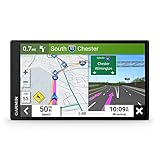
- 7” high-resolution navigator includes map updates of North America .Special Feature:Easy-To-Read Display; Voice Assist; Hands-Free Calling; Live Traffic and Weather; Traffic Cams and Parking; Smart Notifications,Driver Alerts; Tripadvisor; National Parks Directory; Find Places by Name; Garmin Real Directions Feature.
- Hands-free calling when paired with your compatible smartphone with BLUETOOTH technology and convenient Garmin voice assist lets you ask for directions to places you want to go
- Road trip–ready features include the HISTORY database of notable sites, a U.S. national parks directory, Tripadvisor traveler ratings and millions of Foursquare POIs
- Driver alerts for things such as school zones, sharp curves and speed changes help encourage safer driving and increase situational awareness
- Access live traffic, fuel prices, parking, weather and smart notifications when you pair this navigator with your compatible smartphone running the Garmin Drive app

- 【Wireless Apple Carplay & Android Auto】Enjoy seamless wireless carplay and android auto connectivity for your phone's music, map navigation, messages, hands-free Phone Call etc. This portable CarPlay screen for car ensures smooth voice control and effortless integration, making it a versatile car tablet for daily commutes
- 【OTA Updates】Keep your device up to date with over-the-air firmware updates, so you’re always one step ahead. This wireless CarPlay screen automatically pushes new system updates, ensuring long-term compatibility between your phone and Apple CarPlay, Android Auto, and other in-car electronics
- 【Phone Mirroring Link & Four Audio Outputs】This 9-inch CarPlay screen supports mirroring for both iOS and Android phones. The double-DIN car stereo integrates CarPlay functionality while supporting Bluetooth audio, built-in speakers, FM radio, and an AUX port. Enjoy clear, stable music even in noisy environments. Connecting your phone via Bluetooth to the car's Bluetooth system for audio playback through the car speakers is the optimal choice
- 【Real-time GPS Navigation & Backup Camera】The portable Apple carplay screen provides accurate real-time location and GPS navigation without delay when connected to your phone. Allows you to use popular mapping apps such as Google Maps and Waze to provide real-time navigation ( phone connection required). The backup camera accurately and clearly records your entire driving journey, providing you with comprehensive safety protection
- 【Vivid IPS Touchscreen】With a 1280 x 720 resolution, Featuring 550 cd/m² brightness, 1000:1 contrast ratio, and 16.7 million colors, this car tablet reduces glare and offers 18% brighter visuals. Its vibrant, tablet-like display stands out from standard car screens, enhancing visibility for navigation and multimedia
SEOCONTENT-START
Bulletin Number: 15-228-18R; Revised: 11/18/19 Page 1 of 3 NUMBER: 15-228-18R DATE: 08/21/18 REVISED: 11/18/19 APPLICABILITY: 2017-20MY Impreza 2018-20MY Crosstrek 2018-19MY Legacy and Outback 2019-20MY WRX and WRX STI 2019-20MY Ascent 2018-20MY BRZ 2019-20MY Forester SUBJECT: Harman Audio / Infotainment: Display Screen Freeze-Up or Black (Blank) Concerns CAUTION: VEHICLE SERVICING PERFORMED BY UNTRAINED PERSONS COULD RESULT IN SERIOUS INJURY TO THOSE PERSONS OR TO OTHERS. Subaru Service Bulletins are intended for use by professional technicians ONLY. They are written to inform those technicians of conditions that may occur in some vehicles, or to provide information that could assist in the proper servicing of the vehicle. Properly trained technicians have the equipment, tools, safety instructions, and know-how to do the job correctly and safely. If a condition is described, DO NOT assume that this Service Bulletin applies to your vehicle, or that your vehicle will have that condition. Subaru of America, Inc. is ISO 14001 Compliant ISO 14001 is the international standard for excellence in Environmental Management Systems. Please recycle or dispose of automotive products in a manner that is friendly to our environment and in accordance with all local, state and federal laws and regulations. Continued… SERVICE BULLETIN ATTENTION: GENERAL MANAGER q PARTS MANAGER q CLAIMS PERSONNEL q SERVICE MANAGER q IMPORTANT – All Service Personnel Should Read and Initial in the boxes provided, right. © 2018 Subaru of America, Inc. All rights reserved. INTRODUCTION: This bulletin provides troubleshooting steps to follow when diagnosing a customer concern of the display screen being either frozen (unresponsive) or black (blank). Please start by completing the Harman Investigation Guide Questionnaire as it gathers important details which will help with diagnosis and will be required should the condition not be resolved by this troubleshooting. While completing the questionnaire, follow the question flow based on the customer concern. Answer each related question noting the results to each in detail while performing the diagnostics. Review the entire bulletin before beginning in order to understand the flow for the listed concern. If the concern you have is not listed, check the Service Manual “Infotainment (Diagnostics) > Diagnostics with Phenomena” section as a starting point. SERVICE PROCEDURE / INFORMATION: IMPORTANT: Always begin by checking for any open recalls or campaigns related to the audio or audio/navigation system. Any open recall or campaign must be completed first before proceeding with any further diagnosis. If the condition is resolved after completing the recall or campaign, no further action is required. If the condition remains after completing the recall or campaign update, continue to diagnose it with this bulletin procedure. REMINDER: Customer satisfaction and retention starts with performing quality repairs. 1) Always confirm the condition as reported by the customer. a. For screen lock-up or freeze symptoms, follow Steps b-g below. If concern is a black or blank head unit display, proceed to Step 2. Bulletin Number: 15-228-18R; Revised: 11/18/19 Page 2 of 3 Continued… b. Can the “freeze” condition be duplicated? If so, please note the steps necessary to duplicate. IMPORTANT: Always confirm the protective film has been removed from the touch screen before proceeding further. c. Describe the behavior seen during the freeze: Is audio output present? What screen is the system stuck on (e.g. STARLINK splash, Home screen, Phone screen, Map display, etc.)? d. How long was the system running for before the freeze was observed? Was the screen frozen immediately at start up or after using the system for an extended period of time (If so, specify roughly how long.)? e. When using the Hard Keys (see image below), does the system respond when pressing any of these? If yes, go to (g) below. (Image above shows hard keys for 2017 Impreza. Design will vary by model and vehicle line.) f. Try using the steering wheel controls (e.g. volume, source, voice recognition (VR), etc.) as shown below. Does the system respond when pressing any of these? (Image to the right shows steering wheel controls for 2017 Impreza. Design will vary by vehicle line.) g. If the system responds to hard keys and/or steering wheel control inputs, try swapping the head unit from a known good vehicle. If the swapped unit operates normally, request an exchange component. IMPORTANT CAUTION: Always disconnect the Telematics Data Communication Module (DCM) BEFORE any swapping of head units. DCMs must NEVER be swapped or the customer’s services will not function and DCM replacement may be required to resolve. h. If the issue persists with a swapped unit installed, follow the Service Manual basic diagnostic procedure for “SCREEN FREEZES AND DOES NOT ACCEPT ANY OPERATION ENTRY”. Bulletin Number: 15-228-18R; Revised: 11/18/19 Page 3 of 3 2) If a black or blank screen is displayed on the head unit, follow the Service Manual basic diagnostic procedure for “SCREEN IS BLACKED OUT, OR THE SCREEN IS NOT DISPLAYED”. If the cause for the condition cannot be determined by following the Service Manual procedure, try swapping the head unit with a known good unit. If the swapped unit operates normally, request an exchange component. IMPORTANT CAUTION: Always disconnect the Telematics Data Communication Module (DCM) BEFORE any swapping of head units. DCMs must NEVER be swapped or the customer’s services will not function and DCM replacement may be required to resolve. If the above steps do not resolve the customer’s concern with lock-up / freeze or black / blank head unit screen display, complete a fresh Harman Investigation Guide Questionnaire documenting the customer’s concern and the results of each diagnostic step in this bulletin. If possible, capture a video of the condition then contact the SOA Techline to review for next steps. Techline will request you send the completed questionnaire, step by step bulletin results and any videos of the condition. WARRANTY / CLAIM INFORMATION: For vehicles within the Basic New Car Limited Warranty period or covered by an active Subaru Added Security Gold plan, this repair may be submitted using the following claim information: Labor Description Labor Operation # Labor Time Fail Code H/U Type HARMAN DISPLAY SCREEN TROUBLESHOOTING A031-171 0.6 ZRM-43 Base ZRN-43 Plus / Mid ZRO-43 High (w/ Navi) IMPORTANT REMINDERS: • SOA strongly discourages the printing and/or local storage of service information as previously released information and electronic publications may be updated at any time. • Always check for any open recalls or campaigns anytime a vehicle is in for servicing. • Always refer to STIS for the latest service information before performing any repairs.
**************************************************************************************************************
SEOCONTENT-END
This product presentation was made with AAWP plugin.