NHTSA ID Number: 10165543
Manufacturer Communication Number: Subaru TECHTIPS
Summary
Subaru Service and Technical Support Line Newsletter.
1 Affected Product
Vehicle
CODE ARTICLE………………………….PAGE
(00) STIS New Releases………………..8-9
(01) QMR of the Month…………………. 1-2
(01) QMR of the Month Award
Presentations ……………………….. 2
(01) Subaru Select Monitor (SM4)
Unresponsive when Connecting to
Some 2020MY Vehicles…………….. 2
Tech Tips Greatest Tips
(15) HomeLink Mirror Programming
Information………………………….. 3
(15) Swapping Electrical Components: The
Hardest Lessons Learned are Usually
the Most Expensive…………………. 4
(15) Telematics Subscription Error Codes
202 and 204…………………………4-5
(15) Telematics RES Feature Inoperative
and Revised B2A16 Diagnostics…..5-6
(16) 2020MY Legacy and Outback New
CVT Fluid…………………………….. 7
(18) Ascent Sunshade Reinitialization
Procedure Clarification……………… 7
(18) C1532 Trouble Tree Correction…….. 7
SEOCONTENT-START
Subaru Service and Technical Support Line Newsletter
September 2019
01 QMR OF THE MONTH
We are pleased to announce this month’s Winner of QMR of the Month:
Steven Zielinski from
Faulkner Subaru in Harrisburg, PA.
Steven’s winning QMR involved a 2019 Outback 3.6R with a recurring,
intermittent no start and low (or dead) battery concern. After a review of
the vehicle’s prior repair history, he began his diagnosis by connecting
the Midtronics battery charger / tester to rule out a faulty battery. Both
the battery and charging system were inspected and determined to be
fine. Steven then began investigating for an excessive voltage (dark
current) draw. His initial results showed a low .03mA current draw,
well within specifications supplied in TSB 07-85-14. The vehicle then
sat for 4 days and during that period, he continued to monitor the draw
at various times with no significant change. Another inspection the
following morning revealed the battery was dead. Steven re-charged
the battery and checked the current draw again which still measured
an acceptable .03 mA. Next, he removed the audio fuse and allowed
the vehicle to sit overnight. The battery was fine the next morning
so, he reinstalled audio fuse and performed additional circuit testing
with no problem found. The following morning, the battery was not
completely dead but, only had approximately 4 volts, nowhere near
enough to start the car. Steven charged battery yet again, let the vehicle
run for about 2 hours then shut vehicle off and re-connected his test
equipment. This time, a significant 3 amp current draw was identified.
He then began performing voltage drop tests across the fuses in the
under-hood Main fuse box (M/B). After performing extensive testing,
Steven was able to determine the BIU was intermittently “waking up”
and powering a handful of circuits which combined to create the 3.0A
draw he had verified earlier. He replaced Body Integrated Unit (BIU)
and test drove the vehicle multiple times. His confirmation testing over
the following week never produced a current draw of more than the
original .03mA identified previously. Steven’s report outlined all the
tests performed and contained detailed results for each.
In appreciation for going the extra mile and sharing his experience with
us, Steven will receive the following from his Field Service Engineer:
A $500.00 Snap-On gift card.
©2019 Subaru of America, Inc. All rights reserved.
SUBARU TECHLINE HOLIDAYS
& HOURS OF OPERATION
Thanksgiving: (Closed)
Thursday, November 28, 2019
Day After Thanksgiving (10:30am-3:30pm)
Friday, November 29, 2019
Mon. – Thurs. 8:30AM – 7:30PM EST
Friday 10:30AM – 5:00PM EST
Saturday 9:00AM – 3:00PM EST
CONTINUED ON THE NEXT PAGE
home
ARTICLES CONTAINED
IN THIS ISSUE
CODE ARTICLE………………………….PAGE
(00) STIS New Releases………………..8-9
(01) QMR of the Month…………………. 1-2
(01) QMR of the Month Award
Presentations ……………………….. 2
(01) Subaru Select Monitor (SM4)
Unresponsive when Connecting to
Some 2020MY Vehicles…………….. 2
Tech Tips Greatest Tips
(15) HomeLink Mirror Programming
Information………………………….. 3
(15) Swapping Electrical Components: The
Hardest Lessons Learned are Usually
the Most Expensive…………………. 4
(15) Telematics Subscription Error Codes
202 and 204…………………………4-5
(15) Telematics RES Feature Inoperative
and Revised B2A16 Diagnostics…..5-6
(16) 2020MY Legacy and Outback New
CVT Fluid…………………………….. 7
(18) Ascent Sunshade Reinitialization
Procedure Clarification……………… 7
(18) C1532 Trouble Tree Correction…….. 7
The Subaru TechTIPS newsletter is intended for use by professional Technicians ONLY. Articles are
written to inform those Technicians of conditions that may occur in some vehicles, or to provide
information that could assist in the proper servicing of the vehicle. Properly trained Technicians
have the equipment, tools, safety instructions, and know-how to do the job correctly and safely.
If a condition is described, DO NOT assume that your vehicle has or will have that condition.
Impreza, Legacy, Justy, Loyale, Outback, Forester, Subaru SVX, WRX, WRX STI, Baja, Tribeca,
BRZ, XV Crosstrek, Ascent, Crosstrek Hybrid and “Quality Driven” are Registered Trademarks.
ISO 14001 is the international standard for
excellence in Environmental Management
Systems. Please recycle or dispose of
automotive products in a manner that is
friendly to our environment and in accordance
with all local, state and federal laws and
regulations.
CAUTION: VEHICLE SERVICING PERFORMED BY UNTRAINED PERSONS
COULD RESULT IN SERIOUS INJURY TO THOSE PERSONS OR TO OTHERS.
SUBARU OF AMERICA, INC. IS
ISO 14001 COMPLIANT
Click on a title below to jump to the article.
Click the date located in the footer to return to page 1.
September 2019 TechTIPS Page 1 of 10
01 QMR OF THE MONTH (CONTINUED)
The other Regional winners selected from QMRs submitted during April 2019 were:
• David Derks from Groove Subaru in Englewood, CO
• Craig DeMeo from Granite Subaru in Hudson, NH
• David Nichols from Morrie’s Minnetonka Subaru in Minnetonka, MN
• Tom Mazgaj from West Herr Subaru in Orchard Park, NY
Any Subaru Technician can participate in the QMR of the Month program. See the February 2013 and
January 2016 issues of Tech TIPS for full details. You just might see your name and photo in a future issue
of Tech TIPS!
01 QMR OF THE MONTH AWARD PRESENTATIONS
As part of our “enhanced” QMR of the Month
recognition program, we will be including a photo
(whenever available) of the recipient’s award
presentation in TIPS. The winner selected from
QMR of the Month submissions received during
July 2019 was Steven Zielinski, a Technician from
Faulkner Subaru in Harrisburg, PA.
Shown, left to right: Subaru of America District Parts and
Sales Manager Dan Cassidy, Faulkner Subaru Service
Manager Joie Bollman, Technician Steven Zielinski,
Faulkner Subaru General Sales Manager Chris Carvell and
Subaru of America Field Service Engineer, Glenn Skjoldal.
Congratulations and THANK YOU to our July 2019 QMR of the Month Award recipient!
SUBARU SELECT MONITOR (SM4) UNRESPONSIVE WHEN CONNECTING TO SOME 2020MY
01 VEHICLES
When connecting the SSM to some
2020MY vehicles, the system appears
unresponsive (does not automatically
“identify” the vehicle / VIN) and displays
the screen as shown below. The Vehicle
information must be selected manually
to initialize SSM communication. This
condition will be addressed in the
January 2020 SSM Software Update
release.
CONTINUED ON THE NEXT PAGE
September 2019 TechTIPS Page 2 of 10
This series features TechTIPS articles frequently referred to by Techline. This month’s feature is for
Homelink Mirror Programming Information from January 2014
15 HOMELINK MIRROR PROGRAMMING INFORMATION
Should you receive a customer concern of not being able to program their HomeLink mirror, the
cause may be software incompatibility between the mirror and the garage door opener. If the
customer has recently added or replaced their opener, it may not be receiving a “usable” activation
signal from the HomeLink mirror. When the opener utilizes HomeLink Version 4 software (common
in openers produced after 2011) and the HomeLink mirror utilizes HomeLink Version 3, a “signal
repeater” device is often required to complete the programming process. The HomeLink mirror part
numbers listed below all operate with HomeLink Version 4 and do not require a repeater.
• H501SFJ101 (applicable to 2012-14 Impreza, 2013-14 XV Crosstrek, 2013-14 Outback & Legacy)
• H501SAJ100 (2010-12 Outback & Legacy)
• H501SSG100 (applicable to 2014-15 Forester)
• H501SCA101 (applicable to 2013-14 BRZ*)
*BRZ HomeLink mirrors requires an adaptor.
If your customer has one of the openers listed in the HomeLink website information provided below,
they may need to purchase a repeater. They are available directly from HomeLink through their
website: https://secure.homelink.com/homelink-repeater-kit-detail and have a price of $27.95 each
plus shipping. For more information and Tech Support on HomeLink products, go to: www.homelink.
com or call: 1-800-355-3515.
CONTINUED ON THE NEXT PAGE
September 2019 TechTIPS Page 3 of 10
SWAPPING ELECTRICAL COMPONENTS: THE HARDEST LESSONS LEARNED ARE USUALLY THE
MOST EXPENSIVE 15
As some Retailers continue to find out, swapping electronic components between
vehicles is never a good idea.
For example: NEVER swap audio head units between vehicles because there is
adequate supply of replacement and exchange units available to repair them. Breaking
the head unit serial number – VIN association will exclude that particular vehicle from
future head unit FOTA updates.
For years, the instruction has been to NOT swap DCMs between vehicles. Unfortunately, this continues
to happen during audio head unit swaps with hasty disregard for the Telematics control module bolted
to the same mounting bracket. Swapping the DCM often leads to DCM replacement in order to repair
the Telematics concerns created by the swap. When customer subscriptions are involved, repairs may
even require DCM replacement in both the donor and recipient vehicles.
The ECM should NEVER be swapped because it carries the VIN with it. Swapping an ECM into another
vehicle will cause the DCM to pull the VIN from the donor ECM. Even though this is the ECM moving,
the DCM thinks it has been swapped. Just as in a real DCM swap, the DCM in a vehicle with a swapped
ECM may also require replacement as a result.
To summarize, there are no shortcuts in today’s world of Automotive Technology. Electrical systems
become more dependent upon each other every year and any interruption or change in their operation
can ripple through the entire vehicle affecting multiple systems. When there is a question about a trouble
tree, diagnostic procedure or replacement procedure, don’t guess. Use all your available resources for
additional information and guidance. Consult STIS first and foremost, your FSE and the SOA Techline
as they are all here to help you.
15 TELEMATICS SUBSCRIPTION ERROR CODES 202 AND 204
During ongoing review of Techline cases, there have been several inquiries regarding the PDI comm
check, Error Code 202, and Error Code 204.
• Error Code 202 essentially means the comm check signal failed to send from the DCM. It could
be a network issue or hardware problem but, the most common root cause is the comm check
has never been completed.
• Error Code 204 occurs when the provisioning message which is returned to the DCM and writes
the VIN has not been returned. This could be a network issue or hardware problem but most
often, it is a technical issue with one of the databases which can only be resolved by opening a
TechLine case.
Error 202 and 204 are the subject of TSB 15-219-18R. This bulletin is an excellent resource for Technicians
to use when addressing these concerns. Taking the time to review this document thoroughly and having
the answers to the questions the bulletin asks before contacting Techline about either error code is
paramount to finding a quick resolution of the concern. These cases are often involve time-sensitive
situations which can impact both the sales delivery experience and customer satisfaction.
CONTINUED ON THE NEXT PAGE
September 2019 TechTIPS Page 4 of 10
15 TELEMATICS SUBSCRIPTION ERROR CODES 202 AND 204 (CONTINUED)
An easy way to verify the comm check has been completed on any vehicle is to push the SOS button.
There can only be one of the following two results.
1. Pushing the SOS button and hearing the recorded message: “Not currently subscribed to
STARLINK. Please visit mySubaru.com to upgrade your service”. This indicates the comm check
was completed successfully.
2. Pushing the SOS button and nothing happens: this indicates there has not been a comm check
performed on the vehicle. Perform the comm check following the procedure below.
Comm Check Procedure:
Press and hold the blue i-Call (i-button) switch for 2 seconds
or more.
This will identify both the VIN (via the ECM) and the DCM
ID then transmit them to the SOA network via the AT&T 4G
LTE network. When received, subscription information will
be associated with the VIN and verified on the Subaru of
America, Inc. (SOA) servers.
REMEMBER:
• Error Code 202 is often fixed with a comm check. The vast majority of these cases can easily be
resolved locally without any Techline or external support.
TIP: Get in the habit of using the SOS button to verify every new vehicle is comm checked before delivery.
• Error Code 204 requires a Techline case to get the help required to resolve the concern. None
of these cases have been solved without external support.
15 TELEMATICS RES FEATURE INOPERATIVE AND REVISED B2A16 DIAGNOSTICS
The Techline has received some reports recently about DTC B2A16 on STARLINK Gen2 Telematics
equipped vehicles (2019-20 Ascent, 2019-20 Impreza, 2019-20 Crosstrek / Crosstrek Hybrid, 2019-20
Forester, and 2020 Legacy/ Outback).
Almost all cases describe the following situation:
• When attempting to use the Remote Engine Start (RES) feature via Telematics (STARLINK / My
Subaru), the request is unsuccessful and the red Telematics lamp illuminates. All other Telematics
remote functions work normally.
• Customer brings their car to the Retailer and the Technician finds DTC B2A16 to be the only code
stored in the DCM.
• When the Technician attempts to repair the DTC according to the Service Manual Trouble Tree for
B2A16, the DCM ends up being replaced.
CONTINUED ON THE NEXT PAGE
September 2019 TechTIPS Page 5 of 10
15 TELEMATICS RES FEATURE INOPERATIVE AND REVISED B2A16 DIAGNOSTICS (CONTINUED)
Actually, nearly all of these cases can be fixed without DCM replacement. SBR is working now to revise
the troubleshooting tree information to reflect this.
If DTC B2A16 code is found in the DCM,
start by registering the DCM with the
vehicle Immobilizer to avoid unnecessary
DCM replacement. Follow the instructions
found in the applicable Immobilizer manual.
See basic SSM screenshots for reference.
Once registered, confirm the RES function
of the Telematics system operates. The
customer will need to help with this as it
requires them to enter their PIN through
either the MySubaru web page or the
mobile MySubaru App.
If this resolves the condition and the
STARLINK Telematics RES feature now
works, clear the DTC and release the
vehicle.
NOTE: When selecting G, H, or I type,
the latest SSM4 software (July 2019
version or later) is required along with a
secure network connection. Please refer
to TSB:15-246-19 for details.
Finally, keep in mind following point.
Any time the KACM (keyless access
module) or DCM is replaced on a
STARLINK Gen2 Telematics – equipped
vehicle, the DCM must be registered
with the vehicle Immobilizer system.
Please refer to the applicable Immobilizer
Manual for the Model Year vehicle being
repaired. These can be found on STIS by
searching Online Publications, selecting
Publication Type: Other/Miscellaneous,
and searching for keyword “Immobilizer”.
CONTINUED ON THE NEXT PAGE
September 2019 TechTIPS Page 6 of 10
16 2020MY LEGACY AND OUTBACK NEW CVT FLUID
With the launch of the 2020MY Legacy and Outback just around the corner, we want to make sure every
Technician is ready to service the new vehicles. The 2.5L naturally aspirated Outback and Legacy are
equipped with a new CVT that uses a new transmission fluid. This new fluid (CVTF-III) comes in a white
five-gallon pail with an orange lid to help distinguish it from all other CVT fluid packaging.
The color of the new fluid is blue/opaque. This fluid is only applicable to the 2020
Outback and Legacy naturally aspirated (non-turbo) vehicles. No other CVT fluids or
other transmission fluids can be used in its place.
18 ASCENT SUNSHADE REINITIALIZATION PROCEDURE CLARIFICATION
Confusion has arisen regarding the reinitialization procedure for the shade control module. Step 2 states
“Push and hold the sunroof switch (shade) ON until the shade assembly stops moving.” When referring
to the “ON” position, this means “OPEN.” The sunshade should be moved to the FULLY OPEN position,
rather than only until it stops. The Service Manual is pending clarification.
18 C1532 TROUBLE TREE CORRECTION
When diagnosing C1532, Step 3 may instruct per the image below:
(The stop light switch connector was already disconnected in Step 2.)
The two answers to the question “Is the reistance less than 1 M Ω?” are backwards. The Service Manual
should read, “Yes – Repair the stop light switch circuit.” and “No – Go to 4”. The incorrect step results
have been confirmed on STIS for 2017 Crosstrek, 2017 Impreza, and 2017 Forester. At this stage, it is
unclear how many model years are affected.
NOTE: If the vehicle has had the WUE-90 campaign for the Brake Lamp Switch Replacement completed,
it is necessary to unplug the brake light switch adapter harness to complete this step of the trouble tree.
CONTINUED ON THE NEXT PAGE
September 2019 TechTIPS Page 7 of 10
00 STIS NEW RELEASES
ITEM CODE ITEM TYPE TITLE
CREATED
DATE
H630SAN000 Accessory Installation Guide 2020 Legacy/Outback Rockford Fr.. 24-Sep-19
H630SAN000 Accessory Installation Guide 2020 Legacy/Outback Rockford En.. 24-Sep-19
WUL-97R Subaru Product/Campaign Bulletin Brake Pedal Bracket Mounting B… Sep 23, 2019
MSA5B2002A Owner Manual 2020MY Forester Quick Guide Sep 20, 2019
MSA5M2023A Owner Manual 2020MY Forester SUBARU STARL… Sep 20, 2019
MSA5M2013A Owner Manual 2020MY Forester Eyesight Owner… Sep 20, 2019
MSA5M2002A Owner Manual 2020MY Forester Owner’s Manual Sep 20, 2019
U8270BE Service Manual 2020MY Forester New Car Inform… Sep 20, 2019
2020 Forester Service Manual V… Sep 20, 2019
02-131-12R Technical Service Bulletin Oil Seepage Diagnosis and Repa… Sep 20, 2019
02-136-12R Technical Service Bulletin Oil Seepage Diagnosis and Repa… Sep 20, 2019
15-248-19 Technical Service Bulletin Required Supplemental Procedur… Sep 18, 2019
15-249-19 Technical Service Bulletin 2020 Audio/Navigation & Power … Sep 18, 2019
H461SXC101 Accessory Installation Guide IMPREZA/CROSSTREK INTERI… Sep 17, 2019
H461SXC101 Accessory Installation Guide FORESTER INTERIOR FOOTWE… Sep 17, 2019
15-246-19R Technical Service Bulletin New Immobilizer Registration P… Sep 17, 2019
06-71-19 Technical Service Bulletin Electric Parking Brake Assembl… Sep 16, 2019
H001SAN100 Accessory Installation Guide 2020 Legacy / Outback Remote E… Sep 16, 2019
H001SAN000 Accessory Installation Guide 2020 Legacy / Outback Remote E… Sep 16, 2019
H621SAN000 Accessory Installation Guide 2020MY Legacy/Outback CD Play… Sep 12, 2019
S1108BE Other/Miscellaneous 2020MY Registration Manual For… 12-Sep-19
15-240-19R Technical Service Bulletin New Harman Audio Amplifiers 11-Sep-19
MSA5M1928A Owner Manual 2019MY S209 Owner’s Manual… 10-Sep-19
01-168-09R Technical Service Bulletin Replacement Key and Immobilize… 9-Sep-19
01-179-19 Technical Service Bulletin Headlight Leveler System Infor… 9-Sep-19
E721SAN000 Accessory Installation Guide 2020 Legacy Trunk Spoiler 6-Sep-19
MSA5M2017A Owner Manual 2020MY SUBARU STARLINK… 6-Sep-19
MSA5M2022A Owner Manual 2020MY SUBARU STARLINK… 6-Sep-19
Service Diagnostics 2020 WRX/STI Service Manual V0 5-Sep-19
G1740BE Service Manual 2020 WRX/STI Service Manual 5-Sep-19
U1740BE Service Manual 2020 WRX/STI New Car Informati… 5-Sep-19
MSA5B2005A Owner Manual 2020 WRX/STI Quick Guide 5-Sep-19
MSA5M2015A Owner Manual 2020 WRX EyeSight Owner’s… 5-Sep-19
MSA5M2010A Owner Manual 2020 WRX/STI SUBARU STARL… 5-Sep-19
MSA5M2005A Owner Manual 2020 WRX/STI Owner’s Manual 5-Sep-19
01-167-08R Technical Service Bulletin Recommended Materials (All Veh… 4-Sep-19
All revised publications are highlighted in yellow. CONTINUED ON THE NEXT PAGE
September 2019 TechTIPS Page 8 of 10
ITEM CODE ITEM TYPE TITLE
CREATED
DATE
TIPS0919-SE TechTIPS NewsLetter 2020MY Legacy/Outback QMT… 4-Sep-19
16-103-16R Technical Service Bulletin Transmission Fluid Seepage 3-Sep-19
15-245-19R Technical Service Bulletin FOTA (Firmware Over-The-Air) R… 3-Sep-19
12-271-19 Technical Service Bulletin Rear Bumper Face Side Mounting… 29-Aug-19
10-94-19 Technical Service Bulletin Front Seat Ventilation Blower … 29-Aug-19
4-25-19 Technical Service Bulletin Torque Steer Diagnostics and R… 28-Aug-19
WTV-81R Subaru Product/Campaign Bulletin Electronic Parking Brake (EPB)… 26-Aug-19
07-157-19 Technical Service Bulletin ECM Reprogramming for Inaccura… 26-Aug-19
16-124-19 Technical Service Bulletin Torque Converter Assembly- Des… 26-Aug-19
15-234-18R Technical Service Bulletin 2019 Audio/Navigation & Power … 23-Aug-19
15-214-17R Technical Service Bulletin 2018 Audio/Navigation Exchange… 23-Aug-19
15-190-15R Technical Service Bulletin 2016 Audio/Navigation Exchange… 23-Aug-19
15-172-14R Technical Service Bulletin 2015 Exchange Component Identi… 23-Aug-19
15-204-16R Technical Service Bulletin 2017 Audio/Navigation Exchange… 23-Aug-19
All revised publications are highlighted in yellow. CONTINUED ON THE NEXT PAGE
September 2019 TechTIPS Page 9 of 10
*** NOW YOU CAN E-MAIL YOUR TECHTIPS INPUT AND SUGGESTIONS TO: TECH@SUBARU.COM ***
SUBARU TECHLINE Monday – Thursday 8:30 am to 7:30 pm
Hours of Operation Friday 10:30 am to 5 pm and Saturday 9 am to 3 pm
This is your chance to offer suggestions for use in future issues of TechTIPS! Make sure
that if you e-mail us, you place in the subject line of your e-mail “For TechTIPS Newsletter”.
Thank you!
MODEL:
YEAR:
VIN:
Description of situation encountered:
Your suggestion for repair procedure, product improvements, etc.:
Please attach separate sheets, if necessary. You may also want to include Service Manual
diagrams or references, or your own drawings to assist in describing your suggestion. All
information submitted becomes the property of Subaru of America, Inc. Permission is granted to
Subaru of America, Inc. to print your name and suggestions in TechTIPS and other Subaru of
America, Inc. publications. Mail items to: PO Box 9103; Camden, NJ 08101-9877.
Your Name:
Signature:
Dealer’s Name:
City:
Date:
Dealer Code:
September 2019 TechTIPS Page 10 of 10
SEOCONTENT-END
2019 September TechTIPS Newsletter
TIPS0919

- OE-Level diagnostics on your smart device
- FREE Software updates - No subscriptions, no fees – EVER
- Full bi-directional control, live actuation test
- Supports 23 vehicle reset/relearn functions, including throttle matching, ABS bleeding, TPMS reset, etc.
- Live data mapping and freeze frame capturing


- CEL Doctor: The ANCEL AD310 is one of the best-selling OBD II scanners on the market and is recommended by Scotty Kilmer, a YouTuber and auto mechanic. It can easily determine the cause of the check engine light coming on. After repairing the vehicle's problems, it can quickly read and clear diagnostic trouble codes of emission system, read live data & hard memory data, view freeze frame, I/M monitor readiness and collect vehicle information
- Sturdy and Compact: Equipped with a 2.5 foot cable made of very thick, flexible insulation. It is important to have a sturdy scanner as it can easily fall to the ground when working in a car. The AD310 OBD2 scanner is a well-constructed mechanic tool with a sleek design. It weighs 12 ounces and measures 8.9 x 6.9 x 1.4 inches. Thanks to its compact design and light weight, transporting the device is not a problem. The buttons are clearly labelled and the screen is large and displays results clearly
- Accurate Fast and Easy to Use: The AD310 scanner can help you or your mechanic understand if your car is in good condition, provides exceptionally accurate and fast results, reads and clears engine trouble emission codes in seconds after you fixed the problem. This device will let you know immediately and fix the problem right away without any car knowledge. No need for batteries or a charger, get power directly from the OBDII Data Link Connector in your vehicle
- OBDII Protocols and Car Compatibility: Many cheap scan tools do not really support all OBD2 protocols. AD310 scanner as it can support all OBDII protocols such as KWP2000, J1850 VPW, ISO9141, J1850 PWM and CAN. This device also has extensive vehicle compatibility with 1996 US-based, 2000 EU-based and Asian cars, light trucks, SUVs, as well as newer OBD2 and CAN vehicles both domestic and foreign. Pls confirm with our customer service whether it is compatible with your vehicle before purchasing
- Home Necessity and Worthy to Own: This is an excellent code reader to travel or home with as it weighs less and it is compact in design. You can easily slide it in your backpack as you head to the garage, or put it on the dashboard, this will be a great fit for you. The AD310 is not only portable, but also accurate and fast in performance. Moreover, it covers various car brands and is suitable for people who just need a code reader to check their car

- MAINTAIN PEAK PERFORMANCE AND SAFETY ON THE ROAD - Easily find and fix the problem with your vehicle using the INNOVA 5610 bidirectional scan tool. This OBD2 scanner diagnostic tool provides real-time solutions to troubleshoot issues. Access OBD2 and OEM live data with ease, making it an essential car scanner diagnostic tool. Perfect for those seeking reliable car diagnostic scanner and code readers & scan tools for vehicles.
- PRO-LEVEL FUNCTIONALITIES - Use the INNOVA 5610’s Enhanced Data Stream to view live data for advanced systems like ABS, SRS, transmission, and engine. The Special Reset Function lets you use dealership-level re-learn procedures. This car diagnostic scanner is ideal for those needing a bidirectional scan tool or mechanic tools automotive for professional repairs. Compatible with select vehicle makes and models; not universal.
- COMMAND WITH BIDIRECTIONAL CONTROLS - The INNOVA 5610 bidirectional scan tool sends commands to test functions such as fuel pump on/off or retracting the electronic parking brake. With this car scanner diagnostic for all cars, you can operate like a pro. Ideal for those seeking a car code reader and reset tool or advanced fixd car diagnostic tool capabilities. Compatible with select vehicle makes and models; not universal.
- EASY TO USE - The INNOVA 5610 OBD2 scanner diagnostic tool supports English, Spanish, and French. Easily use this scanner for car on most 1996 - 2023 (2024 coming soon) OBD2 vehicles to verify repairs. Designed for ease of operation, it’s a dependable code reader for cars and trucks and check engine code reader. To confirm vehicle coverage, please utilize Innova's Coverage Checker.
- BUY AND DRIVE WITH CONFIDENCE - Backed by ASE-Certified support, this car scanner pairs with the RepairSolutions2 app, trusted by 4M users, for wireless OBD scanner functionality. With free updates and no subscription fees, this durable car computer diagnostic reader ensures you’re prepared for any repair. A must-have diagnostic scanner for vehicles.

- 2026 Advanced ECU Coding Scan Tool: Maximize the capabilities of your vehicles with the ArtiDiag Pro. This scan tool, seamlessly compatible with renowned models such as VW, A-U-D-I, SKODA, SEAT, BENZ, and more, empowers you to uncover hidden features, deactivate annoying functions, and code retrofitted components for peak performance. Ensure a backup before coding and steer clear of problems on low battery levels.
- Efficient Diagnostics with Bidirectional Control: Say goodbye to uncertainty, streamline diagnostics, and reclaim valuable time with ArtiDiag Pro scan tool. This bidirectional scan tool exceeds expectations, enabling targeted tests on individual actuators to swiftly identify and resolve issues. Covering lights, door locks, fuel and coolant systems, windows, wipers, EVAP, and more in vehicle components.
- 35+ Services Resolve 90% of Repair Challenges: Unleash maximum productivity with the ArtiDiag Pro, a scan tool that tackles 90% of maintenance issues through its 35 special functions. Effortlessly clear oil maintenance indicators with oil reset. Engage the EPB Reset for brake system management and establish precise alignment with the Steering Angle Reset to define the straight-line reference position for your vehicle.
- FCA Autoauth : This diagnostic tool supports Autoauth for FCA SGW/Renault, Chrysler, Jeep, Dodge, Fiat etc. 2017 and later. NOTE: Due to Product Upgrade, there is no Chrysler 12+8 adapter, the BMW-20 Adapter in the package any more. We are sincerely sorry for the inconvenience. NOTE: Please confirm compatibility before purchase.(Topdon Website>Support>Vehicle Coverage)
- Professional Customer Support: At TOPDON, your satisfaction is our unwavering commitment. Experience hassle-free support and a lifetime of expert assistance. Should you encounter any challenges, reach out to us at 833-629-4832. For returns, please damage the packaging to prevent Amazon from reselling it. Please be advised that after two years, a subscription fee of 249 Bucks will apply.
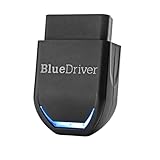
- [Diagnose Like a Pro] BlueDriver Pro Next-Gen is a professional OBD2 scanner and diagnostic tool that helps you scan, understand, and clear vehicle trouble codes with confidence. Turn your phone into a powerful car diagnostic scanner—no guesswork, no unnecessary repairs.
- [Read and Clear More Codes Than Ever] Read and clear more codes than basic car code readers. Access enhanced diagnostics for Check Engine, ABS, SRS, Airbag, TPMS, Transmission, and more on supported vehicles, including expanded coverage on newer model years.
- [Verified Fixes and Real-Time Data] Get unlimited, technician-verified repair reports matched to your VIN, with definitions, causes, and confirmed fixes. Monitor live vehicle data as you drive, view freeze frames, check smog readiness, and analyze Mode 6 test results.
- [Expanded Make & Model Coverage] Optimized for today’s vehicles with strong support for GM, Ford, Stellantis (RAM, Jeep, Chrysler), Toyota, Honda, Nissan, Mazda, Subaru, Hyundai, Mercedes-Benz, BMW, and VW. Enhanced communication on select 2024+ Nissan and Mazda models (see compatibility chart).
- [Gas Vehicles 1996+ & Select Light-Duty Trucks] Works with all gas-powered vehicles made in 1996 or newer, plus select light-duty trucks and diesels, including F-250, RAM 2500, Silverado, and Sierra. Built for daily drivers, family vehicles, and real-world truck use.
This product presentation was made with AAWP plugin.