
NHTSA ID Number: 10249606
Manufacturer Communication Number: 15-251-19R
Summary
This Service Bulletin provides additional diagnostics to follow when addressing a Telematics-related DTC B2A16.
NUMBER: 15-251-19R
DATE: 09/26/19
REVISED: 01/11/24
| APPLICABILITY: | 2020-24MY Legacy and Outback 2019-24MY Impreza 2019-24MY Crosstrek / Crosstrek Hybrid 2019-24MY Forester 2019-24MY Ascent All Models as Listed with Gen 2 & Gen 3 Telematics |
| SUBJECT: | DTC B2A16 |
INTRODUCTION:
This Service Bulletin provides additional diagnostics to follow when addressing a Telematics-related DTC B2A16. In most cases involving this DTC, the following scenario(s) occur:
- When trying to use the remote engine starter (RES) feature through Telematics (STARLINK / My Subaru app) the request is unsuccessful and the red Telematics indicator lamp illuminates.
- The customer takes their vehicle to the Retailer and the Technician finds the only code stored to be B2A16 in the DCM.
- The Technician diagnoses the DTC per the applicable Service Manual trouble tree and replaced the DCM.
IMPORTANT: Nearly all of the scenarios outlined above can be addressed and normal RES operation through the Telematics system restored WITHOUT replacement of the DCM. SBR will be updating the applicable Service Manuals to reflect this very soon. In the interim, refer to the diagnostic procedure outlined in this bulletin.
SERVICE PROCEDURE / INFORMATION:
REMINDER: Customer satisfaction and retention starts with performing quality repairs.
IMPORTANT: Nearly all of the scenarios outlined above can be addressed and normal RES operation through the Telematics system restored WITHOUT replacement of the DCM. SBR will be updating the applicable Service Manuals to reflect this very soon.
If DTC B2A16 is found in the DCM, start by registering the DCM with the vehicle immobilizer system to avoid a potentially unnecessary DCM replacement. Follow the instructions found in the applicable Immobilizer Registration Manual. See the basic SSM screenshots and additional information provided below for reference.
Once the DCM is registered, confirm the Telematics RES function operates. NOTE: The customer will need to help with this as it requires them to enter their PIN through either the MySubaru web page or the mobile MySubaru App.
If registering the DCM with the vehicle immobilizer system resolves the condition and STARLINK Telematics RES now operates normally, clear the DTC and release the vehicle.
NOTE: When selecting G, H, or I Type, the latest SSM4 software (July 2019 version or later) is required along with a secure network connection. Refer to TSB 15-246-19 for additional details.
IMPORTANT: Whenever either the Keyless Access Module (KAM) or the DCM is replaced on a STARLINK Gen2 Telematics -equipped vehicle, the DCM MUST be registered with the vehicle immobilizer system.
Always refer to the applicable Immobilizer Registration Manual for the Model Year vehicle being repaired. These manuals can be found on STIS by searching Online Publications > Publication Type > Other/Miscellaneous and searching with the keyword “Immobilizer”.
39 Affected Products
Vehicles
| MAKE | MODEL | YEAR |
| SUBARU | ASCENT | 2019-2024 |
| SUBARU | CROSSTREK | 2019-2024 |
| SUBARU | CROSSTREK HYBRID | 2019-2023 |
| SUBARU | FORESTER | 2019-2024 |
| SUBARU | IMPREZA | 2019-2024 |
| SUBARU | LEGACY | 2020-2024 |
| SUBARU | OUTBACK | 2020-2024 |
1 Associated Document
Manufacturer Communications
NUMBER: 15-251-19R
DATE: 09/26/19
REVISED: 01/11/24
MC-10249606-0001.pdf 926.118KB
NHTSA ID Number: 10225766
Manufacturer Communication Number: 15-251-19R
Summary
This Bulletin provides additional diagnostics to follow when addressing a Telematics-related DTC B2A16.
1 Associated Document
Manufacturer Communications
NUMBER: 15-251-19R
DATE: 09/26/19
REVISED: 10/18/22
MC-10225766-0001.pdf 2299.011KB
NHTSA ID Number: 10205930
Manufacturer Communication Number: 15-251-19R
Summary
This bulletin provides additional diagnostics to follow when addressing a Telematics-related DTC B2A16.
1 Associated Document
Manufacturer Communications
NUMBER: 15-251-19R
DATE: 09/26/19
REVISED: 12/29/21
MC-10205930-0001.pdf 1419.436KB
NHTSA ID Number: 10202841
Manufacturer Communication Number: 15-251-19R
Summary
This bulletin provides additional diagnostics to follow when addressing a Telematics-related DTC B2A16.
1 Associated Document
Manufacturer Communications
NUMBER: 15-251-19R
DATE: 09/26/19
REVISED: 10/28/21
MC-10202841-0001.pdf 1427.816KB
NHTSA ID Number: 10186441
Manufacturer Communication Number: 15-251-19R
Summary
This bulletin provides additional diagnostics to follow when addressing a Telematics-related DTC B2A16.
1 Associated Document
Manufacturer Communications
NUMBER: 15-251-19R
DATE: 09/26/19
REVISED: 01/14/21
MC-10186441-0001.pdf 1441.183KB
NHTSA ID Number: 10168637
Manufacturer Communication Number: 15-251-19R
Summary
“This Service Bulletin provides additional diagnostics to follow when addressing a Telematics-related DTC B2A16. In most cases involving this DTC, the following scenario(s) occur:
- When trying to use the remote engine starter (RES) feature through Telematics (STARLINK / My Subaru app) the request is unsuccessful and the red Telematics indicator lamp illuminates.
- The customer takes their vehicle to the Retailer and the Technician finds the only code stored to be B2A16 in the DCM.
- The Technician diagnoses the DTC per the applicable Service Manual trouble tree and replaced the DCM.
1 Associated Document
Manufacturer Communications
NUMBER: 15-251-19R
DATE: 09/26/19
REVISED: 11/18/19
MC-10168637-0001.pdf 1334.118KB
NHTSA ID Number: 10165548
Manufacturer Communication Number: 15-251-19
Summary
This Service Information Bulletin provides additional diagnostics to follow when addressing a Telematics-related DTC B2A16. In most cases involving this DTC, the following scenario(s) occur:
- When trying to use the remote engine starter (RES) feature through Telematics (STARLINK / My Subaru app) the request is unsuccessful and the red Telematics indicator lamp illuminates.
- The customer takes their vehicle to the Retailer and the Technician finds the only code stored to be B2A16 in the DCM.
- The Technician diagnoses the DTC per the applicable Service Manual trouble tree and replaced the DCM.
1 Associated Document
Manufacturer Communications
NUMBER: 15-251-19
DATE: 09/26/19
MC-10165548-0001.pdf 1336.996KB

- OE-Level diagnostics on your smart device
- FREE Software updates - No subscriptions, no fees – EVER
- Full bi-directional control, live actuation test
- Supports 23 vehicle reset/relearn functions, including throttle matching, ABS bleeding, TPMS reset, etc.
- Live data mapping and freeze frame capturing


- CEL Doctor: The ANCEL AD310 is one of the best-selling OBD II scanners on the market and is recommended by Scotty Kilmer, a YouTuber and auto mechanic. It can easily determine the cause of the check engine light coming on. After repairing the vehicle's problems, it can quickly read and clear diagnostic trouble codes of emission system, read live data & hard memory data, view freeze frame, I/M monitor readiness and collect vehicle information
- Sturdy and Compact: Equipped with a 2.5 foot cable made of very thick, flexible insulation. It is important to have a sturdy scanner as it can easily fall to the ground when working in a car. The AD310 OBD2 scanner is a well-constructed mechanic tool with a sleek design. It weighs 12 ounces and measures 8.9 x 6.9 x 1.4 inches. Thanks to its compact design and light weight, transporting the device is not a problem. The buttons are clearly labelled and the screen is large and displays results clearly
- Accurate Fast and Easy to Use: The AD310 scanner can help you or your mechanic understand if your car is in good condition, provides exceptionally accurate and fast results, reads and clears engine trouble emission codes in seconds after you fixed the problem. This device will let you know immediately and fix the problem right away without any car knowledge. No need for batteries or a charger, get power directly from the OBDII Data Link Connector in your vehicle
- OBDII Protocols and Car Compatibility: Many cheap scan tools do not really support all OBD2 protocols. AD310 scanner as it can support all OBDII protocols such as KWP2000, J1850 VPW, ISO9141, J1850 PWM and CAN. This device also has extensive vehicle compatibility with 1996 US-based, 2000 EU-based and Asian cars, light trucks, SUVs, as well as newer OBD2 and CAN vehicles both domestic and foreign. Pls confirm with our customer service whether it is compatible with your vehicle before purchasing
- Home Necessity and Worthy to Own: This is an excellent code reader to travel or home with as it weighs less and it is compact in design. You can easily slide it in your backpack as you head to the garage, or put it on the dashboard, this will be a great fit for you. The AD310 is not only portable, but also accurate and fast in performance. Moreover, it covers various car brands and is suitable for people who just need a code reader to check their car

- MAINTAIN PEAK PERFORMANCE AND SAFETY ON THE ROAD - Easily find and fix the problem with your vehicle using the INNOVA 5610 bidirectional scan tool. This OBD2 scanner diagnostic tool provides real-time solutions to troubleshoot issues. Access OBD2 and OEM live data with ease, making it an essential car scanner diagnostic tool. Perfect for those seeking reliable car diagnostic scanner and code readers & scan tools for vehicles.
- PRO-LEVEL FUNCTIONALITIES - Use the INNOVA 5610’s Enhanced Data Stream to view live data for advanced systems like ABS, SRS, transmission, and engine. The Special Reset Function lets you use dealership-level re-learn procedures. This car diagnostic scanner is ideal for those needing a bidirectional scan tool or mechanic tools automotive for professional repairs. Compatible with select vehicle makes and models; not universal.
- COMMAND WITH BIDIRECTIONAL CONTROLS - The INNOVA 5610 bidirectional scan tool sends commands to test functions such as fuel pump on/off or retracting the electronic parking brake. With this car scanner diagnostic for all cars, you can operate like a pro. Ideal for those seeking a car code reader and reset tool or advanced fixd car diagnostic tool capabilities. Compatible with select vehicle makes and models; not universal.
- EASY TO USE - The INNOVA 5610 OBD2 scanner diagnostic tool supports English, Spanish, and French. Easily use this scanner for car on most 1996 - 2023 (2024 coming soon) OBD2 vehicles to verify repairs. Designed for ease of operation, it’s a dependable code reader for cars and trucks and check engine code reader. To confirm vehicle coverage, please utilize Innova's Coverage Checker.
- BUY AND DRIVE WITH CONFIDENCE - Backed by ASE-Certified support, this car scanner pairs with the RepairSolutions2 app, trusted by 4M users, for wireless OBD scanner functionality. With free updates and no subscription fees, this durable car computer diagnostic reader ensures you’re prepared for any repair. A must-have diagnostic scanner for vehicles.

- 2026 Advanced ECU Coding Scan Tool: Maximize the capabilities of your vehicles with the ArtiDiag Pro. This scan tool, seamlessly compatible with renowned models such as VW, A-U-D-I, SKODA, SEAT, BENZ, and more, empowers you to uncover hidden features, deactivate annoying functions, and code retrofitted components for peak performance. Ensure a backup before coding and steer clear of problems on low battery levels.
- Efficient Diagnostics with Bidirectional Control: Say goodbye to uncertainty, streamline diagnostics, and reclaim valuable time with ArtiDiag Pro scan tool. This bidirectional scan tool exceeds expectations, enabling targeted tests on individual actuators to swiftly identify and resolve issues. Covering lights, door locks, fuel and coolant systems, windows, wipers, EVAP, and more in vehicle components.
- 35+ Services Resolve 90% of Repair Challenges: Unleash maximum productivity with the ArtiDiag Pro, a scan tool that tackles 90% of maintenance issues through its 35 special functions. Effortlessly clear oil maintenance indicators with oil reset. Engage the EPB Reset for brake system management and establish precise alignment with the Steering Angle Reset to define the straight-line reference position for your vehicle.
- FCA Autoauth : This diagnostic tool supports Autoauth for FCA SGW/Renault, Chrysler, Jeep, Dodge, Fiat etc. 2017 and later. NOTE: Due to Product Upgrade, there is no Chrysler 12+8 adapter, the BMW-20 Adapter in the package any more. We are sincerely sorry for the inconvenience. NOTE: Please confirm compatibility before purchase.(Topdon Website>Support>Vehicle Coverage)
- Professional Customer Support: At TOPDON, your satisfaction is our unwavering commitment. Experience hassle-free support and a lifetime of expert assistance. Should you encounter any challenges, reach out to us at 833-629-4832. For returns, please damage the packaging to prevent Amazon from reselling it. Please be advised that after two years, a subscription fee of 249 Bucks will apply.
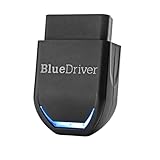
- [Diagnose Like a Pro] BlueDriver Pro Next-Gen is a professional OBD2 scanner and diagnostic tool that helps you scan, understand, and clear vehicle trouble codes with confidence. Turn your phone into a powerful car diagnostic scanner—no guesswork, no unnecessary repairs.
- [Read and Clear More Codes Than Ever] Read and clear more codes than basic car code readers. Access enhanced diagnostics for Check Engine, ABS, SRS, Airbag, TPMS, Transmission, and more on supported vehicles, including expanded coverage on newer model years.
- [Verified Fixes and Real-Time Data] Get unlimited, technician-verified repair reports matched to your VIN, with definitions, causes, and confirmed fixes. Monitor live vehicle data as you drive, view freeze frames, check smog readiness, and analyze Mode 6 test results.
- [Expanded Make & Model Coverage] Optimized for today’s vehicles with strong support for GM, Ford, Stellantis (RAM, Jeep, Chrysler), Toyota, Honda, Nissan, Mazda, Subaru, Hyundai, Mercedes-Benz, BMW, and VW. Enhanced communication on select 2024+ Nissan and Mazda models (see compatibility chart).
- [Gas Vehicles 1996+ & Select Light-Duty Trucks] Works with all gas-powered vehicles made in 1996 or newer, plus select light-duty trucks and diesels, including F-250, RAM 2500, Silverado, and Sierra. Built for daily drivers, family vehicles, and real-world truck use.
SEOCONTENT-START
Bulletin Number: 15-251-19R; Revised: 01/11/24 Page 1 of 3
Continued…
NUMBER: 15-251-19R
DATE: 09/26/19
REVISED: 01/11/24
APPLICABILITY: 2020-24MY Legacy and Outback
2019-24MY Impreza
2019-24MY Crosstrek / Crosstrek Hybrid
2019-24MY Forester
2019-24MY Ascent
All Models as Listed with Gen 2 & Gen 3 Telematics
SUBJECT: DTC B2A16
CAUTION: VEHICLE SERVICING PERFORMED BY UNTRAINED PERSONS COULD
RESULT IN SERIOUS INJURY TO THOSE PERSONS OR TO OTHERS.
Subaru Service Bulletins are intended for use by professional technicians ONLY. They
are written to inform those technicians of conditions that may occur in some vehicles,
or to provide information that could assist in the proper servicing of the vehicle. Properly
trained technicians have the equipment, tools, safety instructions, and know-how to
do the job correctly and safely. If a condition is described, DO NOT assume that this
Service Bulletin applies to your vehicle, or that your vehicle will have that condition.
Subaru of America, Inc. is
ISO 14001 Compliant
ISO 14001 is the international standard
for excellence in Environmental
Management Systems. Please recycle
or dispose of automotive products in a
manner that is friendly to our environment
and in accordance with all local, state
and federal laws and regulations.
INTRODUCTION:
This Service Bulletin provides additional diagnostics to follow when addressing a Telematics-related
DTC B2A16. In most cases involving this DTC, the following scenario(s) occur:
• When trying to use the remote engine starter (RES) feature through Telematics (STARLINK
/ My Subaru app) the request is unsuccessful and the red Telematics indicator lamp
illuminates.
• The customer takes their vehicle to the Retailer and the Technician finds the only code stored
to be B2A16 in the DCM.
• The Technician diagnoses the DTC per the applicable Service Manual trouble tree and
replaced the DCM.
IMPORTANT: Nearly all of the scenarios outlined above can be addressed and normal RES
operation through the Telematics system restored WITHOUT replacement of the DCM. SBR will
be updating the applicable Service Manuals to reflect this very soon. In the interim, refer to the
diagnostic procedure outlined in this bulletin.
SERVICE PROCEDURE / INFORMATION:
REMINDER: Customer satisfaction and retention starts with performing quality repairs.
IMPORTANT: Nearly all of the scenarios outlined above can be addressed and normal RES
operation through the Telematics system restored WITHOUT replacement of the DCM. SBR will be
updating the applicable Service Manuals to reflect this very soon.
SERVICE BULLETIN
ATTENTION:
GENERAL MANAGER q
PARTS MANAGER q
CLAIMS PERSONNEL q
SERVICE MANAGER q
IMPORTANT – All
Service Personnel
Should Read and
Initial in the boxes
provided, right.
©2019 Subaru of America, Inc. All rights reserved.
Bulletin Number: 15-251-19R; Revised: 01/11/24 Page 2 of 3
Continued…
If DTC B2A16 is found in the DCM, start by registering the DCM with the vehicle immobilizer
system to avoid a potentially unnecessary DCM replacement. Follow the instructions found in
the applicable Immobilizer Registration Manual. See the basic SSM screenshots and additional
information provided below for reference.
Once the DCM is registered, confirm the Telematics RES function operates. NOTE: The customer
will need to help with this as it requires them to enter their PIN through either the MySubaru web
page or the mobile MySubaru App.
If registering the DCM with the vehicle immobilizer system resolves the condition and STARLINK
Telematics RES now operates normally, clear the DTC and release the vehicle.
NOTE: When selecting G, H, or I Type, the latest SSM4 software (July 2019 version or later) is
required along with a secure network connection. Refer to TSB 15-246-19 for additional details.
IMPORTANT: Whenever either the Keyless Access Module (KAM) or the DCM is replaced on
a STARLINK Gen2 Telematics -equipped vehicle, the DCM MUST be registered with the vehicle
immobilizer system.
Bulletin Number: 15-251-19R; Revised: 01/11/24 Page 3 of 3
Always refer to the applicable Immobilizer Registration Manual for the Model Year vehicle being
repaired. These manuals can be found on STIS by searching Online Publications > Publication Type
> Other/Miscellaneous and searching with the keyword “Immobilizer”.
WARRANTY / CLAIM INFORMATION:
For vehicles within the Basic New Car Limited Warranty period, this repair may be submitted using
the following claim information:
Labor Description
Labor
Operation #
Labor
Time
Fail
Code
DCM IMMOBILIZER REGISTRATION & RES SYSTEM OPERATION CHECK A067-918 0.4 ZTT-43
IMPORTANT REMINDERS:
• SOA strongly discourages the printing and/or local storage of service information as
previously released information and electronic publications may be updated at any time.
• Always check for any open recalls or campaigns anytime a vehicle is in for servicing.
• Always refer to STIS for the latest service information before performing any repairs.
**************************************************************************************************************
SEOCONTENT-END
This product presentation was made with AAWP plugin.