
NHTSA ID Number: 10235285
Manufacturer Communication Number: 15-266-20R
Summary
This Service Information Bulletin provides helpful procedures and best practices to utilize when customers present with concerns relating to the operation of their Gen 2/Gen 3 Telematics system equipped Subaru.
NUMBER: 15-266-20
DATE: 07/16/20
REVISED: 04/05/23
| APPLICABILITY: | All 2019-23MY Vehicles with Gen 2/Gen 3 Telematics |
| SUBJECT: | Telematics Function and Operation Testing Information |
INTRODUCTION:
This Service Information Bulletin provides helpful procedures and best practices to utilize when customers present with concerns relating to the operation of their Gen 2/Gen 3 Telematics system equipped Subaru. The Gen 2/Gen 3 system was incorporated beginning in the 2019MY as shown in reference table below.
| Carline | MY 2016 | MY 2017 | MY 2018 | MY 2019 | MY 2020 | MY 2121 | MY 2022 | MY 2023 |
| Ascent | NA | NA | NA | Gen2 | Gen2 | Gen 2 | Gen 2 | Gen 3 |
| Crosstrek | Gen1 | Gen1 | Gen1 | Gen2 | Gen2 | Gen 2 | Gen 2 | Gen 2 |
| Crosstrek Hybrid | NA | NA | NA | Gen2 | Gen2 | Gen 2 | Gen 2 | Gen 2 |
| Forester | Gen1 | Gen1 | Gen1 | Gen2 | Gen2 | Gen 2 | Gen 2 | Gen 2 |
| Impreza | Gen1 | Gen1 | Gen1 | Gen2 | Gen2 | Gen 2 | Gen 2 | Gen 2 |
| Legacy | Gen1 | Gen1 | Gen1 | Gen1 | Gen2 | Gen 2 | Gen 2 | Gen 3 |
| Outback | Gen1 | Gen1 | Gen1 | Gen1 | Gen2 | Gen 2 | Gen 2 | Gen 3 |
| WRX | NA | Gen1 | Gen1 | Gen1 | Gen1 | Gen1 | Gen 2 | Gen 2 |
| BRZ | NA | NA | NA | NA | NA | NA | Gen 2 | Gen 2 |
SERVICE PROCEDURE:
VERY IMPORTANT: Any Technician or other retailer personnel who, despite service documentation and training to the contrary, performs a DCM swap on a subscribed vehicle should NEVER release that vehicle back to the customer until after confirming the proper operation of the Telematics system. If the issue is first discovered only after the vehicle has been released to the customer, then the retailer MUST contact the customer immediately to inform the customer the ACN/AACN feature may not be functioning properly, and that the vehicle must be returned for inspection as soon as possible.
Any time a repair to the Telematics system is performed, proper operation of remote servicesmust be verified to confirm a good repair. A post-repair press of the SOS or i-Button will NOT thoroughly test or validate the proper operation of the Telematics system. It is CRITICAL to verify the correct operation of the service. If the DCM has been removed from the vehicle for head unit replacement/exchange, upon reinstallation of the DCM, the Technician must always verify the operation of the Telematics system. This requirement is necessary to confirm the Telematics system’s functionality required for the Advanced Automatic Collision Notification (AACN) feature to operate correctly should the need arise. Additionally, this step will help ensure a successful “Fixed Right First Time” repair and positively affect customer satisfaction.
Best Practices:
1. Always try to verify the concern with the customer during the vehicle write-up. Witness the behaviors the customer feels are in question and document them with pictures or video to ensure a complete understanding.
a. Most repeat repairs result from failing to fully understand the customer’s concern or a failure to verify the condition has been successfully addressed post-repair.
2. For customers whose availability is limited or unpredictable, obtain permission to have someone at the Retailer added as an authorized user to their MySubaru account at the write-up. The new Authorized User can now support the repair efforts locally.
a. At a minimum, the Retailer should request that the customer change their MySubaru PIN to something generic and share it for use by the Technician while trying to diagnose and repair the telematics system.
3. Perform a direct test of the customer concern to confirm the condition as reported. For example, if the customer says there is a problem with the remote door lock / unlock operation, verify the concern when attempting the corresponding remote service request.
a. DCM replacements often occur for failed remote service request concerns. Unfortunately, the only post-replacement repair verification performed in many cases is an i-Button push. Pushing the i-Button and connecting with an Operator confirms the new DCM can access the voice network ONLY. A successful i-Button push does NOT guarantee the new DCM’s ability to perform remote service requests. A completed test of the remote service being addressed by the DCM replacement MUST be conducted to confirm the repair.
4. The most popular Telematics feature is remote engine start (RES). Confirming the feature operates appropriately is always a good practice, especially after a DCM replacement.
a. RES looks at many different system inputs to complete its function: door locks, door latches, hood latch, PRG, and the CVT inhibiter switch, to name a few. It is CRITICAL to test and ensure proper RES operation. DCM replacement also requires registration with the immobilizer. The only way to confirm successful immobilizer registration is to perform a remote service request of the RES and complete it as expected.
5. Verifying the proper remote services function confirms the i-Button operation. Press the i-button and simultaneously observe the Telematics LEDs and confirm the green LED is illuminated.
IMPORTANT REMINDERS: Voice service (an Operator answering after pressing the i-button) is NOT an indicator of the Telematics system’s ability to perform remote service requests. The i-Button push test aims to reach an Operator and confirm VIN and vehicle location information. Pushing the i-Button and canceling the call once the ring-back tone is heard does NOT indicate a fully functioning Telematics system. Canceling an SOS or iButton call before connecting to an operator is of no diagnostic value, nor does it confirm the correct operation. A call must terminate to an operator to offer any value to the Technician for diagnosis or repair confirmation. Depending on ATT coverage and GPS satellite visibility, you may not be able to get VIN or location on the first attempt. If this occurs, drive the car to an area away from the Retailer and try again.
Subscription Verification and Operation:
The first step to any repair is knowing what the expected behavior of a vehicle should be. Whenever a Technician enters a car, one of the first things, after the ignition starts, should be to observe the Telematics LED operation, even if the vehicle does not have a reported Telematics concern.
Understanding what the LEDs indicate is the key to a successful repair.
- Both LEDs OFF, IGNITION ON – The Telematics has been comm checked and is ready to subscribe but may have a power/ground issue, a backup battery (BUB) not installed, or a swapped DCM.
- Green LED ON, Ignition ON – Identifies a subscribed and working as expected Telematics system.
NOTE: This is also the condition of a freshly replaced DCM that still needs to complete a COMM CHECK. Push the iButton to verify operation and ensure a completed COMM CHECK.
- Red LED ON, Ignition ON – A current system fault requires further investigation.
- Both LEDs ON, Ignition ON – A communication or provisioning fault requires further investigation.
- Blinking Green LED, Ignition ON – The vehicle has communication in progress.
NOTES:
- The Green LED can stay illuminated for up to five minutes after switching the ignition off and moving the key away from the vehicle.
- The DCM can continue communication for up to fifteen minutes after the ignition is off and the key is away from the vehicle. This behavior can complicate parasitic draw testing, and technicians should refer to STIS and TechTIPs for directions on performing a parasitic draw test.
Repairs requiring Telematics Operation Verification:
It is necessary to perform tests of the i-Button AND remote service operation any time one of the following occurs:
1. The DCM is replaced as the root cause of customer concern.
2. The DCM is removed and reinstalled due to another repair, e.g., a head unit replacement/exchange.
3. After Sharkfin Antenna replacement or removal/reinstallation
4. After Antenna Cable replacement or removal/reinstallation
5. Whenever a Technician performs a DCM software reflash as part of a service campaign, recall, or as directed by a Technical Service Bulletin (TSB)
6. Anytime a Technician resolves a concern with the Telematics system that did not involve a Telematics component replacement. Examples: a wiring repair or an Error 202 or 204, which may require Techline support and subsequent tickets with the SOA IT department to resolve. NOTE: Telematics operation verification must still occur despite no parts replacement or component removal/
Methods of Telematics Operation Verification:
Whenever possible, always verify the customer’s concern with the customer at vehicle write-up before attempting any repairs.
If the customer is waiting and their repairs are complete, engage the customer and request they perform several tests by asking for remote service operation. If the customer subscribes to STARLINK Security Plus, test the Remote Engine Start feature and witness its successful completion. Suppose the customer subscription plan is STARLINK Safety Plus. In that case, there are no remote services to check, and verification would be to test the i-Button operation.
Another possibility for remote service operation testing is to gain local access to the vehicle by having the customer add a trusted individual at the Retailer as a delegate on their MySubaru Account. This process also involves the customer providing their PIN to the trusted individual they have agreed to have as their delegate. The method to perform this operation is detailed in the Technical Support Guide for Subaru Gen1 and Gen 2 Telematics Systems and can be complicated to complete for some.
A preferred security measure is for customers to change their PIN to a temporary value like 1234 or similar while the Retailer has control of their remote services. Once the repairs are complete, the customer removes the retailer delegate and then changes their PIN back to the previous or desired pin to ensure the security of their remote services. The MySubaru delegate method is a lengthy process best suited for Telematics concerns involving frequent test attempts or customers having zero availability to perform remote service requests. In many cases, it is easier and just as effective to have the customer change the PIN to something temporary and share it with the Technician and their MySubaru account login.
Although these methods have been available since Gen 2 Telematics launch, there is strong evidence to suggest neither is often taking place in the field to ensure quality Telematics repairs. An agreement has been reached with the STARLINK Call Center to aid with remote service testing. Details of how testing should take place are outlined below. The Technician must always follow these three basic guidelines:
1. The remote service request test procedure will only work on a Gen2/Gen3-equipped vehicle subscribed to STARLINK Security Plus.
2. Only use the i- button to perform the voice, VIN, and location test.
3. Technicians can request VIN, Vehicle Location, Remote Door Unlock and RES for testing purposes ONLY.
Process for Performing the Remote Door Unlock Operational Test:
NOTE: Before beginning, it is beneficial to understand the level of service the
customer is subscribed to so that the Technician can understand what testing methods are supported by the Starlink Call Center
- Starlink Safety Plus: iButton only
- Starlink Security Plus: iButton, remote door unlock request, and remote RES request.
1. Vehicle in Park with parking brake set (EPB on).
2. The ignition is switched to ON with the engine OFF.
3. All doors (and the rear gate) must be closed.
4. Push the i-Button. When the Operator connects:
a. The Technician identifies themselves as working at a Subaru Retailer, providing your retailer code.
b. Request the Operator confirm the last eight characters of the VIN and the vehicle’s location.
c. Request a Remote Door Unlock command be sent to the vehicle.
5. The Telematics system is fully operational if the VIN, Vehicle Location, and Remote Door Unlock requests succeed.
Process for Performing the Remote Engine Start Operational Test:
1. Please ensure the vehicle is outside with an unobstructed view of the sky.
2. It is essential that the testing occurs within 1500 feet of the Subaru Service Center address on record with Subaru of America.
a. Please understand that this address may be the showroom street address and not the garage location if both are in multiple places. If a request fails, it would be beneficial to perform the test again closer to the showroom to ensure there is no location discrepancy preventing RES.
3. Confirm all electrical accessories, headlamps, and HVAC are in the off position.
4. Vehicle in Park with parking brake set (EPB on).
5. The ignition is switched to ON with the engine OFF.
6. All doors (and the rear gate/hood) must be closed.
7. Push the i-Button. When the Operator connects:
a. The Technician identifies themselves as working at a Subaru Retailer, providing your retailer code.
b. Request the Operator confirm the last eight characters of the VIN and the vehicle’s location.
c. Request a Remote Engine Start command be sent to the vehicle.
d. There is a two-minute delay until the command will complete.
i. Ensure the ignition is switched off.
ii. Open the driver’s door and exit or close it again to remain in the vehicle for the test completion.
iii. Ensure you do not have your foot on the brake pedal if you remain in the vehicle.
iv. After two minutes, the horn should honk, and then the engine starts
v. If the Remote Engine Start fails, continue the diagnosis.
8. The Telematics system is fully operational if the VIN, Vehicle Location, and Remote Engine Start requests are successful.
NOTE: Remote Engine Start operation requires additional vehicle system input for the feature to perform as expected. If the customer’s concern is focused on a RES failure, testing, and successful operation, this feature MUST occur with the customer before releasing the vehicle.
9. If VIN, Location, and Remote Door Unlock testing are unsuccessful, continue diagnosing the system using all available resources such as STIS, TSBs, TechTIPS, FSE contact, and Techline support.
This testing procedure confirms the minimum functionality for the operation of the Telematics system before releasing the vehicle to the customer. It does not replace customer concern-specific testing to verify the expected behavior. The function must be confirmed for RES by completing a Remote Engine Start request.
Process for performing i-Button Operational Test:
1. The ignition is switched to ON with the engine OFF.
2. Ensure that the SSM4 is not connected to the car.
3. All doors (and the rear gate) are closed.
4. Push the i-Button.
5. When the Operator connects
a. The Technician identifies themselves as working at Subaru Retailer and currently testing the Telematics system.
b. Request the Operator identify the last 8 of the VIN and the vehicle’s location.
6. Telematics is fully operational if the VIN and Location requests are successful. If VIN and Location requests are unsuccessful, move the vehicle to another location away from the Retailer and retest. Repeated failure to confirm VIN and location indicate a need to continue diagnosing the Telematics system using all available resources such as STIS, TSBs, TechTIPS, FSE contact, and Techline support.
Both these testing procedures are provided to ensure a Fixed Right First Time repair and a fully operating Telematics system capable of an AACN should the operation of this critical safety feature be necessary.
54 Affected Products
Vehicles
| MAKE | MODEL | YEAR |
| SUBARU | ASCENT | 2019-2023 |
| SUBARU | BRZ | 2019-2023 |
| SUBARU | CROSSTREK | 2019-2023 |
| SUBARU | CROSSTREK HYBRID | 2019-2023 |
| SUBARU | FORESTER | 2019-2023 |
| SUBARU | IMPREZA | 2019-2023 |
| SUBARU | LEGACY | 2019-2023 |
| SUBARU | LEVORG | 2022 |
| SUBARU | OUTBACK | 2019-2023 |
| SUBARU | SOLTERRA | 2023 |
| SUBARU | WRX | 2019-2023 |
| SUBARU | WRX STI | 2019-2023 |
| SUBARU | XV CROSSTREK | 2022-2023 |
1 Associated Document
Manufacturer Communications
NUMBER: 15-266-20R
DATE: 07/16/20
REVISED: 04/05/23
MC-10235285-0001.pdf 363.595KB
NHTSA ID Number: 10203870
Manufacturer Communication Number: 15-266-20R
Summary
This bulletin provides helpful procedures and best practices to utilize when customers present with concerns relating to the operation of their Gen 2 Telematics system equipped Subaru.
1 Associated Document
Manufacturer Communications
NUMBER: 15-266-20R
DATE: 07/16/20
REVISED: 11/02/21
MC-10203870-0001.pdf 1082.597KB
NHTSA ID Number: 10186379
Manufacturer Communication Number: 15-266-20R
Summary
This bulletin provides helpful procedures and best practices to utilize when customers present with concerns relating to the operation of their Gen 2 Telematics system equipped Subaru.
1 Associated Document
Manufacturer Communications
NUMBER: 15-266-20R
DATE: 07/16/20
REVISED: 01/14/21
MC-10186379-0001.pdf 1083.491KB
NHTSA ID Number: 10177826
Manufacturer Communication Number: 15-266-20
Summary
This Service Information Bulletin provides helpful procedures and best practices to utilize when customers present with concerns relating to the operation of their Gen 2 Telematics system equipped Subaru.
1 Associated Document
Manufacturer Communications
NUMBER: 15-266-20
DATE: 07/16/20
MC-10177826-0001.pdf 1080.189KB

- 【Android 13 System Car Radio】Car Radio Compatible with Subaru Forester WRX Impreza 2013 2014 2015. With 2GB RAM and 64GB ROM, ensures smooth operation and multitasking capabilities. Built-in Bluetooth for answering, making phone calls, streaming music by hands-free. The 1280x720 high-resolution display video clear and vivid pictures and videos. You can enjoy your favourite music, movies and short videos from the car stereo.
- 【Car Stereo with Wireless Carplay & Android Auto】This car radio supports wireless Carplay/Android auto /Mirrorlink. Wirelessly connect your phone to the car's stereo infotainment system, providing a seamless experience. You can make phone calls, send messages, listen to music, and get directions using voice control, allowing you to focus on driving without worrying about using your phone, making your driving safely.
- 【Car Radio with GPS Navigation & WIFI】The built-in GPS module and external GPS antenna supports both online and offline map navigation. With Wi-Fi or hotspot connectivity, you can easily download and access to online navigation app and other video or music apps on Play Store. With the split-screen function, you can view two apps on the same screen simultaneously. For example, you can display navigation and music apps side by side, ensuring a more pleasant journey.
- 【FM/Steering Wheel Control】 With built-in FM radio that allows you to listen to radio programs and stay up-to-date with the latest news and weather information during driving. The car head unit also supports steering wheel controls, allowing you to effortlessly switch songs, change channels, and adjust the volume without taking your hands off the wheel, helping you stay focused on the road while enjoying a smooth and convenient driving experience
- 【SWC &AHD Rear Camera】The car head unit supports original car steering wheel control, such as switching songs, adjusting volume, answering calls, etc. The waterproof night vision camera offers 1080P resolution, reversing image is clearer no matter the weather conditions. Automatically switch the reversing image when reversing. Note: Professional installation is required. Incorrect wiring may cause a short circuit.

- Replaces the original part number: Compatible with Subaru Legacy Outback 8-inch touchscreen radio screen. The TsuperU uses upgraded materials, offering superior sensitivity, high definition, high temperature resistance, and is non-bubbling and non-whitening. With this part, you won't need to go to the dealer for a replacement, as they often recommend replacing the entire radio, which could cost thousands of dollars, but is completely unnecessary. Please watch the replacement video on YT's
- EASY PROBLEM SOLVED: If your display touch screen is cracked, delaminating, bubbles, White, fogging, air holes, unresponsive, has garbled, phantom, ghosted, ghosting, dead pixels, unresponsive, or looks bad, simply replace the TsuperU 8-inch screen navigation touchscreen and it will return to its original functionality without the need for a trip to the dealership for costly repairs. One replacement is all it takes to fix the problem
- COMPATIBLE WITH SUBARU MODELS: Navigation screen fits Subaru Outback 2.5i Limited Premium Sport Touring Premier 3.6R Limited Premier Touring radio digitizer screen 2019 2018. please check the OEM number and size carefully before purchasing, There are two versions of MAP & PHONE, compare with your original parts to make sure that this touch screen fits your car. The digitizer screen for the 8-inch touchscreen radio works with both GPS-equipped radios and non-GPS radios
- EASY TO INSTALL: The product comes with adhesive, you only need to tear off the protective film to use it, easy to install. for Subaru radio screen is an exact fit for the original vehicle. For display only 86471-AL65A 86471-AL65B 86471-AL66A 86471-AL68A 86431-AL66A 86431-AL62A 86431-AL65A 86471 AL65A 86471 AL65B 86471 AL66A 86471 AL68A 86431 AL66A 86431 AL62A 86431 AL65A 86471AL65A 86471AL65B 86471AL66A 86471AL68A 86431AL66A 86431AL62A 86431AL65A, 864734-AL66A, 86471AL76A, 86471-AL76A
- TOUCH RESPONSIVE: Touch screen meets OEM navigation system, high light transmission, high visibility, responsive, high touch accuracy. touch screen monitor is made of new upgraded material with high resolution, high clarity, more stable performance, faster response time, and has been rigorously tested to ensure a long service life, touch screen replacement

- 8 Core 64GB Android Radio:Our Android car radio is equipped with the latest version of Android and an 8-core CPU processor, delivering exceptional performance and a perfect user experience. With 4G RAM and 64G ROM, our radio ensures smooth operation and provides ample storage for downloading popular apps like YouTube. It is designed to be compatible with Subaru Forester Impreza WRX 2008-2012 models. If you’re unsure whether it’s a good fit for your vehicle, please ask us first
- Wireless and Wired Carplay Android Auto:The Subaru Forester Impreza WRX car stereo offers seamless connectivity with your smartphone’s apps and features like WhatsApp, Google Maps, and Telegram, whether through Bluetooth or a USB data cable. It also supports voice control through Siri or Google Assistant, allowing you to keep your hands free while operating the stereo
- GPS Navigation and WiFi and Split Screen:With WiFi or hotspot connectivity, you can browse the internet, watch videos, and download apps on the 9 inch Subaru Forester Impreza WRX car radio. It also supports online and offline maps, providing real-time road conditions to help you avoid traffic jams. The split-screen feature enables you to simultaneously enjoy GPS navigation and watch videos on the 9 -inch screen with a resolution of 1280x720
- 32EQ DSP/BLUETOOTH 5.0/ FM/RDS:The car stereo comes pre-installed with DSP tuning software, allowing you to adjust the frequency, audio effects, and 32 EQ equalization settings, resulting in crystal-clear sound. Bluetooth 5.0 ensures a faster transmission speed and enables hands-free calling, phonebook downloads, and music streaming. The FM/RDS radio with 30 preset stations allows you to stay updated with new broadcasts, real-time traffic information, weather forecasts, and more
- Multi Function:The Android car stereo supports mirror link functionality, allowing you to mirror your smartphone’s content onto the large screen. It also supports steering wheel controls, provides 59 UI themes to suit your preferences, and allows you to move frequently used software to the home screen for easy access. As a gift, the car stereo comes with an external microphone and an AHD rearview camera with night vision and a 170 degree viewing angle
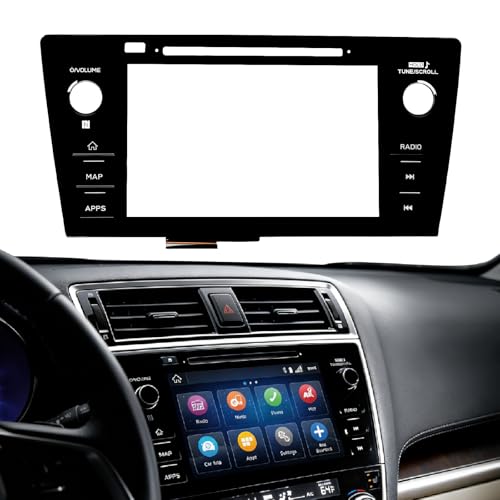
- Fitment:Our Touch Screen Digitizer(MAP) Compatible with 2018 2019 Subaru Outback,2018 2019 Subaru Legacy
- Replace Part Number:86471-AL62A,86471-AL65A,86471-AL65B,86471-AL66A,86471-AL67A,86471-AL68A,86431-AL62A,86431-AL65A,86431-AL66A
- Direct-Fit Replacement:Our 8-inch touchscreen is designed to address common display issues, such as physical cracks, unresponsiveness, or dead pixels, to help return your system to working condition.
- Function:This universal-style LCD touchscreen features integrated MAP functions.
- Support: For any questions or concerns regarding the product, please inform us so we can resolve the issue
SEOCONTENT-START
Bulletin Number: 15-266-20R; Revised: 04/05/23 Page 1 of 7
Continued…
NUMBER: 15-266-20R
DATE: 07/16/20
REVISED: 04/05/23
APPLICABILITY: All 2019-23MY Vehicles with Gen 2/Gen 3
Telematics
SUBJECT: Telematics Function and Operation Testing Information
CAUTION: VEHICLE SERVICING PERFORMED BY UNTRAINED PERSONS COULD RESULT IN SERIOUS INJURY TO THOSE PERSONS OR TO OTHERS.
Subaru Service Bulletins are intended for use by professional technicians ONLY. They are written to inform those technicians of conditions that may occur in some vehicles, or to provide information that could assist in the proper servicing of the vehicle. Properly trained technicians have the equipment, tools, safety instructions, and know-how to do the job correctly and safely. If a condition is described, DO NOT assume that this Service Bulletin applies to your vehicle, or that your vehicle will have that condition.
Subaru of America, Inc. is ISO 14001 Compliant
ISO 14001 is the international standard for excellence in Environmental Management Systems. Please recycle or dispose of automotive products in a manner that is friendly to our environment and in accordance with all local, state and federal laws and regulations.
INTRODUCTION:
This Service Information Bulletin provides helpful procedures and best practices to utilize when customers present with concerns relating to the operation of their Gen 2/Gen 3 Telematics system equipped Subaru. The Gen 2/Gen 3 system was incorporated beginning in the 2019MY as shown in reference table below.
SERVICE PROCEDURE:
VERY IMPORTANT: Any Technician or other retailer personnel who, despite service documentation and training to the contrary, performs a DCM swap on a subscribed vehicle should NEVER release that vehicle back to the customer until after confirming the proper operation of the Telematics system. If the issue is first discovered only after the vehicle has been released to the customer, then the retailer MUST contact the customer immediately to inform the customer the ACN/AACN feature may not be functioning properly, and that the vehicle must be returned for inspection as soon as possible.
SERVICE INFORMATION BULLETIN
ATTENTION:
GENERAL MANAGER 0
PARTS MANAGER 0
CLAIMS PERSONNEL 0
SERVICE MANAGER 0
IMPORTANT – All
Service Personnel Should Read and Initial in the boxes provided, right.
© 2020 Subaru of America, Inc. All rights reserved. Any time a repair to the Telematics system is performed, proper operation of remote servicesmust be verified to confirm a good repair. A post-repair press of the SOS or i-Button will NOT thoroughly test or validate the proper operation of the Telematics system. It is CRITICAL to verify the correct operation of the service. If the DCM has been removed from the vehicle for head unit replacement/exchange, upon reinstallation of the DCM, the Technician must always verify the operation of the Telematics system. This requirement is necessary to confirm the Telematics system’s functionality required for the Advanced Automatic Collision Notification (AACN) feature to operate correctly should the need arise. Additionally, this step will help ensure a successful “Fixed Right First Time” repair and positively affect customer satisfaction. Best Practices:
1. Always try to verify the concern with the customer during the vehicle write-up. Witness the behaviors the customer feels are in question and document them with pictures or video to ensure a complete understanding.
a. Most repeat repairs result from failing to fully understand the customer’s concern or a failure to verify the condition has been successfully addressed post-repair.
2. For customers whose availability is limited or unpredictable, obtain permission to have someone at the Retailer added as an authorized user to their MySubaru account at the write-up. The new Authorized User can now support the repair efforts locally.
a. At a minimum, the Retailer should request that the customer change their MySubaru PIN to something generic and share it for use by the Technician while trying to diagnose and repair the telematics system.
3. Perform a direct test of the customer concern to confirm the condition as reported. For example, if the customer says there is a problem with the remote door lock / unlock operation, verify the concern when attempting the corresponding remote service request.
a. DCM replacements often occur for failed remote service request concerns. Unfortunately, the only post-replacement repair verification performed in many cases is an i-Button push. Pushing the i-Button and connecting with an Operator confirms the new DCM can access the voice network ONLY. A successful i-Button push does NOT guarantee the new DCM’s ability
to perform remote service requests. A completed test of the remote service being addressed by the DCM replacement MUST be conducted to confirm the repair.
4. The most popular Telematics feature is remote engine start (RES). Confirming the feature
operates appropriately is always a good practice, especially after a DCM replacement.
a. RES looks at many different system inputs to complete its function: door locks, door latches, hood latch, PRG, and the CVT inhibiter switch, to name a few. It is CRITICAL to test and ensure proper RES operation. DCM replacement also requires registration with the immobilizer. The only way to confirm successful immobilizer registration is to perform a remote service request of the RES and complete it as expected.
5. Verifying the proper remote services function confirms the i-Button operation. Press the i-button and simultaneously observe the Telematics LEDs and confirm the green LED is illuminated. Continued…
Bulletin Number: 15-266-20R; Revised: 04/05/23 Page 2 of 7 IMPORTANT REMINDERS: Voice service (an Operator answering after pressing the i-button) is NOT an indicator of the Telematics system’s ability to perform remote service requests. The i-Button push test aims to reach an Operator and confirm VIN and vehicle location information. Pushing the
i-Button and canceling the call once the ring-back tone is heard does NOT indicate a fully functioning Telematics system. Canceling an SOS or iButton call before connecting to an operator is of no diagnostic value, nor does it confirm the correct operation. A call must terminate to an operator to offer any value to the Technician for diagnosis or repair confirmation. Depending on ATT coverage and GPS satellite visibility, you may not be able to get VIN or location on the first attempt. If this occurs, drive the car to an area away from the Retailer and try again. Subscription Verification and Operation:
The first step to any repair is knowing what the expected behavior of a vehicle should be. Whenever a Technician enters a car, one of the first things, after the ignition starts, should be to observe the Telematics LED operation, even if the vehicle does not have a reported Telematics concern.
Understanding what the LEDs indicate is the key to a successful repair.
• Both LEDs OFF, IGNITION ON – The Telematics has been comm checked and is ready to subscribe but may have a power/ground issue, a backup battery (BUB) not installed, or a swapped DCM. • Green LED ON, Ignition ON – Identifies a subscribed and working as expected Telematics
system. ⮚ NOTE: This is also the condition of a freshly replaced DCM that still needs to complete a COMM CHECK. Push the iButton to verify operation and ensure a completed COMM CHECK. • Red LED ON, Ignition ON – A current system fault requires further investigation. • Both LEDs ON, Ignition ON – A communication or provisioning fault requires further investigation. • Blinking Green LED, Ignition ON – The vehicle has communication in progress. NOTES:
• The Green LED can stay illuminated for up to five minutes after switching the ignition of f and
moving the key away from the vehicle. • The DCM can continue communication for up to fifteen minutes after the ignition is of f and the key is away from the vehicle. This behavior can complicate parasitic draw testing, and technicians should refer to STIS and TechTIPs for directions on performing a parasitic draw test. Continued…
Bulletin Number: 15-266-20R; Revised: 04/05/23 Page 3 of 7 Repairs requiring Telematics Operation Verification:
It is necessary to perform tests of the i-Button AND remote service operation any time one of the following occurs:
1. The DCM is replaced as the root cause of customer concern. 2. The DCM is removed and reinstalled due to another repair, e.g., a head unit replacement/exchange. 3. After Sharkfin Antenna replacement or removal/reinstallation
4. After Antenna Cable replacement or removal/reinstallation 5. Whenever a Technician performs a DCM software reflash as part of a service campaign, recall, or as directed by a Technical Service Bulletin (TSB) 6. Anytime a Technician resolves a concern with the Telematics system that did not involve a Telematics component replacement. Examples: a wiring repair or an Error 202 or 204, which may require Techline support and subsequent tickets with the SOA IT department to resolve. NOTE: Telematics operation verification must still occur despite no parts replacement or component removal/ reinstallation. Methods of Telematics Operation Verification:
Whenever possible, always verify the customer’s concern with the customer at vehicle write-up before attempting any repairs. If the customer is waiting and their repairs are complete, engage the customer and request they perform several tests by asking for remote service operation. If the customer subscribes to STARLINK Security Plus, test the Remote Engine Start feature and witness its successful
completion. Suppose the customer subscription plan is STARLINK Safety Plus. In that case, there are no remote services to check, and verification would be to test the i-Button operation. Another possibility for remote service operation testing is to gain local access to the vehicle by having the customer add a trusted individual at the Retailer as a delegate on their MySubaru Account. This process also involves the customer providing their PIN to the trusted individual they have agreed to have as their delegate. The method to perform this operation is detailed in the Technical Support Guide for Subaru Gen1 and Gen 2 Telematics Systems and can be complicated to complete for some.
A preferred security measure is for customers to change their PIN to a temporary value like 1234 or similar while the Retailer has control of their remote services. Once the repairs are complete, the customer removes the retailer delegate and then changes their PIN back to the previous or desired pin to ensure the security of their remote services. The MySubaru delegate method is a lengthy process best suited for Telematics concerns involving frequent test attempts or customers having zero availability to perform remote service requests. In many cases, it is easier and just as effective to have the customer change the PIN to something temporary and share it with the Technician and their MySubaru account login.
Although these methods have been available since Gen 2 Telematics launch, there is strong evidence to suggest neither is often taking place in the field to ensure quality Telematics repairs. An agreement has been reached with the STARLINK Call Center to aid with remote service testing. Details of how testing should take place are outlined below. The Technician must always follow these three basic guidelines: Continued…
Bulletin Number: 15-266-20R; Revised: 04/05/23 Page 4 of 7 1. The remote service request test procedure will only work on a Gen2/Gen3-equipped vehicle subscribed to STARLINK Security Plus. 2. Only use the i- button to perform the voice, VIN, and location test. 3. Technicians can request VIN, Vehicle Location, Remote Door Unlock and RES for testing
purposes ONLY. Process for Performing the Remote Door Unlock Operational Test:
NOTE: Before beginning, it is beneficial to understand the level of service the
customer is subscribed to so that the Technician can understand what testing methods are supported by the Starlink Call Center • Starlink Safety Plus: iButton only
• Starlink Security Plus: iButton, remote door unlock request, and remote RES request. 1. Vehicle in Park with parking brake set (EPB on). 2. The ignition is switched to ON with the engine OFF. 3. All doors (and the rear gate) must be closed. 4. Push the i-Button. When the Operator connects:
a. The Technician identifies themselves as working at a Subaru Retailer, providing your
retailer code.
b. Request the Operator confirm the last eight characters of the VIN and the vehicle’s
location.
c. Request a Remote Door Unlock command be sent to the vehicle. 5. The Telematics system is fully operational if the VIN, Vehicle Location, and Remote Door Unlock requests succeed. Process for Performing the Remote Engine Start Operational Test:
1. Please ensure the vehicle is outside with an unobstructed view of the sky.
2. It is essential that the testing occurs within 1500 feet of the Subaru Service Center address on record with Subaru of America.
a. Please understand that this address may be the showroom street address and not the garage location if both are in multiple places. If a request fails, it would be beneficial to perform the test again closer to the showroom to ensure there is no location discrepancy preventing RES. Continued…
Bulletin Number: 15-266-20R; Revised: 04/05/23 Page 5 of 7 3. Confirm all electrical accessories, headlamps, and HVAC are in the of f position. 4. Vehicle in Park with parking brake set (EPB on).
5. The ignition is switched to ON with the engine OFF.
6. All doors (and the rear gate/hood) must be closed. 7. Push the i-Button. When the Operator connects:
a. The Technician identifies themselves as working at a Subaru Retailer, providing your retailer
code.
b. Request the Operator confirm the last eight characters of the VIN and the vehicle’s location. c. Request a Remote Engine Start command be sent to the vehicle.
d. There is a two-minute delay until the command will complete.
i. Ensure the ignition is switched off.
ii. Open the driver’s door and exit or close it again to remain in the vehicle for the test completion.
iii. Ensure you do not have your foot on the brake pedal if you remain in the vehicle.
iv. After two minutes, the horn should honk, and then the engine starts
v. If the Remote Engine Start fails, continue the diagnosis.
8. The Telematics system is fully operational if the VIN, Vehicle Location, and Remote Engine Start
requests are successful. NOTE: Remote Engine Start operation requires additional vehicle system input for the feature to perform as expected. If the customer’s concern is focused on a RES failure, testing, and successful operation, this feature MUST occur with the customer before releasing the vehicle. 9. If VIN, Location, and Remote Door Unlock testing are unsuccessful, continue diagnosing the system using all available resources such as STIS, TSBs, TechTIPS, FSE contact, and Techline support. This testing procedure confirms the minimum functionality for the operation of the Telematics system before releasing the vehicle to the customer. It does not replace customer concern-specif- ic testing to verify the expected behavior. The function must be confirmed for RES by complet- ing a Remote Engine Start request.
Process for performing i-Button Operational Test:
1. The ignition is switched to ON with the engine OFF.
2. Ensure that the SSM4 is not connected to the car. 3. All doors (and the rear gate) are closed.
4. Push the i-Button. Bulletin Number: 15-266-20R; Revised: 04/05/23 Page 6 of 7 Bulletin Number: 15-266-20R; Revised: 04/05/23 Page 7 of 7
5. When the Operator connects
a. The Technician identifies themselves as working at Subaru Retailer and currently testing
the Telematics system.
b. Request the Operator identify the last 8 of the VIN and the vehicle’s location.
6. Telematics is fully operational if the VIN and Location requests are successful. If VIN and Location requests are unsuccessful, move the vehicle to another location away from the Retailer and retest. Repeated failure to confirm VIN and location indicate a need to continue diagnosing the Telematics system using all available resources such as STIS, TSBs, TechTIPS, FSE contact, and Techline support.
Both these testing procedures are provided to ensure a Fixed Right First Time repair and a fully operating Telematics system capable of an AACN should the operation of this critical safety feature be necessary. IMPORTANT REMINDERS:
• SOA strongly discourages the printing and/or local storage of service information as previously released information and electronic publications may be updated at any time.
• Always check for any open recalls or campaigns anytime a vehicle is in for servicing.
• Always refer to STIS for the latest service information before performing any repairs.
**************************************************************************************************************
SEOCONTENT-END
This product presentation was made with AAWP plugin.