NHTSA ID Number: 10203867
Manufacturer Communication Number: 15-267-20R
Summary
This document discusses some of the conditions that may trigger an Automatic Collision Notification (ACN) (Gen1) or Advanced Automatic Collision Notification (AACN) (Gen2), without a collision, airbag deployment, or accident taking place.
NUMBER: 15-267-20R
DATE: 07/16/20
REVISED: 11/02/21
INTRODUCTION:
Telematics System Applicability Chart:
| Carline MY 2016 MY 2017 | MY 2018 | MY 2019 | MY 2020 | MY 2021 | MY 2022 | ||
| Ascent | NA | NA | NA | Gen2 | Gen2 | Gen 2 | Gen 2 |
| Crosstrek | Gen1 | Gen1 | Gen1 | Gen2 | Gen2 | Gen 2 | Gen 2 |
| Crosstrek Hybrid | NA | NA | NA | Gen2 | Gen2 | Gen 2 | Gen 2 |
| Forester | Gen1 | Gen1 | Gen1 | Gen2 | Gen2 | Gen 2 | Gen 2 |
| Impreza | Gen1 | Gen1 | Gen1 | Gen2 | Gen2 | Gen 2 | Gen 2 |
| Legacy | Gen1 | Gen1 | Gen1 | Gen1 | Gen2 | Gen 2 | Gen 2 |
| Outback | Gen1 | Gen1 | Gen1 | Gen1 | Gen2 | Gen 2 | Gen 2 |
| WRX | NA | Gen1 | Gen1 | Gen1 | Gen1 | Gen1 | Gen 2 |
| BRZ | NA | NA | NA | NA | NA | NA | Gen 2 |
This document discusses some of the conditions that may trigger an Automatic Collision Notification (ACN) (Gen1) or Advanced Automatic Collision Notification (AACN) (Gen2), without a collision, airbag deployment, or accident taking place.
ACN is the cornerstone of the STARLINK Telematics System for emergency response situations. When retailer personnel and Technicians are speaking to customers about this feature, it is important to understand proper system behavior and explain its operation accurately. It is important to empathize with the customer’s feelings during these conversations as conditions that initiate ACN may be some of the most frightening moments of their lives. In doing so, however, do not express any conclusions regarding the functioning of the system. For example, the following is an empathetic statement: “That certainly sounds like a frightening experience for you”. Contrast that statement with a conclusion such as, “You’re right I wouldn’t expect it to happen that way either”. The first statement acknowledges what the customer is feeling, while the second may be incorrect, and serves only to increase the customer’s anxiety about the vehicle function or operation.
There is no function check a Technician can perform to confirm proper operation of the ACN / AACN feature. If the Telematics system on a subscribed vehicle is DTC free and the GREEN TELEMATICS LED IS ILLUMINATED, there is nothing to prevent the successful operation of ACN. There is essential documentation reiterated on STIS, in TSBs and TechTIPS reminding Technicians to NEVER swap a DCM between vehicles for any reason. There is also similar documentation reiterating the importance of completing a thorough test to confirm proper Telematics operation whenever repairs to the system have been performed. ACN provides information for emergency response and in many situations a DCM swap WILL preclude operation of this potentially life-saving feature. In addition, if the DCM is swapped, the GREEN LED WILL NOT illuminate indicating a problem currently exists with the Telematics system.
VERY IMPORTANT: Any Technician or other retailer personnel who, despite service documentation and training to the contrary, performs a DCM swap on a subscribed vehicle should NEVER release that vehicle back to the customer until after confirming the proper operation of the Telematics system. If the issue is first discovered only after the vehicle has been released to the customer, then the retailer MUST contact the customer immediately to inform the customer the ACN/AACN feature may not be functioning properly, and that the vehicle must be returned for inspection as soon as possible.
Gen1 Telematics equipped vehicles include the ACN feature. For ACN and SOS button push support, Sirius-XM (SXM) is the Customer Care Team who receives the customer contact and determines the nature of the emergency. Both these features provide the SXM Operator with the vehicle location when the Telematics system is functioning properly. Therefore retailers MUST request and confirm the vehicle location and VIN information when making test calls to the SXM call center. Pushing the SOS or iButton and not connecting to an Operator to confirm the VIN and vehicle location is an INCOMPLETE Telematics system function check.
Gen2 vehicles feature Advanced Automatic Collision Notification (AACN). For AACN and SOS button push, the STARLINK call center is the STARLINK Customer Care Team who receives the customer contact and determines the nature of the emergency. With AACN, there is more data sent to the STARLINK call center to help identify vehicle status in addition to the location. Again, retailers MUST request and confirm the vehicle location and VIN information when making test calls to the STARLINK call center. Pushing the SOS or iButton and not connecting to an operator to confirm VIN and vehicle location is an INCOMPLETE Telematics system function check.
When Does ACN or AACN trigger a communication from the vehicle to SXM / STARLINK?
1. A collision is detected. This could be frontal, side or rear end. Severity of the impact determines if ACN is sent or not.
2. An Airbag deployment occurs.
3. An unusual, unexpected or severe driving event occurs even without a collision or airbag deployment. Examples: sudden changes in terrain, loss of vehicle control, near rollover, off-road operation or aggressive driving maneuvers.
What should the retailer do when a customer reports concerns involving ACN or AACN with
NO COLLISION or NO AIRBAG DEPLOYMENT?
1. Obtain a detailed report from the customer outlining events leading up to receiving the ACN / AACN contact.
2. Were there any operational concerns with the vehicle with or without a malfunction indicator or other warning lamp(s) illuminating?
3. Was there any difficulty controlling the operation of the vehicle?
4. What were the driving / road conditions? Weather? Terrain? Time of Day?
5. Did the driver make any aggressive driving maneuvers, or experience any sudden changes in speed, direction, or terrain?
6. What happened during the ACN / AACN contact?
a. What did the STARLINK Operator indicate to the customer?
b. Was the car performing as the customer expected?
7. Did the vehicle continue to perform as expected after the ACN / AACN contact?
What should Technicians be looking for on ACN/AACN concerns when there has been NO COLLISION or NO AIRBAG DEPLOYMENT?
1. Verify no current Malfunction indicator lamp(s) are illuminated including the red Telematics LED located between the SOS and iButtons.
2. Use the SSM4 to verify no DTCs are present by checking each system individually WITHOUT using All System Scan.
3. While reviewing the SSM4 data, make notes of any historical DTCs and the retain any related Freeze Frame Data. If the ignition cycle of any history DTCs / FFD coincides with when the customer indicates the ACN / AACN contact occurred, an in-depth review of that data will be necessary.
4. Ask the customer if there have been any previous body repairs or any recent service work performed including maintenance?
a. If the customer reports having previous body repairs, inspect those areas closely for proper assembly and fit.
b. Ensure any previous repairs and operation of affected systems meet Subaru repair standards. As examples, if the windshield was recently replaced, was the EyeSight system recalibrated afterward or, if the rear bumper was replaced, were the rear facing radar modules properly recalibrated (Blind Spot Detection/ Rear Cross Traffic Alert)?
IMPORTANT NOTES:
- While reviewing the SSM4 data, Technicians should be looking for DTCs or FFD occurring at the same time of the reported ACN / AACN contact. If there is NO data indicated at the time of the contact, then ACN / AACN was most likely triggered by an “unusual, unexpected or severe driving” event. The lack of a collision, airbag deployment, a reported fault with the Telematics system, other vehicle system(s) or general operation excludes the vehicle itself as being the prompter of the ACN / AACN contact. This leaves unusual, unexpected or severe driver input as the source.
- As previously mentioned, while reviewing the SSM4 data, Technicians should be looking for DTCs or FFD that occurred at the time of the reported contact. If information is present that coincides with the time of customer ACN / AACN contact, the Technician should use an abundance of care when reviewing this important data. Technicians should be looking for data which could mislead the Telematics system into thinking there was a collision or airbag deployment. Use every information resource available including STIS, TSBs, TechTIPS, FSE contact, and / or Techline to verify the proper functioning of these systems. If the Technician cannot confirm proper functionality after a full review, Techline must then be contacted with all details prior to any release of the vehicle back to the customer.
- ALWAYS ensure all safety systems are working properly BEFORE clearing any historical data and releasing the vehicle back to the customer.
Customer Concern: “The STARLINK call center contacted me and said I was in an accident, but I was not in an accident”.
First and foremost, the STARLINK Operator knows only that an ACN / AACN has been triggered; not the cause of that trigger. The Operator will assume there has been an accident or airbag deployment until informed otherwise. They do not review the data received from the vehicle to adjust their greeting when making the contact. Call Center Team members act with urgency to provide the highest level of customer care and, if necessary, to alert first responders.
Earlier in this document, it was highlighted that unusual, unexpected or severe driving conditions may trigger an ACN / AACN even in the absence of collision or airbag deployment. In that case, customer contact from STARLINK remains the expected behavior. When presented to a retailer after this type of ACN / AACN, the vehicle MUST be thoroughly inspected to ensure there are no current or historical concerns with any safety system, and that the Telematics system is functioning properly BEFORE releasing the vehicle back to the customer.
Customer indicates they were involved in an Accident:
When a customer presents their vehicle to a retailer stating that it has been in an accident (regardless of whether or not anyone was injured), and the customer asserts either (1) incorrect or unexpected vehicle operation may have contributed to the accident, or (2) the vehicle or STARLINK did not respond the way the customer expected, retailer personnel must follow these protocols while keeping the customer’s needs and feelings in mind:
1. The retailer must immediately complete and submit an Urgent Request for Customer Assistance (URFCA) and,
2. The retailer should advise the customer to contact the SOA Customer Advocacy Department (CAD) to document and provide details regarding the accident.
NOTE: If a customer presents the vehicle after it has been an accident, but the customer is not alleging any concern with the vehicle or vehicle systems in relation to the accident, then there is no need to complete an URFCA or contact CAD. If you have any questions or concerns regarding when an URFCA is required in these types of situations, please contact your DPSM or FSE for guidance.
8 Affected Products
Vehicles
| MAKE | MODEL | YEAR |
| SUBARU | FORESTER | 9999 |
| SUBARU | GL | 9999 |
| SUBARU | IMPREZA | 9999 |
| SUBARU | LEGACY | 9999 |
| SUBARU | OUTBACK | 9999 |
| SUBARU | SUBARU | 9999 |
| SUBARU | SUBARU TRUCK | 9999 |
| SUBARU | SVX | 9999 |
1 Associated Document
Manufacturer Communications
NUMBER: 15-267-20R
DATE: 07/16/20
REVISED: 11/02/21
MC-10203867-0001.pdf 1057.809KB
NHTSA ID Number: 10186378
Manufacturer Communication Number: 15-267-20R
Summary
This bulletin provides information related to the telematics system’s Automatic Collision Notification (ACN) and Advanced Automatic Collision Notification (AACN) feature operation, diagnostic tips, and best practices.
1 Associated Document
Manufacturer Communications
NUMBER: 15-267-20R
DATE: 07/16/20
REVISED: 01/14/21
MC-10186378-0001.pdf 1058.521KB
NHTSA ID Number: 10177825
Manufacturer Communication Number: 15-267-20
Summary
This document discusses some of the conditions that may trigger an Automatic Collision Notification (CAN) (Gen1) or Advanced Automatic Collision Notification (AACN) (Gen2), without a collision, airbag deployment, or accident taking place.
1 Associated Document
Manufacturer Communications
NUMBER: 15-267-20
DATE: 07/16/20
MC-10177825-0001.pdf 1055.496KB

- 【Android 13 System Car Radio】Car Radio Compatible with Subaru Forester WRX Impreza 2013 2014 2015. With 2GB RAM and 64GB ROM, ensures smooth operation and multitasking capabilities. Built-in Bluetooth for answering, making phone calls, streaming music by hands-free. The 1280x720 high-resolution display video clear and vivid pictures and videos. You can enjoy your favourite music, movies and short videos from the car stereo.
- 【Car Stereo with Wireless Carplay & Android Auto】This car radio supports wireless Carplay/Android auto /Mirrorlink. Wirelessly connect your phone to the car's stereo infotainment system, providing a seamless experience. You can make phone calls, send messages, listen to music, and get directions using voice control, allowing you to focus on driving without worrying about using your phone, making your driving safely.
- 【Car Radio with GPS Navigation & WIFI】The built-in GPS module and external GPS antenna supports both online and offline map navigation. With Wi-Fi or hotspot connectivity, you can easily download and access to online navigation app and other video or music apps on Play Store. With the split-screen function, you can view two apps on the same screen simultaneously. For example, you can display navigation and music apps side by side, ensuring a more pleasant journey.
- 【FM/Steering Wheel Control】 With built-in FM radio that allows you to listen to radio programs and stay up-to-date with the latest news and weather information during driving. The car head unit also supports steering wheel controls, allowing you to effortlessly switch songs, change channels, and adjust the volume without taking your hands off the wheel, helping you stay focused on the road while enjoying a smooth and convenient driving experience
- 【SWC &AHD Rear Camera】The car head unit supports original car steering wheel control, such as switching songs, adjusting volume, answering calls, etc. The waterproof night vision camera offers 1080P resolution, reversing image is clearer no matter the weather conditions. Automatically switch the reversing image when reversing. Note: Professional installation is required. Incorrect wiring may cause a short circuit.

- Replaces the original part number: Compatible with Subaru Legacy Outback 8-inch touchscreen radio screen. The TsuperU uses upgraded materials, offering superior sensitivity, high definition, high temperature resistance, and is non-bubbling and non-whitening. With this part, you won't need to go to the dealer for a replacement, as they often recommend replacing the entire radio, which could cost thousands of dollars, but is completely unnecessary. Please watch the replacement video on YT's
- EASY PROBLEM SOLVED: If your display touch screen is cracked, delaminating, bubbles, White, fogging, air holes, unresponsive, has garbled, phantom, ghosted, ghosting, dead pixels, unresponsive, or looks bad, simply replace the TsuperU 8-inch screen navigation touchscreen and it will return to its original functionality without the need for a trip to the dealership for costly repairs. One replacement is all it takes to fix the problem
- COMPATIBLE WITH SUBARU MODELS: Navigation screen fits Subaru Outback 2.5i Limited Premium Sport Touring Premier 3.6R Limited Premier Touring radio digitizer screen 2019 2018. please check the OEM number and size carefully before purchasing, There are two versions of MAP & PHONE, compare with your original parts to make sure that this touch screen fits your car. The digitizer screen for the 8-inch touchscreen radio works with both GPS-equipped radios and non-GPS radios
- EASY TO INSTALL: The product comes with adhesive, you only need to tear off the protective film to use it, easy to install. for Subaru radio screen is an exact fit for the original vehicle. For display only 86471-AL65A 86471-AL65B 86471-AL66A 86471-AL68A 86431-AL66A 86431-AL62A 86431-AL65A 86471 AL65A 86471 AL65B 86471 AL66A 86471 AL68A 86431 AL66A 86431 AL62A 86431 AL65A 86471AL65A 86471AL65B 86471AL66A 86471AL68A 86431AL66A 86431AL62A 86431AL65A, 864734-AL66A, 86471AL76A, 86471-AL76A
- TOUCH RESPONSIVE: Touch screen meets OEM navigation system, high light transmission, high visibility, responsive, high touch accuracy. touch screen monitor is made of new upgraded material with high resolution, high clarity, more stable performance, faster response time, and has been rigorously tested to ensure a long service life, touch screen replacement
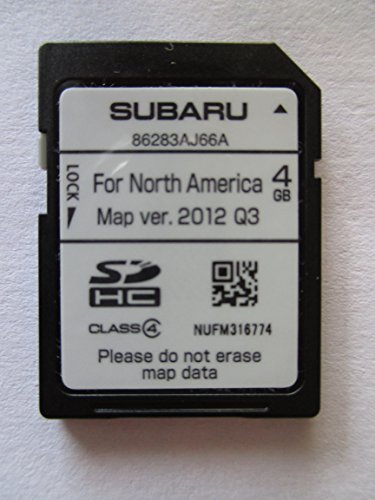

- 8 Core 64GB Android Radio:Our Android car radio is equipped with the latest version of Android and an 8-core CPU processor, delivering exceptional performance and a perfect user experience. With 4G RAM and 64G ROM, our radio ensures smooth operation and provides ample storage for downloading popular apps like YouTube. It is designed to be compatible with Subaru Forester Impreza WRX 2008-2012 models. If you’re unsure whether it’s a good fit for your vehicle, please ask us first
- Wireless and Wired Carplay Android Auto:The Subaru Forester Impreza WRX car stereo offers seamless connectivity with your smartphone’s apps and features like WhatsApp, Google Maps, and Telegram, whether through Bluetooth or a USB data cable. It also supports voice control through Siri or Google Assistant, allowing you to keep your hands free while operating the stereo
- GPS Navigation and WiFi and Split Screen:With WiFi or hotspot connectivity, you can browse the internet, watch videos, and download apps on the 9 inch Subaru Forester Impreza WRX car radio. It also supports online and offline maps, providing real-time road conditions to help you avoid traffic jams. The split-screen feature enables you to simultaneously enjoy GPS navigation and watch videos on the 9 -inch screen with a resolution of 1280x720
- 32EQ DSP/BLUETOOTH 5.0/ FM/RDS:The car stereo comes pre-installed with DSP tuning software, allowing you to adjust the frequency, audio effects, and 32 EQ equalization settings, resulting in crystal-clear sound. Bluetooth 5.0 ensures a faster transmission speed and enables hands-free calling, phonebook downloads, and music streaming. The FM/RDS radio with 30 preset stations allows you to stay updated with new broadcasts, real-time traffic information, weather forecasts, and more
- Multi Function:The Android car stereo supports mirror link functionality, allowing you to mirror your smartphone’s content onto the large screen. It also supports steering wheel controls, provides 59 UI themes to suit your preferences, and allows you to move frequently used software to the home screen for easy access. As a gift, the car stereo comes with an external microphone and an AHD rearview camera with night vision and a 170 degree viewing angle
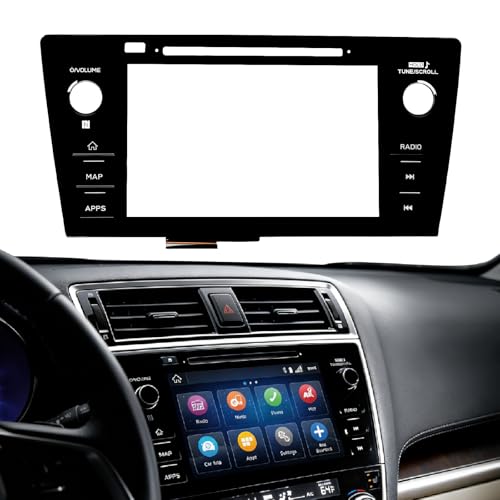
- Fitment:Our Touch Screen Digitizer(MAP) Compatible with 2018 2019 Subaru Outback,2018 2019 Subaru Legacy
- Replace Part Number:86471-AL62A,86471-AL65A,86471-AL65B,86471-AL66A,86471-AL67A,86471-AL68A,86431-AL62A,86431-AL65A,86431-AL66A
- Direct-Fit Replacement:Our 8-inch touchscreen is designed to address common display issues, such as physical cracks, unresponsiveness, or dead pixels, to help return your system to working condition.
- Function:This universal-style LCD touchscreen features integrated MAP functions.
- Support: For any questions or concerns regarding the product, please inform us so we can resolve the issue
SEOCONTENT-START
Bulletin Number: 15-267-20R; Revised: 11/02/21 Page 1 of 5 Continued… NUMBER: 15-267-20R DATE: 07/16/20 REVISED: 11/02/21 APPLICABILITY: All 2016-22MY Subaru Vehicles Equipped with Gen 1 and / or Gen 2 Telematics SUBJECT: Telematics System Automatic Collision Notification (ACN) and Advanced Automatic Collision Notification (AACN) Feature Operation, Diagnostic TIPS and Best Practices CAUTION: VEHICLE SERVICING PERFORMED BY UNTRAINED PERSONS COULD RESULT IN SERIOUS INJURY TO THOSE PERSONS OR TO OTHERS. Subaru Service Bulletins are intended for use by professional technicians ONLY. They are written to inform those technicians of conditions that may occur in some vehicles, or to provide information that could assist in the proper servicing of the vehicle. Properly trained technicians have the equipment, tools, safety instructions, and know-how to do the job correctly and safely. If a condition is described, DO NOT assume that this Service Bulletin applies to your vehicle, or that your vehicle will have that condition. Subaru of America, Inc. is ISO 14001 Compliant ISO 14001 is the international standard for excellence in Environmental Management Systems. Please recycle or dispose of automotive products in a manner that is friendly to our environment and in accordance with all local, state and federal laws and regulations. INTRODUCTION: Telematics System Applicability Chart: Carline MY 2016 MY 2017 MY 2018 MY 2019 MY 2020 MY 2021 MY 2022 Ascent NA NA NA Gen2 Gen2 Gen 2 Gen 2 Crosstrek Gen1 Gen1 Gen1 Gen2 Gen2 Gen 2 Gen 2 Crosstrek Hybrid NA NA NA Gen2 Gen2 Gen 2 Gen 2 Forester Gen1 Gen1 Gen1 Gen2 Gen2 Gen 2 Gen 2 Impreza Gen1 Gen1 Gen1 Gen2 Gen2 Gen 2 Gen 2 Legacy Gen1 Gen1 Gen1 Gen1 Gen2 Gen 2 Gen 2 Outback Gen1 Gen1 Gen1 Gen1 Gen2 Gen 2 Gen 2 WRX NA Gen1 Gen1 Gen1 Gen1 Gen 1 Gen 2 BRZ NA NA NA NA NA n/a Gen 2 This document discusses some of the conditions that may trigger an Automatic Collision Notification (ACN) (Gen1) or Advanced Automatic Collision Notification (AACN) (Gen2), without a collision, airbag deployment, or accident taking place. ACN is the cornerstone of the STARLINK Telematics System for emergency response situations. When retailer personnel and Technicians are speaking to customers about this feature, it is important to understand proper system behavior and explain its operation accurately. It is important to empathize with the customer’s feelings during these conversations as conditions that initiate ACN may be some of the most frightening moments of their lives. In doing so, however, do not express any conclusions regarding the functioning of the system. For example, the following is an empathetic statement: “That certainly sounds like a frightening experience for you”. Contrast that statement with a conclusion such as, “You’re right I wouldn’t expect it to happen that way either”. The first statement acknowledges what the customer is feeling, while the second may be incorrect, and serves only to increase the customer’s anxiety about the vehicle function or operation. SERVICE BULLETIN ATTENTION: GENERAL MANAGER q PARTS MANAGER q CLAIMS PERSONNEL q SERVICE MANAGER q IMPORTANT – All Service Personnel Should Read and Initial in the boxes provided, right. ©2020 Subaru of America, Inc. All rights reserved. Bulletin Number: 15-267-20R; Revised: 11/02/21 Page 2 of 5 Continued… There is no function check a Technician can perform to confirm proper operation of the ACN / AACN feature. If the Telematics system on a subscribed vehicle is DTC free and the GREEN TELEMATICS LED IS ILLUMINATED, there is nothing to prevent the successful operation of ACN. There is essential documentation reiterated on STIS, in TSBs and TechTIPS reminding Technicians to NEVER swap a DCM between vehicles for any reason. There is also similar documentation reiterating the importance of completing a thorough test to confirm proper Telematics operation whenever repairs to the system have been performed. ACN provides information for emergency response and in many situations a DCM swap WILL preclude operation of this potentially life-saving feature. In addition, if the DCM is swapped, the GREEN LED WILL NOT illuminate indicating a problem currently exists with the Telematics system. VERY IMPORTANT: Any Technician or other retailer personnel who, despite service documentation and training to the contrary, performs a DCM swap on a subscribed vehicle should NEVER release that vehicle back to the customer until after confirming the proper operation of the Telematics system. If the issue is first discovered only after the vehicle has been released to the customer, then the retailer MUST contact the customer immediately to inform the customer the ACN/AACN feature may not be functioning properly, and that the vehicle must be returned for inspection as soon as possible. Gen1 Telematics equipped vehicles include the ACN feature. For ACN and SOS button push support, Sirius-XM (SXM) is the Customer Care Team who receives the customer contact and determines the nature of the emergency. Both these features provide the SXM Operator with the vehicle location when the Telematics system is functioning properly. Therefore retailers MUST request and confirm the vehicle location and VIN information when making test calls to the SXM call center. Pushing the SOS or iButton and not connecting to an Operator to confirm the VIN and vehicle location is an INCOMPLETE Telematics system function check. Gen2 vehicles feature Advanced Automatic Collision Notification (AACN). For AACN and SOS button push, the STARLINK call center is the STARLINK Customer Care Team who receives the customer contact and determines the nature of the emergency. With AACN, there is more data sent to the STARLINK call center to help identify vehicle status in addition to the location. Again, retailers MUST request and confirm the vehicle location and VIN information when making test calls to the STARLINK call center. Pushing the SOS or iButton and not connecting to an operator to confirm VIN and vehicle location is an INCOMPLETE Telematics system function check. When Does ACN or AACN trigger a communication from the vehicle to SXM / STARLINK? 1. A collision is detected. This could be frontal, side or rear end. Severity of the impact determines if ACN is sent or not. 2. An Airbag deployment occurs. 3. An unusual, unexpected or severe driving event occurs even without a collision or airbag deployment. Examples: sudden changes in terrain, loss of vehicle control, near rollover, off-road operation or aggressive driving maneuvers. Bulletin Number: 15-267-20R; Revised: 11/02/21 Page 3 of 5 Continued… What should the retailer do when a customer reports concerns involving ACN or AACN with NO COLLISION or NO AIRBAG DEPLOYMENT? 1. Obtain a detailed report from the customer outlining events leading up to receiving the ACN / AACN contact. 2. Were there any operational concerns with the vehicle with or without a malfunction indicator or other warning lamp(s) illuminating? 3. Was there any difficulty controlling the operation of the vehicle? 4. What were the driving / road conditions? Weather? Terrain? Time of Day? 5. Did the driver make any aggressive driving maneuvers, or experience any sudden changes in speed, direction, or terrain? 6. What happened during the ACN / AACN contact? a. What did the STARLINK Operator indicate to the customer? b. Was the car performing as the customer expected? 7. Did the vehicle continue to perform as expected after the ACN / AACN contact? What should Technicians be looking for on ACN/AACN concerns when there has been NO COLLISION or NO AIRBAG DEPLOYMENT? 1. Verify no current Malfunction indicator lamp(s) are illuminated including the red Telematics LED located between the SOS and iButtons. 2. Use the SSM4 to verify no DTCs are present by checking each system individually WITHOUT using All System Scan. 3. While reviewing the SSM4 data, make notes of any historical DTCs and the retain any related Freeze Frame Data. If the ignition cycle of any history DTCs / FFD coincides with when the customer indicates the ACN / AACN contact occurred, an in-depth review of that data will be necessary. 4. Ask the customer if there have been any previous body repairs or any recent service work performed including maintenance? a. If the customer reports having previous body repairs, inspect those areas closely for proper assembly and fit. b. Ensure any previous repairs and operation of affected systems meet Subaru repair standards. As examples, if the windshield was recently replaced, was the EyeSight system recalibrated afterward or, if the rear bumper was replaced, were the rear facing radar modules properly recalibrated (Blind Spot Detection/ Rear Cross Traffic Alert)? IMPORTANT NOTES: • While reviewing the SSM4 data, Technicians should be looking for DTCs or FFD occurring at the same time of the reported ACN / AACN contact. If there is NO data indicated at the time of the contact, then ACN / AACN was most likely triggered by an “unusual, unexpected or severe driving” event. The lack of a collision, airbag deployment, a reported fault with the Telematics system, other vehicle system(s) or general operation excludes the vehicle itself as being the prompter of the ACN / AACN contact. This leaves unusual, unexpected or severe driver input as the source. Bulletin Number: 15-267-20R; Revised: 11/02/21 Page 4 of 5 Continued… • As previously mentioned, while reviewing the SSM4 data, Technicians should be looking for DTCs or FFD that occurred at the time of the reported contact. If information is present that coincides with the time of customer ACN / AACN contact, the Technician should use an abundance of care when reviewing this important data. Technicians should be looking for data which could mislead the Telematics system into thinking there was a collision or airbag deployment. Use every information resource available including STIS, TSBs, TechTIPS, FSE contact, and / or Techline to verify the proper functioning of these systems. If the Technician cannot confirm proper functionality after a full review, Techline must then be contacted with all details prior to any release of the vehicle back to the customer. • ALWAYS ensure all safety systems are working properly BEFORE clearing any historical data and releasing the vehicle back to the customer. Customer Concern: “The STARLINK call center contacted me and said I was in an accident, but I was not in an accident”. First and foremost, the STARLINK Operator knows only that an ACN / AACN has been triggered; not the cause of that trigger. The Operator will assume there has been an accident or airbag deployment until informed otherwise. They do not review the data received from the vehicle to adjust their greeting when making the contact. Call Center Team members act with urgency to provide the highest level of customer care and, if necessary, to alert first responders. Earlier in this document, it was highlighted that unusual, unexpected or severe driving conditions may trigger an ACN / AACN even in the absence of collision or airbag deployment. In that case, customer contact from STARLINK remains the expected behavior. When presented to a retailer after this type of ACN / AACN, the vehicle MUST be thoroughly inspected to ensure there are no current or historical concerns with any safety system, and that the Telematics system is functioning properly BEFORE releasing the vehicle back to the customer. Customer indicates they were involved in an Accident: When a customer presents their vehicle to a retailer stating that it has been in an accident (regardless of whether or not anyone was injured), and the customer asserts either (1) incorrect or unexpected vehicle operation may have contributed to the accident, or (2) the vehicle or STARLINK did not respond the way the customer expected, retailer personnel must follow these protocols while keeping the customer’s needs and feelings in mind: 1. The retailer must immediately complete and submit an Urgent Request for Customer Assistance (URFCA) and, 2. The retailer should advise the customer to contact the SOA Customer Advocacy Department (CAD) to document and provide details regarding the accident. NOTE: If a customer presents the vehicle after it has been an accident, but the customer is not alleging any concern with the vehicle or vehicle systems in relation to the accident, then there is no need to complete an URFCA or contact CAD. If you have any questions or concerns regarding when an URFCA is required in these types of situations, please contact your DPSM or FSE for guidance. Bulletin Number: 15-267-20R; Revised: 11/02/21 Page 5 of 5 Continued… IMPORTANT REMINDERS: • SOA strongly discourages the printing and/or local storage of service information as previously released information and electronic publications may be updated at any time. • Always check for any open recalls or campaigns anytime a vehicle is in for servicing. • Always refer to STIS for the latest service information before performing any repairs.
**************************************************************************************************************
SEOCONTENT-END
This product presentation was made with AAWP plugin.