NHTSA ID Number: 10173119
Manufacturer Communication Number: Subaru Tech Tips
Summary
Subaru Technical Newsletter. (QMR of the month)
Articles Contained in this Issue
CODE ARTICLE……………………………………………………….PAGE
(00) STIS New Releases…………………………….. 13
(01) QMR of the Month……………………………..1-2
(01) QMR of the Month Award
Presentations……………………………………… 2
(01) Subaru National Technician Competition
Selection Announcement……………………… 3
(02) P0507 After Engine Service, Abnormal
Idle Speed…………………………………………… 4
(02) Rough Idle with AVCS DTCs………………….. 5
(07) Flashing Lights on Rain Sensor Equipped
Vehicles……………………………………………… 6
(07) Heated Seat Operation……………………….6-8
(12) Ascent Wind Rushing Noise………………9-10
(15) Remote Engine Start (RES) Run
Time……………………………………………..11-12
(17) WUM-98 Supplier and Date Codes……….. 12
1 Affected Product
Vehicle
| MAKE | MODEL | YEAR |
| SUBARU | LEGACY | 2020 |
SEOCONTENT-START
SEOCONTENT-END
1 Associated Document
Manufacturer Communications
TIPS0320
MC-10173119-0001.pdf 4250.454KB

- [Easy to Use—Work Out of the Box] + [FOXWELL 2026 New Version] FOXWELL NT604 Elite scan tool is the 2026 new version from FOXWELL, designed for car owners who want to figure out the cause of issues before fixing car problems by scanning common systems like ABS, SRS, engine, and transmission. The NT604 Elite obd2 scanner diagnostic tool comes with the latest software—no need to waste time downloading software first. Plug the scanner into the OBDII port with OBDII cable to start the diagnosis.
- [Affordable] + [Reliable Car Health Monitor] Will you be confused what happens when the warning light of ABS/SRS/transmission/check engine flashes? Instead of taking your cars to dealership, this FOXWELL scanner will help you do a thorough scanning and detection for your cars and pinpoint the root cause. Note:The device is a diagnostic tool, not a repair tool. To turn off a warning light, you must first physically repair the issue causing it. Only then can the scanner be used to clear the corresponding fault code.
- [5 in 1 Car Diagnostic Scanner] Compared with obd scanners (50-100), NT604 Elite code scanner not only includes their OBDII diagnosis but also serves as ABS/SRS scanner, transmission and check engine code reader. When it’s an odb2 scanner, you can use it to check if your car is ready for annual test through I/M readiness menu. In addition, live data stream, built-in DTC library, data play back and print, all these features are a big plus for it. Note: doesn't support maintenance functions like reset or relearn. For the SRS system, NT604 Elite can read and clear common fault codes not caused by a crash, but crash/collision data cannot be cleared.
- [Fantastic AUTOVIN] + [No extra software fee] Through the AUTOVIN menu, this NT604 Elite car scanner allows you to get your V-IN and vehicle info rapidly, no need to take time to find your V-IN and input one by one. What's more, the NT604 Elite ABS SRS scanner supports 60+ car brands from worldwide (America/Asia/Europe). You don’t need to pay extra software fee. AUTOVIN may not work on some older vehicles or certain vehicle brands. If AUTOVIN fails, please input the vin code manually or go to the Diagnostic Menu to select your vehicle model.
- [Solid protective case KO plastic carrying bag] + [Lifetime update] Almost all same price-level car scanner diagnostic tool only offers plastic bag to hold the scanner.However, NT604 Elite automotive scanner is equipped with solid protective case, preventing your obd2 scanner from damage. Then you don’t need to pay extra money to buy a solid toolbox.
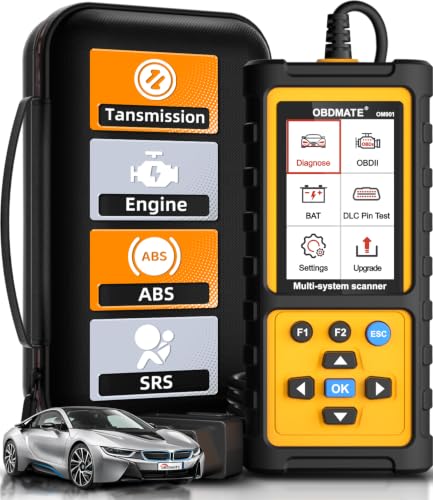
- 【Reset ABS/SRS/Transmission/Engine Lights】 More than an check engine code reader, OBDMATE OM901 obd2 scanner performs comprehensive diagnostics for the 4 most-used systems (ABS/SRS/Engine/Transmission). It quickly clears fault codes, turns off warning lights, read data stream and auto VIN.
- 【3.5" Handheld Scanner with 4 System Diagnose】 3.5" Super large TFT screen equipped displays an intuitive menu and clear readings of various sensors from ABS, SRS, ECM and TCM systems. It arrived with a silicone protective case and hard-shell carrying case, ensuring long-lived durability and drop resistance. The car diagnostic tool is plug-to-play designed, plug it and get diagnosis started without any batteries or updates required.
- 【One-Click I/M Readines&Full OBD2 Functions】 Press F1 to get an intuitive corloured form about whether various emissions-related systems on the vehicle are operating properly. Help you get smog-check ready quickly. OM901 car scanner supports all essential OBD2 functions you need: read & clear codes, view freeze frame, read I/M readiness, retrieve VIN, live data stream (with graphing display), O2 sensor test, onboard monitoring mode, and EVAP leak test.
- 【Battery Voltage Check&DLC Pin Test】 It allows you to monitor battery health by testing current battery voltage. Plus, this obd2 diagnostic tool features DLC 16-PIN test to check current voltage of every pin.
- 【Automotive Scanner Diagnostic Kit】 The package comes with 1 car scanner, 1 USB-type c cable, 1 hard storage bag and 1 user manual(en). Free to update without any hidden fees. 5 languanges available in setting including English, French, Italian, German and Espanish. Valuable and Portable, making it a great tool kit for car owners, DIY enthusiasts, and professional mechanics.

- [All System Diagnostics, Professional-Level Scanner] - BLCKTEC 460T is the ultimate OBD2 diagnostic tool for home mechanics and professionals. It supports all 10 OBD2 modes, reads and clears Engine/Transmission/ABS/SRS codes, performs All-System Diagnostics, offers workshop reset tools, and provides real-time live data. It helps you pinpoint issues, assess your car's condition, and prepare for SMOG checks with ease. NOTE: Function availability depends on your vehicle. Before you buy, be sure to use the Compatibility Checker on BLCKTEC website or contact our customer support to verify that the features you need are supported for your vehicle’s specific year, make, and model.
- [12+ Most Popular Reset Functions] - BLCKTEC 460T OBD2 scanner offers 12+ dealer-level service functions, including Oil Maintenance Reset, ABS Bleeding, EPB Reset, SAS(Steering Angle Sensor) Recalibration, DPF(Diesel Particulate Filter) Reset, Throttle Body Relearn, Battery Reset/Initialization, TPMS Relearn, Transmission Reset, Fluid Change Reset, Maintenance Reset and more, enabling you to perform workshop services like a pro. NOTE: Function availability depends on your vehicle. Be sure to use the Compatibility Checker on BLCKTEC website to verify that the features you need are supported for your vehicle.
- [Real-Time OBD2 and OEM Live Data, Freeze Frame Data] - BLCKTEC 460T helps diagnose vehicle issues when warning lights like Check Engine Light or ABS/SRS Light appear. It offers detailed DTC info, ECU Freeze Frame Data, and real-time OBD2 and advanced OEM live data, including Engine, Transmission, ABS, SRS, and more, making it easy to diagnose and resolve vehicle problems. You can view, graph, record, replay, and overlay up to four live data streams in a single graph for better analysis.
- [AutoVIN, AutoReLink, AutoScan, 3X Faster] - Equipped with AutoVIN technology, 460T automatically retrieves the VIN to save you time. Its AutoScan and AutoReLink features scan all of the vehicle's ECUs and detect any fault codes immediately after you plug the scanner into the vehicle's OBD2 port - no button presses required. Additionally, it regathers DTC and I/M readiness information every 30 seconds, simplifying monitor tests. 460T's advanced technology makes it 3X faster than other products.
- [Get RepairSolutions2, the #1 Auto Repair App for Free] - When paired with RepairSolutions2(RS2) App, 460T becomes even more powerful. RS2's Verified Fix Database built by master technicians, provides the parts needed for the repair. Additionally, RS2 gives you access to OEM warranty info, maintenance schedules, TSB, and dealership recall info, making car care easier than ever. RS2 is free with no subscription fees and it stores your car scan reports in the cloud, allowing you to access, share, or print them anytime and anywhere.
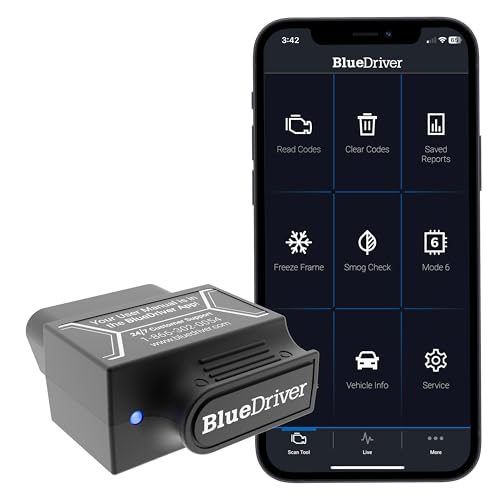
- [Diagnose Like a Pro] BlueDriver Pro is a professional OBD2 scanner and diagnostic tool that helps you scan, understand, and clear vehicle trouble codes with confidence. Turn your phone into a powerful car diagnostic scanner—no guesswork, no unnecessary repairs.
- [Read and Clear More Codes Than Ever] Read and clear more codes than basic car code readers. Access enhanced diagnostics for Check Engine, ABS, SRS, Airbag, TPMS, Transmission.
- [Verified Fixes and Real-Time Data] Get unlimited, technician-verified repair reports matched to your VIN, with definitions, causes, and confirmed fixes. Monitor live vehicle data as you drive, view freeze frames, check smog readiness, and analyze Mode 6 test results.
- [Wireless & Bluetooth Enabled] - Say goodbye to wires. BlueDriver connects with Bluetooth via your phone/tablet to a sensor that plugs into your car's OBDII port. Get all of the capabilities of an expensive code reader & scan tool without any annoying wires.
- [Broad Make & Model Coverage] Strong support for GM, Ford, Stellantis (RAM, Jeep, Chrysler), Toyota, Honda, Nissan, Mazda, Subaru, Hyundai, Mercedes-Benz, BMW, and VW.

- OBD2 SCANNER FOR ALL SYSTEMS – The INNOVA SD35 is a tablet-based OBD2 scanner designed for advanced diagnostics. Read and clear check engine light, ABS, SRS, and TPMS codes, plus test your car battery and alternator to prevent unexpected failures. Vehicle coverage may vary. Please use Innova’s Coverage Checker to verify compatibility.
- ALL-SYSTEM DIAGNOSTICS & LIVE DATA – Unlike basic code readers, this OBD2 scanner for all vehicles scans engine, transmission, ABS, SRS, and more. Get real-time live data, including RPM, fuel trims, temperature readings, and oxygen sensor performance.
- OBD2 TABLET WITH USER-FRIENDLY INTERFACE – This automotive scan tool features a high-resolution display, making vehicle diagnostics faster and easier.
- ADVANCED TPMS, OIL RESET & SERVICE FUNCTIONS – Perform TPMS sensor checks, oil light reset, and other service resets with ease This professional diagnostic tool provides comprehensive vehicle maintenance capabilities in one device.
- WIDE VEHICLE COVERAGE (1996 & NEWER CARS & TRUCKS) – This OBD2 scanner Bluetooth tablet is compatible with Toyota, Ford, Honda, Chevrolet, Nissan, Dodge, and more. However, feature coverage may vary. Please use Innova's Coverage Checker to verify coverage.
SEOCONTENT-START
Subaru Service and Technical Support Line Newsletter 01 QMR of the Month We are pleased to announce this month’s Winner of QMR of the Month: John Cote from Bill Kolb Jr. Subaru in Orangeburg, NY This month’s winning QMR described the diagnosis and repair of a 2020 Legacy with EVAP system DTCs P24BA and P1449. The vehicle had already had the ELCM / Canister assembly replaced during a prior visit for the same DTCs. While monitoring the PIDs for atmospheric, barometric and EVAP system pressures, John noticed the atmospheric pressure was fluctuating significantly after putting the vehicle on a lift and while opening and closing the doors. John was also able to initiate a pressure change when hitting different interior trim panels with his hand. Although wiggle testing the harness connectors starting at the ELCM and working his way forward produced no fluctuations, tapping on the harness or other places on the vehicle would initiate a change in the atmospheric pressure value he was monitoring. Further wiring harness checks led John to inspect the B42 connector behind the interior fuse box. There, he found the red wire in pin #18 with the lock tab missing resulting in a poor connection to the atmospheric pressure sensor and isolated the root cause of the DTC. After replacing the bulkhead wiring harness, all the previously monitored EVAP pressure values were now stabilized. John cleared the memory and after drive cycle testing, confirmed the successful repair with no further CEL illumination. His detailed report included detailed results of the testing performed along with a photo of the wiring diagram showing the location of the failed connector. In appreciation for going the extra mile and sharing his experience with us, John will be receiving the following from his Field Service Engineer. A $500.00 Snap-On gift card. ©2020 Subaru of America, Inc. All rights reserved. SUBARU TECHLINE HOLIDAYS & HOURS OF OPERATION Memorial Day: (Closed) Monday, May 25, 2020 Independence Day: (Closed) Friday, July 3, 2020 Labor Day: (Closed) Monday, September 7, 2020 Mon. – Thurs. 8:30AM – 7:30PM EST Friday 10:30AM – 5:00PM EST Saturday 9:00AM – 3:00PM EST Continued on the next page home Articles Contained in this Issue The Subaru TechTIPS newsletter is intended for use by professional Technicians ONLY. Articles are written to inform those Technicians of conditions that may occur in some vehicles, or to provide information that could assist in the proper servicing of the vehicle. Properly trained Technicians have the equipment, tools, safety instructions, and know-how to do the job correctly and safely. If a condition is described, DO NOT assume that your vehicle has or will have that condition. Impreza, Legacy, Justy, Loyale, Outback, Forester, Subaru SVX, WRX, WRX STI, Baja, Tribeca, BRZ, XV Crosstrek, Ascent, Crosstrek Hybrid and “Quality Driven” are Registered Trademarks. ISO 14001 is the international standard for excellence in Environmental Management Systems. Please recycle or dispose of automotive products in a manner that is friendly to our environment and in accordance with all local, state and federal laws and regulations. CAUTION: VEHICLE SERVICING PERFORMED BY UNTRAINED PERSONS COULD RESULT IN SERIOUS INJURY TO THOSE PERSONS OR TO OTHERS. SUBARU OF AMERICA, INC. IS ISO 14001 COMPLIANT Click on a title below to jump to the article. Click the date located in the footer to return to page 1. CODE ARTICLE……………………………………………………….PAGE (00) STIS New Releases…………………………….. 13 (01) QMR of the Month……………………………..1-2 (01) QMR of the Month Award Presentations……………………………………… 2 (01) Subaru National Technician Competition Selection Announcement……………………… 3 (02) P0507 After Engine Service, Abnormal Idle Speed…………………………………………… 4 (02) Rough Idle with AVCS DTCs………………….. 5 (07) Flashing Lights on Rain Sensor Equipped Vehicles……………………………………………… 6 (07) Heated Seat Operation……………………….6-8 (12) Ascent Wind Rushing Noise………………9-10 (15) Remote Engine Start (RES) Run Time……………………………………………..11-12 (17) WUM-98 Supplier and Date Codes……….. 12 March 2020 March 2020 TechTIPS Page 1 of 14 01 QMR of the Month (continued) The other Regional winners selected from QMRs submitted during January 2020 were: • Daniel Graas-Hernandez from Premier Subaru of Freemont in Freemont, CA • Rodney Albert from Secor Subaru in New London, CT • Chris Walker from Williams Subaru in Charlotte, NC • Henry Steingisser from Subaru of Little Rock in Little Rock, AR Any Subaru Technician can participate in the QMR of the Month program. See the February 2013 and January 2016 issues of Tech TIPS for full details. You just might see your name and photo in a future issue of Tech TIPS! 01 QMR of the Month Award Presentation As part of our “enhanced” QMR of the Month recognition program, we will include a photo (whenever available) of the recipient’s award presentation in TIPS. The winner selected from QMR of the Month submissions received during January 2020 was John Cote, a Technician and shop foreman from Bill Kolb Subaru in Orangeburg, NY. John is shown above after being presented with his $500.00 Snap-On Gift Card by Subaru Distributors Corporation Field Service Engineer Jim Colamarino to his right. Pictured here (left to right) are: Bill Kolb Jr. Subaru’s Assistant Fixed Operations Director Jessica Rolon, Jim Colamarino, January’s winning Technician / Shop Foreman John Cote and Fixed Operations Director, Joe Minns, Congratulations and THANK YOU to our January 2020 QMR of the Month Award recipient! March 2020 TechTIPS Page 2 of 14 01 Subaru National Technician Competition Selection Announcement The SOA Technical Training Department is pleased to announce we have officially begun the Technician selection process for the 2020 U.S. National Technician Competition. The purpose of the competition will be to select the Technician who will best represent Subaru of America, Inc. in Japan for the 2021 Subaru World Technical Competition. The goal of the competition is to create a competitive environment that motivates Technicians to increase their knowledge and skill levels. Ultimately, everyone benefits from this experience. Technicians increase their confidence and skill levels and retailers benefit from improved customer satisfaction. The first part of the selection process is a Pre-Selection test that will be administered through SKILS. Technicians participating in the test will be given 1 hour to complete and submit 40 questions. Only Specialist, Master and Senior-Master Technicians are eligible for this Pre-Selection test. When the test is made available in SKILS, eligible Technicians (with a valid email in their profile) will automatically receive an email notification stating the test has been assigned. NOTE: No action is needed to register for the test. Technicians not automatically enrolled are not eligible. The Pre-Selection test will only be open for two weeks beginning March 18th. Technicians should consider the following before attempting the test: 1. If you have previously competed in the U.S. National Technician Competition you are not eligible to compete again. 2. You must obtain permission and support from your retailer to compete in both the Subaru World Technical Competition and the U.S. National Technician Competition. Please speak with your retailer’s management team to discuss this. 3. You must be willing and able to travel to Japan to compete in the Subaru World Technical Competition. Travel restrictions may apply. Please visit these websites for further details: a. https://travel.state.gov/content/travel/en/international-travel/International-Travel-Country- Information-Pages/Japan.html b. https://www.immi-moj.go.jp/english/hourei/index.html c. https://www.immi-moj.go.jp/english/newimmiact/pdf/RefugeeRecognitionAct01.pdf (Specifically, Page 4, Section 2, Article 5 (1) (iv) – at the bottom of page 4) 4. You must currently possess or be able to obtain a valid Passport in advance of the 2021 Subaru World Technical Competition in Japan. 5. You must plan to remain employed with your current retailer at the time of the 2021 Subaru World Technical Competition. Technicians will have one opportunity to complete the test. Technicians should not begin until they are ready. We recommend the Technician is in a comfortable location with a stable internet connection and free of distractions. If for some reason the internet connection is lost during the test, the session and test will end. After the two-week testing period ends, the top 10% of scorers will be presented to Zone Directors along with ASE, FRFT and QMR information to be considered for selection as Zone Champion. Subaru of America is proud to host this event and honored to provide recognition for the dedication, talent and professionalism found in all Subaru Technicians. March 2020 TechTIPS Page 3 of 14 02 P0507 After Engine Service, Abnormal Idle Speed When servicing the 2.0L turbocharged, direct-injected engine, a common mistake made by Technicians will result in an abnormal idle and may set DTC P0507 Idle control system RPM – higher than expected. When removing the timing chain cover there are two vacuum hoses that run parallel to each other and transition to a metal pipe then back to rubber hoses before connecting to the turbocharger air inlet and air bypass valve. These hoses come from canister purge control solenoid #2 and the intake manifold. When the hose intended for CPC 2 is connected from the turbocharger air inlet to the intake manifold it causes an internal vacuum leak. Normally, this hose would be sealed from the turbocharger air inlet by the CPC 2 solenoid valve. When the air bypass valve hose is connected to the CPC 2 solenoid the air bypass valve will not operate. The best way to avoid these costly mistakes is to mark the hoses or take photos before removal. March 2020 TechTIPS Page 4 of 14 02 Rough Idle with AVCS DTCs When diagnosing AVCS DTCs P0014, P0024, P000B, P000D or P0017, P0019 there is a possibility of a rough idle with the check engine light illuminated. The rough idle is due to false learning caused by a high deviation from the VVT exhaust retard angle at idle. If the VVT angle is excessively deviated from the target angle the learning will be affected and may cause a rough idle. The diagnostic method for this condition is as follows: 1. Check all DTCs and record all ECM PIDs while idling and driving with the engine at operating temperature. 2. Clear the ECM memory. 3. Record another ECM data file with all PIDs selected. 4. Confirm the rough idle is no longer happening after clearing the ECM memory. 5. Refer to the appropriate trouble tree if the rough idle is gone. Affected vehicles: 2017MY+ Impreza 2018MY+ Crosstrek 2019MY+ Ascent 2019MY+ Forester 2020MY+ Legacy and Outback March 2020 TechTIPS Page 5 of 14 Continued on the next page 07 Flashing Lights on Rain Sensor Equipped Vehicles Technicians have reported after installing a BIU or Rain Sensor, the vehicles parking lights will flash when the key is in the on position. This is due to the Rain Sensor not being initialized. This initialization is memorized in the BIU. Since many states have laws requiring headlights to be on when driving through rain, the Rain Sensor communicates this to the BIU for the Automatic Light and Wiper and Wiper Link. Since this initialization is unknown, the vehicle will react in a light cycling fashion. Simply reinitialize the rain sensor to resolve the concern. Body & Electrical/WIRING SYSTEM -> Glass/Windows/Mirrors -> Rain Sensor -> Inspection 07 Heated Seat Operation Techline has received several calls regarding heated seat operation. When diagnosing a concern, be sure to gather as much detail from the customer as possible. This should include if the seat had been sitting in direct sunlight for an extended period of time and temperatures the customer is operating the seat. NOTE: Due to the seat material, leather vs. cloth, seats will heat and cool at faster rates. A collection of previous TIPS articles for heated seat operation is provided below. NOTE: 2015MY+ Legacy & Outback and & 2019MY+ Ascent are all capable of monitoring heated seat operation through PIDS in the SSM. Always refer to STIS for the proper inspection procedure. FEATURED NOVEMBER 2013 ON PAGE 3 07 2014 FORESTER SEAT HEATER OPERATION AND SWITCH FUNCTIONS Subaru vehicles 2013MY and prior equipped with seat heaters generally have an operating range of 86 degrees F to 104 degrees F. See the March, 2003 issue of TechTIPS for information on older style seat heaters. The 2014 Forester seat heaters have a different operating range. The 2014 Forester seat heaters come on at 98.6 degrees F. and shut down at 109.4 Degrees F. Depending upon conditions such as interior cabin temperature, seat fabric and thickness, these temperature ranges are target ranges and may feel or read slightly different when checked by a technician. The system uses seven (7) contact points on the seat cushion and four (4) contact points on the seat back to keep the system within this operating range by utilizing two thermostats located within the seat elements. They are positioned so the customer cannot feel them when seated. See the attached illustration below for thermostat locations. The switch functions are not a high and low type system like those used in previous models. When the seat heater switch is put in the high position, the elements heat up and into the operating range as fast as possible. When the switch is placed in the low position, the same amount of heat is generated but at a slower rate to reach maximum temperature. Once the maximum temperature is reached, the elements shut off until they cool below operating range then cycle back on again. The switch stays illuminated whenever the system is in use. March 2020 TechTIPS Page 6 of 14 Continued on the next page 07 2014 FORESTER SEAT HEATER OPERATION AND SWITCH FUNCTIONS (Continued) Switch testing can be performed as follows: Inspect for continuity between the seat heater switch terminals. Connector & Terminal If no continuity exists, replace the seat heater switch with a new part. For other models equipped with seat heaters, use the appropriate Service Manual for diagnostics as there are differences between systems and testing procedures differ between model years. FEATURED DECEMBER 2018 ON PAGE 5 12 2015MY LEGACY / OUTBACK SEAT HEATER OPERATION OVERVIEW The front seat heater system used in the 2015MY Legacy / Outback is a new design compared to prior systems. It utilizes a thermistor sensor which allows the front seats to remain at warmer temperatures more consistently than the prior system. The new system is very different due to the change in sensors. The seat heater system on 2014MY and prior Legacy / Outback is a thermostat sensor-based system which makes the front seats heat up periodically and then cool down until the sensor indicates a need to turn the element on again. When this sensor-based system is operating, the temperature increases until the sensor determines the heating element has reached approximately 50 degrees C (roughly 122 degrees F). At that point, the element is switched off until the sensor reads approximately 40 degrees C (104 degrees F). At that temperature reading, the element is turned back on again to re-heat the seat resulting in an approximate 18-degree range. This cycle continues as long as the seat heater switch is on in either the low or high position. In comparison, the thermistor sensor used in the new system also cycles on and off but, the operating range (temperature difference) is much smaller with a slightly lower upper limit temperature. The new system turns on the element until the thermistor sensor determines approximately 38 degrees C (roughly 100 degrees F) then cycles the element off until the temperature (at the thermister) reaches approximately 37 degrees C (roughly 98 degrees F) before the element cycles on again, yielding only an approximate 2-degree range. As you can see, the upper and lower temperature range on the new system is significantly reduced. However, this is an apples and oranges comparison as the actual seat temperature felt is very similar. As you can see on the chart below, the average surface temperature of the front seat for each system ends up being very close. The RED line on the graph shows the temperature on front seat surface of the new 2015MY Legacy / Outback while the GREEN line represents the previous model year. You can see the fluctuations of the previous system have been virtually eliminated and the temperature stability enhancement the new system provides. HI No 4- No 5 No 4 – No 3 No 4 – No 6 LOW No 4 – No 5 No 4 – No 6 07 Heated Seat Operation (Continued) March 2020 TechTIPS Page 7 of 14 12 2015MY LEGACY / OUTBACK SEAT HEATER OPERATION OVERVIEW (Continued) 2015MY Legacy / Outback 2014MY Legacy / Outback Average Seat Surface Temperatures Heating Condition: Switch Is Set to HI Outside Temp. is -20 deg. C (-4 deg. F) There are three levels of front seat heating available for 2015MY Legacy and Outback, HIGH (1), MID (2) and LOW (3). The difference among these modes is an upper limit temperature change of about 2 to 4 degrees C. Similar to the older system the speed at which the seat actually heats up varies with the level settings. The high setting will heat the seat the quickest, mid will increase the temperature more gradually and low will increase it at the slowest rate. In contrast, the rear seat heater system used on 2015MY Legacy / Outback is a similar design as the previous model year but, the cycle and surface temperatures for those seats are lower than the front seats on previous model by a few degrees C. Another operational difference between the old and new seat heater systems is how each functions in higher ambient temperatures conditions. Naturally, ambient temperatures which are at or above the upper limit of either system’s sensor function may keep the seat heater from operating. Simply stated, if the ambient temperature inside the car is higher than the upper cycle limit for that sensor, the system will not allow the element to heat. This is not a malfunction; the seat heater system is operating as designed. Should you receive a customer concern stating their seat heaters do not work, start your diagnosis by first confirming the conditions under which the system was reported to be inoperative. If the ambient temperatures were close to or higher than the seat heater sensor’s upper limit (remember, inside vehicle temperatures will be higher than outside ambient temperature in most cases), the concern may be a normal operating characteristic of the system. If this is not the case, diagnose the system using the applicable Service Manual. On the 2015 Legacy and Outback, temperatures of the thermistor sensor can be viewed using the SSMIII as shown in the screen shot below. This data may be used to check if the sensor is functioning correctly or not. NOTE: Temperatures shown on SSMIII are not the actual temperatures felt on the seat surface. Actual seat surface temperatures will be higher than those shown for the thermistor sensor on the SSMIII data. 07 Heated Seat Operation (Continued) March 2020 TechTIPS Page 8 of 14 Continued on the next page 12 Ascent Wind Rushing Noise The Techline has received a few calls with customer concerns of a wind rushing noise while driving at speed. In some cases, this noise will fluctuate when the HVAC mode is changed from recirc to fresh air. During the Technician’s diagnosis, the cowl area should be inspected. There have been isolated cases where some of the body plugs were missing or not installed. Located behind the sound deadening material. Remember to check the upper part of the cowl under the windshield. These plugs are smaller and can easily be overlooked. There are four located on this model and examples are found below. March 2020 TechTIPS Page 9 of 14 12 Ascent Wind Rushing Noise (Continued) Technicians can refer to the Body & Electrical/WIRING SYSTEM -> Body Structure -> Plug/ Grommet Sheet section for proper plug / grommet location and types. In all cases where any are found missing, a QMR should be submitted. March 2020 TechTIPS Page 10 of 14 Continued on the next page 15 Remote Engine Start (RES) Run Time The Techline often receives inquiries regarding the time-out function of the Remote Engine Start (RES) system. When utilizing the RES feature, the system will automatically shut the engine off after 15 minutes of initial run time. 15 minutes is the default setting but, instructions are supplied with the system to customize this setting and allow owners to stay compliant with their specific state and local laws. Using the default 15-minute parameter, if the vehicle is restarted using the RES without the system seeing an ignition “ON” signal (from the vehicle’s mechanical or “smart” key) to “reset” it, the engine will only run for an additional 5 minutes for a 20-minute maximum total run-time. The 20-minute total run-time is fixed (not adjustable), regardless of what the initial time-out setting is. For example, if the initial setting is changed from the default 15 minutes to 5 minutes, the RES can be used to start the car 4 times (20 minutes total) without the system seeing an ignition “ON” signal to reset (see TechTIPS edition February 2017.) It is also important to note, the audio head unit (H/U) will stay powered up for an additional 3 minutes after the ignition is switched off UNLESS there is an active Bluetooth phone call in process. In that case, the additional 3 minutes of H/U on-time will be extended to a maximum of 10 minutes after the ignition is switched off. Starting with the 2015 Legacy/Outback Remote Engine Start systems there is now an optional Selectable Run Time option. This information is in the Remote Start Quick Reference Guide. It also can be found in the OIK or on STIS > Owner’s Manual and TechTIPS edition March 2015. There is also a Trouble Shooting Guide for this system on STIS under Online Reference tab, Publication Type “Troubleshooting Guides”. Before determining any RES issues, verify the Run Time has not been changed from the factory default setting of 15 minutes. The remote engine start module is equipped with a diagnostic mode to help Technicians with troubleshooting abnormal shut down conditions. The diagnostic mode saves the last abnormal shut down in memory. This is particularly helpful in determining a past failure when the system may not be currently exhibiting the observed failure mode. Normal shutdowns will not be included in the diagnostic table. Normal shutdowns include run time expiration, shut down or failure to start when the vehicle door is opened, shut down via RES transmitter and failure to start when the service mode is active. See chart below for details on how to access these two modes: NOTE: The difference between these modes is the amount of key cycles “on and off.” RES runtime mode is 4 cycles; RES Diagnostic mode is 6 cycles. March 2020 TechTIPS Page 11 of 14 15 Remote Engine Start (RES) Run Time (Continued) 11 6. The system will fl ash the side marker lights, tail lights, front position lights and honk the horn one (1) time, indicating that the system has learned the transmitter. Upon successful programming, the remote start confi rming transmitter button will fl ash one (1) time (within fi ve (5) seconds). 7. Repeat step fi ve (5) for any additional transmitters (the system will accept up to eight (8) transmitters). 8. The system will exit transmitter programming mode if the ignition key is turned to the OFF position, the door is closed or after two (2) minutes. Remote Engine Start Run Time Selection The system is preprogrammed to run for fi fteen (15) minutes before automatically stopping. The programmed run period can be changed to alternate times using the following procedure. 1. Enter the vehicle and close all vehicle doors, trunk or rear gate. 2. Verify that the transmission shifter is in the “park” position. 3. Turn the ignition to the “on” position and leave on for approximately 2 seconds then “off ”, “on” then “off ”, “on” then “off ”, then back “on” and leave on throughout the programming process. (Four ignition key cycles ending in “on”, total duration from point of fi rst ignition “on” cycle must not exceed eight (8) seconds). 4. The system will honk the horn the number of times corresponding to the current run time setting. 5. Open and close the driver’s door to advance to the next run time setting. The system will honk the horn the number of times corresponding to the new run time setting. 6. Run time selection mode will exit via turning the ignition key off or thirty (30) seconds of inactivity. Upon exit the current run time selection will be stored. Horn Honks Run Time 1 Three (3) Minutes 2 Five (5) Minutes 3 Ten (10) Minutes 4 Fifteen (15) Minutes (Default Setting) Remote Engine Start Diagnostic Mode The remote engine start module is equipped with a diagnostic mode that will aid in troubleshooting abnormal shut down conditions. The diagnostic mode saves the last abnormal shut down in memory. This is particularly helpful in determining a past failure when the system may not be currently exhibiting the observed failure mode. Normal shut downs will not be included in the diagnostic table. Normal shutdowns include: run time expiration, shut down or failure to start when the vehicle door is opened, shut down via RES transmitter and failure to start when the service mode is active. Accessing diagnostic mode: 1. Enter the vehicle and close all vehicle doors, trunk or rear gate. 2. Verify that the transmission shifter is in the “park” position. 3. Turn the ignition to the “on” and leave on for approximately 2 seconds then “off ”, “on” then “off ”, “on” then “off ”, “on” then “off ”, “on” then “off ”, then back “on” and leave on throughout the programming process. (Six ignition key cycles ending in “on”, total duration from point of second ignition “on” cycle must not exceed eight (8) seconds) 4. The system will fl ash the side marker lights, tail lights, front position lights and honk the horn a number of times corresponding with the table below. Horn Honks Shutdown Condition Diagnosis No Honk Normal Operation Normal remote start operation. No abnormal shut downs have occurred since installation of the system. 1 Honk Hood Safety Switch Active Verify that hood is closed and latched. Check for damaged o r mis-aligned factory hood latch switch. 2 Honks Brake Pedal Depressed Check for damaged or inop brake switch in vehicle or c onnection issue between BIU and brake pedal switch. This does not indicate failure of an RES component. 3 Honks RES Stop Request The vehicle’s BIU sent a “stop request” to the RES module t o indicate a vehicle related concern (DTC’s, etc.). Vehicle condition must be corrected prior to restoring RES operation. This does not indicate failure of an RES component. Contact SOA for a listing of conditions and DTC’s that would cause the BIU to transmit an “RES Stop Request” message. 4 Honks RPM Over-rev The RES module reads a CAN message to determine e ngine speed (> 3,500 RPM). Check vehicle systems to determine what would cause an abnormal high RPM. This does not indicate failure of an RES component. 5 Honks Missing CAN Messages The RES system detected missing CAN Bus messages from the BIU or TCU. Verify proper operation of both BIU and TCU. This does not indicate failure of an RES c omponent. 6 Honks Shifter Not in Park This indicates that the shifter was not in park at time of Remote Engine Start Diagnostic Mode The remote engine start module is equipped with a diagnostic mode that will aid in troubleshooting abnormal shut down conditions. The diagnostic mode saves the last abnormal shut down in memory. This is particularly helpful in determining a past failure when the system may not be currently exhibiting the observed failure mode. Normal shut downs will not be included in the diagnostic table. Normal shutdowns include: run time expiration, shut down or failure to start when the vehicle door is opened, shut down via RES transmitter and failure to start when the service mode is active. Accessing diagnostic mode: 1. Enter the vehicle and close all vehicle doors, trunk or rear gate. 2. Verify that the transmission shifter is in the “park” position. 3. Turn the ignition to the “on” and leave on for approximately 2 seconds then “off ”, “on” then “off ”, “on” then “off ”, “on” then “off ”, “on” then “off ”, then back “on” and leave on throughout the programming process. (Six ignition key cycles ending in “on”, total duration from point of second ignition “on” cycle must not exceed eight (8) seconds) 4. The system will fl ash the side marker lights, tail lights, front position lights and honk the horn a number of times corresponding with the table below. Horn Honks Shutdown Condition Diagnosis No Honk Normal Operation Normal remote start operation. No abnormal shut downs have occurred since installation of the system. 1 Honk Hood Safety Switch Active Verify that hood is closed and latched. Check for damaged o r mis-aligned factory hood latch switch. 2 Honks Brake Pedal Depressed Check for damaged or inop brake switch in vehicle or c onnection issue between BIU and brake pedal switch. This does not indicate failure of an RES component. 3 Honks RES Stop Request The vehicle’s BIU sent a “stop request” to the RES module t o indicate a vehicle related concern (DTC’s, etc.). Vehicle condition must be corrected prior to restoring RES operation. This does not indicate failure of an RES component. Contact SOA for a listing of conditions and DTC’s that would cause the BIU to transmit an “RES Stop Request” message. 4 Honks RPM Over-rev The RES module reads a CAN message to determine e ngine speed (> 3,500 RPM). Check vehicle systems to determine what would cause an abnormal high RPM. This does not indicate failure of an RES component. Refer to the appropriate troubleshooting guide for the horn honk diagnostic table for honk definitions. 17 WUM-98 Supplier and Date Codes NOTE: This information applies ONLY to vehicles within the range of the WUM campaign. Similar lot numbers may be found on vehicles outside the range, but those do not require replacement. When performing the Occupant Detection Wiring Harness Inspection campaign many technicians are unclear if they should replace the harness, or just inspect. All harnesses that qualify for replacement will have the supplier code “6578.” If the supplier code is 6577, 2239, or 0444, the harness does not require replacement; submit the claim for inspection only. Additionally, if the date code is greater than “18074” the harness does not qualify for replacement and the inspection only claim should be submitted. All affected harnesses will have the supplier code “6578” AND A DATE CODE LOWER THAN “18074. March 2020 TechTIPS Page 12 of 14 00 STIS new releases ITEM CODE ITEM TYPE TITLE CREATED DATE 07-75-13R Technical Service Bulletin DTC P0606 after Vehicle Batter… 10-Mar-20 15-261-20 Technical Service Bulletin Reprogramming File Availabilit… 10-Mar-20 TIPS_NTC_SE_ Mar20 TechTIPS NewsLetter 2020 TechTIPS National Technic… 9-Mar-20 07-171-20 Technical Service Bulletin Battery Sensor Removal and Ins… 6-Mar-20 WUT-05R Subaru Product/Campaign Bulletin Forester Rear Coil Springs 6-Mar-20 WRA-20R Subaru Product/Campaign Bulletin Rear Seat Belt Webbing Locking 5-Mar-20 TIPS_QMR_SE_ Feb20 TechTIPS NewsLetter 2020 TechTIPS QMR Special Edit… 5-Mar-20 12-279-20R Technical Service Bulletin Outer Door Handles- Chrome Fin… 4-Mar-20 03-84-20 Technical Service Bulletin Rear Differential Side Gear- D… 4-Mar-20 18-199-20 Service Manual Correction Service Manual Corrections 4-Mar-20 18-198-20 Service Manual Correction Service Manual Corrections 3-Mar-20 WUM-98R Subaru Product/Campaign Bulletin Occupant Detection Wiring Harn… 2-Mar-20 15-205-16R Technical Service Bulletin Reprogramming File Availabilit… 27-Feb-20 MSA5M2007A Owner Manual 2020MY Crosstrek Owner’s Manua… 27-Feb-20 MSA5M2001A Owner Manual 2020MY Impreza Owner’s Manual 27-Feb-20 MSA5M2035B Owner Manual 2020 WRX/STI Owner’s Manual 27-Feb-20 11-200-20R Technical Service Bulletin Reprogramming File Availabilit… 27-Feb-20 All revised publications are highlighted in yellow. March 2020 TechTIPS Page 13 of 14 Continued on the next page *** Now you can e-mail your TechTIPS input and suggestions to: tech@subaru.com *** SUBARU TECHLINE Monday – Thursday 8:30 am to 7:30 pm Hours of Operation Friday 10:30 am to 5 pm and Saturday 9 am to 3 pm This is your chance to offer suggestions for use in future issues of TechTIPS! Make sure that if you e-mail us, you place in the subject line of your e-mail “For TechTIPS Newsletter”. Thank you! Model: Year: VIN: Description of situation encountered: Your suggestion for repair procedure, product improvements, etc.: Please attach separate sheets, if necessary. You may also want to include Service Manual diagrams or references, or your own drawings to assist in describing your suggestion. All information submitted becomes the property of Subaru of America, Inc. Permission is granted to Subaru of America, Inc. to print your name and suggestions in TechTIPS and other Subaru of America, Inc. publications. Mail items to: PO Box 9103; Camden, NJ 08101-9877. Your Name: Signature: Dealer’s Name: City: Date: Dealer Code: March 2020 TechTIPS Page 14 of 14
**************************************************************************************************************
SEOCONTENT-END
This product presentation was made with AAWP plugin.