Owner Manual
2022MY SUBARU STARLINK Safety and Security Owner’s Manual
Gen 2
MSA5M2222A
B1107BE-A
Troubleshooting
If there is a problem with SUBARU STARLINK, start by checking the table below.
If there is a problem with SUBARU STARLINK, start by checking the table below.
| Symptom | Possible Cause | Solution |
| The system is unable to connect to SUBARU STARLINK when you press the SOS button or i-button. | A subscription to the SUBARU STARLINK service has not been established. | Sign up for a subscription to the SUBARU STARLINK service. |
| The telecommunications line is experiencing higher than normal call volume. | Terminate the call and try again later. | |
| The vehicle is in a location where it is difficult to receive cellular network signal. | If possible, move the vehicle to an area where the signal strength may be better and communication will be restored. | |
| The call connection is interrupted or the call connection with a STARLINK Customer Care Advisor is interrupted. | The telecommunications line or location of the base station could be out of signal range. | This is not a malfunction. If possible, move the vehicle and try again. |
| Red Status light on the overhead console is illuminated. | A system malfunction has occurred. (Short circuit or disconnection of the connector, etc.) | Contact your Subaru Retailer for an inspection. |
| Status light does not illuminate on the overhead console. | A subscription to the SUBARU STARLINK service has not been established. | Sign up for a subscription to the SUBARU STARLINK service. |
| Remote Engine Start doesn’t execute. | The vehicle’s Security Alarm has been activated. | Manually start and stop your vehicle, then try again. |
| The vehicle has been manually turned off while Remote Engine Start was in operation. |
| Symptom | Possible Cause | Solution |
| SUBARU STARLINK Service Appointment Scheduler does not initiate when selected on the head unit. | The vehicle’s internal clock has not been set. | Pair your smartphone with the head unit and sync your contacts and allow notifications, or use the Vehicle Settings menu on the head unit or MultiFunction Display to set the clock. |
| SUBARU STARLINK services are unavailable and head unit repeatedly displays “A SUBARU STARLINK Services update is in progress” screen at every ignition. | SUBARU STARLINK System Update installation could not complete. | Contact your Subaru Retailer for an inspection. |
| Repeatedly receive “STARLINK Services are temporarily unavailable” when sending a remote command to your vehicle. | Your vehicle may not have been turned on in more than 13 days and may have gone into a sleep mode to help preserve the battery. | Step 1:
Ensure your vehicle is safely parked in an area with good cell phone reception Step 2: Start your vehicle and allow it to run for at least 5 minutes Step 3: Turn your vehicle off Step 4: Using the MySubaru Mobile App or MySubaru.com lock your doors |
| A Destination sent from the MySubaru website or mobile app does not display on the head unit. | Remote Engine Start was used to start the vehicle and the user was not able to accept the Destination on the head unit before the command completed and the vehicle turned off. | Enter the vehicle before the Remote Engine Start command completes and accept the Destination when it displays on the head unit. |
| Symptom | Possible Cause | Solution |
| Charging schedule did not operate at the desired time. | Charging connector is not properly plugged in. | Make sure that the charging connector is properly connected. |
| The vehicle internal clock has not been set. | Pair your smartphone with the head unit and sync your contacts and allow notifications or use the Vehicle Settings menu on the Multi-Function
Display to set the clock. | |
| A schedule was set in MySubaru and the vehicle is in a location where it is difficult to receive cellular network signal and the schedule was not received by the vehicle. | If possible, move the vehicle to an area where the signal strength may be better and communication will be restored. |
| Symptom | Possible Cause | Solution |
| Charging started immediately, even though a saved schedule was present. | A “Charge Now” command was received by the vehicle before the charge connector was plugged in or the “Charge Now” option in the Charging Timer Setting menu was set to “ON” | When using charging schedules, be sure that the “Charge Now” option is turned “OFF” in the vehicle and to only use “Charge Now from MySubaru when needed. |
| The saved charging schedule was deactivated | Check that all desired charging schedules are active. | |
| A Departure Time schedule is active and there isn’t enough time to complete charging by the desired Departure Time. | When using a Departure Time schedule, try to give your vehicle enough time to fully charge. | |
| Remote Climate Control was in operation. | When Remote Climate Control is in operation the vehicle will charge immediately. In order to return to the saved schedule, Remote Climate Control needs to be stopped and the charging connector reconnected. |
| Symptom | Possible Cause | Solution |
| Charging has stopped or did not complete. | A Departure Time schedule with Automatic Climate Control was selected. | When a Departure Time is scheduled with Automatic Climate Control, the charging system will work to complete the charging an hour before the Departure time. When the Automatic Climate Control begins operation (10 minutes before the Departure Time), charging will resume to support the Climate Control operation. |
| If Charge Now is “ON” and then a charging schedule is saved after the vehicle has already started to charge. | If a charging schedule is saved after the vehicle has already started charging the vehicle will stop charging and wait for the new scheduled charging time to start charging. | |
| Automatic Climate Control option on the Departure Time Schedule did not operate before the selected time. | One or all of your vehicle’s doors are unlocked. | When selecting the Automatic Climate Control option for a Departure Time Schedule be sure to lock all the doors on the vehicle. |
| Access Key Fob is locked in vehicle after Remote Climate Control began operation. | Remote Climate Control will lock all doors at the beginning of operation. | Use MySubaru Website or Mobile App to execute a Remote Door Unlock command to unlock the doors and retrieve the Access Key Fob. |
Please refer to your Subaru Owner’s Manual to learn more about your vehicle’s systems and operations.
Communication Error Codes
If a Communication Error message displays on the head unit screen, please use the chart below for descriptions on possible causes.
| Error Code | Possible Cause | Solution |
| 101 | The vehicle system’s internal clock has not been set | Pair your smartphone with the head unit and sync your contacts and allow notifications or use the Vehicle Settings menu on the head unit or Multi-Function Display to set the clock. |
| 102 | Unable to communicate with the SUBARU STARLINK service | If possible, move the vehicle to an area where the signal strength may be better and communication will be restored. |
| a SUBARU STARLINK Service Appointment Scheduler notification displayed and no selection was made within the first 3 minutes | Choose the “Read Now” option when the SUBARU STARLINK Service Appointment Scheduler notification displays. | |
| 103 | The SUBARU STARLINK service is unavailable | If possible, move the vehicle to an area where the signal strength may be better and communication will be restored or contact your Subaru Retailer for an inspection. |
| 104 | A communication issue occurred at the vehicle | Check the network signal strength and attempt Service Appointment Scheduler again later. |
| 105 | A communication issue occurred at the SUBARU STARLINK service | Please try Service Appointment Scheduler again later. |
FAQs
| What is SUBARU STARLINK? |
| SUBARU STARLINK is your in-vehicle technology that provides hands-free connectivity, entertainment, and the security you need to keep you and your vehicle safe. There are two ways to connect using your smartphone.
– STARLINK Multimedia services can be accessed via the SUBARU STARLINK Mobile App. – STARLINK Safety Plus, Security Plus and Concierge features can be accessed via the MySubaru website (MySubaru.com) or MySubaru Mobile App. If subscribed, your vehicle can connect with a STARLINK Customer Care Advisor via the red SOS button or blue i-button on your overhead console. SOS/i-button Connection with a Customer Care Advisor is not limited to any STARLINK subscription plan.
|
| What do the buttons on my overhead console do? |
The SUBARU STARLINK buttons:
– Pressing the red SOS button connects users with a live advisor who can provide emergency assistance.
– Pressing the blue i-button connects you to Subaru Roadside Assistance or Concierge Services (if subscribed).
|
| Will SUBARU STARLINK use my smartphone connection to provide me emergency assistance? |
| SUBARU STARLINK allows you to use both SOS Emergency Assistance, Enhanced Roadside Assistance and Concierge functions (if subscribed) without the use of your smartphone. However, all STARLINK Remote Access features do require using your smartphone or MySubaru.com to activate remote services.
|
| Why do I need to download the mobile apps to my smartphone? What is the difference between the SUBARU STARLINK App and MySubaru App? |
| Downloading either the SUBARU STARLINK App or MySubaru App allows you to bring content from your smartphone into your vehicle, while keeping your hands on the wheel and your eyes on the road.
The SUBARU STARLINK App is your link to SUBARU STARLINK in-vehicle technology that offers cloud services via your smartphone and cellular network data plan. It provides hands-free connectivity and entertainment for your next adventure. The MySubaru App allows you access to remote services, user preferences, diagnostic alerts and other great features enabled by your STARLINK subscription.
|
| What are the SUBARU STARLINK Safety Plus, Security Plus and Concierge features? |
| SUBARU STARLINK Safety Plus gives you peace of mind in case an emergency occurs when you are in your vehicle.
SUBARU STARLINK Security Plus features provide Stolen Vehicle Recovery Plus with Immobilizer and Security Alarm Notifications. Security Plus also adds Remote Door Lock & Unlock, Stolen Vehicle Recovery Plus, Remote Vehicle Locator, Remote Engine Start and more. SUBARU STARLINK Concierge provides you with personalized call center support. Depending on how your vehicle is equipped, some features might not be available. Check with your Retailer or MySubaru to see what SUBARU STARLINK features are applicable to your vehicle.
|
| How does Enhanced Roadside Assistance work? |
| Pressing the blue i-button enables your Enhanced Roadside Assistance working in conjunction with your vehicle’s Subaru Roadside Assistance coverage 24/7/365. No matter where you are, your STARLINK Customer Care Advisor will know your exact GPS location and will be able to send help.
|
| What do I do if I forgot or want to update my PIN? |
| Log in to MySubaru choose the STARLINK menu then the STARLINK Update PIN link on the MySubaru website (MySubaru.com) or from the STARLINK Change PIN link in the My Profile menu on the MySubaru Mobile App.
|
| How do I contact a SUBARU STARLINK Customer Care Advisor? |
| If you have any questions about SUBARU STARLINK, please call a STARLINK Customer Care Advisor at 1-855-753-2495.
|
| What smartphones are compatible with the MySubaru Mobile App? |
| Please go to www.Subaru.com/STARLINK to check for the most current list of supported devices.
|
| How does Stolen Vehicle Recovery Plus work with local law enforcement to help recover my Subaru vehicle? |
| If your Subaru vehicle is stolen, you will need to first file a police report with local law enforcement. The SUBARU STARLINK Customer Care Advisor will need a police report number to help local law enforcement find the location of your vehicle.
Once your vehicle has been returned, you will need to contact a Customer Care Advisor and request that Stolen Vehicle Recovery Plus and Stolen Vehicle Immobilizer (if applicable) be deactivated.
|
| How do I change my notifications email or phone number? |
| Log in to MySubaru.com, select your vehicle and click on
“My Profile” link in the center navigation bar and choose “Account settings”. You can modify the notification to be one of the following; phone, email, text or push notification (if applicable).
|
| What kind of warranty coverage does SUBARU STARLINK have? |
| SUBARU STARLINK equipment is covered under the 3-Year/36,000-Mile Subaru Limited Warranty.
|
2022MY SUBARU STARLINK Safety and Security Owner’s Manual
Gen 2
MSA5M2222A
B1107BE-A

- 【Android 13 System Car Radio】Car Radio Compatible with Subaru Forester WRX Impreza 2013 2014 2015. With 2GB RAM and 64GB ROM, ensures smooth operation and multitasking capabilities. Built-in Bluetooth for answering, making phone calls, streaming music by hands-free. The 1280x720 high-resolution display video clear and vivid pictures and videos. You can enjoy your favourite music, movies and short videos from the car stereo.
- 【Car Stereo with Wireless Carplay & Android Auto】This car radio supports wireless Carplay/Android auto /Mirrorlink. Wirelessly connect your phone to the car's stereo infotainment system, providing a seamless experience. You can make phone calls, send messages, listen to music, and get directions using voice control, allowing you to focus on driving without worrying about using your phone, making your driving safely.
- 【Car Radio with GPS Navigation & WIFI】The built-in GPS module and external GPS antenna supports both online and offline map navigation. With Wi-Fi or hotspot connectivity, you can easily download and access to online navigation app and other video or music apps on Play Store. With the split-screen function, you can view two apps on the same screen simultaneously. For example, you can display navigation and music apps side by side, ensuring a more pleasant journey.
- 【FM/Steering Wheel Control】 With built-in FM radio that allows you to listen to radio programs and stay up-to-date with the latest news and weather information during driving. The car head unit also supports steering wheel controls, allowing you to effortlessly switch songs, change channels, and adjust the volume without taking your hands off the wheel, helping you stay focused on the road while enjoying a smooth and convenient driving experience
- 【SWC &AHD Rear Camera】The car head unit supports original car steering wheel control, such as switching songs, adjusting volume, answering calls, etc. The waterproof night vision camera offers 1080P resolution, reversing image is clearer no matter the weather conditions. Automatically switch the reversing image when reversing. Note: Professional installation is required. Incorrect wiring may cause a short circuit.

- Replaces the original part number: Compatible with Subaru Legacy Outback 8-inch touchscreen radio screen. The TsuperU uses upgraded materials, offering superior sensitivity, high definition, high temperature resistance, and is non-bubbling and non-whitening. With this part, you won't need to go to the dealer for a replacement, as they often recommend replacing the entire radio, which could cost thousands of dollars, but is completely unnecessary. Please watch the replacement video on YT's
- EASY PROBLEM SOLVED: If your display touch screen is cracked, delaminating, bubbles, White, fogging, air holes, unresponsive, has garbled, phantom, ghosted, ghosting, dead pixels, unresponsive, or looks bad, simply replace the TsuperU 8-inch screen navigation touchscreen and it will return to its original functionality without the need for a trip to the dealership for costly repairs. One replacement is all it takes to fix the problem
- COMPATIBLE WITH SUBARU MODELS: Navigation screen fits Subaru Outback 2.5i Limited Premium Sport Touring Premier 3.6R Limited Premier Touring radio digitizer screen 2019 2018. please check the OEM number and size carefully before purchasing, There are two versions of MAP & PHONE, compare with your original parts to make sure that this touch screen fits your car. The digitizer screen for the 8-inch touchscreen radio works with both GPS-equipped radios and non-GPS radios
- EASY TO INSTALL: The product comes with adhesive, you only need to tear off the protective film to use it, easy to install. for Subaru radio screen is an exact fit for the original vehicle. For display only 86471-AL65A 86471-AL65B 86471-AL66A 86471-AL68A 86431-AL66A 86431-AL62A 86431-AL65A 86471 AL65A 86471 AL65B 86471 AL66A 86471 AL68A 86431 AL66A 86431 AL62A 86431 AL65A 86471AL65A 86471AL65B 86471AL66A 86471AL68A 86431AL66A 86431AL62A 86431AL65A, 864734-AL66A, 86471AL76A, 86471-AL76A
- TOUCH RESPONSIVE: Touch screen meets OEM navigation system, high light transmission, high visibility, responsive, high touch accuracy. touch screen monitor is made of new upgraded material with high resolution, high clarity, more stable performance, faster response time, and has been rigorously tested to ensure a long service life, touch screen replacement
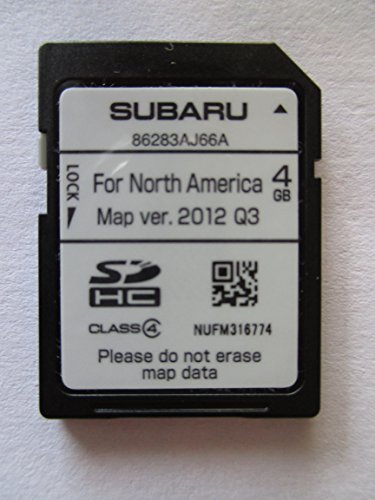

- 8 Core 64GB Android Radio:Our Android car radio is equipped with the latest version of Android and an 8-core CPU processor, delivering exceptional performance and a perfect user experience. With 4G RAM and 64G ROM, our radio ensures smooth operation and provides ample storage for downloading popular apps like YouTube. It is designed to be compatible with Subaru Forester Impreza WRX 2008-2012 models. If you’re unsure whether it’s a good fit for your vehicle, please ask us first
- Wireless and Wired Carplay Android Auto:The Subaru Forester Impreza WRX car stereo offers seamless connectivity with your smartphone’s apps and features like WhatsApp, Google Maps, and Telegram, whether through Bluetooth or a USB data cable. It also supports voice control through Siri or Google Assistant, allowing you to keep your hands free while operating the stereo
- GPS Navigation and WiFi and Split Screen:With WiFi or hotspot connectivity, you can browse the internet, watch videos, and download apps on the 9 inch Subaru Forester Impreza WRX car radio. It also supports online and offline maps, providing real-time road conditions to help you avoid traffic jams. The split-screen feature enables you to simultaneously enjoy GPS navigation and watch videos on the 9 -inch screen with a resolution of 1280x720
- 32EQ DSP/BLUETOOTH 5.0/ FM/RDS:The car stereo comes pre-installed with DSP tuning software, allowing you to adjust the frequency, audio effects, and 32 EQ equalization settings, resulting in crystal-clear sound. Bluetooth 5.0 ensures a faster transmission speed and enables hands-free calling, phonebook downloads, and music streaming. The FM/RDS radio with 30 preset stations allows you to stay updated with new broadcasts, real-time traffic information, weather forecasts, and more
- Multi Function:The Android car stereo supports mirror link functionality, allowing you to mirror your smartphone’s content onto the large screen. It also supports steering wheel controls, provides 59 UI themes to suit your preferences, and allows you to move frequently used software to the home screen for easy access. As a gift, the car stereo comes with an external microphone and an AHD rearview camera with night vision and a 170 degree viewing angle
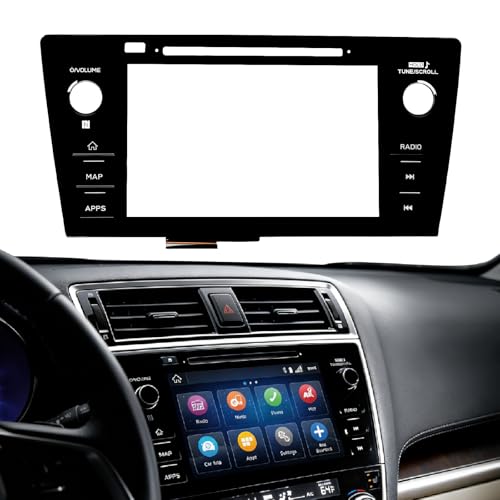
- Fitment:Our Touch Screen Digitizer(MAP) Compatible with 2018 2019 Subaru Outback,2018 2019 Subaru Legacy
- Replace Part Number:86471-AL62A,86471-AL65A,86471-AL65B,86471-AL66A,86471-AL67A,86471-AL68A,86431-AL62A,86431-AL65A,86431-AL66A
- Direct-Fit Replacement:Our 8-inch touchscreen is designed to address common display issues, such as physical cracks, unresponsiveness, or dead pixels, to help return your system to working condition.
- Function:This universal-style LCD touchscreen features integrated MAP functions.
- Support: For any questions or concerns regarding the product, please inform us so we can resolve the issue
SEOCONTENT-START
Foreword Welcome to SUBARU STARLINK.4 Introduction The SUBARU STARLINK Experience .5 SUBARU STARLINK Enrollment How to Enroll6 SUBARU STARLINK.7 STARLINK Safety Plus.7 STARLINK Security Plus7 STARLINK Concierge7 WiFi Hotspot7 SUBARU STARLINK Features List.8 Getting Started is Easy Accessing SUBARU STARLINK Features.9 MySubaru Making Ownership Easy.10 Setting or changing your PIN 11 SUBARU STARLINK Features STARLINK Safety Plus Advanced Automatic Collision Notification12 SOS Emergency Service13 Enhanced Roadside Assistance.14 24-Hour Roadside Assistance15 Diagnostic Alerts.16 Vehicle Health.16 Maintenance Notifications16 Service Appointment Scheduler.17 STARLINK Security Plus Stolen Vehicle Recovery Plus.19 Stolen Vehicle Immobilizer19 Vehicle Security Alarm Notification.20 Remote Services21 Remote Engine Start with Climate Control22 Remote Door Lock & Unlock23 Remote Horn & Lights.24 Remote Vehicle Locator.25 Continued. Table of Contents Vehicle Alerts26 Boundary Alert.26 Speed Alert27 Curfew Alert.28 Crosstrek Hybrid Features29 Remote Battery Charger (Crosstrek Hybrid)29 Charge Now (Crosstrek Hybrid).31 Remote Climate Control (Crosstrek Hybrid).32 Destination to Vehicle.33 STARLINK Concierge We’re Here to Help34 Destination to Vehicle (Concierge Service)35 WiFi Hotspot36 SUBARU STARLINK System Update.37 Index .38 Troubleshooting39 Crosstrek Hybrid Troubleshooting.41 Communication Error Codes44 FAQs .45 This device complies with part 15 of the FCC Rules. Operation is subject to the following two conditions: (1) This device may not cause harmful interference, and (2) this device must accept any interference received, including interference that may cause undesired operation. 4 Foreword Welcome to SUBARU STARLINK For over 50 years, Subaru has been designing vehicles to help protect you and your passengers. Building on our long history of engineering safe vehicles, we are pleased to bring you SUBARU STARLINK vehicle technology, that provides additional security and peace of mind you’ve come to expect from Subaru. SUBARU STARLINK is a technology feature that allows you to stay connected to your Subaru vehicle and receive important information to help keep you and your vehicle safe. SUBARU STARLINK uses the nationwide 4G LTE cellular network (where available). This technology is completely separate from your smartphone device and uses automatic roaming, optimizes connections and prioritizes emergency requests. Housed inside your vehicle, SUBARU STARLINK uses voice-response technology with the addition of a live assistance team for features such as Advanced Automatic Collision Notification (AACN), SOS Emergency Assistance, Enhanced Roadside Assistance and Concierge Service. With SUBARU STARLINK features, you are able to: • Receive automatic emergency assistance in the event of a collision • Receive assistance in the event your vehicle is stolen • Remotely access vehicle features • Monitor the status of your vehicle’s health In addition, SUBARU STARLINK can keep you informed and up-to-date on your vehicle’s status via email, text messaging or push notifications. Use your MySubaru account to access SUBARU STARLINK features and alerts. In order to do this, you will need to complete the enrollment details and set your preferences for SUBARU STARLINK. You can enroll via MySubaru.com (Refer to “How to Enroll – page 6”). Enrollment might have occurred at your Retailer, so be sure to look for a confirmation email with your temporary password before creating a new account. MySubaru also provides you access to a wealth of safety and remote features such as Remote Lock & Unlock, Remote Engine Start, Remote Vehicle Locator and many more. SUBARU STARLINK service is limited to the Continental U.S., Alaska, Hawaii, the District of Columbia and Canada, and may not be available in all states. For complete details applicable to your STARLINK subscription, please refer to the SUBARU STARLINK Service Agreement Terms and Conditions or see your Retailer for details. NOTE Foreword 5 Introduction With the SUBARU STARLINK system integrated into your vehicle, advanced safety and security technology is just a button press away. The SUBARU STARLINK experience includes in-vehicle call center support, maintenance and diagnostic alerts as well as remote services that keep you connected to your Subaru vehicle. This Owner’s Manual will help to familiarize you with the features of SUBARU STARLINK. Located in the overhead console of your vehicle are the red SOS and blue i-button . Both buttons link you to the SUBARU STARLINK call centers that are there to support you 24 hours a day, 7 days a week. The SOS button is for SOS Emergency Assistance. The i-button is for Enhanced Roadside Assistance or Concierge (if subscribed). • Press the SOS button for SOS Emergency Assistance* (Refer to “Using SOS Emergency Assistance – page 13) • Press the i-button for Enhanced Roadside Assistance* or Concierge* (if subscribed).* (Refer to “Enhanced Roadside Assistance – page 14 or STARLINK Concierge – page 34”) • To cancel a SOS Emergency Assistance, Enhanced Roadside Assistance or a Concierge call, press and hold the same button for approximately 2 seconds or select the “End Call” button displayed on the head unit * In order to utilize these services, you must be an active STARLINK subscriber. Overhead console with EyeSight® Overhead console without EyeSight® If you subscribed to SUBARU STARLINK’s Concierge services, an option screen will display on the head unit when the i-button is pressed. From the option screen you can select either Enhanced Roadside Assistance or Concierge Services. If you do not choose a service, then Roadside Assistance will automatically be called in approximately 10 sec. NOTE Introduction The SUBARU STARLINK Experience 6 SUBARU STARLINK Enrollment LED Status Situation Solid Green System is normal. A subscription to the SUBARU STARLINK service has been established*. Solid Red A system malfunction has occurred. Refer to the Troubleshooting – page 39. Flashing Green or Red SUBARU STARLINK service is currently communicating (e.g. Voice call, Stolen Vehicle Recovery, etc.). No Light A subscription to the SUBARU STARLINK service has not been established. Refer to the Troubleshooting – page 39. You can enroll in SUBARU STARLINK online at the MySubaru website (MySubaru.com), the MySubaru Mobile App, at your retailer or by calling a STARLINK Customer Care Advisor at 1-855-753-2495. MySubaru is the Subaru owner website that allows you vehicle access to remote services, user preferences, diagnostic alerts and other useful features enabled by your STARLINK Safety Plus, STARLINK Security Plus and STARLINK Concierge subscription. To enroll in SUBARU STARLINK, you first need to create or update your MySubaru account. MySubaru is the owners portal for all things about your Subaru vehicle. To create an account please visit MySubaru.com. Please have your Vehicle Identification Number (VIN) available, as you will need it to complete this step. After the enrollment process, you will learn more about the features in detail at MySubaru.com. NOTE SUBARU STARLINK Enrollment How to Enroll The overhead console also includes the LED status lights that indicate the SUBARU STARLINK system status. Below is a description of the different statuses that the LED light(s) can indicate. The SUBARU STARLINK Experience *This does not always reflect that the SUBARU STARLINK service is available. 7 SUBARU STARLINK With SUBARU STARLINK you are given the freedom to choose a package with the features that you want. To see the current plans and package details please visit the MySubaru website (MySubaru.com) or MySubaru Mobile App. • STARLINK Safety Plus – Choosing Safety Plus includes our call center support features: Advanced Automatic Collision Notification, SOS Emergency Service and Enhanced Roadside Assistance as well as giving you more access to your vehicle’s health. Also included is the new in-vehicle Service Appointment Scheduler, making it even easier to schedule service at your preferred Subaru Retailer. • STARLINK Security Plus – With Security Plus you get all the benefits of STARLINK Safety Plus and your vehicle is protected with features like Stolen Vehicle Recovery Plus with Immobilizer and Security Alarm Notifications. Stay connected to your vehicle with features like Remote Engine Start with Climate Control, Destination to Vehicle and Vehicle Alerts that include Boundary Alert, Speed Alert and Curfew Alert. STARLINK Security Plus also includes new features for the Crosstrek Hybrid like Remote Battery Charging Timer, Charge Now and Remote Climate Control. • STARLINK Concierge – Concierge includes all the benefits of STARLINK Safety Plus and Security Plus as well as providing personalized call center support for locating and sending Destinations to your in-vehicle navigation system (if equipped), along with assisting in scheduling Service Appointments with your preferred Subaru Retailer. • WiFi Hotspot – Whether traveling to the store or across the country, SUBARU STARLINK now includes an in-vehicle WiFi Hotspot on AT&T’s nationwide cellular network. Setting up the service is quick and easy, you can connect your vehicle to an already existing AT&T wireless account or choose from one of the simple pay-as-you go plans. See page 36 for details on how to subscribe to the WiFi Hotspot. SUBARU STARLINK Depending on how your vehicle is equipped, some features might not be available. Check with your Retailer or MySubaru to see what SUBARU STARLINK features are applicable to your vehicle. NOTE These features will not work when near a weak signal area NOTE 8 SUBARU STARLINK SUBARU STARLINK Features List STARLINK Safety Plus SOS Emergency Assistance Enhanced Roadside Assistance Advanced Automatic Collision Notification (AACN) Maintenance Notifications Vehicle Health Report Remote Vehicle Condition Check Service Appointment Scheduler STARLINK Security Plus Stolen Vehicle Recovery Plus Stolen Vehicle Immobilizer Vehicle Security Alarm Notifications Remote Lock & Unlock Remote Horn & Lights Remote Vehicle Locator Remote Engine Start with Climate Control Boundary Alert Speed Alert Curfew alert Destination to Vehicle Crosstrek Hybrid Features Remote Battery Charging Timer (Crosstrek Hybrid) Charge Now (Crosstrek Hybrid) Remote Climate Control (Crosstrek Hybrid) STARLINK Concierge Destination to Vehicle (Concierge Service) See MySubaru for more details Remote Engine Start with Climate Control is only applicable to gas engine vehicles. This feature is not applicable to the Crosstrek Hybrid. NOTE Continued. 9 Getting Started is Easy The MySubaru website (MySubaru.com) and MySubaru Mobile App are your portal to remote services, user preferences as well as other convenient features enabled by your STARLINK subscription. All you need to do is log on to the website or mobile app to access the following features: MySubaru Mobile Application You can download the MySubaru Mobile App to your compatible smartphone from the following sites: • iPhone® – Apple® App store • Android® – Google Play Store After downloading the MySubaru Mobile App to your smartphone, all you have to do to get started is login with your MySubaru username and password for authentication. If you have multiple SUBARU STARLINK equipped vehicles, please make sure to select the vehicle you want to access. The vehicle you have selected will be displayed at the top of the website or mobile app. NOTE • Remote Services • Vehicle Health Report • Maintenance Schedules • Service History • Service Campaigns and Recalls • Warranty Information • STARLINK Profile • STARLINK PIN • STARLINK Packages and Pricing • STARLINK Subscriptions • MySubaru Account Settings • and much more. Getting Started is Easy Access to SUBARU STARLINK Features If you received a temporary password for your MySubaru account you will need to complete your registration on the MySubaru.com website. NOTE If your vehicle has not been tuned on for more than 13 days, then the SUBARU STARLINK system will enter into a sleep mode to help preserve it’s battery. Please refer page 40 (Troubleshooting) for more information. NOTE 10 The connection between you and your vehicle has never been simpler and the MySubaru website (MySubaru.com) and MySubaru Mobile Application are the best way to stay in touch with your Subaru vehicle. From MySubaru you can access the following information and STARLINK Safety and Security services: • Remote Services • Vehicle Health • Usage Reports • Appointment Scheduler • Vehicle Maintenance Schedules • Service History • Support Resources You can also use the MySubaru website (MySubaru.com) or MySubaru Mobile App to manage: • Basic account information • Interests and activities • Email and Mail communications • Authorized Users • Authorized Devices • Preferred Retailer • Your Subaru vehicles • Alert settings • Communication Preferences • Personal Identification Number (PIN) • Billing Information • STARLINK Subscriptions • WiFi Hotspot Subscription MySubaru To use any of the STARLINK Remote Services from MySubaru.com or the Mobile App you must enter your STARLINK PIN first. NOTE MySubaru Making Ownership Easy 11 In order to protect your privacy and vehicle information, a secure STARLINK Personal Identification Number (PIN) is required to use many of the STARLINK features and the MySubaru Mobile App. • You will be asked to set your STARLINK PIN, security questions or verification process during the STARLINK enrollment process • You can change your STARLINK PIN at any time after enrollment by choosing the STARLINK menu then the STARLINK Update PIN link on the MySubaru website or from the STARLINK Change PIN link in the My Profile menu on the Mobile App MySubaru Setting or changing your PIN 12 Advanced Automatic Collision Notification (AACN) Upon receiving the Advanced Automatic Collision Notification*, a STARLINK Customer Care Advisor will attempt to establish voice communication with the vehicle occupants and alert appropriate services. Your advisor will respond promptly, 24/7/365 via SUBARU STARLINK to determine the nature of the emergency. • If you are unable to answer, the advisor will let you know that emergency assistance has been notified and is on its way • The advisor will remain on the line until help arrives or until the vehicle’s battery loses power *In order to utilize these services, you must be an active STARLINK subscriber. SUBARU STARLINK Features SUBARU STARLINK Features STARLINK Safety Plus • There are many types of collisions which might not necessarily require deployment of an SRS airbag. Please refer to your vehicle Owner’s Manual for more details. If you are involved in a collision in which the Advanced Automatic Collision Notification (AACN) is activated, depending upon the nature of the collision and the level of accident forces involved, airbag deployment may not always result. • The STARLINK Safety & Security system monitors vehicle data to detect a possible safety concern even when airbags are not deployed or a collision has not occurred. Aggressive driving maneuvers, sudden changes in terrain, and loss of vehicle control can trigger the Advanced Automatic Collision Notification feature. • The Advanced Automatic Collision Notification feature requires adequate cellular coverage and signal strength. This feature is only available in the Continental U.S., Alaska, Hawaii, the District of Columbia and Canada. NOTE At any time after initiating a voice call you can adjust the volume of the call by using the volume knob on your vehicle’s head unit. NOTE PHEV – Remote Battery Charge PHEV – Remote Climate Control Stolen Vehicle Immobilizer Vehicle Security Alarm Notifications Remote Climate Control / Heated Seats Enhanced Roadside Assistance Automatic Collision Notification Maintenance Notifications 13 SOS Emergency Service (SOS) In the event of an emergency other than the Advanced Automatic Collision Notification*, your SUBARU STARLINK Customer Care Advisor will be ready to assist you. Press the red SOS button on the overhead console to promptly connect to your advisor from anywhere in the Continental U.S., Alaska, Hawaii and the District of Columbia. • Press the red SOS button • A STARLINK Customer Care Advisor will attempt to establish communication with you to ask about the nature of the emergency and then dispatch the appropriate emergency assistance • If you are unable to answer, the advisor will let you know that emergency assistance has been notified and is on its way • The advisor will remain on the line until help arrives or until the vehicle’s battery loses power • To cancel the SOS call, press and hold the red SOS button for approximately 2 seconds or press the “End Call” button on the head unit display *In order to utilize these services, you must be an active STARLINK subscriber. SUBARU STARLINK Features The SOS Emergency Assistance feature requires adequate cellular coverage and signal strength. This feature is only available in the Continental U.S., Alaska, Hawaii, the District of Columbia and Canada. NOTE At any time after initiating a voice call you can adjust the volume of the call by using the volume knob on your vehicle’s head unit. NOTE Diagnostic Alerts PHEV – Remote Battery Charge PHEV – Remote Climate Control Stolen Vehicle Recovery Service Stolen Vehicle Immobilizer Vehicle Security Alarm Notifications Remote Climate Control / Heated Seats SOS Emergency Assistance Enhanced Roadside Assistance Automatic Collision Notification Maintenance Notifications 14 Enhanced Roadside Assistance Enhanced Roadside Assistance connects you directly with Subaru’s Roadside Assistance provider. Should you need assistance, STARLINK will know your exact GPS location coordinates and exactly where to find you. Roadside Assistance can help you with the following: • Jump starts • Emergency lockout service • Gasoline (up to 2 gallons) • Flat tire change • Minor fluid replacement How to use: • Press the blue i-button or use the Roadside Assistance soft button, which is found by selecting the MySubaru icon on the head unit home screen • A STARLINK Customer Care Advisor for Roadside Assistance will attempt to establish a voice communication with you to ask about the nature of the situation and then dispatch the appropriate roadside assistance to the scene • With STARLINK, the advisor will be able to inform Roadside Assistance of your exact location • To cancel an Enhanced Roadside Assistance call, press and hold the blue i-button for approximately 2 seconds or press the “End Call” button on the head unit display SUBARU STARLINK Features Check your warranty for your Roadside Assistance coverage. Your retailer has full coverage details. NOTE At any time after initiating a voice call you can adjust the volume of the call by using the volume knob on your vehicle’s head unit. NOTE PHEV – Remote Battery Charge PHEV – Remote Climate Control Stolen Vehicle Immobilizer Vehicle Security Alarm Notifications Remote Climate Control / Heated Seats Enhanced Roadside Assistance Automatic Collision Notification Maintenance Notifications If you subscribed to SUBARU STARLINK’s Concierge services, an option screen will display on the head unit when the i-button is pressed. From the option screen you can select either Enhanced Roadside Assistance or Concierge Services. If you do not choose a service then Roadside Assistance will automatically be called in approximately 10 sec. NOTE 15 24-Hour Roadside Assistance Along with Enhanced Roadside Assistance, SUBARU STARLINK provides 24-Hour Roadside Assistance from the MySubaru website or Mobile App. Getting help is as easy as calling from your phone or sending a request through MySubaru. All the same services provided by Enhanced Roadside Assistance are at your fingertips. From the MySubaru (MySubaru.com) website or MySubaru Mobile App: • Navigate to the “24-Hour Roadside Assistance” page from the main menu • From the “24-Hour Roadside Assistance” page you can choose to call the toll free number or select to submit an online request • If you select to submit an online request you will be asked to fill out the following information: о Reason for Assistance (Locked out, Tow, Flat Tire, etc.) о Provide Details About Your Needs о Contact Information (First / Last Name and Callback Number) о Current Location (If known) о Preferred Contact Method (Email, Text Message or Contact Mobile Number) о Vehicle Information • Once you completed the online request select the “Request Help Now” button to submit • After you’ve submitted your request, you can track the progress of your Roadside Assistance request from the Roadside Assistance submission screen which will display periodic updates PHEV – Remote Battery Charge PHEV – Remote Climate Control Stolen Vehicle Immobilizer Vehicle Security Alarm Notifications Remote Climate Control / Heated Seats Enhanced Roadside Assistance Automatic Collision Notification Maintenance Notifications SUBARU STARLINK Features 16 Diagnostic Alerts SUBARU STARLINK monitors critical vehicle systems. If a warning light illuminates on the dashboard, you will receive an email, text or push notification explaining the issue and how to help resolve it. With more serious issues, the SUBARU STARLINK Service Appointment Scheduler will display on the head unit and assist you in scheduling an appointment at your preferred Subaru Retailer. Vehicle Health Taking care of your vehicle and monitoring its health is easy and convenient. The MySubaru website (MySubaru.com) and MySubaru Mobile App can provide you important vehicle health statuses so you can make better and more informed decisions on the maintenance and care of your Subaru vehicle. Maintenance Notifications Maintenance Notifications help to keep your Subaru vehicle in proper running condition. When your vehicle requires maintenance, you can be notified via email, text, push notifications, or even from your vehicle’s head unit. This feature allows you to more easily maintain your vehicle, while helping to ensure that your vehicle receives the proper care at the proper time. SUBARU STARLINK Features You can change your STARLINK Communication Preferences at any time by choosing the My Profile menu, then the Communication Preferences link on the MySubaru website (MySubaru.com) or from the STARLINKTM Communication Preferences link in the My Profile menu on the MySubaru Mobile App. NOTE 17 Service Appointment Scheduler Whether it’s time for regular maintenance or even when your vehicle tells you it’s time to see a certified Subaru Service Technician, setting an appointment at your preferred Subaru Retailer for service is just a few “clicks” away. With SUBARU STARLINK Service Appointment Scheduler you can set an appointment from the MySubaru website, Mobile App or the vehicle’s head unit. Getting your Subaru vehicle to the Subaru professionals for service is easy, no matter where you are. If you are away from your preferred Retailer for service, you can always use Service Appointment Scheduler to locate any of our certified Subaru Retailers near your location. STARLINK Service Appointment Scheduler on your head unit is a convenient way to set a service appointment. Simply select the MySubaru icon on the home screen and choose “Make an Appointment” to get started: • Schedule a new or view any existing service appointments with your preferred Retailer. • Choose the date you would like to schedule an appointment from the options displayed • Set a time frame for your appointment (AM or PM) • Select an available time • Confirm your appointment Have a question for your Retailer or need directions? STARLINK Service Appointment Scheduler has the following options to help: • Locate a Retailer near your location • Place a phone call to your Retailer (via Bluetooth) • Get directions to your Retailer (Navigation System Only) Subaru is there to help when your vehicle needs service. In the event that a Maintenance interval, Diagnostic Alert or Recall campaign occurs, the SUBARU STARLINK Service Appointment Scheduler will assist you in making sure your vehicle gets the attention it needs to stay healthy and on the road. SUBARU STARLINK Features Continued. Depending on your preferred Retailer, access to Service Appointment Scheduler might not be available. NOTE 18 Service Appointment Scheduler Depending on how your vehicle is equipped, some features might not be available. Check with your Retailer or MySubaru to see what SUBARU STARLINK features are applicable to your vehicle. NOTE SUBARU STARLINK Features Before using Service Appointment Scheduler for the first time, be sure to pair your smartphone with the vehicle’s head unit, sync your contacts and allow notifications. This will help set the vehicle’s internal clock to your location. NOTE This feature will not work under the following conditions: • GPS signal is not available • Weak signal area NOTE 19 SUBARU STARLINK Features Stolen Vehicle Recovery Plus If your Subaru vehicle is ever stolen, you can get extra peace of mind knowing that a SUBARU STARLINK Customer Care Advisor will work with local law enforcement to help attempt to recover your vehicle. Once a police report is filed, a STARLINK Customer Care Advisor will help provide the authorities with relevant location information to assist in the recovery of your vehicle. • In order for this service to be activated, you must first file a police report and then call 1-855-753-2495 to inform STARLINK of the theft of your vehicle • STARLINK Customer Care Advisor will come online to assist you and ask you to verify your information and provide verification that a police report has been filed, including the case number • Once verified a STARLINK Customer Care Advisor will initiate a stolen vehicle recovery signal that can pin-point the vehicle’s location as well as remotely flash the vehicle’s lights to assist your local law enforcement department with the recovery of your vehicle. STARLINK Security Plus For your own safety, you should NEVER locate your vehicle on your own if it has been stolen. The Stolen Vehicle Recovery Plus feature should be used instead. Your local law enforcement department will inform you of the vehicle’s disposition. NOTE Stolen Vehicle Immobilizer is included as a part of Stolen Vehicle Recovery Plus. This feature can only be authorized by local authorities after Stolen Vehicle Recovery Plus has been activated. NOTE Stolen Vehicle Recovery Service Stolen Vehicle Immobilizer Vehicle Security Alarm Notifications Remote Climate Control / Heated Seats Approved For review Pending Stolen Vehicle Immobilizer Included with Stolen Vehicle Recovery is Subaru’s Engine Immobilizer technology. When activated, the next time the vehicle’s engine is turned off, Subaru’s Immobilizer will restrict the vehicle from starting again, allowing local law enforcement to locate and retrieve the vehicle. Stolen Vehicle Recovery Service Stolen Vehicle Immobilizer Vehicle Security Alarm Notifications Remote Climate Control / Heated Seats Approved For review Pending 20 Vehicle Security Alarm Notification Your SUBARU STARLINK system will automatically notify you when your security alarm is activated. When your security alarm is triggered, this feature will automatically notify any preselected persons of your choice by text message, email or push notification. You can update your Communication Preferences from My Profile section of the MySubaru website (MySubaru.com) and the MySubaru Mobile App. SUBARU STARLINK Features This feature will not work under the following conditions: • If your vehicle has not been started for more than 13 days (page 40) • GPS signal is not available • Weak signal area NOTE Vehicle Security Alarm Notifications Remote Climate Control / Heated Seats 21 SUBARU STARLINK Features Remote Engine Start with Climate Control Start your vehicle and set the climate control system temperature with the push of a button from the MySubaru website (MySubaru.com) or MySubaru Mobile App. Choose your preferred heating or air conditioning settings to help bring the interior temperature to a more comfortable level before you enter the vehicle. SUBARU STARLINK Remote Engine Start with Climate Control gives you the option to make sure your drive is convenient and comfortable. • Log on to the MySubaru website (MySubaru.com) or MySubaru Mobile App • Select Remote Engine Start with Climate Control and set your preferences: о Set the climate control system temperature* о Select Manual or Automatic climate setting. Automatic allows the system to control Air Flow Mode, Fan Speed, and Air Circulation о Choose the Engine Runtime** (5 or 10 Minutes) о Select Rear Climate Zone (if equipped) and it will mirror the climate control settings chosen о Set Air Flow Mode о Select the Front and/or Rear defroster о Select driver or front passenger seat heater, and the heat level preferred, Low / Medium / High. о Air Flow Speed (1-7) о Air Circulation • Press the Engine Start button • Set a time delay and click “Next” • Enter your STARLINK PIN Remote Services Continued. For SUBARU STARLINK’s Remote Engine Start with Climate Control to manage your vehicle’s seat heaters, a 3-Mode seat heater switch must be equipped. NOTE Remote Engine Start with Climate Control is only applicable to gas engine vehicles. This feature is not applicable to the Crosstrek Hybrid. NOTE 22 Remote Engine Start with Climate Control An “Engine Stop” button will display, once your vehicle’s engine has successfully started. If you choose to stop your vehicle, press the “Engine Stop” button and enter your STARLINK PIN to send the command. If needed, the engine can also be stopped by pressing and holding the Engine START/STOP button on the vehicle dashboard for more than 2 seconds. * Depending on environmental conditions or air conditioner performance, the interior temperature of the vehicle may not reach the desired setting. ** Remote Engine Start will only operate for a total runtime of 20 minutes before the vehicle will need to be manually restarted from within the vehicle. (Example: 5 Minute + 5 Minute + 10 Minute = 20 minute total runtime) Depending on how your vehicle is equipped, some features might not be available. Your vehicle will need to be equipped with the following for Remote Engine Start: • Keyless Access with Push-Button Start • Lineartronic® CVT Remote Engine Start with Climate Control: • Automatic Climate Control Check with your Retailer or MySubaru to see what SUBARU STARLINK features are applicable to your vehicle. NOTE SUBARU STARLINK Features This feature will not work under the following conditions: • Ignition is ACC or ON • Vehicle is moving • Any vehicle door / engine hood / tailgate or trunk is ajar • If your vehicle has not been started for more than 13 days (page 40) • Weak signal area NOTE Do not remote start a vehicle in an enclosed environment (e.g. closed garage). Prolonged operation of a motor vehicle in an enclosed environment can cause a harmful build-up of carbon monoxide. Carbon monoxide is harmful to your health. Exposure to high levels of carbon monoxide can cause headaches, dizziness or in extreme cases unconsciousness and/or death. ! WARNING 23 Remote Door Lock & Unlock With the Remote Door Lock & Unlock feature, you can lock or unlock your vehicle door from virtually anywhere via the MySubaru website (MySubaru.com), MySubaru Mobile App, or dialing 1-855-753-2495. In order to use this feature, a STARLINK Personal Identification Number (PIN) is required. To Activate Remote Door Lock & Unlock from the MySubaru website (MySubaru.com) or the MySubaru Mobile App: • Log on to the MySubaru website (MySubaru .com) or MySubaru Mobile App • Select “Remote Services” • Select “Lock Doors” or “Unlock Doors” о If you choose to “Unlock Doors” you can select to unlock “All Doors” or “Just Driver Door” • Enter your STARLINK PIN • The command will be sent to your vehicle and your door(s) will then be unlocked or locked * Depending on how your vehicle is equipped, some features might not be available. Check with your Retailer or MySubaru to see what SUBARU STARLINK features are applicable to your vehicle. SUBARU STARLINK Features These features will not work under the following conditions: • Remote Door Lock when Key is in the ignition* • Remote Door Lock while Ignition is ACC or ON • Vehicle is moving • If your vehicle has not been started for more than 13 days (page 40) • Weak signal area NOTE If any door or rear gate is not opened within 60 seconds after using the Remote Door Unlock function, the doors will automatically re-lock. A series of notification beeps will sound approximately 5 seconds before the door(s) automatically re-lock. NOTE 24 SUBARU STARLINK Features Remote Horn & Lights When you are unsure of where you parked your vehicle, you can remotely activate your lights or horn and lights through the MySubaru Website (MySubaru .com) and MySubaru Mobile App. To use Remote Vehicle Locator: • Log on to the MySubaru website (MySubaru.com) or MySubaru Mobile App • Select “Remote Services” • Select “Horn & Lights” • Choose “Horn & Lights or just “Lights” • Enter your STARLINK PIN • The command will be sent to your vehicle • Your Lights or Horn & Lights will be activated A “Stop” button will display, once your “Horn & Lights or just “Lights” command has successfully started. To stop the service after it has begun, just press the “Stop” button to send the command. By phone: Dial toll-free 1-855-753-2495 and follow the voice prompts. This feature will not work under the following conditions: • Ignition is ON • Vehicle is moving • If your vehicle has not been started for more than 13 days (page 40) • Weak signal area NOTE 25 SUBARU STARLINK Features Remote Vehicle Locator You can quickly and easily find the specific location of your vehicle using the Remote Vehicle Locator. To use Remote Vehicle Locator: • Log on to the MySubaru website (MySubaru.com) or MySubaru Mobile App • Select “Remote Services” • Select “Locate Vehicle” • Enter your STARLINK PIN • The command will be sent to your vehicle • Your vehicle’s location will then display on the map By phone: Dial toll-free 1-855-753-2495 and follow the voice prompts. This feature will not work under the following conditions: • If your vehicle has not been started for more than 13 days (page 40) • GPS signal is not available • Weak signal area NOTE 26 Vehicle Alerts You can always monitor the safety of your teenage drivers and your vehicle with SUBARU STARLINK Vehicle Alerts. Choose from Boundary Alert, Speed Alert and Curfew Alert to reinforce responsible driving habits while your children are behind the wheel. Boundary Alert Set geographic boundaries and be notified by email, text or push notification when your vehicle has incorrectly entered or exited any saved designated area. Creating a Boundary Alert: • Log on to the MySubaru website or Mobile App • Select “Vehicle Alerts” • Select “Boundary Alert” • Choose a center point location on the map and set a pin or enter an address • Select “Boundary Type” (Exits Area or Enters Area) • Select a shape to set the Boundary (circle or square) • Reshape the Boundary shape if necessary by selecting any point on the shape • Click “Save” when you have completed your selections • Set a name for the Boundary Alert • Select “Time Until Alert” (30, 60, 90 or 120 seconds) • Click “Continue” when complete Activating a Boundary: • Choose a saved Boundary Alert and select it. Swipe right and choose “Send to Vehicle”. (Only one saved Boundary Alert can be active at a time) • Enter your STARLINK PIN • The selected Boundary Alert will be sent to your vehicle. • Your vehicle will then notify you if it enters or exits the designated area Edit a Boundary Alert: • Choose a saved Boundary Alert and swipe right, then choose “Edit Alert” • Change any of the settings as desired • Click “Next” when you have completed your selections • Edit the Boundary Alert name and “Time Until Alert” if desired and select “Save & Send” • Enter your STARLINK PIN • The selected Boundary Alert will be sent to your vehicle SUBARU STARLINK Features 27 Speed Alert Choose a speed limit for your vehicle and get notified by email, text or push notification when your vehicle has exceeded the set speed limit. Creating a Speed Alert: • Log on to the MySubaru website (MySubaru .com) or MySubaru Mobile App • Select “Vehicle Alerts” • Select “Speed Alert” • Select “Create a New Speed Alert” • Decide the “Max Speed” • Select “Duration Until Alert” (30, 60, 90 or 120 seconds) • Click “Save” when you have completed your selections • Set a name for the Speed Alert and click “Continue” Activating a Speed Alert: • Choose a saved Speed Alert and select it. Swipe right and choose “Send to Vehicle”. (Only one saved Speed Alert can be active at a time) • Enter your STARLINK PIN • The selected Speed Alert will be sent to your vehicle • Your vehicle will then notify you when it exceeds the maximum speed you’ve chosen Edit a Speed Alert: • Choose a saved Speed Alert and swipe right, then choose “Edit Alert” • Change any of the settings as desired • Click “Next” when you have completed your selections • Edit the Speed Alert name if desired and select “Save & Send” • Enter your STARLINK PIN • The selected Speed Alert will be sent to your vehicle SUBARU STARLINK Features 28 Curfew Alert Decide on a time frame (12 hour maximum) that your vehicle should not be in operation and be notified by email, text or push notification when the ignition has been turned on during your designated time. Every time the vehicle is turned on 15 minutes prior to the set curfew time executing, the vehicle’s head unit will display a message letting the driver know that the curfew time is approaching. Creating a Curfew: • Log on to the MySubaru website (MySubaru .com) or MySubaru Mobile App • Select “Vehicle Alerts” • Select “Curfew Alert” • Select “Create a new Curfew Alert” • Choose a day of the week • Select a Start and End Time, including AM and PM • Set your vehicle’s Time Zone • Click “Save” when you have completed your selections • Set a name for the Curfew Alert and click “Continue” Activating a Curfew: • Choose a saved Curfew Alert and select it. Swipe right and choose “Send to Vehicle”. (Only one saved Curfew can be active at a time) • Enter your STARLINK PIN • The selected Curfew Alert will be sent to your vehicle • Your vehicle will then notify you when it is in operation during the time(s) set Edit a Curfew Alert: • Choose a saved Curfew Alert and swipe right, then choose “Edit Alert” • Change any of the settings as desired • Click “Next” when you have completed your selections • Edit the Curfew Alert name and “Time Zone” if desired and select “Save & Send” • Enter your STARLINK PIN • The selected Curfew Alert will be sent to your vehicle SUBARU STARLINK Features You can apply the settings of a selected day to all days of the week by selecting a day then clicking “Apply to All”. NOTE 29 SUBARU STARLINK Features Crosstrek Hybrid Features With the All-New Subaru Crosstrek Hybrid and MySubaru, you’ll be able to set a charging schedule to keep your vehicle’s battery charged for the trip ahead as well as set the interior climate control with ease from either the MySubaru Website (MySubaru.com) or Mobile App to help bring the interior temperature to a more comfortable level before you enter. Remote Battery Charging Timer (Crosstrek Hybrid) The Remote Battery Charging Timer screen is where you can set charging schedules for your vehicle, as well as see important information like the current charge of the battery, if the charging connector is plugged in or not and the charging status. When using Remote Battery Charging Timer, there are two charging schedule types for you to choose from that help to make sure that your vehicle’s battery is charged and ready for your next adventure. Below are explanations of each charging schedule type: Start Time Schedule With this schedule your vehicle will start charging at the set time and finishes charging when fully charged. Departure Time Schedule Set your expected “Departure Time” and the vehicle will start charging to finish at the set time. Creating a Charging Schedule: • Log on to the MySubaru website (MySubaru.com) or MySubaru Mobile App • Select “Remote Services” • Scroll to or Select “Remote Battery Charging Timer” • Select “Create a New Schedule” • Choose a schedule type (Start or Departure) • Select the hour and minutes you want, including AM and PM • Choose any day(s) of the week • Click “Save” when you have completed your selections • The schedule will be sent to your vehicle Continued. When the charging mode is set to “Departure time”, the climate control system can be set to automatically operate according to the set time. Operation starts approximately 10 minutes before the set departure time. NOTE 30 SUBARU STARLINK Features Remote Battery Charging Timer (Crosstrek Hybrid) Activating or Deactivating a Charging Schedule: • Choose a saved Charging Schedule by selecting the Green (Active) or Gray (Inactive) Checkmark • Enter your STARLINK PIN • The selected Charging Schedule will activate (Green Checkmark) or deactivate (Gray Checkmark) Edit a Charging Schedule: • Choose a saved Charging Schedule by select the pencil icon or on the mobile app swipe right to access the quick menu, then choose “Edit Schedule” • Change any of the settings as desired • Select “Save” • Enter your STARLINK PIN • The selected schedule will be sent to your vehicle You can use the “Update” button on the Remote Battery Charging Timer screen to make sure you are viewing the latest schedule and battery status information for your vehicle. NOTE Charging schedules can be set from the MySubaru website and Mobile App as well as in the vehicle by using the Timer Charging Setting switch in the instrument panel. NOTE 31 Charge Now (Crosstrek Hybrid) Using charging schedules to fit your daily life is a smart way to make sure your vehicle’s battery is completely charged and ready to go when you are. However, you might need to charge your vehicle outside of any schedules you’ve set. When that need occurs you can use the Crosstrek Hybrid’s “Charge Now” feature. Selecting “Charge Now” from the MySubaru website (MySubaru.com) and Mobile App sends a command to start your vehicle’s charging cycle. Using Charge Now: • Log on to the MySubaru website (MySubaru.com) or MySubaru Mobile App • Select “Remote Services” • Scroll to or Select “Remote Battery Charging Timer” • Choose “Charge Now” • Enter your STARLINK PIN and MySubaru will check the status of your vehicle, making sure it is able to begin charging. • Once the status check is complete, a notification will ask if you wish to continue, if “yes” just enter your STARLINK PIN again and the command will be sent to your vehicle. SUBARU STARLINK Features • Charge Now can also be set from within the vehicle by using the Timer Charging Setting switch in the instrument panel. • Using Charge Now will suspend the next occurrence of a saved Battery Charging Timer schedule. The saved Battery Charging Timer schedule will execute at it’s next interval. NOTE 32 SUBARU STARLINK Features Remote Climate Control (Crosstrek Hybrid) Set the climate control system temperature from the convenience of the MySubaru website (MySubaru.com) or MySubaru Mobile App. Choose your preferred heating or air conditioning settings to help bring the interior temperature to a more comfortable level before you enter. SUBARU STARLINK Remote Climate Control gives you more options to make sure your drive is convenient and comfortable. • Log on to the MySubaru website (MySubaru.com) or MySubaru Mobile App • Select “Remote Services” • Select Remote Climate Control and choose the following options: о Set the climate control system temperature* о Select the Front and/or Rear defroster о Air Flow Mode о Air Flow Speed (1-7) о Air Circulation о Click the “Climate Control Start” button • Set a time delay and click “Next” • Enter your STARLINK PIN A “Remote Climate Control Stop” button will display, once your vehicle’s climate system has successfully started. If you choose to stop your vehicle, press the “Remote Climate Control Stop” button and enter your STARLINK PIN to send the command. * Depending on environmental conditions or air conditioner performance, the interior temperature of the vehicle may not reach the desired setting. Depending on how your vehicle is equipped, some features might not be available. Check with your Retailer or MySubaru to see what SUBARU STARLINK features are applicable to your vehicle. NOTE This feature will not work under the following conditions: • Ignition is ACC, ON or Ready • Vehicle is moving • Any vehicle door / engine hood / tailgate or trunk is ajar • If your vehicle has not been started for more than 13 days (page 40) • Weak signal area • The outside temperature is extremely low NOTE 33 Destination to Vehicle Through the MySubaru website (MySubaru.com) and MySubaru Mobile App you can search for destinations and then send them to your vehicle’s navigation system. Looking for a department store? Enter a destination or just the type of store you’re looking for and then choose from the results provided. Once you have decided on a Destination, you can select to have it directly sent to your vehicle’s navigation system (if equipped) or add it to a Trip which can include up to a maximum of five Destinations. • Enter a Destination into the search area and choose any of the results displayed to continue • Once you have decided on a Destination, you can choose to send it to your vehicle’s navigation system (if equipped) by selecting the “Send Destination to Vehicle” button or include it in a Trip by using the “Add Destination to Trip” button • A Trip consists of a maximum of five Destinations that can be sent to your vehicle’s navigation system: о MySubaru website (MySubaru.com): After you have chosen an initial Destination, you can select the “Add Destination to Trip” button and then continue to search for additional Destinations in the “Add Another Destination” search box о MySubaru Mobile App: On the MySubaru Mobile App, after you have chosen the initial Destination, a new “Add Another Destination” link displays under the initial destination allowing you to add more locations to your Trip SUBARU STARLINK Features If your navigation system has an existing route when the Destination is received, the head unit will present the following options for you to choose: • Add Waypoint – Add the new Destination to the existing route • Replace Route – Cancel the existing Route and begin navigating to the new Destination • Cancel – Ignore the new Destination and continue with the current route NOTE 34 SUBARU STARLINK Features We’re Here to Help SUBARU STARLINK’s Concierge feature is your own personal call center. Need directions to a hotel sent to your vehicle while you’re driving? Need to find a new French restaurant for your anniversary? All you need to do is ask. SUBARU STARLINK Concierge service can also help schedule a service appointment at any Subaru Retailer. STARLINK Concierge Call Center Advisors are there to help at anytime, 24 hours a day. SUBARU STARLINK Concierge Call Center Advisors can help you with the following: • Locate a Destination for you (page 35) • Send Destinations to your vehicle’s embedded navigation system (if equipped)* (page 35) • Book a reservation at a restaurant or hotel • Schedule an appointment at any Subaru Retailer and more How to use: • Press the blue i-button or the Concierge soft button which is found by selecting the MySubaru icon from the head unit home screen • A STARLINK Customer Care Advisor for Concierge will attempt to establish a voice communication with you then provide assistance with your request • To cancel a Concierge call, press and hold the blue i-button for approximately 2 seconds or press the “End Call” button on the head unit display STARLINK Concierge At any time after initiating a voice call you can adjust the volume of the call by using the volume knob on your vehicle’s head unit. NOTE If you subscribed to SUBARU STARLINK’s Concierge services, an option screen will display on the head unit when the i-button is pressed. From the option screen you can select either Enhanced Roadside Assistance or Concierge Services. If you do not choose a service then Roadside Assistance will automatically be called in approximately 10 sec. NOTE Continued. 35 Destination to Vehicle (Concierge Service) Need assistance locating a Destination while on the road? A Concierge Call Center Advisor is able to help you search for any Destination and send it to your vehicle’s navigation system (if equipped). With SUBARU STARLINK Concierge, locating a Destination is easy: • Press the blue i-button or the Concierge soft button which is found by selecting the MySubaru icon from the head unit home screen • A STARLINK Customer Care Advisor for Concierge will attempt to establish a voice communication with you, then provide assistance with your request • Request a Destination or a Destination type to a Concierge Call Center Advisor. For example, if you were looking for a restaurant, you could say the name or ask the Advisor to search for Destinations by requesting restaurant types like BBQ, Pizza, etc. • Once you have decided on a Destination, you can ask the Advisor to have your choice directly sent to your vehicle’s navigation system • Once the Destination is accepted on your embedded navigation system, just select “Go” from the main Navigation screen to begin your route SUBARU STARLINK Features If you subscribed to SUBARU STARLINK’s Concierge services, an option screen will display on the head unit when the i-button is pressed. From the option screen you can select either Enhanced Roadside Assistance or Concierge Services. If you do not choose a service then Roadside Assistance will automatically be called in approximately 10 sec. NOTE If your navigation system has an existing route when the Destination is received, the head unit will present the following options for you to choose: • Add Waypoint – Add the new Destination to the existing route • Replace Route – Cancel the existing Route and begin navigating to the new Destination • Cancel – Ignore the new Destination and continue with the current route NOTE 36 Stay Connected SUBARU STARLINK’s in-vehicle WiFi Hotspot keeps you and your family connected using AT&T’s 4G LTE nationwide cellular network. Whether watching movies, playing games or even listening to music, your family won’t miss a beat with SUBARU STARLINK’s in-vehicle WiFi Hotspot. Set up is quick and easy: • Select “Settings” from the head unit Home screen • Scroll down and select “WiFi Hotspot” to turn it on (if the WiFi Hotpot is already on then proceed to the next step). When finished, click the “Back” button in the top left corner of the screen • Select WiFi Hotspot Settings to view or update the following settings: о WiFi Network Name (SSID) о SSID Broadcast (Network ON / OFF) о Security Type (WPA / WPA2) о Password о Connected Devices (Maximum of 8 devices) When finished click the “Back” button in the top left corner of the screen to return to the last menu. How to enroll: • Connect your tablet, smartphone or laptop to the SUBARU STARLINK WiFi Hotspot network listed in the settings menu and open your preferred web browser on the device connected • Once the SUBARU STARLINK WiFi Hotspot homepage loads, follow the on screen instructions to create a new account or to add your vehicle to an already existing AT&T Wireless account. You can also subscribe to the WiFi Hotspot from the MySubaru website (MySubaru.com) or Mobile App SUBARU STARLINK Features WiFi Hotspot While driving your vehicle, please remember that only passengers should use mobile devices connected to the SUBARU STARLINK WiFi Hotspot. NOTE 37 SUBARU STARLINK’s System Update ensures that your vehicle is up-to-date by providing an easy and convenient updating process. In order to make the process as simple as possible, System Updates will only display when you turn your vehicle off and will update while you’re away. This will minimize any interruptions to your STARLINK services, so the next time you enter your vehicle the system is ready for the trip ahead. How it works: • Once an update is available, a notification will display on your head unit when your vehicle is turned off • The notification will provide an approximate installation time for the update to complete and important information about the installation process • You can choose to start the update process by selecting “Install” or postpone the update by choosing “Cancel” or “Remind Me Later” • When the update process is complete, a completion screen will display on your vehicle’s head unit and the green status light on the overheard console will illuminate SUBARU STARLINK System Update An update can be postponed up to two times. After the second reminder, the system will automatically update the next time you turn off your vehicle. NOTE SUBARU STARLINK Features While the update installation is in progress, your STARLINK services will be unavailable. This includes AACN, SOS Emergency Service, Roadside Assistance and Concierge. ! WARNING If “A SUBARU STARLINK services update is in progress” screen displays repeatedly on your vehicle’s head unit at every ignition, you should contact your Subaru retailer to have your vehicle inspected. If the SUBARU STARLINK System Update does not complete, then your SUBARU STARLINK services will be unavailable. This includes AACN, SOS Emergency Service, Roadside Assistance and Concierge (if subscribed). ! WARNING 38 Index Index Advanced Automatic Collision Notification. 12 Boundary Alert. 26 Charge Now (Crosstrek Hybrid). 31 Communication Error Codes. 44 Concierge 34 Crosstrek Hybrid Features. 29 Crosstrek Hybrid Troubleshooting 41 Curfew Alert. 28 Destination to Vehicle 33 Destination to Vehicle (Concierge Service). 35 Diagnostic Alerts 16 Enhanced Roadside Assistance 14 FAQs 45 Maintenance Notifications. 16 Remote Battery Charging Timer (Crosstrek Hybrid) 29 Remote Climate Control (Crosstrek Hybrid) 31 Remote Engine Start with Climate Control 21 Remote Door Lock & Unlock. 22 Remote Horn & Lights. 23 Remote Vehicle Locator. 24 Service Appointment Scheduler 17 SOS Emergency Service. 13 Speed Alert 27 Stolen Vehicle Recovery Plus 19 Stolen Vehicle Immobilizer. 19 SUBARU STARLINK System Update 37 Troubleshooting. 39 Vehicle Health 16 Vehicle Security Alarm Notification 20 WiFi Hotspot 35 39 Troubleshooting If there is a problem with SUBARU STARLINK, start by checking the table below. Troubleshooting Symptom Possible Cause Solution The system is unable to connect to SUBARU STARLINK when you press the SOS button or i-button. A subscription to the SUBARU STARLINK service has not been established. Sign up for a subscription to the SUBARU STARLINK service. The telecommunications line is experiencing higher than normal call volume. Terminate the call and try again later. The vehicle is in a location where it is difficult to receive cellular network signal. If possible, move the vehicle to an area where the signal strength may be better and communication will be restored. The call connection is interrupted or the call connection with a STARLINK Customer Care Advisor is interrupted. The telecommunications line or location of the base station could be out of signal range. This is not a malfunction. If possible, move the vehicle and try again. Red Status light on the overhead console is illuminated. A system malfunction has occurred. (Short circuit or disconnection of the connector, etc.) Contact your Subaru Retailer for an inspection. Status light does not illuminate on the overhead console. A subscription to the SUBARU STARLINK service has not been established. Sign up for a subscription to the SUBARU STARLINK service. Remote Engine Start doesn’t execute. The vehicle’s Security Alarm has been activated. Manually start and stop your vehicle, then try The vehicle has been again. manually turned off while Remote Engine Start was in operation. Continued. 40 Troubleshooting Symptom Possible Cause Solution SUBARU STARLINK Service Appointment Scheduler does not initiate when selected on the head unit. The vehicle’s internal clock has not been set. Pair your smartphone with the head unit and sync your contacts and allow notifications, or use the Vehicle Settings menu on the head unit or Multi- Function Display to set the clock. SUBARU STARLINK services are unavailable and head unit repeatedly displays “A SUBARU STARLINK Services update is in progress” screen at every ignition. SUBARU STARLINK System Update installation could not complete. Contact your Subaru Retailer for an inspection. Repeatedly receive “STARLINK Services are temporarily unavailable” when sending a remote command to your vehicle. Your vehicle may not have been turned on in more than 13 days and may have gone into a sleep mode to help preserve the battery. Step 1: Ensure your vehicle is safely parked in an area with good cell phone reception Step 2: Start your vehicle and allow it to run for at least 5 minutes Step 3: Turn your vehicle off Step 4: Using the MySubaru Mobile App or MySubaru.com lock your doors A Destination sent from the MySubaru website or mobile app does not display on the head unit. Remote Engine Start was used to start the vehicle and the user was not able to accept the Destination on the head unit before the command completed and the vehicle turned off. Enter the vehicle before the Remote Engine Start command completes and accept the Destination when it displays on the head unit. Troubleshooting Continued. 41 Crosstrek Hybrid Troubleshooting Troubleshooting Symptom Possible Cause Solution Charging schedule did not operate at the desired time. Charging connector is not properly plugged in. Make sure that the charging connector is properly connected. The vehicle internal clock has not been set. Pair your smartphone with the head unit and sync your contacts and allow notifications or use the Vehicle Settings menu on the Multi-Function Display to set the clock. A schedule was set in MySubaru and the vehicle is in a location where it is difficult to receive cellular network signal and the schedule was not received by the vehicle. If possible, move the vehicle to an area where the signal strength may be better and communication will be restored. Continued. 42 Symptom Possible Cause Solution Charging started immediately, even though a saved schedule was present. A “Charge Now” command was received by the vehicle before the charge connector was plugged in or the “Charge Now” option in the Charging Timer Setting menu was set to “ON” When using charging schedules, be sure that the “Charge Now” option is turned “OFF” in the vehicle and to only use “Charge Now from MySubaru when needed. The saved charging schedule was deactivated Check that all desired charging schedules are active. A Departure Time schedule is active and there isn’t enough time to complete charging by the desired Departure Time. When using a Departure Time schedule, try to give your vehicle enough time to fully charge. Remote Climate Control was in operation. When Remote Climate Control is in operation the vehicle will charge immediately. In order to return to the saved schedule, Remote Climate Control needs to be stopped and the charging connector reconnected. Crosstrek Hybrid Troubleshooting Troubleshooting Troubleshooting Continued. 43 Crosstrek Hybrid Troubleshooting Troubleshooting Troubleshooting Symptom Possible Cause Solution Charging has stopped or did not complete. A Departure Time schedule with Automatic Climate Control was selected. When a Departure Time is scheduled with Automatic Climate Control, the charging system will work to complete the charging an hour before the Departure time. When the Automatic Climate Control begins operation (10 minutes before the Departure Time), charging will resume to support the Climate Control operation. If Charge Now is “ON” and then a charging schedule is saved after the vehicle has already started to charge. If a charging schedule is saved after the vehicle has already started charging the vehicle will stop charging and wait for the new scheduled charging time to start charging. Automatic Climate Control option on the Departure Time Schedule did not operate before the selected time. One or all of your vehicle’s doors are unlocked. When selecting the Automatic Climate Control option for a Departure Time Schedule be sure to lock all the doors on the vehicle. Access Key Fob is locked in vehicle after Remote Climate Control began operation. Remote Climate Control will lock all doors at the beginning of operation. Use MySubaru Website or Mobile App to execute a Remote Door Unlock command to unlock the doors and retrieve the Access Key Fob. Please refer to your Subaru Owner’s Manual to learn more about your vehicle’s systems and operations. 44 Communication Error Codes If a Communication Error message displays on the head unit screen, please use the chart below for descriptions on possible causes. Error Code Possible Cause Solution 101 The vehicle system’s internal clock has not been set Pair your smartphone with the head unit and sync your contacts and allow notifications or use the Vehicle Settings menu on the head unit or Multi-Function Display to set the clock. 102 Unable to communicate with the SUBARU STARLINK service If possible, move the vehicle to an area where the signal strength may be better and communication will be restored. a SUBARU STARLINK Service Appointment Scheduler notification displayed and no selection was made within the first 3 minutes Choose the “Read Now” option when the SUBARU STARLINK Service Appointment Scheduler notification displays. 103 The SUBARU STARLINK service is unavailable If possible, move the vehicle to an area where the signal strength may be better and communication will be restored or contact your Subaru Retailer for an inspection. 104 A communication issue occurred at the vehicle Check the network signal strength and attempt Service Appointment Scheduler again later. 105 A communication issue occurred at the SUBARU STARLINK service Please try Service Appointment Scheduler again later. Troubleshooting 45 FAQs FAQs What is SUBARU STARLINK? SUBARU STARLINK is your in-vehicle technology that provides hands-free connectivity, entertainment, and the security you need to keep you and your vehicle safe. There are two ways to connect using your smartphone. – STARLINK Multimedia services can be accessed via the SUBARU STARLINK Mobile App. – STARLINK Safety Plus, Security Plus and Concierge features can be accessed via the MySubaru website (MySubaru.com) or MySubaru Mobile App. If subscribed, your vehicle can connect with a STARLINK Customer Care Advisor via the red SOS button or blue i-button on your overhead console. SOS/i-button Connection with a Customer Care Advisor is not limited to any STARLINK subscription plan. What do the buttons on my overhead console do? The SUBARU STARLINK buttons: • Provide access to a SUBARU STARLINK Customer Care Advisor. – Pressing the red SOS button connects users with a live advisor who can provide emergency assistance. • Provide access to Subaru Roadside Assistance. – Pressing the blue i-button connects you to Subaru Roadside Assistance or Concierge Services (if subscribed). Continued. 46 FAQs Will SUBARU STARLINK use my smartphone connection to provide me emergency assistance? SUBARU STARLINK allows you to use both SOS Emergency Assistance, Enhanced Roadside Assistance and Concierge functions (if subscribed) without the use of your smartphone. However, all STARLINK Remote Access features do require using your smartphone or MySubaru.com to activate remote services. Why do I need to download the mobile apps to my smartphone? What is the difference between the SUBARU STARLINK App and MySubaru App? Downloading either the SUBARU STARLINK App or MySubaru App allows you to bring content from your smartphone into your vehicle, while keeping your hands on the wheel and your eyes on the road. The SUBARU STARLINK App is your link to SUBARU STARLINK in-vehicle technology that offers cloud services via your smartphone and cellular network data plan. It provides hands-free connectivity and entertainment for your next adventure. The MySubaru App allows you access to remote services, user preferences, diagnostic alerts and other great features enabled by your STARLINK subscription. Continued. 47 FAQs What are the SUBARU STARLINK Safety Plus, Security Plus and Concierge features? SUBARU STARLINK Safety Plus gives you peace of mind in case an emergency occurs when you are in your vehicle. SUBARU STARLINK Security Plus features provide Stolen Vehicle Recovery Plus with Immobilizer and Security Alarm Notifications. Security Plus also adds Remote Door Lock & Unlock, Stolen Vehicle Recovery Plus, Remote Vehicle Locator, Remote Engine Start and more. SUBARU STARLINK Concierge provides you with personalized call center support. Depending on how your vehicle is equipped, some features might not be available. Check with your Retailer or MySubaru to see what SUBARU STARLINK features are applicable to your vehicle. How does Enhanced Roadside Assistance work? Pressing the blue i-button enables your Enhanced Roadside Assistance working in conjunction with your vehicle’s Subaru Roadside Assistance coverage 24/7/365. No matter where you are, your STARLINK Customer Care Advisor will know your exact GPS location and will be able to send help. What do I do if I forgot or want to update my PIN? Log in to MySubaru choose the STARLINK menu then the STARLINK Update PIN link on the MySubaru website (MySubaru.com) or from the STARLINK Change PIN link in the My Profile menu on the MySubaru Mobile App. Continued. 48 How do I contact a SUBARU STARLINK Customer Care Advisor? If you have any questions about SUBARU STARLINK, please call a STARLINK Customer Care Advisor at 1-855-753-2495. What smartphones are compatible with the MySubaru Mobile App? Please go to www.Subaru.com/STARLINK to check for the most current list of supported devices. FAQs How does Stolen Vehicle Recovery Plus work with local law enforcement to help recover my Subaru vehicle? If your Subaru vehicle is stolen, you will need to first file a police report with local law enforcement. The SUBARU STARLINK Customer Care Advisor will need a police report number to help local law enforcement find the location of your vehicle. Once your vehicle has been returned, you will need to contact a Customer Care Advisor and request that Stolen Vehicle Recovery Plus and Stolen Vehicle Immobilizer (if applicable) be deactivated. Continued. 49 FAQs How do I change my notifications email or phone number? Log in to MySubaru.com, select your vehicle and click on “My Profile” link in the center navigation bar and choose “Account settings”. You can modify the notification to be one of the following; phone, email, text or push notification (if applicable). What kind of warranty coverage does SUBARU STARLINK have? SUBARU STARLINK equipment is covered under the 3-Year/36,000-Mile Subaru Limited Warranty. The information contained in this SUBARU STARLINK manual was correct at the time of printing. However, specifications and equipment can change without notice. Subaru reserves the right to change product specifications and equipment at any time without incurring obligations. Some vehicles are equipped with optional equipment. Specifications apply to U.S. vehicles only. Please contact your Subaru Retailer for current specifications. Your SUBARU is equipped with one or more sensing or diagnostic modules capable of performing services described in this manual that require the automatic retrieval, recording, transmitting or storing of certain vehicle data. For further information on those services, the types of data collected and the use of that data, please refer to the SUBARU STARLINK® Services Agreement Terms and Conditions.
**************************************************************************************************************
SEOCONTENT-END
This product presentation was made with AAWP plugin.