
NHTSA ID Number: 10238457
Manufacturer Communication Number: Subaru Techtips
Summary
Subaru Service and Technical Support Line Newsletter. (QMR of the Month June)
Articles Contained in this Issue
Click on a title below to jump to the article.
Click the date located in the footer to return to page 1.
CODE ARTICLE – PAGE
(00) STIS New Releases – 16
(01) QMR of the Month – 1-2
(01) QMR of the Month Award Presentations – 2
(01) Towing a Subaru Revisited – 3-5
(12) Windshield Wiper Cowl Fitment and Deformation – 5-6
(15) 24MY Crosstrek / Impreza Wide Angle
Mono Camera Cover Removal – 7-8
(15) Gen 4 EyeSight – Wide Angle Mono Camera Calibration – 9-10
(20) Solterra Front Camera Calibration – 11
(20) Solterra Diagnostic Procedures for P15B071 & B14FC71 – 12-15
1 Affected Product
Vehicle
1 Associated Document
Manufacturer Communications
TIPS0623 – 2023 June TechTIPS Newsletter
MC-10238457-0001.pdf 3967.493KB

- OE-Level diagnostics on your smart device
- FREE Software updates - No subscriptions, no fees – EVER
- Full bi-directional control, live actuation test
- Supports 23 vehicle reset/relearn functions, including throttle matching, ABS bleeding, TPMS reset, etc.
- Live data mapping and freeze frame capturing


- CEL Doctor: The ANCEL AD310 is one of the best-selling OBD II scanners on the market and is recommended by Scotty Kilmer, a YouTuber and auto mechanic. It can easily determine the cause of the check engine light coming on. After repairing the vehicle's problems, it can quickly read and clear diagnostic trouble codes of emission system, read live data & hard memory data, view freeze frame, I/M monitor readiness and collect vehicle information
- Sturdy and Compact: Equipped with a 2.5 foot cable made of very thick, flexible insulation. It is important to have a sturdy scanner as it can easily fall to the ground when working in a car. The AD310 OBD2 scanner is a well-constructed mechanic tool with a sleek design. It weighs 12 ounces and measures 8.9 x 6.9 x 1.4 inches. Thanks to its compact design and light weight, transporting the device is not a problem. The buttons are clearly labelled and the screen is large and displays results clearly
- Accurate Fast and Easy to Use: The AD310 scanner can help you or your mechanic understand if your car is in good condition, provides exceptionally accurate and fast results, reads and clears engine trouble emission codes in seconds after you fixed the problem. This device will let you know immediately and fix the problem right away without any car knowledge. No need for batteries or a charger, get power directly from the OBDII Data Link Connector in your vehicle
- OBDII Protocols and Car Compatibility: Many cheap scan tools do not really support all OBD2 protocols. AD310 scanner as it can support all OBDII protocols such as KWP2000, J1850 VPW, ISO9141, J1850 PWM and CAN. This device also has extensive vehicle compatibility with 1996 US-based, 2000 EU-based and Asian cars, light trucks, SUVs, as well as newer OBD2 and CAN vehicles both domestic and foreign. Pls confirm with our customer service whether it is compatible with your vehicle before purchasing
- Home Necessity and Worthy to Own: This is an excellent code reader to travel or home with as it weighs less and it is compact in design. You can easily slide it in your backpack as you head to the garage, or put it on the dashboard, this will be a great fit for you. The AD310 is not only portable, but also accurate and fast in performance. Moreover, it covers various car brands and is suitable for people who just need a code reader to check their car

- MAINTAIN PEAK PERFORMANCE AND SAFETY ON THE ROAD - Easily find and fix the problem with your vehicle using the INNOVA 5610 bidirectional scan tool. This OBD2 scanner diagnostic tool provides real-time solutions to troubleshoot issues. Access OBD2 and OEM live data with ease, making it an essential car scanner diagnostic tool. Perfect for those seeking reliable car diagnostic scanner and code readers & scan tools for vehicles.
- PRO-LEVEL FUNCTIONALITIES - Use the INNOVA 5610’s Enhanced Data Stream to view live data for advanced systems like ABS, SRS, transmission, and engine. The Special Reset Function lets you use dealership-level re-learn procedures. This car diagnostic scanner is ideal for those needing a bidirectional scan tool or mechanic tools automotive for professional repairs. Compatible with select vehicle makes and models; not universal.
- COMMAND WITH BIDIRECTIONAL CONTROLS - The INNOVA 5610 bidirectional scan tool sends commands to test functions such as fuel pump on/off or retracting the electronic parking brake. With this car scanner diagnostic for all cars, you can operate like a pro. Ideal for those seeking a car code reader and reset tool or advanced fixd car diagnostic tool capabilities. Compatible with select vehicle makes and models; not universal.
- EASY TO USE - The INNOVA 5610 OBD2 scanner diagnostic tool supports English, Spanish, and French. Easily use this scanner for car on most 1996 - 2023 (2024 coming soon) OBD2 vehicles to verify repairs. Designed for ease of operation, it’s a dependable code reader for cars and trucks and check engine code reader. To confirm vehicle coverage, please utilize Innova's Coverage Checker.
- BUY AND DRIVE WITH CONFIDENCE - Backed by ASE-Certified support, this car scanner pairs with the RepairSolutions2 app, trusted by 4M users, for wireless OBD scanner functionality. With free updates and no subscription fees, this durable car computer diagnostic reader ensures you’re prepared for any repair. A must-have diagnostic scanner for vehicles.

- 2026 Advanced ECU Coding Scan Tool: Maximize the capabilities of your vehicles with the ArtiDiag Pro. This scan tool, seamlessly compatible with renowned models such as VW, A-U-D-I, SKODA, SEAT, BENZ, and more, empowers you to uncover hidden features, deactivate annoying functions, and code retrofitted components for peak performance. Ensure a backup before coding and steer clear of problems on low battery levels.
- Efficient Diagnostics with Bidirectional Control: Say goodbye to uncertainty, streamline diagnostics, and reclaim valuable time with ArtiDiag Pro scan tool. This bidirectional scan tool exceeds expectations, enabling targeted tests on individual actuators to swiftly identify and resolve issues. Covering lights, door locks, fuel and coolant systems, windows, wipers, EVAP, and more in vehicle components.
- 35+ Services Resolve 90% of Repair Challenges: Unleash maximum productivity with the ArtiDiag Pro, a scan tool that tackles 90% of maintenance issues through its 35 special functions. Effortlessly clear oil maintenance indicators with oil reset. Engage the EPB Reset for brake system management and establish precise alignment with the Steering Angle Reset to define the straight-line reference position for your vehicle.
- FCA Autoauth : This diagnostic tool supports Autoauth for FCA SGW/Renault, Chrysler, Jeep, Dodge, Fiat etc. 2017 and later. NOTE: Due to Product Upgrade, there is no Chrysler 12+8 adapter, the BMW-20 Adapter in the package any more. We are sincerely sorry for the inconvenience. NOTE: Please confirm compatibility before purchase.(Topdon Website>Support>Vehicle Coverage)
- Professional Customer Support: At TOPDON, your satisfaction is our unwavering commitment. Experience hassle-free support and a lifetime of expert assistance. Should you encounter any challenges, reach out to us at 833-629-4832. For returns, please damage the packaging to prevent Amazon from reselling it. Please be advised that after two years, a subscription fee of 249 Bucks will apply.
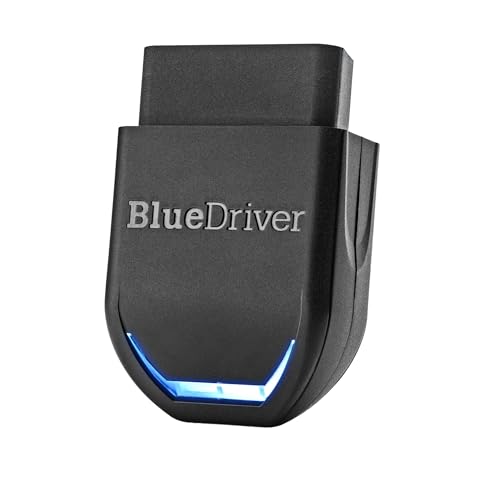
- [Diagnose Like a Pro] BlueDriver Pro Next-Gen is a professional OBD2 scanner and diagnostic tool that helps you scan, understand, and clear vehicle trouble codes with confidence. Turn your phone into a powerful car diagnostic scanner—no guesswork, no unnecessary repairs.
- [Read and Clear More Codes Than Ever] Read and clear more codes than basic car code readers. Access enhanced diagnostics for Check Engine, ABS, SRS, Airbag, TPMS, Transmission, and more on supported vehicles, including expanded coverage on newer model years.
- [Verified Fixes and Real-Time Data] Get unlimited, technician-verified repair reports matched to your VIN, with definitions, causes, and confirmed fixes. Monitor live vehicle data as you drive, view freeze frames, check smog readiness, and analyze Mode 6 test results.
- [Expanded Make & Model Coverage] Optimized for today’s vehicles with strong support for GM, Ford, Stellantis (RAM, Jeep, Chrysler), Toyota, Honda, Nissan, Mazda, Subaru, Hyundai, Mercedes-Benz, BMW, and VW. Enhanced communication on select 2024+ Nissan and Mazda models (see compatibility chart).
- [Gas Vehicles 1996+ & Select Light-Duty Trucks] Works with all gas-powered vehicles made in 1996 or newer, plus select light-duty trucks and diesels, including F-250, RAM 2500, Silverado, and Sierra. Built for daily drivers, family vehicles, and real-world truck use.
SEOCONTENT-START
June 2023 TechTIPS Page 1 of 17 Subaru Service and Technical Support Line Newsletter ©2023 Subaru of America, Inc. All rights reserved. 01 TechShare QMR of the Month We are pleased to announce this month’s TechShare QMR of the Month Winner: Robert Bedarbis from Wayne Subaru in Pompton Plains, NJ Robert created a high quality QMR using TechShare reporting on customer’s concern of EyeSight, traction control, and hill descent lights being illuminated while driving. Robert’s report included detailed diagnostic steps and high-quality photos. Please refer to the following link to review the TechShare QMR in detail: TS-234932 In appreciation for going the extra mile and sharing his experience with us, Robert will be receiving the following from his District Service Quality Manager: $500.00 Snap-On gift card SUBARU TECHLINE HOLIDAYS & HOURS OF OPERATION Mon. – Thurs. 8:30AM – 7:30PM EST Friday 10:30AM – 5:00PM EST Saturday 9:00AM – 3:00PM EST Articles Contained in this Issue Click on a title below to jump to the article. Click the date located in the footer to return to page 1. CODE ARTICLE………………………………………………………….PAGE (00) STIS New Releases………………………………. 16 (01) QMR of the Month………………………………..1-2 (01) QMR of the Month Award Presentations………………………………………… 2 (01) Towing a Subaru Revisited……………………3-5 (12) Windshield Wiper Cowl Fitment and Deformation………………………………….5-6 (15) 24MY Crosstrek / Impreza Wide Angle Mono Camera Cover Removal……………….7-8 (15) Gen 4 EyeSight – Wide Angle Mono Camera Calibration…………………………….9-10 (20) Solterra Front Camera Calibration…………. 11 (20) Solterra Diagnostic Procedures for P15B071 & B14FC71…………………………12-15 ISO 14001 is the international standard for excellence in Environmental Management Systems. Please recycle or dispose of automotive products in a manner that is friendly to our environment and in accordance with all local, state and federal laws and regulations. CAUTION: VEHICLE SERVICING PERFORMED BY UNTRAINED PERSONS COULD RESULT IN SERIOUS INJURY TO THOSE PERSONS OR TO OTHERS. SUBARU OF AMERICA, INC. IS ISO 14001 COMPLIANT Continued on the next page June 2023 The Subaru TechTIPS newsletter is intended for use by professional Technicians ONLY. Articles are written to inform those Technicians of conditions that may occur in some vehicles, or to provide information that could assist in the proper servicing of the vehicle. Properly trained Technicians have the equipment, tools, safety instructions, and know-how to do the job correctly and safely. If a condition is described, DO NOT assume that your vehicle has or will have that condition. Impreza, Legacy, Justy, Loyale, Outback, Forester, Subaru SVX, WRX, WRX STI, Baja, Tribeca, BRZ, XV Crosstrek, Ascent, Crosstrek Hybrid, Solterra and “Quality Driven” are Registered Trademarks. home Independence Day: (Closed) Tuesday, July 4, 2023 Continued on the next page June 2023 TechTIPS Page 2 of 17 01 QMR of the Month (CONTINUED) The other regional winners selected from TechShare QMRs submitted during April 2023 were: • Collin Bonholzer from Rairdon’s Subaru of Auburn • Jacob Wolff from Gillman Subaru • Joshua Beaudoin from Patriot Subaru • Luis Hernandez from Farrish Subaru Any Subaru Technician can participate in the TechShare QMR of the Month program. See the November 2022 issues of TechTIPS for full details. You just might see your name and photo in a future issue of TechTIPS! 01 QMR of the Month Award Presentations As part of our “enhanced” QMR of the Month recognition program, we will include a photo (whenever available) of the recipient’s award presentation in TIPS. The winner selected from QMR of the Month submissions received during April 2023 was Rob Bedarbis, Technician at Wayne Subaru, Pompton Plains, NJ. Rob is shown above (right/center) after being presented with his $500.00 Snap-On Gift Card and Neiko Flashlight. To his right Subaru of America’s District Service and Quality Manager Jim Colamarino, and Wayne Subaru’s Service Manager Jerry Ciriaco. To his left is Wayne Subaru’s Parts and Service Director Rob Lesko. Congratulations and THANK YOU to our April 2023 QMR of the Month Award recipient! Continued on the next page June 2023 TechTIPS Page 3 of 17 01 Towing a Subaru Revisited There are multiple TechTIPS related to towing Subarus from 8/93, 10/93, 3/97, 2/01, 7/05, 9/13 and 10/13. There is also TSB 01-162-05 which is specific to just the STi. Below is an overview of how to tow Subaru vehicles. Using a flat-bed tow truck is the recommended method to transport a Subaru. Always refer to the specific Owner’s Manual for the vehicle in question for recommended towing procedures. • All 5 speed manual transmission vehicles can be towed with all 4 wheels on the ground. You must leave the shifter in neutral and the steering wheel unlocked (key in ACC position). • For 6 speed manual transmissions found in the WRX STi, you must follow TSB 01-162-05. • All BRZ models must be towed using a flatbed tow truck with all 4 wheels off the ground. Flat towing is not allowed for both 6AT and 6MT models. • Legacy, Outback, Forester, Impreza, WRX and Crosstrek models equipped with a 6-speed split case manual transmission can be towed with all 4 wheels on the ground. Again, leave the steering wheel unlocked (key in ACC position) and the shifter in neutral. • For CVT, 5 AT and 4 AT-equipped vehicles, you can tow the vehicle with all the wheels on the ground, but you cannot exceed 20 MPH and must not travel further than 31 miles or transmission damage will result. For further distances and higher speeds, the vehicle must be transported on a flatbed truck with all 4 wheels off the ground. • Crosstrek Hybrid 19MY-Current – Must be towed using a flatbed tow truck with all 4 wheels off the ground. June 2023 TechTIPS Page 4 of 17 Continued on the next page 01 Towing a Subaru Revisited (CONTINUED) • Crosstrek Hybrid 14MY-16MY – Can tow the vehicle with all the wheels on the ground, but you cannot exceed 20 MPH and must not travel further than 31 miles or transmission damage will result. For further distances and higher speeds, the vehicle must be transported on a flatbed truck with all 4 wheels off the ground. • Solterra – The recommended procedure is a flatbed tow truck. If a tow truck is not available in an emergency, the vehicle may be temporarily towed using emergency towing eyelets. This should only be attempted on hard surfaced roads for short distances at under 18 mph (30 km/h). A driver must be in the vehicle to steer and operate the brakes. The vehicle’s wheels, drive train, axles, steering and brakes must be in good condition. If the EV system is off, the power assist for the brakes and steering will not function, making steering and braking more difficult. For detialed procedures please refer to the Solterra Owner’s Manual, starting on page 511 – MSA5M2330A_STIS (A6718BE-A)-Opt.pdf (subarunet.com) June 2023 TechTIPS Page 5 of 17 Continued on the next page 01 Towing a Subaru Revisited (CONTINUED) 12 Windshield Wiper Cowl Fitment and Deformation When servicing a wiper cowl or inspecting a vehicle with a concern of the wiper cowl warping, there are a few important things to consider. Has the windshield previously been replaced? Has the wiper cowl previously been replaced or removed for service? This will help to determine if the issue is due to a damaged part or if it may be due to poor fitment resulting from improper windshield installation. There are a few inspections that can be made to determine the issue, even if this information cannot be obtained. When inspecting a wiper cowl for deformation and improper fitment, inspect the tabs of the cowl for indications of improper installation. White discoloration can be seen on the black tabs as an indication of improper installation. Continued on the next page June 2023 TechTIPS Page 6 of 17 12 Windshield Wiper Cowl Fitment and Deformation (CONTINUED) When removing or installing the wiper cowl, it is important to always follow the directions in the Service Manual as to not damage any components. Refer to the October 2011 TechTIPS for suggestions on removal. When installing, be mindful of the cowl tabs so they do not bend (see above). If the wiper cowl is deformed, replace with a new part. When installing the cowl, it is important to follow the recommended steps in order. 1. Verify the cowl is centered by lining up the indicator shown below. 2. Make sure when pressing the protector of the cowl panel against the glass, insert the cowl’s retaining claws under the glass. 3. Start with the center clip first, then the work towards the outer clips. If these components appear normal, inspect the windshield for proper installation. Check the condition of the locating pins on both corners of the top. Removal of interior components will be necessary to make these inspections. There have been cases where removal of these locating pins has been made during windshield installation. If the windshield is not properly installed onto the locating pins, the windshield may not be able to correctly line up with the wiper cowl. Continued on the next page June 2023 TechTIPS Page 7 of 17 15 24MY Crosstrek / Impreza Wide Angle Mono Camera Cover Removal The Gen 4 EyeSight system on the 2024 Crosstrek and Impreza now incorporates a unique Mono Camera cover assembly that requires a certain amount of finesse during the removal process to prevent potential damage to the windshield attaching clips. If damage does occur to the windshield clips the windshield will require replacement. The EyeSight and Mono camera calibrations will both need to be performed after any windshield replacement. Use extreme caution when removing this cover to avoid damage during removal. Continued on the next page June 2023 TechTIPS Page 8 of 17 15 24MY Crosstrek / Impreza Wide Angle Mono Camera Cover Removal (CONTINUED) The following camera cover removal technique has been found to provide the least amount of risk for clip breakage: 1) Apply a strip of masking tape to the windshield 5mm from the front edge of the Mono Camera cover as a reference point. 2) Using your right hand, apply pressure in a leftward direction on the right side of the Mono Camera cover while maintaining leftward pressure, use your left hand to apply a firm, straight forward, single “bump” on the left side of the camera cover as shown. Once the left side has disengaged, complete the removal, if needed, carefully shift the cover to the right to release the right-side clip on the windshield. (NOTE: Do not “Bump” aggressively or allow the camera cover to travel more than 5mm during the left-side cover release.) 3) Remove the masking tape. Continued on the next page June 2023 TechTIPS Page 9 of 17 15 Gen 4 EyeSight – Wide Angle Mono Camera Calibration The EyeSight Stereo Camera and Wide Angle Mono Camera require separate calibration procedures. Both calibrations are required whenever the windshield is replaced or if the camera is removed. When performing the Wide Angle Mono Camera calibration on Gen 4 Eyesight equipped vehicles, the chart used for calibration needs to be printed. It does not have a tool number and cannot be ordered. Techline has received reports stating that printing these charts to the correct size and scale is difficult with the average printer at the retailer. It is recommended to have the chart printed by a commercial printer such as Office Depot, Fed Ex, or a local printing business. They have the equipment to print large images to the correct scale. The measurments provided for the finished chart is the size of the entire black box, not just the white squares. It is recommended to put the 3 printed charts onto foam board so they can be used repeatedly without needing to have them reprinted. Once the panels are printed, they can be mounted on a white board as has been recommended for the EyeSight Stereo Camera chart. The vehicle and chart setup procedure are similar to the EyeSight Stereo camera calibration. The click path for the Wide Angle Mono Camera calibration is shown below. Please review TSB 07-211-23 for more information on the Wide Angle Mono camera calibration. Continued on the next page June 2023 TechTIPS Page 10 of 17 15 Gen 4 EyeSight – Wide Angle Mono Camera Calibration (CONTINUED) Once the 3 charts are printed make sure to verify all measurements shown in STIS. It should look similar to the image below once completed. NOTE: The Solterra front camera uses a similar chart for calibration. The size of the printed charts is NOT the same. The charts needed for Solterra front camera calibration and Gen 4 Wide Angle Mono camera calibration cannot be interchanged. Continued on the next page June 2023 TechTIPS Page 11 of 17 20 Solterra Front Camera Calibration When performing the Front Camera Target Adjustment, there has been some confusion on where the chart needs to be placed as the Service Manual does not indicate a distance from the front of the vehicle. This is because the chart is to be placed against the front bumper as indicated by point B. The same will be done with the rear target panel for point A. Refer to the Solterra TRB or the Service Manual for the full calibration procedure. Continued on the next page June 2023 TechTIPS Page 12 of 17 20 Solterra Diagnostic Procedures for P15B071 & B14FC71 P15B071: Hybrid/EV Electronics Coolant Distribution Valve Actuator “A” Actuator Stuck B14FC71: Three-way Flow Adjustment Valve (HT Coolant Circuit) Actuator Stuck The Service Manual diagnostic procedure for these two DTCs listed will be revised. Until STIS is updated, please follow the procedure listed in this TIP if either DTC is found. If the auxiliary battery (12V Battery) and/or the valve* connectors were disconnected within approximately 95 seconds after “Ready_OFF” (Ignition off), the location recognition of the valves will be incorrect at the next “IG_ON” (Igntion on), and the DTCs will be detected. *P15B071 = 5-way valve (water control valve) *B14FC71 = 3-way valve (Heater control valve) Until the service manual is revised, perform the following steps BEFORE performing the active test described in the service manual. 1. Remove the ECU-B No.5 fuse within 60 seconds after ignition switch is turned off. 2. Wait at least 30 seconds, then install the ECU-B No.5 fuse. 3. Turn the ignition switch to ON. 4. Follow the GTS screen descriptions below and Clear the DTCs. Perform the active test. If the results are all within specification,, the repair is complete. This procedure will remain in effect until the Service Manual is revised. Continued on the next page June 2023 TechTIPS Page 13 of 17 20 Solterra Diagnostic Procedures for P15B071 & B14FC71 (CONTINUED) P15B071 Active Test Continued on the next page June 2023 TechTIPS Page 14 of 17 20 Solterra Diagnostic Procedures for P15B071 & B14FC71 (CONTINUED B14FC71 Active Test Continued on the next page June 2023 TechTIPS Page 15 of 17 20 Solterra Diagnostic Procedures for P15B071 & B14FC71 (CONTINUED) To help prevent these DTCs from setting, always follow the recommendation in the Service Manual to wait at least 3 minutes after shutting the igntion off before disconnecting the negative battery terminal of the auxiliary battery (12V battery). Continued on the next page June 2023 TechTIPS Page 16 of 17 00 STIS New Releases ITEM CODE ITEM TYPE TITLE CREATED DATE SOA567C100 Accessory Installation Guide Thule Rooftop Tent – (all vehi… 15-Jun-23 SOA567C200 Accessory Installation Guide Thule Awning – Roof Mounted – … 15-Jun-23 16-132-20R Technical Service Bulletin Diagnostic Information for All… 13-Jun-23 16-136-22R Technical Service Bulletin Vibration & Possible Judder Co… 13-Jun-23 WRG-22 Subaru Product/Campaign Bulletin Halogen Headlamp Low Beam & Si… 13-Jun-23 04-29-23R Technical Service Bulletin Electronic Power Steering Repr… 12-Jun-23 07-222-23 Technical Service Bulletin Climate Control Settings / Und… 9-Jun-23 All revised publications are highlighted in yellow. Continued on the next page June 2023 TechTIPS Page 17 of 17 *** Now you can e-mail your TechTIPS input and suggestions to: tech@subaru.com *** SUBARU TECHLINE Monday – Thursday 8:30 am to 7:30 pm Hours of Operation Friday 10:30 am to 5 pm and Saturday 9 am to 3 pm This is your chance to offer suggestions for use in future issues of TechTIPS! Make sure that if you e-mail us, you place in the subject line of your e-mail “For TechTIPS Newsletter”. Thank you! Model: Year: VIN: Description of situation encountered: Your suggestion for repair procedure, product improvements, etc.: Please attach separate sheets, if necessary. You may also want to include Service Manual diagrams or references, or your own drawings to assist in describing your suggestion. All information submitted becomes the property of Subaru of America, Inc. Permission is granted to Subaru of America, Inc. to print your name and suggestions in TechTIPS and other Subaru of America, Inc. publications. Mail items to: PO Box 9103; Camden, NJ 08101-9877. Your Name: Signature: Dealer’s Name: City: Date: Dealer Code:
**************************************************************************************************************
**************************************************************************************************************
SEOCONTENT-END
This product presentation was made with AAWP plugin.