
NHTSA ID Number: 10238458
Manufacturer Communication Number: 15-311-23
Summary
This bulletin provides instruction for use of a new reprogramming procedure to optimize the Denso Gen 4.5 Audio and Navigation system utilized in the models listed.
NUMBER: 15-311-23
DATE: 06/23/23
| APPLICABILITY: | 2023MY Outback & Legacy 2023MY Ascent |
| SUBJECT: | FOTA (Firmware Over-The-Air) Reprogramming for DENSO Gen 4.5 Audio Navigation Infotainment Systems via DCM |
INTRODUCTION:
This bulletin provides instruction for use of a new reprogramming procedure to optimize the Denso Gen 4.5 Audio and Navigation system utilized in the models listed above. Firmware-over-the-air (FOTA) is a process where remote devices can receive updates to their operating firmware. This process has become second nature with smartphones, tablets and many other connected devices. FOTA for automotive infotainment systems was designed with an emphasis on customer convenience. FOTA updates provide regular enhancements along with software patches as needed to enhance the customer experience. The convenience factor comes not only with the supply of regular updates and the enhancements they provide, but through customer control of when these updates are downloaded and installed. The only requirement is a valid subscription to SUBARU STARLINK Safety Plus, since the download of the software is performed via DCM. FOTA operation is conducted in two steps: download (from the server to the vehicle via DCM) and installation (internal to CP1.5 system in the vehicle). This bulletin will focus on FOTA for Denso Gen 4.5 audio systems (MID) and audio-navigation systems (HIGH) which utilize the 11.6-inch touch-screen display. Models with 7-inch dual screen display (Base) are not FOTA update capable.
This bulletin outlines the procedure for performing FOTA updates successfully. These procedures involve:
- Assisting customers with FOTA -related concerns if they have been unsuccessful in performing the FOTA by themselves. (Possible vehicle or system concern.) *
- Performing the FOTA update for customers who are not comfortable or need assistance with performing it themselves but have requested the Retailer to install it*
- Updating the firmware using a USB flash drive by following the steps outlined in TSB 15-305-22R “Reprogramming File Availability for Optimization of Gen 4.5 Denso CP1.5 Infotainment Systems” when FOTA cannot be performed due to the setup or eligibility constraints*.
* NOTE: If a customer is simply requesting help with how to perform FOTA, provide a copy of the appropriate customer instructions for FOTA available on Subarunet: Service Operations & Technical > Forms/Downloads page.
See Appendix A later in this bulletin for more information.
It is VERY IMPORTANT to read and understand this information completely before proceeding.
NOTES:
- REMINDER: FOTA is available for MID and HIGH (Navi) systems with 11.6-inch display only.
- The currently available FOTA firmware version is not the same version available to Retailers for USB updating use. However, a system updated using FOTA can be further updated by using the USB update procedure if additional updates are needed. For additional details clarifying the scope of FOTA updates, review the applicable Owner’s Manual Supplement’s additional information for the Center Information Display. The information is downloadable from: https://www.subaru.com/ owners/index.html. See Appendix C below for more information.
- FOTA updates are for the system firmware ONLY. Map updates are a separate function which the customer may update on their own by using either USB download or Map Over the Air Update (MOTA). Go to: subaru-maps.com for more information.
Reference photos of each system faceplate are supplied below:
In PDF Bellow…
SERVICE PROCEDURE / INFORMATION:
REMINDER: Customer satisfaction and retention starts with performing quality repairs.
The FOTA update process involves a remote downloading and installation the update firmware therefore, time duration depends on signal strength and transfer rate performance. During installation, the infotainment system’s functionality will be restricted.
SET-UP INSTRUCTIONS AND CAUTIONS:
- Move the vehicle to an outside location where the engine can be safely started and kept idling during the update process.
- Never idle the vehicle in a closed space such as a garage, even if the garage door is kept open.
- Once the vehicle is in a safe location, be sure the vehicle is in Park (CVT) or Neutral (MT) and the parking brake is fully engaged.
- Open one or more windows to ensure fresh air is available.
- Stay with the vehicle until the update is completed.
- We suggest adjusting the climate controls to your desired settings in case they become unavailable during the update process.
- Unplug any devices, chargers, cables or other USB drives from the vehicle’s USB and power ports.
VERY IMPORTANT: Before proceeding with the updating procedure, the currently installed version ID MUST be confirmed (Firmware Version Check) by following the steps below:
1) After starting the engine and system boot-up completes, from the HOME screen, touch the Settings button.
2) Press the General Use the down arrow to scroll to System Information then press to display the System Information / Version information.
The examples below identify the head unit model and the last 6 digits 9xxx-xxx) signify the software version number. Examples:
- F61WHMxxx-xxx (High model software)
- F61WMMxxx-xxx (Mid model software)
Continued in PDF Bellow…
Reprogramming File Availability for Optimization of Gen 4.5 Denso CP1.5 Infotainment Systems – 2023 Subaru Outback/Legacy & 2023 Ascent
Reprogramming File Availability for Optimization of Gen 4.5 Denso CP1.5 Infotainment Systems – 2023 Subaru Outback/Legacy & 2023 Ascent
3 Affected Products
Vehicles
1 Associated Document
Manufacturer Communications
NUMBER: 15-311-23
DATE: 06/23/23
MC-10238458-0001.pdf 1969.015KB

- USB-C 2-in-1 storage OTG: The Lexar JumpDrive Dual Drive D40E features USB Type-A and Type-C connectors in a slim, portable form factor for easy device compatibility
- Transfer speeds up to 100MB/s: Based on internal testing, performance may vary depending upon the host device, interface, and usage conditions. 1MB=1,000,000 bytes
- Plug and Play: Widely compatible with USB Type-C smartphones, tablets, laptops, Macs, and traditional Type-A devices, no software installation required. The 360° swivel design allows for easy switching between connectors without the hassle of losing a cap
- Durable & Compact: The Lexar D40E USB memory stick features a metal enclosure, withstands temperatures from 0° to 50° C (32°F to 122°F), and is lightweight at 26g with dimensions of 70.4 x 16.9 x 11.7mm
- Security & Warranty: Securely protects files using an advanced security software solution with 256-bit AES encryption. Backed by a Lexar 3-year limited warranty
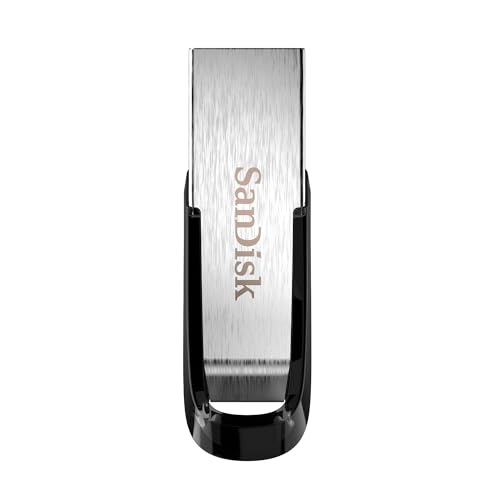
- High-speed USB 3.0 performance of up to 150MB/s(1) [(1) Write to drive up to 15x faster than standard USB 2.0 drives (4MB/s); varies by drive capacity. Up to 150MB/s read speed. USB 3.0 port required. Based on internal testing; performance may be lower depending on host device, usage conditions, and other factors; 1MB=1,000,000 bytes]
- Transfer a full-length movie in less than 30 seconds(2) [(2) Based on 1.2GB MPEG-4 video transfer with USB 3.0 host device. Results may vary based on host device, file attributes and other factors]
- Transfer to drive up to 15 times faster than standard USB 2.0 drives(1)
- Sleek, durable metal casing
- Easy-to-use password protection for your private files(3) [(3)Password protection uses 128-bit AES encryption and is supported by Windows 7, Windows 8, Windows 10, and Mac OS X v10.9 plus; Software download required for Mac, visit the SanDisk SecureAccess support page]

- GOOD VALUE PACKAGE - 1 Pack 32GB Memory Stick USB 2.0 Flash Drives with great cost performance and high quality.
- BIG CAPACITY - The available capacity: 29.10GB-29.8GB, You can save the data of movies, music, photos, designs, programs, manuals, handouts in a high speed.Good performance in digital data storing, transferring and sharing with families, friends, workmates, clients and machines.
- EASY TO USE & PLUG AND WORK - Support windows 7 / 8 / 10 / Vista / XP / 2000 / ME / NT Linux and Mac OS, Compatible with USB2.0 and below.
- TWISTTURN DESIGN & EASY CARRY - The metal clip rotates 360° round the ABS plastic body which with rubber oil skin feeling finish. The capless design can avoid lossing of cap, and providing efficient protection to the USB port.
- WARRANTY & SUPPORT - SIMMAX logo is laser printed on the USB connector surface, our products are of good quality and we promise that any problem about the product within one year since you buy.

- The durable, light-weight design of the Turbo Attaché 3 USB 3.0 Flash Drive is the essential mobile storage solution
- Perfect for transferring large files such as movies, videos, photos, music & documents
- Transfer speeds up to 10 times faster than standard USB 2.0 flash drives
- Convenient sliding collar, and cap-less design protects your content when not in use
- Compatible with most PC and Mac laptop and desktop computers with USB 3.0 ports

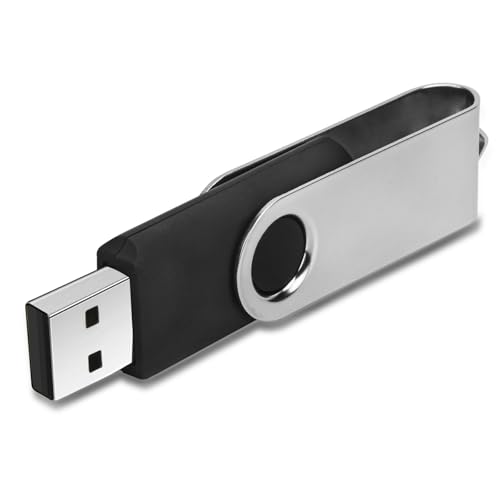
- 【16GB Flash Drive】USB flash drives with 16GB capacity, meet your needs of daily use on work, school, home and travelling for photos, music, videos, files storage and transfer. IMEASON thumb drives can be used to store different files, easy to data backup.
- 【Metal Swivel Cap Design】USB thumb drive is metal swivel cover provides extra protection for the usb thumbdrive connector, no usb drive cap to lose; keychain design makes it easier to carry without worrying lose it.
- 【Wide Compatibility】USB drive supports Windows 7/8/10/11 / Vista / XP / Unix / 2000 / ME / NT Linux and Mac OS, also Supports USB 2.0 and 1.1 ports. USB Stick support TV, desktop, notebook computer, car, audio and other device. The USB Memory Stick is your great data storage and transfer companion with traveling and working.
- 【Easy to use】usb memory stick is plug and play without any software installation. Just simply plug the Flashdrive into the port of your USB-compatible devices such as computer, laptop to start data storage or transmission.
- 【What You Get】16 GB USB Flash Drive Thumb Drive, The default format of the usb storage flash drive is FAT32.
SEOCONTENT-START
Bulletin Number: 15-311-23; Date: 06/23/23 Page 1 of 19 SERVICE BULLETIN Continued… CAUTION: VEHICLE SERVICING PERFORMED BY UNTRAINED PERSONS COULD RESULT IN SERIOUS INJURY TO THOSE PERSONS OR TO OTHERS. Subaru Service Bulletins are intended for use by professional technicians ONLY. They are written to inform those technicians of conditions that may occur in some vehicles, or to provide information that could assist in the proper servicing of the vehicle. Properly trained technicians have the equipment, tools, safety instructions, and know-how to do the job correctly and safely. If a condition is described, DO NOT assume that this Service Bulletin applies to your vehicle, or that your vehicle will have that condition. Subaru of America, Inc. is ISO 14001 Compliant ISO 14001 is the international standard for excellence in Environmental Management Systems. Please recycle or dispose of automotive products in a manner that is friendly to our environment and in accordance with all local, state and federal laws and regulations. NUMBER: 15-311-23 DATE: 06/23/23 APPLICABILITY: 2023MY Outback & Legacy 2023MY Ascent SUBJECT: FOTA (Firmware Over-The-Air) Reprogramming for DENSO Gen 4.5 Audio Navigation Infotainment Systems via DCM INTRODUCTION: This bulletin provides instruction for use of a new reprogramming procedure to optimize the Denso Gen 4.5 Audio and Navigation system utilized in the models listed above. Firmware-overthe- air (FOTA) is a process where remote devices can receive updates to their operating firmware. This process has become second nature with smartphones, tablets and many other connected devices. FOTA for automotive infotainment systems was designed with an emphasis on customer convenience. FOTA updates provide regular enhancements along with software patches as needed to enhance the customer experience. The convenience factor comes not only with the supply of regular updates and the enhancements they provide, but through customer control of when these updates are downloaded and installed. The only requirement is a valid subscription to SUBARU STARLINK Safety Plus, since the download of the software is performed via DCM. FOTA operation is conducted in two steps: download (from the server to the vehicle via DCM) and installation (internal to CP1.5 system in the vehicle). This bulletin will focus on FOTA for Denso Gen 4.5 audio systems (MID) and audio-navigation systems (HIGH) which utilize the 11.6-inch touch-screen display. Models with 7-inch dual screen display (Base) are not FOTA update capable. This bulletin outlines the procedure for performing FOTA updates successfully. These procedures involve: • Assisting customers with FOTA -related concerns if they have been unsuccessful in performing the FOTA by themselves. (Possible vehicle or system concern.) * • Performing the FOTA update for customers who are not comfortable or need assistance with performing it themselves but have requested the Retailer to install it* • Updating the firmware using a USB flash drive by following the steps outlined in TSB 15-30522R “Reprogramming File Availability for Optimization of Gen 4.5 Denso CP1.5 Infotainment Systems” when FOTA cannot be performed due to the setup or eligibility constraints*. ATTENTION: GENERAL MANAGER q PARTS MANAGER q CLAIMS PERSONNEL q SERVICE MANAGER q IMPORTANT – All Service Personnel Should Read and Initial in the boxes provided, right. ©2023 Subaru of America, Inc. All rights reserved. Bulletin Number: 15-311-23; Date: 06/23/23 Page 2 of 19 Continued… * NOTE: If a customer is simply requesting help with how to perform FOTA, provide a copy of the appropriate customer instructions for FOTA available on Subarunet: Service Operations & Technical > Forms/Downloads page. See Appendix A later in this bulletin for more information. It is VERY IMPORTANT to read and understand this information completely before proceeding. NOTES: • REMINDER: FOTA is available for MID and HIGH (Navi) systems with 11.6-inch display only. • The currently available FOTA firmware version is not the same version available to Retailers for USB updating use. However, a system updated using FOTA can be further updated by using the USB update procedure if additional updates are needed. For additional details clarifying the scope of FOTA updates, review the applicable Owner’s Manual Supplement’s additional information for the Center Information Display. The information is downloadable from: https://www.subaru.com/ owners/index.html. See Appendix C below for more information. • FOTA updates are for the system firmware ONLY. Map updates are a separate function which the customer may update on their own by using either USB download or Map Over the Air Update (MOTA). Go to: subaru-maps.com for more information. Reference photos of each system faceplate are supplied below: SERVICE PROCEDURE / INFORMATION: REMINDER: Customer satisfaction and retention starts with performing quality repairs. The FOTA update process involves a remote downloading and installion the update firmware therefore, time duration depends on signal strength and transfer rate performance. During installation, the infotainment system’s functionality will be restricted. Bulletin Number: 15-311-23; Date: 06/23/23 Page 3 of 19 Continued… SET-UP INSTRUCTIONS AND CAUTIONS: • Move the vehicle to an outside location where the engine can be safely started and kept idling during the update process. • Never idle the vehicle in a closed space such as a garage, even if the garage door is kept open. • Once the vehicle is in a safe location, be sure the vehicle is in Park (CVT) or Neutral (MT) and the parking brake is fully engaged. • Open one or more windows to ensure fresh air is available. • Stay with the vehicle until the update is completed. • We suggest adjusting the climate controls to your desired settings in case they become unavailable during the update process. • Unplug any devices, chargers, cables or other USB drives from the vehicle’s USB and power ports. VERY IMPORTANT: Before proceeding with the updating procedure, the currently installed version ID MUST be confirmed (Firmware Version Check) by following the steps below: 1) After starting the engine and system boot-up completes, from the HOME screen, touch the Settings button. Bulletin Number: 15-311-23; Date: 06/23/23 Page 4 of 19 Continued… 2) Press the General button. Use the down arrow to scroll to System Information then press to display the System Information / Version information. The examples below identify the head unit model and the last 6 digits 9xxx-xxx) signify the software version number. Examples: • F61WHMxxx-xxx (High model software) • F61WMMxxx-xxx (Mid model software) If the software version number matches “Older Software Versions” review the information outlined below. If the software version is “Latest Software Version” as the unit already has the latest software version installed. Proceed to the WARRANTY / CLAIM INFORMATION section of the TSB and process a claim for Version Check Only. Bulletin Number: 15-311-23; Date: 06/23/23 Page 5 of 19 Continued… FOTA REPROGRAMMING OVERVIEW: • SUBSCRIPTION STATUS – Confirm SUBARU STARLINK Safety Plus subscription NOTE: FOTA update is possible only with valid SUBARU STARLINK Safety Plus subscription and active DCM. If the status of subscription is unclear, contact STARLINK Customer Care at (855) 753-2495 and find details of STARLINK agreement. • SOFTWARE DOWNLOAD – When software update becomes available, the software is automatically downloaded following IGN-ON operation without customer’s operation. CAUTION: The process could be obstructed due to incorrect clock setting or poor DCM reception. If the clock has wrong time, see Appendix B for how to set the correct time on the clock. If the DCM has lost reception, move the vehicle to a better (4G phone signal) reception area. Downloading automatically starts and finishes. While the DCM is downloading the new software, all functions of Cockpit Control Unit remain available. The status of the downloading process can be checked using Settings/General/Software update feature as shown below. Normally downloading takes 10-20 minutes depending on reception condition. Even if is pressed in the 3rd screen to return, downloading process continues. Bulletin Number: 15-311-23; Date: 06/23/23 Page 6 of 19 Continued… In case of intermittent loss of reception by DCM (vehicle moving out of signal range), or Ignition Switch being turned OFF, downloading is paused but the operation resumes as soon as the reception is re-established or system is turned back on. • INSTALLATION – The installation consists of two stages: installation and activation. Notification screen is automatically displayed, after the background downloading has been successfully completed. This screen is displayed only while the vehicle is not in motion. Select “Yes” ‘=> Start installation. Once “Yes” is pressed, installation continues even if the button is pressed. Customers can skip installation by selecting up to two times. However, after skipping two times the installation starts automatically as soon as the Ignition Switch is turned ON without any notification. In that case the installation notification (3.a.i) is not displayed anymore. See below for more information. Bulletin Number: 15-311-23; Date: 06/23/23 Page 7 of 19 Continued… NOTES: • If ignition Switch is turned OFF while 3.a.i screen is being displayed, the installation process is terminated. In that case the screen 3.a.ii pops up automatically the next time the Ignition Switch is turned on. • If ignition Switch is turned OFF during 3.a.ii screen is being displayed, the installation process is terminated. In that case installation process automatically resumes without showing 3.a.ii next time the Ignition Switch is turned on. • Activation: Wait until the installation is completed (Time required for installation: 15 minutes or less). After the first installation process is coming to an end and the pop-up screen shown below comes up, then press “OK.” Switch the vehicle OFF, exit the vehicle, lock all doors including the rear gate (if equipped) and move the key fob away from the vehicle at least 10 feet (3m) to enable affected systems to go to sleep. WAIT AT LEAST 5 MINUTES prior to switching the vehicle ON to assure proper software activation. Pop-up screen shows up soon after the system completes to boot up. It confirms the software has been installed. NOTE: See Appendix D for troubleshooting tips if any errors are encountered. Bulletin Number: 15-311-23; Date: 06/23/23 Page 8 of 19 Continued… WARRANTY / CLAIM INFORMATION: For vehicles within the Basic New Car Limited Warranty period or covered by an active Subaru Added Security Gold plan, this repair may be submitted using the following claim information: Labor Description Labor Operation # Labor Time Fail Code DENSO CP1 CHECK ONLY A031-178 0.2 ZTZ -48 IMPORTANT REMINDERS: • SOA strongly discourages the printing and/or local storage of service information as previously released information and electronic publications may be updated at any time. • Always check for any open recalls or campaigns anytime a vehicle is in for servicing. • Always refer to STIS for the latest service information before performing any repairs. Bulletin Number: 15-311-23; Date: 06/23/23 Page 9 of 19 Continued… Appendix A Links to Customer self-install instructions for FOTA Customer Instructions will be added to the Subarunet Service Operations & Technical > Forms/Downloads page when they become available. Once the links are available and to enhance customer satisfaction, consider providing customers with a copy of the appropriate instructions for their specific system along with access to the retailer’s secure customer Wi-Fi network. Doing so will enable customers to try performing the FOTA update on their own while at the retailer. REMINDER: Retailers performing these updates are to follow the Service Procedures outlined in this bulletin ONLY. Always follow the applicable service procedures as outlined in this and other Service Bulletins. The additional steps and requirements supplied in Service Bulletins support a Subaru Technician’s proper diagnosis and repair of any customer concern. Bulletin Number: 15-311-23; Date: 06/23/23 Page 10 of 19 Continued… Appendix B How to set the correct time on the clock Software Update availability notification only works, if the clock has been set accurately. Check if the time shown on the status bar is correct or not. If the time is not correct, set the clock using procedure below. a. Confirm GPS signal is received. Vehicle position on the map should match its location. If necessary, drive the vehicle to assure good reception. b. Check is Clock set to “Auto”: Setting”→”Clock”→”Time Setting” . c. Once the Navi receives the GPS signal the clock is adjusted automatically. d. If the GPS signal is not available, set the clock to “Manual Setting”. a. Select “Setting”→”Clock”→”Time Setting” and check if the setting is “AUTO”. In case the clock is not adjusted correctly, set the clock in “Manual” setting. For more details, refer to the Owner`s Manual. Bulletin Number: 15-311-23; Date: 06/23/23 Page 11 of 19 Continued… Appendix C The currently available FOTA software version is not the same version available to Retailers for USB updating use. However, the system which has been updated via the FOTA can be further updated using USB update. To clarify the differences, both the USB contents and FOTA contents are described together in the list below. USB update is including all items and those items included only in the USB (but not in the FOTA) updates are described as “USB ONLY. List of Conditions, Symptoms and improvements Addressed By this update USB ONLY update method: Please note any symptoms listed below would require USB update due to the limitations of FOTA update process. Symptoms Addressed By Update No Conditions/Symptoms to be improved Update Method 1 CID goes black and does not accept any control. USB ONLY USB or FOTA update method: Symptoms Addressed By Update No Conditions/Symptoms to be improved 1 CID reboots. 2 “Manage Devices” is grayed out and cannot establish Bluetooth connection. 3 When the Bluetooth connection is cancelled manually on the mobile phone side during hands-free calling, the Bluetooth connection is disabled for that particular mobile phone. Even when it occurs, the connection can be reestablished by deleting the device in “Manage Devices” and register the device again by adding operation. 4 Bluetooth connection fails against the device that was pared before and “Manage Devices” is grayed out. Bulletin Number: 15-311-23; Date: 06/23/23 Page 12 of 19 Continued… Symptoms Addressed By Update No Conditions/Symptoms to be improved 5 Bluetooth connection is disabled with a discrepancy in the display of status bar (showing Bluetooth devices being connected) and the “Manage Devices” screen (showing no Bluetooth devices being connected.) 6 Android Auto Wireless (AAW) cannot be connected. 7 Android Auto Wireless (AAW) cannot be started from “Manage Devices” Screen. 8 Sound volume control does not work while using Android Auto. It is caused by data communication error between Android device and CCU. 9 Cyclic short noise like a drilling or vibration is heard from speakers. 10 Sound is lost when changed to Subchannel 2 right after a preset HD radio channel has been selected. 11 After the destination is set on Navi screen, voice recognition command of “Find along route” is made, search results are not given in order of distance. 12 When “Call” button is pressed in “Confirm Destination” screen of Navigation system (to call the destination site,) the call can be made but the screen does not transit to phone call screen. Bulletin Number: 15-311-23; Date: 06/23/23 Page 13 of 19 Continued… Symptoms Addressed By Update No Conditions/Symptoms to be improved 13 Popup of “The update was successfully installed” is not displayed after reboot (IG-OFF and ON) operation of FOTA (Firmware Over The Air) update. 14 When tapping preset “Team Channel” on SMX, a popup of different game is displayed. 15 A wrong search location is used on TravelLink function. Example of the symptom. Bulletin Number: 15-311-23; Date: 06/23/23 Page 14 of 19 Continued… Symptoms Addressed By Update No Conditions/Symptoms to be improved 16 Music cannot be played sequentially when they are stored in different folders in a USB memory. The specifications are improved to enable music in different folders to be played sequentially. 17 “Repeat All” is added as one of the play modes. 18 “Track-up/down” can be used across folders in “Repeat All” mode. 19 iPod/iPhone tab in Media screen cannot be selected, when connected by USB. The symptom occurs when the iPhone is connected to CP1.5 via Bluetooth in parallel to USB connection by error. (It is supposed to be connected either via Bluetooth or by USB.) 20 On the “Manage Devices” screen Bluetooth cannot be selected as connection preference. Bulletin Number: 15-311-23; Date: 06/23/23 Page 15 of 19 Continued… Symptoms Addressed By Update No Conditions/Symptoms to be improved 21 Status of Bluetooth on Manage Device screen is displayed as disconnect even though the Bluetooth Icon on top right of the screen is showing active. 22 Cannot pair new Bluetooth device or cannot connect paired Bluetooth device. This symptom possibly occurs after repeating IG OFF/ON operation while still pairing operation. 23 Cannot pair Bluetooth device, when Bluetooth device has long name including symbols. 24 SXM station shortcut created by the customer does not work when the SXM has not been used as audio source after the Ignition Switch was turned on in the ignition cycle. Bulletin Number: 15-311-23; Date: 06/23/23 Page 16 of 19 Continued… Symptoms Addressed By Update No Conditions/Symptoms to be improved 25 Manage Device Screen becomes dark and inoperative when Ignition Switch is turned Off and On while starting CarPlay by CID operation. 26 Cannot connect to CarPlay via wireless connection. This symptom possibly occurs after the Ignition Switch was turned Off and On abruptly. 27 POI Search Result shows only city names and distances (without unit) when voice recognition POI search with Category name like “Find toll gate” is used. 28 Navigation restarts itself, when the letters are rushly inputed or deleted using keyboard function to search destination. Bulletin Number: 15-311-23; Date: 06/23/23 Page 17 of 19 Continued… Symptoms Addressed By Update No Conditions/Symptoms to be improved 29 “Manage Route” button is not displayed when touching the route line on Navigation system, when the route search criteria got changed in the Route Preference Screen after a route had been searched. 30 “Manage Route” button is not displayed and buttons on the Current Route Screen become unselectable (turns to grayish fill) when the Navigation system is operated in the sequence of “Manage Route” > “Avoid Blocked Road” (in the Current Route Screen) > “Back.” Bulletin Number: 15-311-23; Date: 06/23/23 Page 18 of 19 Continued… Symptoms Addressed By Update No Conditions/Symptoms to be improved 31 After the FOTA is completed, the CCM does not send the confirmation data to the server even though it displays pop-up message of completion. The status is updated when the FOTA operation is made next time. 32 A pop-up message of “Connection Error” is displayed when the pop-up message of Service Appointment Scheduler Popup is displayed after the engine was turned on and the “Read Now” button is pressed immediately after that. Bulletin Number: 15-311-23; Date: 06/23/23 Page 19 of 19 Appendix D TROUBLESHOOTING: No. Applicability Case Scenario (Trouble) Causes Check Points 2-1 Step 2 (Downloading) “In order to use the software update feature, a SUBARU STARLINK subscription is needed. Please visit MySubaru online for more information.” is shown. SUBARU STARLINK subscription is not confirmed Please verify SUBARU STARLINK subscription status 2-2 “The software download failed.” popup is shown while downloading. An exception error due to hardware malfunction Downloading will resume automatically 24hours later. If same error message again, please perform diagnostic of CCU or update CCU software via USB. 3-1 Step 3 (Installation) “The software installation failed. An error occurred during installation. Please contact your retailer.” popup is shown while installing. An exception error due to hardware malfunction Installation will resume automatically 24hours later. If same error message again, please perform diagnostic of CCU or update CCU software via USB. 3-2 “The software installation failed. An error occurred during installation. Please contact your retailer.” popup is shown while installing. An exception error due to hardware malfunction Installation will resume automatically 24hours later. If same error message again, please perform diagnostic of CCU or update CCU software via USB. 3-3 Selected , but next time IG ON 3.a.i screen is not displayed. DCM has lost connection to SUBARU server. After downloading was completed, DCM needs to connect with SUBARU server, before installing Assure DCM has strong reception and reliable connection with the server, then turn ignition OFF and ON to repeat the test.
**************************************************************************************************************
**************************************************************************************************************
SEOCONTENT-END
This product presentation was made with AAWP plugin.