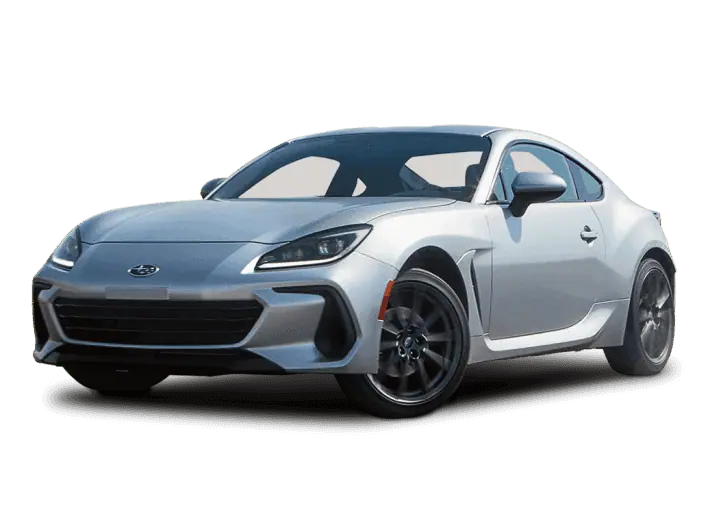
Accessory Installation Guide
| 2022MY+ BRZ – Auto Dimming Compass and Homelink Mirror | H501SCC000 |
Installation instructions
Instructions d’installatiion
Description: Auto dimming mirror
Description: Tetroviseur antieblouissement
1
Disconnect battery. If equipped disconnect eyelet cable only.
Déconnectez la batterie. Si elle en est équipée, déconnectez le câble de l’oeillet uniquement.
2
Remove original mirror by pulling on tab away from windshield and sliding mirror up and off the windshield mirror mount.
Retirez le rétroviseur d’origine en tirant sur la languette pour l’éloigner du pare-brise et en faisant glisser le rétroviseur vers le haut pour le sortir du support
3
1 – Warning: Do not touch Eyesight camera lens. 2 – Place protective tape (a) to stereo camera cover assembly as shown.
1 – Avertissement : Ne touchez pas à la lentille de la caméra EyeSight. 2 – Placez une bande de protection adhésive (a) sur le boîtier de la caméra stéréo, comme il est illustré.
4
1 – Warning: Do not touch Eyesight camera lens.
2 – Remove cover with trim tool starting from the front.
1 – Avertissement : Ne touchez pas à la lentille de la caméra EyeSight.
2 – Retirez le couvercle à l’aide de l’outil pour garniture en commençant par l’avant.
5
1 – Warning: Do not touch Eyesight camera lens.
2 – For vehicles without Eyesight remove two screws.
1 – Avertissement : Ne touchez pas à la lentille de la caméra EyeSight.
2 – Pour les véhicules sans Eyesight, retirer les deux vis.
6
For vehicles with Eyesight remove two bolts using 8mm socket.
Pour les véhicules avec Eyesight, retirer les deux boulons à l’aide d’une clé à douille de 8 mm.
7
Gently pull down cover to release clips.
Tirez doucement le couvercle vers le bas pour libérer les attaches.
8
Disconnect two harnesses from maplight/cover assembly.
Débrancher les deux faisceaux de la lampe de lecture ou du couvercle.
9
Install auto-dimming mirror by sliding mirror down onto the base. Tighten set screw with T-20 Torx bit to 13.3 – 17.7 in-lbs.
Installer le rétroviseur intérieur à atténuation automatique en le faisant glisser vers le bas sur la base. Serrer la vis de pression avec un embout Torx T-20 à 13,3 à 17,7 po-lb
10
Release clip shown on black plastic bracket. For vehicles without EyeSight, skip to step 13.
Dégagez l’attache illustrée sur le support en plastique noir.
Pour les véhicules sans Eyesight, passer à l’étape 13.
11
Vehicles with EyeSight only – Loop harness around passenger side eyesight camera. Take caution to not touch the camera lens.
Véhicules avec Eyesight : passer le faisceau autour de la caméra du côté passager. Ne pas toucher l’objectif de la caméra.
12
Vehicles with EyeSight only – Route mirror harness underneath attached harness shown.
Véhicules avec Eyesight : Passer le faisceau du rétroviseur sous le faisceau fixé illustré.
13
Route mirror harness underneath black plastic bracket.
Acheminer le faisceau du rétroviseur sous le support en plastique noir.
14
Retrieve pre-arranged vehicle harness connector.
Récupérer le connecteur de faisceau de câbles du véhicule préinstallé.
15
Connect mirror harness to pre-arranged vehicle harness.
Brancher le faisceau du rétroviseur au faisceau du véhicule préinstallé.
16
Connect mirror harness to mirror.
Brancher le faisceau du rétroviseur au rétroviseur.
17
Install mirror harness cover.
Poser le couvercle du faisceau de rétroviseur.
18
Reattach clip(s) to roof panel on black plastic bracket. Reattach two harnesses to map light/cover assembly.
Remettre l’attache (ou les attaches) au panneau de toit du support en plastique noir. Fixer à nouveau les deux faisceaux de la lampe de lecture ou du couvercle.
19
For non Eyesight applications, secure the harness to prevent rattle noise using tape.
Pour les applications sans Eyesight, fixer le faisceau à l’aide de ruban adhésif pour éviter le bruit de cliquetis.
20
Eyesight applications, secure the harness to prevent rattle noise using wire tie.
Pour les applications avec Eyesight, fixer le faisceau à l’aide d’un serre-fils pour éviter le bruit de cliquetis.
21
Re-install map light/cover assembly. Torque bolts or screws to 40 in-lbs.
Réinstaller la lampe de lecture ou le couvercle. Serrez les boulons ou les vis à un couple de 40 po-lb.
22
Reconnect battery. If equipped reconnect eyelet cable. Tighten bolt to 66 in-lbs.
Rebranchez la batterie. Si elle en est équipée, rebranchez le câble de l’oeillet. Serrez les boulons à 66 lb-po.
23
Using dark cloth or cardboard, completely cover forward-looking sensor.
Avec un linge sombre ou un carton, couvrez complètement le capteur pointé vers l’avant.
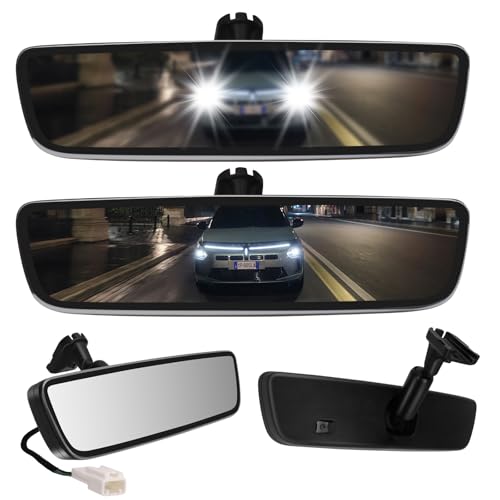
- Auto-Dimming Electrochromic Technology — Automatically darkens when bright headlights hit the rearview mirror, eliminating blinding glare instantly. No more flipping a manual tab. Safer night driving in one upgrade.
- True Universal Fit — Comes with a sliding metal bracket that adapts to most OEM button-style mounts. If your original mount doesn't match, simply swap to the included alternative metal base. Extended cable provides extra length for trucks, vans, and SUVs.
- Premium Frameless Design — Ultra-slim, sleek edge-to-edge glass with no plastic bezel. Looks OEM-pro and gives your interior a modern, clean finish
- DIY Installation (2 Options) — If your vehicle has a pre-wired plug , simply connect the plug-and-play harness and you're done. No plug? No problem — use the included extended cable and wiring kit to hardwire to your ACC fuse or dome light. Everything included: mirror, sliding bracket kit, alternative base, extended cable, wire ties, trim cover, and wrench.
- Why Upgrade from a auto dimming rear view mirror? — A basic rearview mirror costs $20-40 and does nothing. For a few dollars more, your auto-dimming mirror actively works for you every night — reducing eye strain, improving reaction time, and making every drive safer. Fits most vehicles from 2000 to present day.

- 1.【4.3-inch screen】: Our car rearview mirror display is a 4.3-inch color screen with a resolution of 480*272 and a 16:9 display format; the brightness of 500 cd/m2 ensures clear visibility even in bright sunlight.
- 2.【Auto-dimming function】: The HD is equipped with an automatic dimming function, which can adjust the brightness according to the ambient light conditions and automatically turn on the rearview camera screen when reversing. With an accurate distance scale line display, it can park and reverse correctly, making parking and reversing more convenient and .
- 3.【ABS shell】Our interior rear view mirror made of high-quality and materials. ABS shell, not only ensures its service life, but also adds a stylish and modern feel to your car interior.
- 4.【Practicality】Our 4.3-inch rearview mirror automatic dimming display is designed to provide high-definition and automatic dimming reversing images, solving the problem of poor rearview effect of the car and ensuring a safer parking and reversing experience.
- 5. 【Package List】The package contains 1 car rearview mirror monitor, 1 video cable and power cable, 1 extra cable cover, 1 English manual, 1 bracket and 5 screws, providing everything you need for easy and worry- installation.

- These mirrors eliminate the glare of headlights behind you for safer nighttime
- Mirror automatically dims as it detects glare
- The brighter the glare, the more the mirror dims
- Dimensions - 12 x 6.5 x 4.75 in.
- Gentex Auto-Dimming Rear View Mirrors

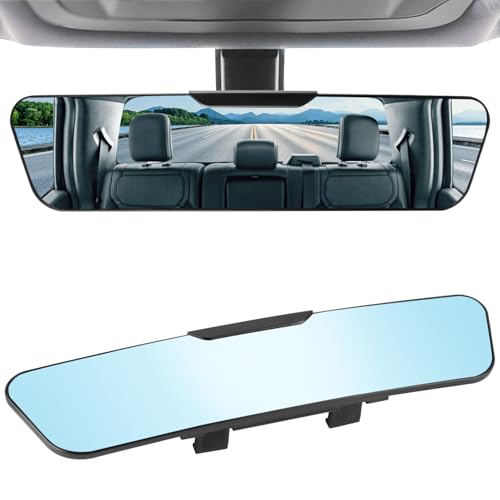
- 【Clear Vision】The high-definition curved glass provides a crystal-clear, distortion-free view that instantly expands your rear and side visibility. It reduces blind spots, enhances spatial awareness, and allows you to monitor rear passengers, including children, with ease. Premium HD glass ensures sharp, true-to-life reflections for safer lane changes, turning, and parking—helping you drive with confidence.
- 【Universal Fit】Measuring 12" × 3", this wide-angle mirror is designed to fit most cars, SUVs, trucks, and vans. Compatible with original mirror heights of 55–80 mm. Please confirm the size of your factory mirror before purchasing to ensure proper fit.
- 【Anti-Glare Blue Lens】The blue-tinted anti-glare lens reduces harsh sunlight and nighttime headlight glare for a more comfortable driving experience. Due to the anti-glare coating, the mirror surface appears blue, which may slightly reduce brightness at night—this is a normal characteristic designed to protect your eyes.
- 【Anti-Shake Clips】Upgraded four-point clip-on mount keeps the mirror firmly secured to your original mirror. Prevents shaking, rattling, or slipping—even on bumpy roads or at highway speeds.
- 【Quick Installation】Installs in seconds—no tools required. Adjust the two buckles, clip onto your original mirror, and press to secure. Easy to remove without leaving marks. Note: The mirror is fragile; do not press hard during installation.
SEOCONTENT-START
Installation instructions
Instructions d’installatiion
Auto dimming mirror
Tetroviseur antieblouissement
Tools required
Outils requis
Part number:
Numéro de piéce:
Kit contents Contenu de la trousse
H501SCC000
Description: Auto dimming mirror
Description: Tetroviseur antieblouissement
ISSUE
B
PAGE
1/7
DATE
1/18/2024 SUBARU OF AMERICA
A
T-20
Panel removal tool
Outil de dépose du panneau
Vehicle: BRZ
Véhicule:
10 mm
12 mm
8 mm
B C D E
Wire harness cover
Couvre-faisceau de câblage Wire harness
Faisceau de câblage
Wire Tie
Attache autobloquante
Foam Tape
Ruban mousse
PART NUMBER
H501SCC000
Wire Snips
ISSUE
B SUBARU OF AMERICA PART NUMBER
H501SCC000
DATE
1/18/2024
1
Disconnect battery. If equipped disconnect eyelet cable only.
Déconnectez la batterie. Si elle en est équipée, déconnectez
le câble de l’oeillet uniquement.
PAGE
2/7
10 mm
12 mm
3
1 – Warning: Do not touch Eyesight camera lens. 2 – Place
protective tape (a) to stereo camera cover assembly as
shown.
1 – Avertissement : Ne touchez pas à la lentille de la caméra
EyeSight. 2 – Placez une bande de protection adhésive (a)
sur le boîtier de la caméra stéréo, comme il est illustré.
a
a
4
1 – Warning: Do not touch Eyesight camera lens.
2 – Remove cover with trim tool starting from the front.
1 – Avertissement : Ne touchez pas à la lentille de la caméra
EyeSight.
2 – Retirez le couvercle à l’aide de l’outil pour garniture en
commençant par l’avant.
2
Remove original mirror by pulling on tab away from windshield
and sliding mirror up and off the windshield mirror mount.
Retirez le rétroviseur d’origine en tirant sur la languette pour
l’éloigner du pare-brise et en faisant glisser le rétroviseur vers
le haut pour le sortir du support
ISSUE
B SUBARU OF AMERICA PART NUMBER
H501SCC000
DATE
1/18/2024
PAGE
3/7
5
1 – Warning: Do not touch Eyesight camera lens.
2 – For vehicles without Eyesight remove two screws.
1 – Avertissement : Ne touchez pas à la lentille de la
caméra EyeSight.
2 – Pour les véhicules sans Eyesight, retirer les deux
vis.
7
Gently pull down cover to release clips.
Tirez doucement le couvercle vers le bas pour libérer les attaches.
6
8
Disconnect two harnesses from maplight/cover assembly.
Débrancher les deux faisceaux de la lampe de lecture ou du
couvercle.
For vehicles with Eyesight remove two bolts using 8mm
socket.
Pour les véhicules avec Eyesight, retirer les deux boulons à
l’aide d’une clé à douille de 8 mm.
ISSUE
B SUBARU OF AMERICA PART NUMBER
H501SCC000
DATE
1/18/2024
PAGE
4/7
9
Install auto-dimming mirror by sliding mirror down onto the
base. Tighten set screw with T-20 Torx bit to 13.3 – 17.7 in-lbs.
Installer le rétroviseur intérieur à atténuation automatique en
le faisant glisser vers le bas sur la base. Serrer la vis de pression
avec un embout Torx T-20 à 13,3 à 17,7 po-lb
11
Vehicles with EyeSight only – Loop harness around passenger
side eyesight camera. Take caution to not touch the camera
lens.
Véhicules avec Eyesight : passer le faisceau autour de la caméra
du côté passager. Ne pas toucher l’objectif de la caméra.
10
Release clip shown on black plastic bracket. For vehicles
without EyeSight, skip to step 13.
Dégagez l’attache illustrée sur le support en plastique noir.
Pour les véhicules sans Eyesight, passer à l’étape 13.
12
Vehicles with EyeSight only – Route mirror harness underneath
attached harness shown.
Véhicules avec Eyesight : Passer le faisceau du rétroviseur
sous le faisceau fixé illustré.
ISSUE
B SUBARU OF AMERICA PART NUMBER
H501SCC000
DATE
1/18/2024
PAGE
5/7
13
Route mirror harness underneath black plastic bracket.
Acheminer le faisceau du rétroviseur sous le support en plastique
noir.
15
14
Retrieve pre-arranged vehicle harness connector.
Récupérer le connecteur de faisceau de câbles du véhicule
préinstallé.
16
Connect mirror harness to mirror.
Brancher le faisceau du rétroviseur au rétroviseur.
Connect mirror harness to pre-arranged vehicle harness.
Brancher le faisceau du rétroviseur au faisceau du véhicule
préinstallé.
ISSUE
B SUBARU OF AMERICA PART NUMBER
H501SCC000
DATE
1/18/2024
PAGE
6/7
17
Install mirror harness cover.
Poser le couvercle du faisceau de rétroviseur.
20
Eyesight applications, secure the harness to prevent rattle
noise using wire tie.
Pour les applications avec Eyesight, fixer le faisceau à l’aide
d’un serre-fils pour éviter le bruit de cliquetis.
18
Reattach clip(s) to roof panel on black plastic bracket. Reattach
two harnesses to map light/cover assembly.
Remettre l’attache (ou les attaches) au panneau de toit du
support en plastique noir. Fixer à nouveau les deux faisceaux
de la lampe de lecture ou du couvercle.
19
For non Eyesight applications, secure the harness to prevent
rattle noise using tape.
Pour les applications sans Eyesight, fixer le faisceau à l’aide
de ruban adhésif pour éviter le bruit de cliquetis.
ISSUE
B SUBARU OF AMERICA PART NUMBER
H501SCC000
DATE
1/18/2024
PAGE
7/7
22
Reconnect battery. If equipped reconnect eyelet cable. Tighten
bolt to 66 in-lbs.
Rebranchez la batterie. Si elle en est équipée, rebranchez le
câble de l’oeillet. Serrez les boulons à 66 lb-po.
10 mm
12 mm
23
Using dark cloth or cardboard, completely
cover forward-looking sensor.
Avec un linge sombre ou un carton,
couvrez complètement le capteur pointé
vers l’avant.
21
Re-install map light/cover assembly. Torque bolts or screws to
40 in-lbs.
Réinstaller la lampe de lecture ou le couvercle. Serrez les
boulons ou les vis à un couple de 40 po-lb.
**************************************************************************************************************
**************************************************************************************************************
SEOCONTENT-END
This product presentation was made with AAWP plugin.