
NHTSA ID Number: 10198751
Manufacturer Communication Number: WUA-86R
Summary
In the interest of customer satisfaction, Subaru of America, Inc. (Subaru) is initiating a service program to update the Harman Kardon head unit on certain vehicles with the latest version of software.

NUMBER: WUA-86R
DATE: 01/03/19
REVISED: 06/08/21
INTRODUCTION:
In the interest of customer satisfaction, Subaru of America, Inc. (Subaru) is initiating a service program to update the Harman Kardon head unit on certain vehicles with the latest version of software.
AFFECTED VEHICLES:
Vehicles included in this service campaign are equipped with certain levels of head unit hardware and software. Coverage for all affected vehicles must be confirmed by using the Vehicle Coverage Inquiry function on subarunet.com. This information is now available
| Model Year | Carline | Affected Units |
| 2018 | Legacy | Refer to Vehicle Coverage
Inquiry for WUA-86 Service Program Applicability |
| 2018 | Outback | |
| 2017-18 | Impreza | |
| 2018 | Crosstrek |
Coverage for all affected vehicles must be confirmed by using the Vehicle Coverage Inquiry function on subarunet.com. This information is now available.
DESCRIPTION OF THE REPAIR:
Subaru Retailers will reprogram the head unit software on affected vehicles with the latest version at no charge to the customer.
RETAILER RESPONSIBILITY:
Retailers are to promptly perform this update on all affected vehicles in their inventory. Additionally, whenever a vehicle subject to this service program is taken into inventory or in for service, necessary steps should be taken to ensure the update has been made before selling or releasing the vehicle.
Any vehicles listed in a service program that are in the Retailer’s stock must be:
- Immediately identified.
- Tagged or otherwise marked to prevent their delivery or use prior to inspection and/or repair.
- Updated in accordance with the repair procedures outlined in this Service Program Bulletin.
OWNER NOTIFICATION:
Subaru is in the process of acquiring registration data and will notify affected vehicle owners by first class mail within the next 60 days. Retailers will be advised when owner renotification begins.
RETAILER AFFECTED VIN LISTS:
Each Subaru retailer will receive an affected VIN list from their Zone Office. Vehicles will be assigned to retailers as follows:
- Original vehicle owners are assigned to the original selling retailer when their current address is within a 100-mile radius of that retailer.
- If the original selling retailer is inactive, the VIN has been assigned to the nearest active retailer.
- For any new owners or when original owners live more than 100 miles from the original selling retailer, the VIN has been assigned to the nearest active retailer.
IMPORTANT: Retailer affected VIN lists include information for vehicles affected by this service program. This information will enable retailers to follow up with owners of affected vehicles. The lists contain owners’ names and phone numbers obtained from State Motor Vehicle Registration Records. The use of such motor vehicle registration data for any other purpose is unlawful. Accordingly, retailers are required to limit the use of these lists for the sole purpose of completing this service program.
SERVICE PROCEDURE:
If the vehicle presents with a black or blank screen which prevents completing the reprogramming procedure, Head Unit replacement will be required. Secure an exchange Head Unit following the normal Harman Exchange Program procedure through United Radio. NOTE: Although all Harman exchange units shipped after 1/4/2019 have the latest software version already installed, the Version Check procedure must still be performed after the exchange unit is installed. In order to close the recall/ campaign, the customer must have a fully functional head unit which is running on the latest software.
| Vehicle Model | Audio Unit Type (High, Mid, Base) | Audio Unit Part Number |
| 2017-18MY Impreza & 2018MY Crosstrek | NAVIGATION (HIGH) | 86271FL60A |
| 8-Inch Display Audio (MID) | 86201FL62A | |
| 86201FL63A | ||
| 6.5-Inch Display Audio (BASE) | 86201FL60A | |
| 86201FL61A | ||
| 2018MY Legacy / Outback | NAVIGATION (HIGH) | 86471AL65A |
| 86471AL66A | ||
| 8-Inch Display Audio (MID) | 86431AL65A | |
| 86431AL66A | ||
| 6.5-Inch Display Audio (BASE) | 86431AL61A |
Affected Vehicles / Audio Units:
The following information addresses reprogramming file availability and a software update installation procedure to provide optimization to Harman Gen 3 Audio and Navigation head units utilized in the models as listed above. The procedure will involve either downloading the software update files from Subarunet (or using those sent directly from Nuspire) and transferring them onto a flash drive for head unit installation. It is VERY IMPORTANT to read and understand this information completely before proceeding.
This procedure and the related reprogramming files apply to the following audio / navigation head units:
| Multimedia System Type | Descriptive Features |
| 6.5 Inch Display Audio System (Base) | No CD slot / Eject Button |
| 8.0 Inch Display Audio System (Mid) | Phone Button in Top Row Center |
| 8.0 Inch Audio / Navigation System (High) | Map Button in Top Row Center |
2017-18MY Impreza and 2018MY Crosstrek:
2018MY Legacy / Outback:
MATERIALS REQUIRED:
Three (3) 6GB (MINIMUM) USB 2.0 or 3.0 flash drives which are readily available at most office supply retailers will be needed to perform these updates.
Recommended Flash Drives:
- Kingston®: Data Traveler G3, G4, SE9 or the Hyper-X Series
- SanDisk®: Cruzer Series, Ultra Flair
- Transcend®: JetFlash 300, 600 or 790
- Verbatim®: Store ‘n’ Go
NOTES:
- The USB flash drives can be USB 2.0 or 3.0.
- The USB flash drive MUST be reformatted to NTFS before loading any files to it. NTFS is not the standard format on most USB flash drives.
- The update files are not overly large but, during the reprogramming procedure, the head unit backs up some files to the USB drive. For this reason, sufficient USB drive memory size is required, especially for the High / Navigation units.
- The flash drives should be dedicated to storing these reprogramming files only. Do NOT use any flash drives which contains or requires the use of file management, encryption, file backup or other software to function properly.
IMPORTANT:
- This new update includes all the previously released WTN-74 enhancements (Impreza). Therefore, if the WTN-74 is still open, only the WUA-86 should be performed. SOA will handle closing out the open WTN-74 coverage as necessary.
- This new update also includes corrections to the map data related to Subaru Retailer locations.
Step1- Verify the currently installed Software Version ID using the following steps:
- After starting the engine, from the HOME screen, touch “Settings”.
- From the Settings > General screen, scroll down to and then touch “System Information”.
- Confirm the current Software Version ID. If the Current Version is 20.07.20 or later per TSB 15-211-17R, STOP as the latest update has already been installed. Otherwise, proceed to Step 2 below. Refer to TSB 15-211-17R to see the latest software version information as well as a history of prior updates. Software versions Rel_U0.18.43.20 (or later) are acceptable to complete and close this recall.
(EXAMPLE photos)
Step 2- Prepare the USB:
CAUTION: Do not use any USB flash drive which utilizes file organizing software or an operating system.
- Make sure the USB flash drive contains no other files.
- Right click on the corresponding “Removable Disk”.
- Select “Format”.
- From the File System drop-down menu, select “NTFS”
- Check the “Quick Format” box (if not already done).
- Click on “Start” to format the USB flash drive.
The new reprogramming files are available for download from Subarunet using the normal audio / navigation system file update download procedure: Go to Subarunet, select Service Operations and Technical>>Forms/Downloads>> Gen 3/Harman for Audio/Navi then click on the applicable Hyperlink to download the file(s) to your SDS Notebook or PC:
“BASE-17-18 Impreza-18 Crosstrek-18-Legacy-Outback-18-BRZ-HARMAN AUDIO UPDATENOVEMBER 2018”**
“MID-17-18 Impreza-18 Crosstrek-18-Legacy-Outback-18-BRZ-HARMAN AUDIO UPDATENOVEMBER 2018”**
“HIGH-17-18 Impreza-18 Crosstrek-18-Legacy-Outback-18-BRZ-HARMAN AUDIO UPDATENOVEMBER 2018”**
** NOTE: See TSB 15-211 for more information
Click Here to Access the Downloads for Audio/Navigation Information on Subarunet
IMPORTANT:
- If the files are being downloaded from Subarunet, they will be .zip files and must be unzipped before they can be used. An EXAMPLE image of the Subarunet links page is provided below.
- If the files were sent directly from Nuspire, they are ready to use and do not need to be unzipped before they can be used.
Step 3- Load the downloaded update file onto the USB flash drive:
IMPORTANT NOTES:
- NEVER change the update file names after downloading them.
- NEVER save any other files on the same flash drive.
There are various types of USB flash drive available from many suppliers. If the head unit does not recognize the USB flash drive during the reprogramming process, re-format the flash drive in FAT32 using above process instead of NTFS as previously specified. If the USB flash drive is still not recognized, use a USB flash drive from different supplier.
- Insert a USB flash drive (16 GB MINIMUM) to be used for (in this example) updating the BASE head unit into the PC.
- Once the USB flash drive is located and ready for use, proceed to next step.
- From the SDS GUI (Desktop) click / open My Documents.
- Navigate to the USB flash drive (Removable Disk) and double click on it to access the drive.
- Right Click on the drive and select Format.
- Change the File System to NTFS.
- Check the box for Quick Format and then press Start. This will erase any existing files.
- When the warning dialog box opens, click “OK”.
- Once formatting is complete, click “OK” then click “Close” to exit the format dialog box.
Follow “A” when using files downloaded from Subarunet.
Follow “B” when using the files sent directly to the SDS notebook from Nuspire.
“A” When using update files downloaded from Subarunet:
- Go to Downloads.
- Once the files have been downloaded from Subarunet, click on the Downloads folder and then sort by Date Modified to bring the most recent files to the top of the list.
- Open / display the contents of File folder “_Harman Audio-Navi Update Files”.
- Click on “Extract All Files”.
- From the dialog box, browse to My Documents then click on “Extract”.
- Open / display the contents of the 6 related Update File folders.
- Double-click on the required file (for this example, select the file entitled “BASE-1718 Impreza-18 Crosstrek-18-Legacy-Outback-18-BRZ-HARMAN AUDIO UPDATENOVEMBER 2018”).
- Copy ONLY the “Update” folder then paste (or click / drag) it to the “clean” USB flash drive as listed (Removable Disk) in the directory.
“B” When using update files sent directly from Nuspire:
- Go to My Documents on the GUI screen to display the list of available update files shown below.
- Sort by Date Modified to bring the most recent files to the top of the list. The folder is named: Harman Audio-Navi Update Files. It contains the six folders shown in the EXAMPLE photos below.
** NOTE: See TSB 15-211 for more information
- Double-click on the required file (for this example, select the file entitled “BASE-1718 Impreza-18 Crosstrek-18-Legacy-Outback-18-BRZ-HARMAN AUDIO UPDATENOVEMBER 2018”) and the Update file will display as shown.
- Click on the Update file and either copy / paste or click / drag it to the USB flash drive.
- Once the folder named “Update” is loaded onto the USB flash drive, right click on the drive and select “Eject”.
- Remove the USB flash drive after the prompt appears that says “Safe to Remove Hardware”.
- Mark the USB to indicate the head unit it will update (BASE in this example).
- Repeat the above steps to create the MID and HIGH USB flash drives.
Step 4- IMPORTANT: Install the update folder for the head unit being reprogrammed ONLY. Do not install all three update folders onto the same flash drive at the same time.
NOTE: Do not copy the entire File folder.
Copy ONLY the File folder named “Update” to the USB flash drive.
- After the download is complete, NEVER change the folder names.
- To avoid confusion, label the flash drive with the file contents (e.g. BASE, MID or HIGH).
- Confirm there is a folder named “update” on the flash drive.
- After confirmation, move to the car and either start the engine or follow the procedure as outlined in document GR8-1100 on STIS for use of the GR8’s Power Supply Mode.
CAUTION: Confirm one final time the head unit you are about to update matches with the USB flash drive you have selected. Attempting to install the incorrect update file will disable the head unit.
Step 5- Update Installation:
IMPORTANT: Always record the customer’s radio station presets, volume and Driver Profile settings before proceeding further. The customer’s radio station presets and volume settings will likely need to be reset once the update and re-boot procedures are completed.
- With the engine idling (or GR8 connected), plug the flash drive into the USB Port.
- After the unit “authenticates” the USB flash drive, press “Next” and after the second screen is displayed, press “Next” again.
- The current and available software version information will be displayed. The Available Version I.D should be Rel_A1_19_12_20 (see 15-211-17R for latest available software version).
- After confirming the Available Version, press “Install Now” to start the reprogramming process.
NOTES:
- The screen will go blank (black) for a brief period after installation begins.
- If a “Do you want to retry” is displayed, press Retry to restart the update.
- The update should take less than 20 minutes to complete.
IMPORTANT CAUTION: To avoid possible head unit damage, always confirm the update file on the USB flash drive being used matches the head unit being updated (e.g. a BASE update file is being installed into a BASE head unit). The files are NOT interchangeable between the 3 different audio unit types.
- Do not touch any of the buttons on the head unit while the updating process is taking place.
- If during the updating an error screen is displayed asking “Do you want to Retry”, press “Retry” to restart the update.
- Once the updating process is complete, the head unit will reboot automatically.
- After the reboot completes, press the HOME button to return to the Home screen.
Step 6- Turn the ignition OFF, open and close the driver’s door then remove the flash drive from the USB port. If an error screen is displayed asking “Do you want to Retry”, press “Cancel”. IMPORTANT: Wait AT LEAST 3 MINUTES before proceeding to Step 7.
Step 7- Verify the newly-installed Software Version ID using the following steps:
- Turn the ignition back ON. The STARLINK screen should be displayed. If the STARLINK screen is not displayed, perform Step 5 again and be sure to WAIT AT LEAST 3 MINUTES before proceeding.
- In some cases, the radio presets may not appear initially.
- From the HOME screen, touch “Settings”.
- From the Settings > General screen, scroll down to and then touch “System Information”.
- Confirm Software Version is now “Rel_A1_19_12_20” (or latest software version as found in bulletin 15-211-17R).
- Press the driver’s door.
Step 8- CRITICAL: Operation Check and Full Re-Boot Procedure:
1) Turn the ignition back ON (ACC) and confirm normal system operation.
2) Confirm the Home screen is displayed.
IMPORTANT: If during this procedure (all models), the screen goes blank (black) and the STARLINK screen does not appear, the head unit must be replaced. THIS SHOULD BE A VERY RARE OCCURRENCE.
3) Turn the ignition OFF, open and close the driver’s door then WAIT AT LEAST 3 MINUTES to confirm the unit “times out” or “goes to sleep”.
4) Perform 1), 2) and 3) above again (a total of 5 on a 2017MY Impreza) cycles if completing WTN-74 OR only 2 cycles (1 additional cycle to Steps 1 & 2) if:
- WTN-74 was previously completed
- completing this procedure on models other than a 2017MY Impreza.
If normal operation is confirmed, press to return to the Home screen and shut the ignition OFF to complete the procedure.
IMPORTANT: If during this procedure, the screen goes blank (black) and the STARLINK screen does not appear, the head unit must be replaced. THIS SHOULD BE A VERY RARE OCCURRENCE. Contact SOA Techline should this condition occur.
Step 9- If lost during the update process, reset the customer’s radio station presets, volume and Driver Profile settings and if necessary, reset the clock to complete the procedure.
REMINDER: The software Version ID MUST always be confirmed as being the latest available following installation of a replacement Head Unit.
IMPORTANT: CRITICAL Claim Process Update: When completing the WUA-86 campaign, the post-update software version number MUST be entered in the Miscellaneous Detail field when submitting the claim.
This recall repair may be eligible to be performed at an alternate repair site—for example, a customer’s home or place of business, or at an auction—and not at the retailer’s main service facility. Repairs performed at an alternate repair site are subject to the requirements of Section 13.10 of the Claims Policies and Procedures Manual. These requirements will be strictly enforced. Please contact the SOA Claims Helpline if you have questions about the policy.
OWNER NOTIFICATION LETTER
This notice applies to the VIN identified in the address section printed below
Subaru Service Program
WUA-86
February 2019
Dear Subaru Owner:
We would like to thank you for your selection of a Subaru vehicle. We take pride in our products and are committed to your continued satisfaction.
Subaru has developed a modification to the Harman Kardon audio system display software logic for certain 2018 model year Legacy, Outback, and Crosstrek vehicles, and certain 2017-2018 model year Impreza vehicles. This software update is intended to ensure the proper operation of your vehicle’s Harman Kardon infotainment system.
You received this notice because our records indicate that you currently own one of these vehicles.
WHAT SUBARU WILL DO
Subaru will reprogram the Harman Kardon audio system display software with an updated version in your vehicle at no charge to you.
WHAT YOU SHOULD DO
Please contact your Subaru retailer (dealer) for an appointment to have the audio system display software updated in your vehicle, free of charge.
CHANGED YOUR ADDRESS OR SOLD YOUR SUBARU?
If you have moved or sold your vehicle, please update this information online at www.subaru.com, select ‘Customer Support,’ then select ‘Address Update’ or ‘Ownership Update’ from the drop-down menu.
HOW LONG WILL THE REPAIR TAKE?
The time to perform this software update is approximately 30 minutes. However, it may be necessary to leave your vehicle for a longer period of time on the day of your scheduled appointment to allow your Subaru retailer flexibility in scheduling.
IF YOU HAVE PREVIOUSLY PAID FOR A REPAIR
If you have already paid for repairs associated with this coverage, you may be eligible for reimbursement. Reimbursement consideration will be based on the amount an authorized Subaru retailer in your area would charge for the same repair.
Please send the original service repair order, which has the name of the repair facility, date of repair, mileage at the time of repair, complete 17-digit vehicle identification number (VIN), and your name, with correct mailing address and telephone number to the address listed below.
Subaru of America, Inc.
Customer-Retailer Services Department, Attention: WUA-86 Service Program
P.O. Box 9103, Camden, NJ 08101-9877
Please send original receipts only and retain a photocopy for your records. Please be assured that we will attempt to process your reimbursement request as quickly as possible, but it may take up to 60 days for this process to be completed.
IF YOU NEED FURTHER ASSISTANCE:
To locate the nearest Subaru retailer, you can access our website at www.subaru.com and select ‘Find a Retailer.’
For additional information, please go to: https://www.wua86.service-campaign.com.
If you need additional assistance, please contact us directly:
- By e-mail: Go to www.subaru.com and select “Contact Us”
- By telephone: 1-844-373-6614
Monday through Friday between 8:00 a.m. and 7:00 p.m. ET
- By U.S. Postal mail: Write us at Subaru of America, Inc.
Attn: Customer-Retailer Services Department
P.O. Box 9103, Camden, NJ 08101-9877
Please contact us immediately if the Subaru retailer fails or is unable to make the necessary repairs free of charge.
Your continued satisfaction with your Subaru is important to us. Please understand that we have taken this action in the interest of your vehicle’s proper operation. We sincerely apologize for any inconvenience this matter may cause and urge you to schedule an appointment as soon possible.
Sincerely,
Subaru of America, Inc.
5 Affected Products
Vehicles
1 Associated Document
Manufacturer Communications
NUMBER: WUA-86R
DATE: 01/03/19
REVISED: 06/08/21
MC-10198751-0001.pdf 1873.071KB
NHTSA ID Number: 10176013
Manufacturer Communication Number: WUA-86R
Summary
In the interest of customer satisfation, Subaru of America, Inc. (Subaru) is initiating a service program to update the Harman Kardon head unit on certain vehicles with the latest version of software.
1 Associated Document
Manufacturer Communications
NUMBER: WUA-86R
DATE: 01/03/19
REVISED: 05/12/20
MC-10176013-0001.pdf 1874.482KB
NHTSA ID Number: 10168592
Manufacturer Communication Number: WUA-86R
Summary
In the interest of customer satisfaction, Subaru of America, Inc. (Subaru) is initiating a service program to update the Harman Kardon head unit on certain vehicles with the latest version of software.
1 Associated Document
Manufacturer Communications
NUMBER: WUA-86R
DATE: 01/03/19
REVISED: 11/08/19
MC-10168592-0001.pdf 1575.927KB
NHTSA ID Number: 10163560
Manufacturer Communication Number: WUA-86R
Summary
In the interest of customer satisfaction, Subaru of America, Inc. (Subaru) is initiating a service program to update the Harman head unit on certain vehicles with the latest version of software.
1 Associated Document
Manufacturer Communications
NUMBER: WUA-86R
DATE: 01/03/19
REVISED: 07/29/19
MC-10163560-0001.pdf 1575.104KB
NHTSA ID Number: 10163018
Manufacturer Communication Number: WUA-86R
Summary
In the interest of customer satisfaction, Subaru of America, Inc. (Subaru) is initiating a service program to update the Harman Kardon head unit on certain vehicles with the latest version of software.
1 Associated Document
Manufacturer Communications
NUMBER: WUA-86R
DATE: 01/03/19
REVISED: 06/27/19
MC-10163018-9999.pdf 1544.245KB
NHTSA ID Number: 10155210
Manufacturer Communication Number: WUA-86R
Summary
In the interest of customer satisfaction, Subaru of America, Inc. (Subaru) is initiating a service program to update the Harman Kardon head unit on certain vehicles with the latest version of software.
1 Associated Document
Manufacturer Communications
NUMBER: WUA-86R
DATE: 01/03/19
REVISED: 02/15/19
MC-10155210-9999.pdf 1190.01KB
NHTSA ID Number: 10154202
Manufacturer Communication Number: WUA-86R
Summary
In the interest of customer satisfaction, Subaru of America, Inc. (Subaru) is initiating a service program to update the Harman Kardon head unit on certain vehicles with the latest version of software.
1 Associated Document
Manufacturer Communications
NUMBER: WUA-86R
DATE: 01/03/19
REVISED: 01/22/19
MC-10154202-9999.pdf 1492.149KB

- USB-C 2-in-1 storage OTG: The Lexar JumpDrive Dual Drive D40E features USB Type-A and Type-C connectors in a slim, portable form factor for easy device compatibility
- Transfer speeds up to 100MB/s: Based on internal testing, performance may vary depending upon the host device, interface, and usage conditions. 1MB=1,000,000 bytes
- Plug and Play: Widely compatible with USB Type-C smartphones, tablets, laptops, Macs, and traditional Type-A devices, no software installation required. The 360° swivel design allows for easy switching between connectors without the hassle of losing a cap
- Durable & Compact: The Lexar D40E USB memory stick features a metal enclosure, withstands temperatures from 0° to 50° C (32°F to 122°F), and is lightweight at 26g with dimensions of 70.4 x 16.9 x 11.7mm
- Security & Warranty: Securely protects files using an advanced security software solution with 256-bit AES encryption. Backed by a Lexar 3-year limited warranty
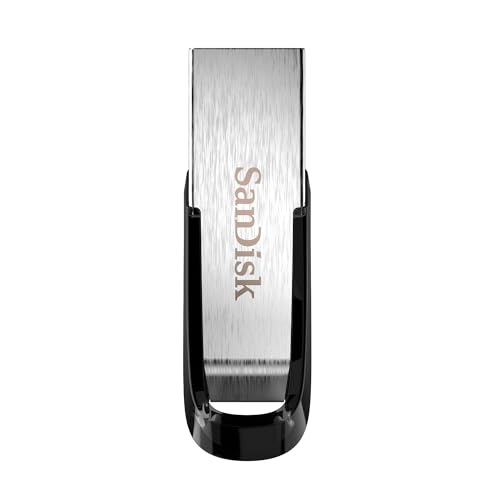
- High-speed USB 3.0 performance of up to 150MB/s(1) [(1) Write to drive up to 15x faster than standard USB 2.0 drives (4MB/s); varies by drive capacity. Up to 150MB/s read speed. USB 3.0 port required. Based on internal testing; performance may be lower depending on host device, usage conditions, and other factors; 1MB=1,000,000 bytes]
- Transfer a full-length movie in less than 30 seconds(2) [(2) Based on 1.2GB MPEG-4 video transfer with USB 3.0 host device. Results may vary based on host device, file attributes and other factors]
- Transfer to drive up to 15 times faster than standard USB 2.0 drives(1)
- Sleek, durable metal casing
- Easy-to-use password protection for your private files(3) [(3)Password protection uses 128-bit AES encryption and is supported by Windows 7, Windows 8, Windows 10, and Mac OS X v10.9 plus; Software download required for Mac, visit the SanDisk SecureAccess support page]

- GOOD VALUE PACKAGE - 1 Pack 32GB Memory Stick USB 2.0 Flash Drives with great cost performance and high quality.
- BIG CAPACITY - The available capacity: 29.10GB-29.8GB, You can save the data of movies, music, photos, designs, programs, manuals, handouts in a high speed.Good performance in digital data storing, transferring and sharing with families, friends, workmates, clients and machines.
- EASY TO USE & PLUG AND WORK - Support windows 7 / 8 / 10 / Vista / XP / 2000 / ME / NT Linux and Mac OS, Compatible with USB2.0 and below.
- TWISTTURN DESIGN & EASY CARRY - The metal clip rotates 360° round the ABS plastic body which with rubber oil skin feeling finish. The capless design can avoid lossing of cap, and providing efficient protection to the USB port.
- WARRANTY & SUPPORT - SIMMAX logo is laser printed on the USB connector surface, our products are of good quality and we promise that any problem about the product within one year since you buy.

- The durable, light-weight design of the Turbo Attaché 3 USB 3.0 Flash Drive is the essential mobile storage solution
- Perfect for transferring large files such as movies, videos, photos, music & documents
- Transfer speeds up to 10 times faster than standard USB 2.0 flash drives
- Convenient sliding collar, and cap-less design protects your content when not in use
- Compatible with most PC and Mac laptop and desktop computers with USB 3.0 ports

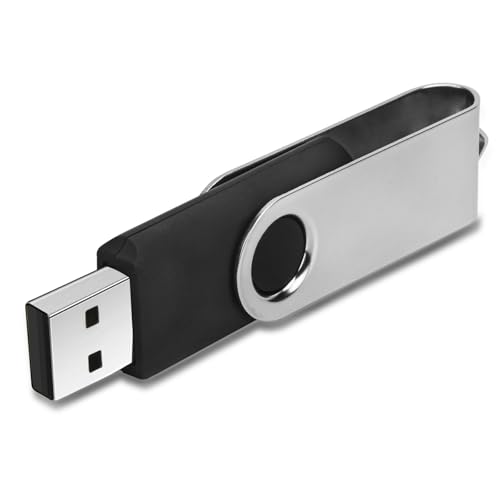
- 【16GB Flash Drive】USB flash drives with 16GB capacity, meet your needs of daily use on work, school, home and travelling for photos, music, videos, files storage and transfer. IMEASON thumb drives can be used to store different files, easy to data backup.
- 【Metal Swivel Cap Design】USB thumb drive is metal swivel cover provides extra protection for the usb thumbdrive connector, no usb drive cap to lose; keychain design makes it easier to carry without worrying lose it.
- 【Wide Compatibility】USB drive supports Windows 7/8/10/11 / Vista / XP / Unix / 2000 / ME / NT Linux and Mac OS, also Supports USB 2.0 and 1.1 ports. USB Stick support TV, desktop, notebook computer, car, audio and other device. The USB Memory Stick is your great data storage and transfer companion with traveling and working.
- 【Easy to use】usb memory stick is plug and play without any software installation. Just simply plug the Flashdrive into the port of your USB-compatible devices such as computer, laptop to start data storage or transmission.
- 【What You Get】16 GB USB Flash Drive Thumb Drive, The default format of the usb storage flash drive is FAT32.
SEOCONTENT-START
Bulletin Number: WUA-86R; Revised: 06/08/21 Page 1 of 15 NUMBER: WUA-86R DATE: 01/03/19 REVISED: 06/08/21 APPLICABILITY: 2018 MY Legacy 2018 MY Outback 2017-2018 MY Impreza 2018 MY Crosstrek SUBJECT: Harman Kardon Head Unit Reprogramming CAUTION: VEHICLE SERVICING PERFORMED BY UNTRAINED PERSONS COULD RESULT IN SERIOUS INJURY TO THOSE PERSONS OR TO OTHERS. Subaru Service Bulletins are intended for use by professional technicians ONLY. They are written to inform those technicians of conditions that may occur in some vehicles, or to provide information that could assist in the proper servicing of the vehicle. Properly trained technicians have the equipment, tools, safety instructions, and know-how to do the job correctly and safely. If a condition is described, DO NOT assume that this Service Bulletin applies to your vehicle, or that your vehicle will have that condition. Subaru of America, Inc. is ISO 14001 Compliant ISO 14001 is the international standard for excellence in Environmental Management Systems. Please recycle or dispose of automotive products in a manner that is friendly to our environment and in accordance with all local, state and federal laws and regulations. Continued… INTRODUCTION: In the interest of customer satisfaction, Subaru of America, Inc. (Subaru) is initiating a service program to update the Harman Kardon head unit on certain vehicles with the latest version of software. AFFECTED VEHICLES: Vehicles included in this service campaign are equipped with certain levels of head unit hardware and software. Coverage for all affected vehicles must be confirmed by using the Vehicle Coverage Inquiry function on subarunet.com. This information is now available Model Year Carline Affected Units 2018 Legacy Refer to Vehicle Coverage Inquiry for WUA-86 Service Program Applicability 2018 Outback 2017-18 Impreza 2018 Crosstrek Coverage for all affected vehicles must be confirmed by using the Vehicle Coverage Inquiry function on subarunet.com. This information is now available. DESCRIPTION OF THE REPAIR: Subaru Retailers will reprogram the head unit software on affected vehicles with the latest version at no charge to the customer. SERVICE PROGRAM BULLETIN ATTENTION: GENERAL MANAGER q PARTS MANAGER q CLAIMS PERSONNEL q SERVICE MANAGER q IMPORTANT – All Service Personnel Should Read and Initial in the boxes provided, right. © 2018 Subaru of America, Inc. All rights reserved. Bulletin Number: WUA-86R; Revised: 06/08/21 Page 2 of 15 Continued… RETAILER RESPONSIBILITY: Retailers are to promptly perform this update on all affected vehicles in their inventory. Additionally, whenever a vehicle subject to this service program is taken into inventory or in for service, necessary steps should be taken to ensure the update has been made before selling or releasing the vehicle. Any vehicles listed in a service program that are in the Retailer’s stock must be: • Immediately identified. • Tagged or otherwise marked to prevent their delivery or use prior to inspection and/or repair. • Updated in accordance with the repair procedures outlined in this Service Program Bulletin. OWNER NOTIFICATION: Subaru is in the process of acquiring registration data and will notify affected vehicle owners by first class mail within the next 60 days. Retailers will be advised when owner renotification begins. RETAILER AFFECTED VIN LISTS: Each Subaru retailer will receive an affected VIN list from their Zone Office. Vehicles will be assigned to retailers as follows: • Original vehicle owners are assigned to the original selling retailer when their current address is within a 100-mile radius of that retailer. • If the original selling retailer is inactive, the VIN has been assigned to the nearest active retailer. • For any new owners or when original owners live more than 100 miles from the original selling retailer, the VIN has been assigned to the nearest active retailer. IMPORTANT: Retailer affected VIN lists include information for vehicles affected by this service program. This information will enable retailers to follow up with owners of affected vehicles. The lists contain owners’ names and phone numbers obtained from State Motor Vehicle Registration Records. The use of such motor vehicle registration data for any other purpose is unlawful. Accordingly, retailers are required to limit the use of these lists for the sole purpose of completing this service program. SERVICE PROCEDURE: If the vehicle presents with a black or blank screen which prevents completing the reprogramming procedure, Head Unit replacement will be required. Secure an exchange Head Unit following the normal Harman Exchange Program procedure through United Radio. NOTE: Although all Harman exchange units shipped after 1/4/2019 have the latest software version already installed, the Version Check procedure must still be performed after the exchange unit is installed. In order to close the recall/ campaign, the customer must have a fully functional head unit which is running on the latest software. Bulletin Number: WUA-86R; Revised: 06/08/21 Page 3 of 15 Continued… Affected Vehicles / Audio Units: The following information addresses reprogramming file availability and a software update installation procedure to provide optimization to Harman Gen 3 Audio and Navigation head units utilized in the models as listed above. The procedure will involve either downloading the software update files from Subarunet (or using those sent directly from Nuspire) and transferring them onto a flash drive for head unit installation. It is VERY IMPORTANT to read and understand this information completely before proceeding. This procedure and the related reprogramming files apply to the following audio / navigation head units: Multimedia System Type Descriptive Features 6.5 Inch Display Audio System (Base) No CD slot / Eject Button 8.0 Inch Display Audio System (Mid) Phone Button in Top Row Center 8.0 Inch Audio / Navigation System (High) Map Button in Top Row Center 2017-18MY Impreza and 2018MY Crosstrek: 2018MY Legacy / Outback: Vehicle Model Audio Unit Type (High, Mid, Base) Audio Unit Part Number 2017-18MY Impreza & 2018MY Crosstrek NAVIGATION (HIGH) 86271FL60A 8-Inch Display Audio (MID) 86201FL62A 86201FL63A 6.5-Inch Display Audio (BASE) 86201FL60A 86201FL61A 2018MY Legacy / Outback NAVIGATION (HIGH) 86471AL65A 86471AL66A 8-Inch Display Audio (MID) 86431AL65A 86431AL66A 6.5-Inch Display Audio (BASE) 86431AL61A Bulletin Number: WUA-86R; Revised: 06/08/21 Page 4 of 15 Continued… MATERIALS REQUIRED: Three (3) 6GB (MINIMUM) USB 2.0 or 3.0 flash drives which are readily available at most office supply retailers will be needed to perform these updates. Recommended Flash Drives: • Kingston®: Data Traveler G3, G4, SE9 or the Hyper-X Series • SanDisk®: Cruzer Series, Ultra Flair • Transcend®: JetFlash 300, 600 or 790 • Verbatim®: Store ‘n’ Go NOTES: • The USB flash drives can be USB 2.0 or 3.0. • The USB flash drive MUST be reformatted to NTFS before loading any files to it. NTFS is not the standard format on most USB flash drives. • The update files are not overly large but, during the reprogramming procedure, the head unit backs up some files to the USB drive. For this reason, sufficient USB drive memory size is required, especially for the High / Navigation units. • The flash drives should be dedicated to storing these reprogramming files only. Do NOT use any flash drives which contains or requires the use of file management, encryption, file backup or other software to function properly. IMPORTANT: • This new update includes all the previously released WTN-74 enhancements (Impreza). Therefore, if the WTN-74 is still open, only the WUA-86 should be performed. SOA will handle closing out the open WTN-74 coverage as necessary. • This new update also includes corrections to the map data related to Subaru Retailer locations. Bulletin Number: WUA-86R; Revised: 06/08/21 Page 5 of 15 Continued… Step1- Verify the currently installed Software Version ID using the following steps: • After starting the engine, from the HOME screen, touch “Settings”. • From the Settings > General screen, scroll down to and then touch “System Information”. • Confirm the current Software Version ID. If the Current Version is Rel_A2.20.07.20 or later per TSB 15-211-17R, STOP as the latest update has already been installed. Otherwise, proceed to Step 2 below. Refer to TSB 15-211-17R to see the latest software version information as well as a history of prior updates. Software versions Rel_U0.18.43.20 (or later) are acceptable to complete and close this recall. Rel_A1_19_45_20 Rel_ A1_19_12_20 (EXAMPLE photos) Step 2- Prepare the USB: CAUTION: Do not use any USB flash drive which utilizes file organizing software or an operating system. • Make sure the USB flash drive contains no other files. • Right click on the corresponding “Removable Disk”. • Select “Format”. • From the File System drop-down menu, select “NTFS” • Check the “Quick Format” box (if not already done). • Click on “Start” to format the USB flash drive. Bulletin Number: WUA-86R; Revised: 06/08/21 Page 6 of 15 Continued… The new reprogramming files are available for download from Subarunet using the normal audio / navigation system file update download procedure: Go to Subarunet, select Service Operations and Technical>>Forms/Downloads>> Gen 3/Harman for Audio/Navi then click on the applicable Hyperlink to download the file(s) to your SDS Notebook or PC: “BASE-17-18 Impreza-18 Crosstrek-18-Legacy-Outback-18-BRZ-HARMAN AUDIO UPDATENOVEMBER 2018”** “MID-17-18 Impreza-18 Crosstrek-18-Legacy-Outback-18-BRZ-HARMAN AUDIO UPDATENOVEMBER 2018”** “HIGH-17-18 Impreza-18 Crosstrek-18-Legacy-Outback-18-BRZ-HARMAN AUDIO UPDATENOVEMBER 2018”** ** NOTE: See TSB 15-211 for more information Click Here to Access the Downloads for Audio/Navigation Information on Subarunet IMPORTANT: • If the files are being downloaded from Subarunet, they will be .zip files and must be unzipped before they can be used. An EXAMPLE image of the Subarunet links page is provided below. • If the files were sent directly from Nuspire, they are ready to use and do not need to be unzipped before they can be used. Bulletin Number: WUA-86R; Revised: 06/08/21 Page 7 of 15 Continued… Step 3- Load the downloaded update file onto the USB flash drive: IMPORTANT NOTES: • NEVER change the update file names after downloading them. • NEVER save any other files on the same flash drive. There are various types of USB flash drive available from many suppliers. If the head unit does not recognize the USB flash drive during the reprogramming process, re-format the flash drive in FAT32 using above process instead of NTFS as previously specified. If the USB flash drive is still not recognized, use a USB flash drive from different supplier. • Insert a USB flash drive (16 GB MINIMUM) to be used for (in this example) updating the BASE head unit into the PC. • Once the USB flash drive is located and ready for use, proceed to next step. • From the SDS GUI (Desktop) click / open My Documents. • Navigate to the USB flash drive (Removable Disk) and double click on it to access the drive. • Right Click on the drive and select Format. • Change the File System to NTFS. • Check the box for Quick Format and then press Start. This will erase any existing files. • When the warning dialog box opens, click “OK”. • Once formatting is complete, click “OK” then click “Close” to exit the format dialog box. Follow “A” when using files downloaded from Subarunet. Follow “B” when using the files sent directly to the SDS notebook from Nuspire. “A” When using update files downloaded from Subarunet: • Go to Downloads. • Once the files have been downloaded from Subarunet, click on the Downloads folder and then sort by Date Modified to bring the most recent files to the top of the list. • Open / display the contents of File folder “_Harman Audio-Navi Update Files”. • Click on “Extract All Files”. • From the dialog box, browse to My Documents then click on “Extract”. • Open / display the contents of the 6 related Update File folders. • Double-click on the required file (for this example, select the file entitled “BASE-17- 18 Impreza-18 Crosstrek-18-Legacy-Outback-18-BRZ-HARMAN AUDIO UPDATENOVEMBER 2018”). • Copy ONLY the “Update” folder then paste (or click / drag) it to the “clean” USB flash drive as listed (Removable Disk) in the directory. Bulletin Number: WUA-86R; Revised: 06/08/21 Page 8 of 15 Continued… “B” When using update files sent directly from Nuspire: • Go to My Documents on the GUI screen to display the list of available update files shown below. • Sort by Date Modified to bring the most recent files to the top of the list. The folder is named: _Harman Audio-Navi Update Files. It contains the six folders shown in the EXAMPLE photos below. ** NOTE: See TSB 15-211 for more information • Double-click on the required file (for this example, select the file entitled “BASE-17- 18 Impreza-18 Crosstrek-18-Legacy-Outback-18-BRZ-HARMAN AUDIO UPDATENOVEMBER 2018”) and the Update file will display as shown. • Click on the Update file and either copy / paste or click / drag it to the USB flash drive. • Once the folder named “Update” is loaded onto the USB flash drive, right click on the drive and select “Eject”. • Remove the USB flash drive after the prompt appears that says “Safe to Remove Hardware”. • Mark the USB to indicate the head unit it will update (BASE in this example). • Repeat the above steps to create the MID and HIGH USB flash drives. Bulletin Number: WUA-86R; Revised: 06/08/21 Page 9 of 15 Continued… Step 4- IMPORTANT: Install the update folder for the head unit being reprogrammed ONLY. Do not install all three update folders onto the same flash drive at the same time. NOTE: Do not copy the entire File folder. Copy ONLY the File folder named “Update” to the USB flash drive. • After the download is complete, NEVER change the folder names. • To avoid confusion, label the flash drive with the file contents (e.g. BASE, MID or HIGH). • Confirm there is a folder named “update” on the flash drive. • After confirmation, move to the car and either start the engine or follow the procedure as outlined in document GR8-1100 on STIS for use of the GR8’s Power Supply Mode. CAUTION: Confirm one final time the head unit you are about to update matches with the USB flash drive you have selected. Attempting to install the incorrect update file will disable the head unit. Step 5- Update Installation: IMPORTANT: Always record the customer’s radio station presets, volume and Driver Profile settings before proceeding further. The customer’s radio station presets and volume settings will likely need to be reset once the update and re-boot procedures are completed. Always press > to move the screen and reveal all the selected presets so they can be recorded and reset after update is complete. Also check and record the Driver Profile and Volume settings. Bulletin Number: WUA-86R; Revised: 06/08/21 Page 10 of 15 Continued… • With the engine idling (or GR8 connected), plug the flash drive into the USB Port. • After the unit “authenticates” the USB flash drive, press “Next” and after the second screen is displayed, press “Next” again. • The current and available software version information will be displayed. The Available Version I.D should be Rel_A1_19_12_20 (see 15-211-17R for latest available software version). Rel_A1_19_12_20 • After confirming the Available Version, press “Install Now” to start the reprogramming process. NOTES: • The screen will go blank (black) for a brief period after installation begins. • If a “Do you want to retry” is displayed, press Retry to restart the update. • The update should take less than 20 minutes to complete. Bulletin Number: WUA-86R; Revised: 06/08/21 Page 11 of 15 Continued… IMPORTANT CAUTION: To avoid possible head unit damage, always confirm the update file on the USB flash drive being used matches the head unit being updated (e.g. a BASE update file is being installed into a BASE head unit). The files are NOT interchangeable between the 3 different audio unit types. • Do not touch any of the buttons on the head unit while the updating process is taking place. • If during the updating an error screen is displayed asking “Do you want to Retry”, press “Retry” to restart the update. • Once the updating process is complete, the head unit will reboot automatically. • After the reboot completes, press the HOME button to return to the Home screen. Step 6- Turn the ignition OFF, open and close the driver’s door then remove the flash drive from the USB port. If an error screen is displayed asking “Do you want to Retry”, press “Cancel”. IMPORTANT: Wait AT LEAST 3 MINUTES before proceeding to Step 7. Step 7- Verify the newly-installed Software Version ID using the following steps: • Turn the ignition back ON. The STARLINK screen should be displayed. If the STARLINK screen is not displayed, perform Step 5 again and be sure to WAIT AT LEAST 3 MINUTES before proceeding. • In some cases, the radio presets may not appear initially. • From the HOME screen, touch “Settings”. • From the Settings > General screen, scroll down to and then touch “System Information”. Bulletin Number: WUA-86R; Revised: 06/08/21 Page 12 of 15 Continued… • Confirm Software Version is now “Rel_A1_19_12_20” (or latest software version as found in bulletin 15-211-17R). Rel_A1_19_12_20 • Press (Home) to return to the Home screen and shut the engine OFF. Open and close the driver’s door. Step 8- CRITICAL: Operation Check and Full Re-Boot Procedure: 1) Turn the ignition back ON (ACC) and confirm normal system operation. 2) Confirm the Home screen is displayed. IMPORTANT: If during this procedure (all models), the screen goes blank (black) and the STARLINK screen does not appear, the head unit must be replaced. THIS SHOULD BE A VERY RARE OCCURRENCE. 3) Turn the ignition OFF, open and close the driver’s door then WAIT AT LEAST 3 MINUTES to confirm the unit “times out” or “goes to sleep”. 4) Perform 1), 2) and 3) above again (a total of 5 on a 2017MY Impreza) cycles if completing WTN-74 OR only 2 cycles (1 additional cycle to Steps 1 & 2) if: • WTN-74 was previously completed • completing this procedure on models other than a 2017MY Impreza. If normal operation is confirmed, press to return to the Home screen and shut the ignition OFF to complete the procedure. IMPORTANT: If during this procedure, the screen goes blank (black) and the STARLINK screen does not appear, the head unit must be replaced. THIS SHOULD BE A VERY RARE OCCURRENCE. Contact SOA Techline should this condition occur. Step 9- If lost during the update process, reset the customer’s radio station presets, volume and Driver Profile settings and if necessary, reset the clock to complete the procedure. Bulletin Number: WUA-86R; Revised: 06/08/21 Page 13 of 15 Continued… CLAIM REIMBURSEMENT AND ENTRY PROCEDURES: Credit to perform this recall will be based on properly completed repair order information. Retailers may submit claims through Subarunet.com. Labor Description Labor Operation # Labor Time Recall/ Campaign Code Claim Type HARMAN AUDIO / NAVI UNIT REPROGRAMMING (INCLUDES VERSION ID CHECK AND OPERATIONAL CHECKS) A128-928 0.4 WUA-86 RC VERSION ID CHECK ONLY A128-920 0.2 Use the following coding ONLY WHEN REPLACING the Head Unit: HARMAN HEAD UNIT R&R & VERSION ID CHECK* A128-930 0.6 WUA-86 RC HARMAN HEAD UNIT R&R & REPROGRAMMING** A128-938 0.7 *Use this coding when an exchange Head Unit is required because of inability to reprogram due to blank or black screen. **Use this coding when the exchange unit received does not have the latest software version already installed. REMINDER: The software Version ID MUST always be confirmed as being the latest available following installation of a replacement Head Unit. IMPORTANT: CRITICAL Claim Process Update: When completing the WUA-86 campaign, the post-update software version number MUST be entered in the Miscellaneous Detail field when submitting the claim. This recall repair may be eligible to be performed at an alternate repair site—for example, a customer’s home or place of business, or at an auction—and not at the retailer’s main service facility. Repairs performed at an alternate repair site are subject to the requirements of Section 13.10 of the Claims Policies and Procedures Manual. These requirements will be strictly enforced. Please contact the SOA Claims Helpline if you have questions about the policy. IMPORTANT REMINDERS: • SOA strongly discourages the printing and/or local storage of service information as previously released information and electronic publications may be updated at any time. • Always check for any open recalls or campaigns anytime a vehicle is in for servicing. • Always refer to STIS for the latest service information before performing any repairs. Bulletin Number: WUA-86R; Revised: 06/08/21 Page 14 of 15 Subaru Service Program WUA-86 February 2019 Subaru of America, Inc PO Box 9103 Camden, NJ 08101-9877 844-373-6614 www.subaru.com This notice applies to the VIN identified in the address section printed below OWNER NOTIFICATION LETTER Dear Subaru Owner: We would like to thank you for your selection of a Subaru vehicle. We take pride in our products and are committed to your continued satisfaction. Subaru has developed a modification to the Harman Kardon audio system display software logic for certain 2018 model year Legacy, Outback, and Crosstrek vehicles, and certain 2017-2018 model year Impreza vehicles. This software update is intended to ensure the proper operation of your vehicle’s Harman Kardon infotainment system. You received this notice because our records indicate that you currently own one of these vehicles. WHAT SUBARU WILL DO Subaru will reprogram the Harman Kardon audio system display software with an updated version in your vehicle at no charge to you. WHAT YOU SHOULD DO Please contact your Subaru retailer (dealer) for an appointment to have the audio system display software updated in your vehicle, free of charge. CHANGED YOUR ADDRESS OR SOLD YOUR SUBARU? If you have moved or sold your vehicle, please update this information online at www.subaru.com, select ‘Customer Support,’ then select ‘Address Update’ or ‘Ownership Update’ from the drop-down menu. HOW LONG WILL THE REPAIR TAKE? The time to perform this software update is approximately 30 minutes. However, it may be necessary to leave your vehicle for a longer period of time on the day of your scheduled appointment to allow your Subaru retailer flexibility in scheduling. IF YOU HAVE PREVIOUSLY PAID FOR A REPAIR If you have already paid for repairs associated with this coverage, you may be eligible for reimbursement. Reimbursement consideration will be based on the amount an authorized Subaru retailer in your area would charge for the same repair. Please send the original service repair order, which has the name of the repair facility, date of repair, mileage at the time of repair, complete 17-digit vehicle identification number (VIN), and your name, with correct mailing address and telephone number to the address listed below. Subaru of America, Inc. Customer-Retailer Services Department, Attention: WUA-86 Service Program P.O. Box 9103, Camden, NJ 08101-9877 Please send original receipts only and retain a photocopy for your records. Please be assured that we will attempt to process your reimbursement request as quickly as possible, but it may take up to 60 days for this process to be completed. IF YOU NEED FURTHER ASSISTANCE: Continued… Bulletin Number: WUA-86R; Revised: 06/08/21 Page 15 of 15 To locate the nearest Subaru retailer, you can access our website at www.subaru.com and select ‘Find a Retailer.’ For additional information, please go to: http://www.wua86.service-campaign.com. If you need additional assistance, please contact us directly: • By e-mail: Go to www.subaru.com and select “Contact Us” • By telephone: 1-844-373-6614 Monday through Friday between 8:00 a.m. and 7:00 p.m. ET • By U.S. Postal mail: Write us at Subaru of America, Inc. Attn: Customer-Retailer Services Department P.O. Box 9103, Camden, NJ 08101-9877 Please contact us immediately if the Subaru retailer fails or is unable to make the necessary repairs free of charge. Your continued satisfaction with your Subaru is important to us. Please understand that we have taken this action in the interest of your vehicle’s proper operation. We sincerely apologize for any inconvenience this matter may cause and urge you to schedule an appointment as soon possible. Sincerely, Subaru of America, Inc.
**************************************************************************************************************
SEOCONTENT-END
This product presentation was made with AAWP plugin.