
NHTSA ID Number: 10203869
Manufacturer Communication Number: 15-281-21R
Summary
This bulletin will focus on the Remote Engine Start (RES) takeover process and potential customer concerns which may arise when taking over operation of the vehicle after starting it using the Gen2 STARLINK Telematics RES feature.
NUMBER: 15-281-21R
DATE: 3/25/21
REVISED: 11/02/21
INTRODUCTION:
This Service Information Bulletin will focus on the Remote Engine Start (RES) takeover process and potential customer concerns which may arise when taking over operation of the vehicle after starting it using the Gen2 STARLINK Telematics RES feature.
A SUCCESSFUL RES takeover occurs when the driver possessing a functioning keyless access fob enters the vehicle through the driver’s door, sits in the driver seat, buckles their seatbelt, depresses the brake pedal and engages the push-button ignition switch to take control from the RES. The combination meter center display illuminates “Ready to Drive” and the CVT select lever (shifter) is now controlled by the driver. A successful Telematics remote engine start (RES) can complete in one of two ways:
- The RES timer expires and the engine is off before the customer enters the vehicle.
- The customer enters the vehicle with the engine still running and attempts to takeover control of the vehicle before the RES timer expires.
UNSUCCESSFUL RES takeover attempts are explainable and usually result from a specific sequence of events occurring just before or at the time of the takeover action. Most of the unexpected behavior can be avoided if the customer follows the standard sequence detailed above describing a successful RES takeover.
Customer concerns involving an unsuccessful RES takeover may present as:
- An inability to move the select lever into Drive or;
- The vehicle does not respond as expected during a takeover attempt which may result in the customer performing a remote engine stop from the MySubaru APP to takeover control of the vehicle.
SERVICE PROCEDURE / INFORMATION:
REMINDER: Customer satisfaction and retention starts with performing quality repairs.
The following scenarios outline root causes of unexpected behaviors which can impede the customer’s ability to takeover control of the vehicle after a RES request:
1) Key Fob Not Registering Inside of the Vehicle:
As a condition of vehicle takeover during a RES event, just as with a standard push-button ignition, the keyless access fob must be within the operating range of the vehicle. The following factors may impede the proper operation of the keyless access fob:
- A weak keyless access fob battery
- The presence of aftermarket electronics
- The use of RFID blocking wallets or handbags.
The keyless access warning indicator (if equipped) will illuminate in the combination meter simultaneously signaling a failed RES takeover if the fob is not recognized.
Technicians should attempt to duplicate the customer concern of failed RES takeover using ALL the keyless access fobs the customer has to ensure the expected operation of each. Additionally, the customer should be asked about the presence of any aftermarket electronics that may be installed in the vehicle including (but not limited to) OBD II tracking devices, aftermarket power outlets, aftermarket LEDs, and / or if any RF blocking materials might in use. For example, RFID wallets, mylar balloons, or “Dynamat®” -type sound-deadening insulation can all impede keyless access fob operation.
2) Locked Steering Wheel:
A locked steering wheel can prevent RES takeover in the same way it prevents conventional starting attempts in vehicles equipped with push-button start. A locked steering wheel preventing RES takeover can be confirmed by a blinking green LED on the push-button ignition switch.
When attempting to duplicate the customer concern of a failed RES takeover due to a locked steering wheel, Technicians should take note of the push button ignition switch (flashing) LED following a failed takeover attempt. Once the flashing LED is confirmed, the Technician should attempt RES takeover by making sure the vehicle is in park, applying the parking brake, firmly depressing the brake pedal, and wiggling the steering wheel left and right while depressing the push button ignition switch. If this is successful, the customer should be educated on how to perform this procedure should the condition occur in the future.
3) Vehicle Not Entered Through Drivers’ Front Door Before RES Takeover Attempt:
A pre-requisite of a successful RES takeover is the operator entering the vehicle through the driver’s front door. The BIU monitors door lock and door latch operation and passes status messages to the DCM over the CAN system. Should the driver enter the vehicle through any other door, the conditions for a successful RES takeover will not be met.
Technicians should attempt to duplicate the customer concern of failed takeover. Once confirmed, the Technician should monitor the BIU PIDs for the driver’s door latch to ensure it correctly indicates the driver’s door status. It is unlikely there would be a concern with the driver’s door latch status because if faulted, it would not meet requirements for a successful RES in the first place. The customer should be made aware of the requirement to always enter the vehicle through the driver’s front door and the process for completing a successful vehicle takeover as detailed above.
4) After Entering the Vehicle, the Customer Engages the Key Fob Lock Button But Does So Before Depressing the Brake Pedal and Push-Button Ignition Switch During A RES Takeover Attempt:
NOTE: This condition is very rare and is not occurring with any reported frequency. Nonetheless, it is mentioned here to address the possibility this customer behavior may be a root cause of the concern.
In a rare case where the customer enters a vehicle under RES control then uses the keyless access fob to lock the vehicle doors before depressing the brake pedal and pressing the push-button ignition switch, RES takeover will fail. There is logic in the keyless access control module (KCAM) causing this behavior which is a NORMAL operating characteristic. There should be no attempt to repair this condition. The Technician should explain to the customer their actions are impeding the successful RES takeover procedure detailed above. Taking the time to explain this procedure will help the customer avoid this condition during future takeover attempts.
5) One More Possible Source of Customer Concern:
Customers who experience a failed RES takeover may react to the situation differently to takeover vehicle control. Once inside the vehicle and experiencing a failed takeover, the customer could wait for the RES timer to expire. They are then essentially performing a standard engine start up procedure by engaging the brake pedal and depressing the push-button ignition switch. Another way to takeover control would be to use the MySubaru APP and perform a remote engine stop which immediately expires the RES timer and stops the engine. Again, the customer would perform the standard engine start procedure and taking control.
Customers may unintentionally perform a long press of the pushbutton starter during the takeover procedure. This long press would have to be three seconds or more before the push-button start system will shut the running engine off. A customer doing this will also get an error message indicating “Remote Service has stopped abnormally.” At this point, the customer can perform the standard engine start procedure and takeover the vehicle. Technicians should be mindful of customers reporting this error message as it may be accidentally caused by the customer or, indicate a possible RES takeover failure. Take this opportunity to duplicate the conditions under which the error message occurred and educate the customer on the successful RES takeover procedure detailed above.
8 Affected Products
Vehicles
| MAKE | MODEL | YEAR |
| SUBARU | FORESTER | 9999 |
| SUBARU | GL | 9999 |
| SUBARU | IMPREZA | 9999 |
| SUBARU | LEGACY | 9999 |
| SUBARU | OUTBACK | 9999 |
| SUBARU | SUBARU | 9999 |
| SUBARU | SUBARU TRUCK | 9999 |
| SUBARU | SVX | 9999 |
1 Associated Document
Manufacturer Communications
NUMBER: 15-281-21R
DATE: 3/25/21
REVISED: 11/02/21
MC-10203869-0001.pdf 1027.286KB
NHTSA ID Number: 10189680
Manufacturer Communication Number: 15-281-21
Summary
This Service Information Bulletin will focus on the Remote Engine Start (RES) takeover process and potential customer concerns which may arise when taking over operation of the vehicle after starting it using the Gen2 STARLINK Telematics RES feature.
1 Associated Document
Manufacturer Communications
NUMBER: 15-281-21
DATE: 3/25/21
MC-10189680-0001.pdf 1026.857KB
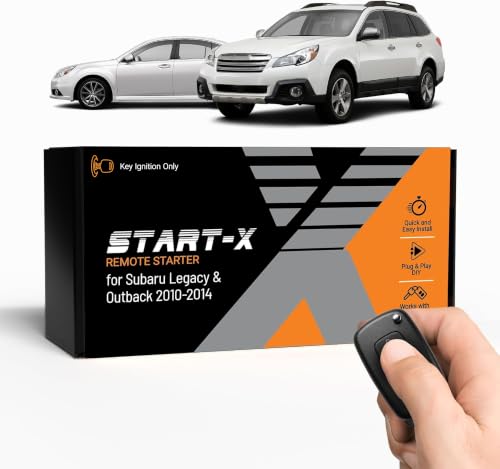
- 𝗩𝗲𝗵𝗶𝗰𝗹𝗲 𝗰𝗼𝗺𝗽𝗮𝘁𝗶𝗯𝗶𝗹𝗶𝘁𝘆: Subaru Legacy and Outback (2010, 2011, 2012, 2013, 2014) models with key ignition.
- 𝗩𝗲𝗵𝗶𝗰𝗹𝗲 𝗿𝗲𝗾𝘂𝗶𝗿𝗲𝗺𝗲𝗻𝘁𝘀: This kit is designed for key blade ignition vehicles only. Not compatible with push-to-start vehicles. Gas and automatic transmission only. Factory remote required. Some vehicle disassembly may be required; see installation guide for details.
- 𝗗𝗜𝗬 𝗿𝗲𝗺𝗼𝘁𝗲 𝘀𝘁𝗮𝗿𝘁 𝗸𝗶𝘁: Add remote start functionality to your vehicle for a fraction of the cost. Enjoy a comfortable driving experience from the start by pre-heating and defrosting your windshield in the winter or cooling down your vehicle before entering in the summer.
- 𝗨𝘀𝗲 𝘆𝗼𝘂𝗿 𝗳𝗮𝗰𝘁𝗼𝗿𝘆 𝗿𝗲𝗺𝗼𝘁𝗲: Start your vehicle by pressing lock 3X on your existing OEM key fob. Press lock 3X again to turn off vehicle. Factory remote required – no remote is included in this kit. The distance you can remote start from is the same distance you can lock/unlock your vehicle. Increase your remote start distance with a Start-X range extender kit (sold separately).
- 𝗢𝗽𝘁𝗶𝗼𝗻𝗮𝗹 𝗿𝗲𝗺𝗼𝘁𝗲 𝗿𝗮𝗻𝗴𝗲 𝗲𝘅𝘁𝗲𝗻𝗱𝗲𝗿 𝗸𝗶𝘁: Increase your remote start distance up to half a mile. Includes two separate remotes used to start your vehicle in place of your OEM key fob. Available in 1-way (up to 2000-feet) and 2-way (up to 3000-feet) systems.
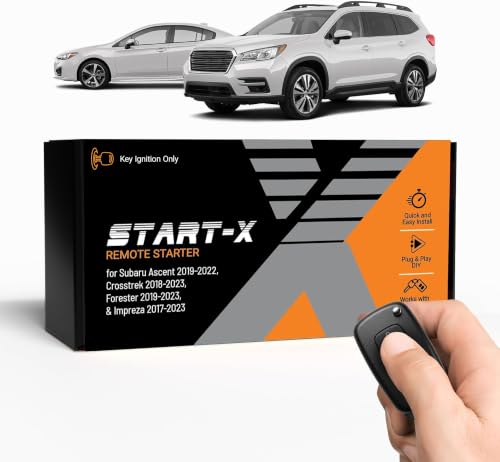
- 𝗩𝗲𝗵𝗶𝗰𝗹𝗲 𝗰𝗼𝗺𝗽𝗮𝘁𝗶𝗯𝗶𝗹𝗶𝘁𝘆: Subaru Ascent (2019, 2020, 2021, 2022), Crosstrek (2018, 2019, 2020, 2021, 2022, 2023), Forester (2019, 2020, 2021, 2022, 2023), and Impreza (2017, 2018,2019, 2020, 2021, 2022, 2023) models with key ignition.
- 𝗩𝗲𝗵𝗶𝗰𝗹𝗲 𝗿𝗲𝗾𝘂𝗶𝗿𝗲𝗺𝗲𝗻𝘁𝘀: This kit is designed for key blade ignition vehicles only. Not compatible with push-to-start vehicles. Gas and automatic transmission only. Factory remote required. Some vehicle disassembly may be required; see installation guide for details. Windows PC is required to complete installation.
- 𝗗𝗜𝗬 𝗿𝗲𝗺𝗼𝘁𝗲 𝘀𝘁𝗮𝗿𝘁 𝗸𝗶𝘁: Add remote start functionality to your vehicle for a fraction of the cost. Enjoy a comfortable driving experience from the start by pre-heating and defrosting your windshield in the winter or cooling down your vehicle before entering in the summer.
- 𝗨𝘀𝗲 𝘆𝗼𝘂𝗿 𝗳𝗮𝗰𝘁𝗼𝗿𝘆 𝗿𝗲𝗺𝗼𝘁𝗲: Start your vehicle by pressing lock 3X on your existing OEM key fob. Press lock 3X again to turn off vehicle. Factory remote required – no remote is included in this kit. The distance you can remote start from is the same distance you can lock/unlock your vehicle. Increase your remote start distance with a Start-X range extender kit (sold separately).
- 𝗢𝗽𝘁𝗶𝗼𝗻𝗮𝗹 𝗿𝗲𝗺𝗼𝘁𝗲 𝗿𝗮𝗻𝗴𝗲 𝗲𝘅𝘁𝗲𝗻𝗱𝗲𝗿 𝗸𝗶𝘁: Increase your remote start distance up to half a mile. Includes two separate remotes used to start your vehicle in place of your OEM key fob. Available in 1-way (up to 2000-feet) and 2-way (up to 3000-feet) systems.

- 𝗩𝗲𝗵𝗶𝗰𝗹𝗲 𝗰𝗼𝗺𝗽𝗮𝘁𝗶𝗯𝗶𝗹𝗶𝘁𝘆: Subaru Forester (2019, 2020, 2021), Legacy (2018, 2019), and Outback (2018, 2019) models with push-to-start ignition. Not compatible with Canadian vehicles.
- 𝗩𝗲𝗵𝗶𝗰𝗹𝗲 𝗿𝗲𝗾𝘂𝗶𝗿𝗲𝗺𝗲𝗻𝘁𝘀: This kit is designed for push-to-start ignition vehicles only. Not compatible if you start the vehicle by turning a key blade. Gas and automatic transmission only. Factory remote required. Some vehicle disassembly may be required; see installation guide for details. Windows PC is required to complete installation.
- 𝗪𝗔𝗥𝗡𝗜𝗡𝗚: 2022-2023 Forester models will lose the ability to unlock vehicle by pressing the unlock button when vehicle is remote started. You will need to physically insert the key to unlock. For all other vehicles, the OEM remote button will work to unlock.
- 𝗗𝗜𝗬 𝗿𝗲𝗺𝗼𝘁𝗲 𝘀𝘁𝗮𝗿𝘁 𝗸𝗶𝘁: Add remote start functionality to your vehicle for a fraction of the cost. Enjoy a comfortable driving experience from the start by pre-heating and defrosting your windshield in the winter or cooling down your vehicle before entering in the summer.
- 𝗨𝘀𝗲 𝘆𝗼𝘂𝗿 𝗳𝗮𝗰𝘁𝗼𝗿𝘆 𝗿𝗲𝗺𝗼𝘁𝗲: Start your vehicle by pressing lock 3X on your existing OEM key fob. Press lock 3X again to turn off vehicle. Factory remote required – no remote is included in this kit. The distance you can remote start from is the same distance you can lock/unlock your vehicle. Increase your remote start distance with a Start-X range extender kit (sold separately).

- Remote Start Kit
- Genuine Subaru Part Number: H001SFL001
- Crosstrek 2018
- Impreza 2017 2018
- For push start cars

- Compatibility : This remote key fits for Subaru Ascent 2019-2024,for Crosstrek 2019-2023,for Forester 2019-2023,for Impreza 2017-2023,for Legacy 2018-2021,for Outback 2018-2023,for BRZ 2022 2023 2024,for WRX STI 2019-2021
- Confirm It Fits for Your Car: Please check the appearance of the key fob(including key buttons and shape); then check if your key has the same part number,Frequency: 433MHz,Chip: 8A,Board ID: 231451-7000,FCC ID: HYQ14AHK,OEM P/N: 88835-FL03A, 88835-FL03B, 88835-FL03C
- How to check part number: Open your original key, then you can see the part information on the key shell or the circuit board, just compare it to my key fob. If you lost your key, you need check with your dealership
- Key Programming and Cutting: You need program and cut the remote fob to your vehicle before it can work on your car by a locksmith or the dealership
- Complete Remote Key Fob: The package includes battery, uncut blade, 8A chip and circuit board, it will function is same as your original one, just ready to program
SEOCONTENT-START
Bulletin Number: 15-281-21R; Revised: 11/02/21 Page 1 of 3 SERVICE INFORMATION BULLETIN Continued… CAUTION: VEHICLE SERVICING PERFORMED BY UNTRAINED PERSONS COULD RESULT IN SERIOUS INJURY TO THOSE PERSONS OR TO OTHERS. Subaru Service Bulletins are intended for use by professional technicians ONLY. They are written to inform those technicians of conditions that may occur in some vehicles, or to provide information that could assist in the proper servicing of the vehicle. Properly trained technicians have the equipment, tools, safety instructions, and know-how to do the job correctly and safely. If a condition is described, DO NOT assume that this Service Bulletin applies to your vehicle, or that your vehicle will have that condition. Subaru of America, Inc. is ISO 14001 Compliant ISO 14001 is the international standard for excellence in Environmental Management Systems. Please recycle or dispose of automotive products in a manner that is friendly to our environment and in accordance with all local, state and federal laws and regulations. NUMBER: 15-281-21R DATE: 3/25/21 REVISED: 11/02/21 APPLICABILITY: All 2019-22MY Vehicles Equipped with Gen2 Telematics SUBJECT: Customer Takeover after STARLINK Telematics Remote Engine Start (RES) Request INTRODUCTION: This Service Information Bulletin will focus on the Remote Engine Start (RES) takeover process and potential customer concerns which may arise when taking over operation of the vehicle after starting it using the Gen2 STARLINK Telematics RES feature. A SUCCESSFUL RES takeover occurs when the driver possessing a functioning keyless access fob enters the vehicle through the driver’s door, sits in the driver seat, buckles their seatbelt, depresses the brake pedal and engages the push-button ignition switch to take control from the RES. The combination meter center display illuminates “Ready to Drive” and the CVT select lever (shifter) is now controlled by the driver. A successful Telematics remote engine start (RES) can complete in one of two ways: • The RES timer expires and the engine is off before the customer enters the vehicle. • The customer enters the vehicle with the engine still running and attempts to takeover control of the vehicle before the RES timer expires. UNSUCCESSFUL RES takeover attempts are explainable and usually result from a specific sequence of events occurring just before or at the time of the takeover action. Most of the unexpected behavior can be avoided if the customer follows the standard sequence detailed above describing a successful RES takeover. Customer concerns involving an unsuccessful RES takeover may present as: • An inability to move the select lever into Drive or; • The vehicle does not respond as expected during a takeover attempt which may result in the customer performing a remote engine stop from the MySubaru APP to takeover control of the vehicle. ATTENTION: GENERAL MANAGER q PARTS MANAGER q CLAIMS PERSONNEL q SERVICE MANAGER q IMPORTANT – All Service Personnel Should Read and Initial in the boxes provided, right. ©2021 Subaru of America, Inc. All rights reserved. Bulletin Number: 15-281-21R; Revised: 11/02/21 Page 2 of 3 Continued… SERVICE PROCEDURE / INFORMATION: REMINDER: Customer satisfaction and retention starts with performing quality repairs. The following scenarios outline root causes of unexpected behaviors which can impede the customer’s ability to takeover control of the vehicle after a RES request: 1) Key Fob Not Registering Inside of the Vehicle: As a condition of vehicle takeover during a RES event, just as with a standard push-button ignition, the keyless access fob must be within the operating range of the vehicle. The following factors may impede the proper operation of the keyless access fob: • A weak keyless access fob battery • The presence of aftermarket electronics • The use of RFID blocking wallets or handbags. The keyless access warning indicator (if equipped) will illuminate in the combination meter simultaneously signaling a failed RES takeover if the fob is not recognized. Technicians should attempt to duplicate the customer concern of failed RES takeover using ALL the keyless access fobs the customer has to ensure the expected operation of each. Additionally, the customer should be asked about the presence of any aftermarket electronics that may be installed in the vehicle including (but not limited to) OBD II tracking devices, aftermarket power outlets, aftermarket LEDs, and / or if any RF blocking materials might in use. For example, RFID wallets, mylar balloons, or “Dynamat®” -type sound-deadening insulation can all impede keyless access fob operation. 2) Locked Steering Wheel: A locked steering wheel can prevent RES takeover in the same way it prevents conventional starting attempts in vehicles equipped with push-button start. A locked steering wheel preventing RES takeover can be confirmed by a blinking green LED on the push-button ignition switch. When attempting to duplicate the customer concern of a failed RES takeover due to a locked steering wheel, Technicians should take note of the push button ignition switch (flashing) LED following a failed takeover attempt. Once the flashing LED is confirmed, the Technician should attempt RES takeover by making sure the vehicle is in park, applying the parking brake, firmly depressing the brake pedal, and wiggling the steering wheel left and right while depressing the push button ignition switch. If this is successful, the customer should be educated on how to perform this procedure should the condition occur in the future. 3) Vehicle Not Entered Through Drivers’ Front Door Before RES Takeover Attempt: A pre-requisite of a successful RES takeover is the operator entering the vehicle through the driver’s front door. The BIU monitors door lock and door latch operation and passes status messages to the DCM over the CAN system. Should the driver enter the vehicle through any other door, the conditions for a successful RES takeover will not be met. Bulletin Number: 15-281-21R; Revised: 11/02/21 Page 3 of 3 Technicians should attempt to duplicate the customer concern of failed takeover. Once confirmed, the Technician should monitor the BIU PIDs for the driver’s door latch to ensure it correctly indicates the driver’s door status. It is unlikely there would be a concern with the driver’s door latch status because if faulted, it would not meet requirements for a successful RES in the first place. The customer should be made aware of the requirement to always enter the vehicle through the driver’s front door and the process for completing a successful vehicle takeover as detailed above. 4) After Entering the Vehicle, the Customer Engages the Key Fob Lock Button But Does So Before Depressing the Brake Pedal and Push-Button Ignition Switch During A RES Takeover Attempt: NOTE: This condition is very rare and is not occurring with any reported frequency. Nonetheless, it is mentioned here to address the possibility this customer behavior may be a root cause of the concern. In a rare case where the customer enters a vehicle under RES control then uses the keyless access fob to lock the vehicle doors before depressing the brake pedal and pressing the push-button ignition switch, RES takeover will fail. There is logic in the keyless access control module (KCAM) causing this behavior which is a NORMAL operating characteristic. There should be no attempt to repair this condition. The Technician should explain to the customer their actions are impeding the successful RES takeover procedure detailed above. Taking the time to explain this procedure will help the customer avoid this condition during future takeover attempts. 5) One More Possible Source of Customer Concern: Customers who experience a failed RES takeover may react to the situation differently to takeover vehicle control. Once inside the vehicle and experiencing a failed takeover, the customer could wait for the RES timer to expire. They are then essentially performing a standard engine start up procedure by engaging the brake pedal and depressing the push-button ignition switch. Another way to takeover control would be to use the MySubaru APP and perform a remote engine stop which immediately expires the RES timer and stops the engine. Again, the customer would perform the standard engine start procedure and taking control. Customers may unintentionally perform a long press of the pushbutton starter during the takeover procedure. This long press would have to be three seconds or more before the push-button start system will shut the running engine off. A customer doing this will also get an error message indicating “Remote Service has stopped abnormally.” At this point, the customer can perform the standard engine start procedure and takeover the vehicle. Technicians should be mindful of customers reporting this error message as it may be accidentally caused by the customer or, indicate a possible RES takeover failure. Take this opportunity to duplicate the conditions under which the error message occurred and educate the customer on the successful RES takeover procedure detailed above. IMPORTANT REMINDERS: • SOA strongly discourages the printing and/or local storage of service information as previously released information and electronic publications may be updated at any time. • Always check for any open recalls or campaigns anytime a vehicle is in for servicing. • Always refer to STIS for the latest service information before performing any repairs.
**************************************************************************************************************
SEOCONTENT-END
This product presentation was made with AAWP plugin.